
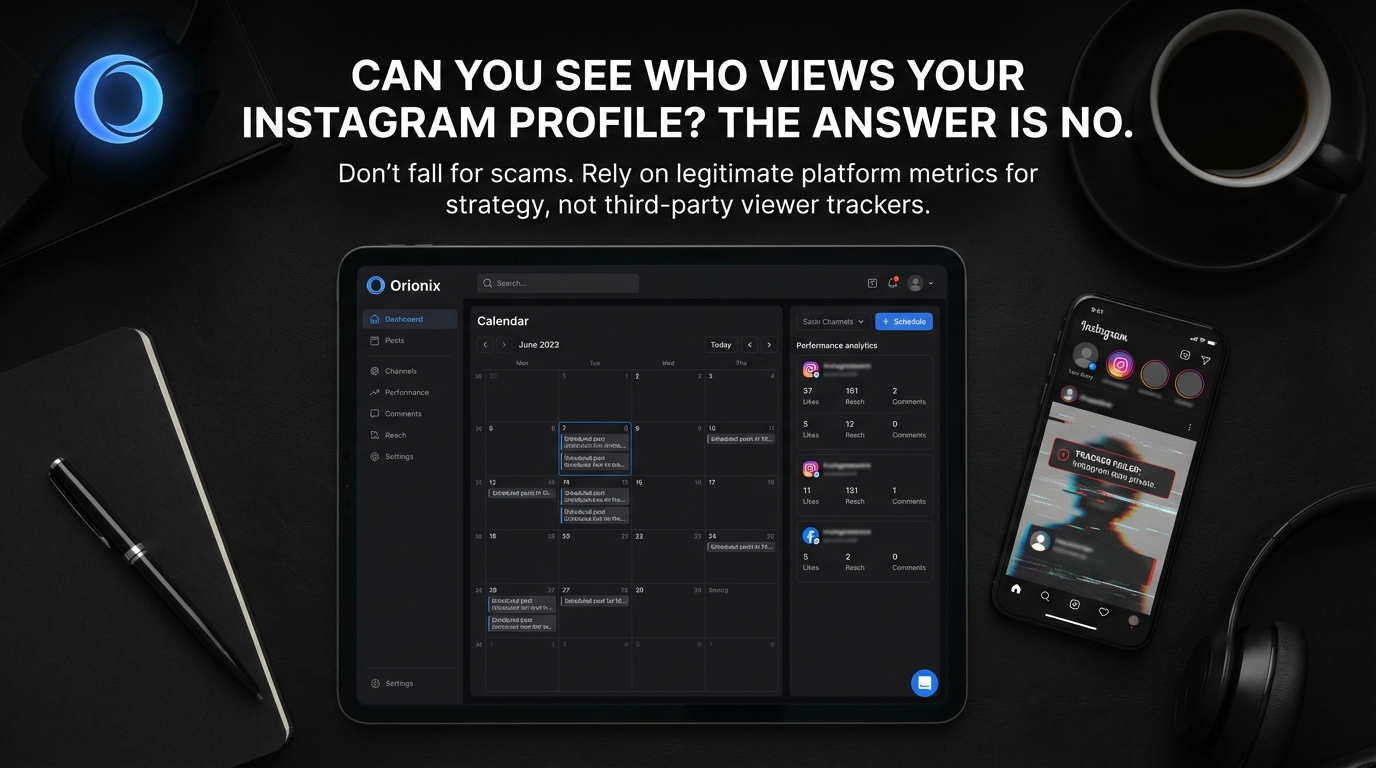
TL;DR: No, you cannot see who views your Instagram profile or regular posts. Instagram only shows viewers for Stories, Reels, and Live videos within specific timeframes. While third-party apps claim to reveal profile visitors, they don’t work and may compromise your account security. Instagram doesn’t provide this feature to protect user privacy.
Frequently Asked Questions
Can you see who views your Instagram profile?
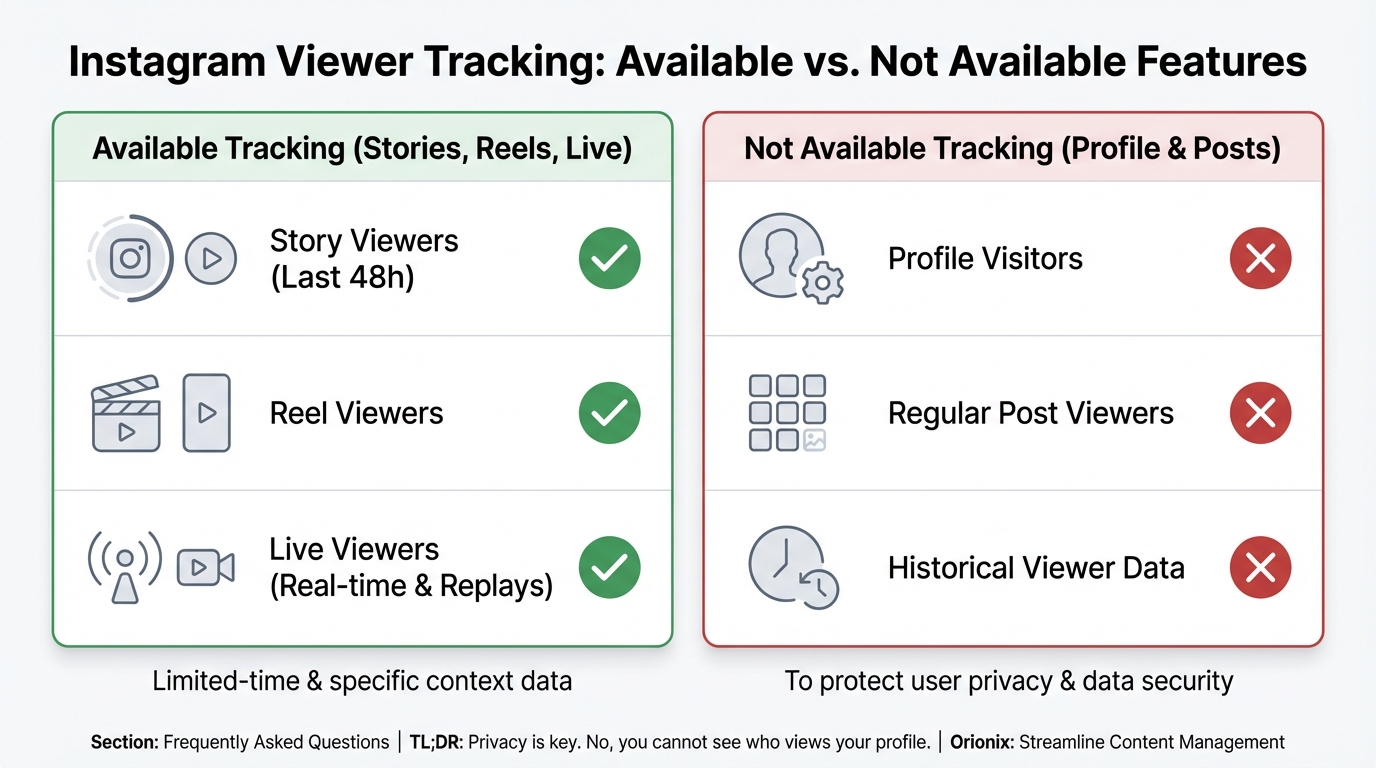
No, Instagram does not allow users to see who views their profile. The platform does not provide any native feature to track profile visitors. While Instagram shows who views your Stories, Reels, and Live videos, regular profile visits remain private. Third-party apps claiming to reveal profile viewers violate Instagram’s terms of service and should be avoided.
Can you see who views your Instagram Stories?
Yes, you can see who views your Instagram Stories. Instagram provides a viewer list for each Story you post, accessible by swiping up on your Story or tapping the eye icon. This list shows all accounts that viewed your Story and remains available for 24 hours while the Story is active. After 24 hours, the Story disappears but viewer data can still be accessed in your archive.
What Instagram analytics can you see without third-party tools?
Instagram provides built-in analytics through Instagram Insights for business and creator accounts. You can view metrics including post reach, impressions, engagement rates, follower demographics, and Story views. However, individual profile visitor tracking is not available. For comprehensive social media marketing analysis across multiple platforms, tools like Orionix offer centralized dashboards to manage and analyze content performance efficiently.
How do you delete an Instagram account permanently?
To permanently delete an Instagram account, visit instagram.com/accounts/remove/request/permanent from a web browser or mobile browser. Log in, select a reason for deletion, re-enter your password, and click ‘Permanently delete my account.’ This action is irreversible after 30 days. Your profile, photos, videos, comments, and followers will be permanently removed. Consider downloading your data before deletion.
How to deactivate Instagram temporarily instead of deleting?
To temporarily deactivate Instagram, go to your profile, tap the menu icon, select Settings, then Account, and choose ‘Deactivate account.’ Select a reason and re-enter your password to confirm. Deactivation hides your profile, posts, and comments until you reactivate by logging back in. This option is ideal if you need a break from social media platforms without losing your content permanently.
What is the best time to post on Instagram for maximum engagement?
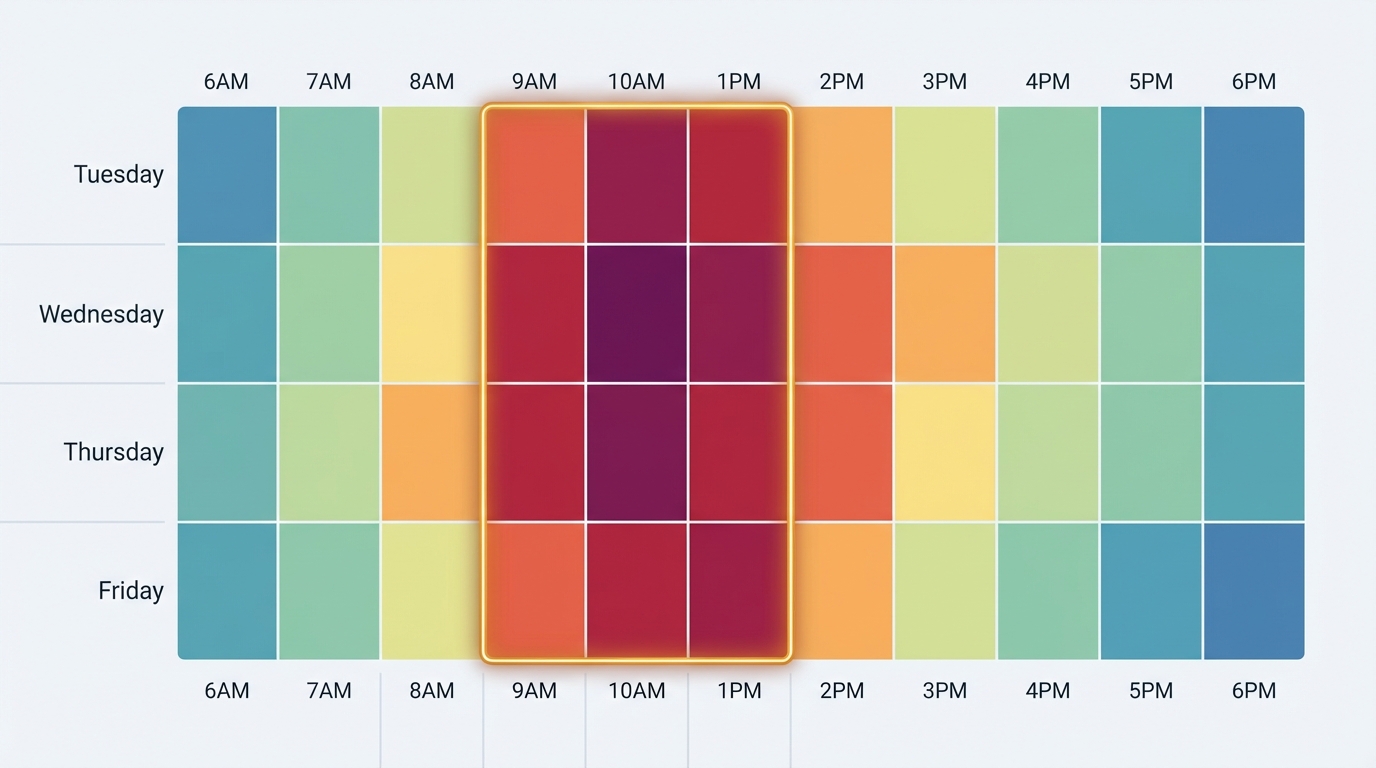
The best times to post on Instagram are typically Tuesday through Friday between 9 AM and 1 PM in your audience’s timezone. However, optimal posting times vary by industry, target audience, and location. Instagram Insights provides personalized data showing when your followers are most active. For managing multiple social media platforms efficiently, Orionix helps schedule posts at optimal times across channels from one dashboard.
Can third-party apps show who views your Instagram profile?
No legitimate third-party apps can show who views your Instagram profile. Apps claiming this capability violate Instagram’s terms of service and often compromise account security by requesting login credentials. Instagram’s API does not provide profile visitor data to developers. Using such apps risks account suspension, data theft, and privacy breaches. Always rely on Instagram’s official features for social media marketing insights.
How can social media marketing tools help manage Instagram content?
Social media marketing tools streamline content management by offering centralized dashboards for planning, scheduling, and publishing posts across multiple platforms including Instagram. These tools provide analytics, optimal posting time recommendations, and content calendars. Orionix, for example, enables users to manage various social media platforms from a single interface, improving efficiency in digital marketing campaigns and ensuring consistent brand presence across channels.
Understanding Instagram Profile Views: What You Can and Cannot See 👀
If you’ve ever wondered can you see who views your Instagram profile, you’re not alone. This question ranks among the most searched queries about Instagram, and the answer might surprise you. Unlike some social media platforms that offer profile view tracking, Instagram takes a different approach to user privacy and engagement metrics.
Instagram does not provide a feature that allows users to see who has viewed their profile. This policy applies to both personal and business accounts, making profile viewing completely anonymous on the platform. However, there are specific types of content where Instagram does reveal viewer information, creating some confusion about what visibility features actually exist.
Understanding what Instagram analytics are available—and what remains private—is crucial for anyone engaged in social media marketing or managing their personal brand. This knowledge helps you make informed decisions about your content strategy and sets realistic expectations for tracking engagement across social media platforms.
What Instagram Lets You See: Available Viewer Data 📊
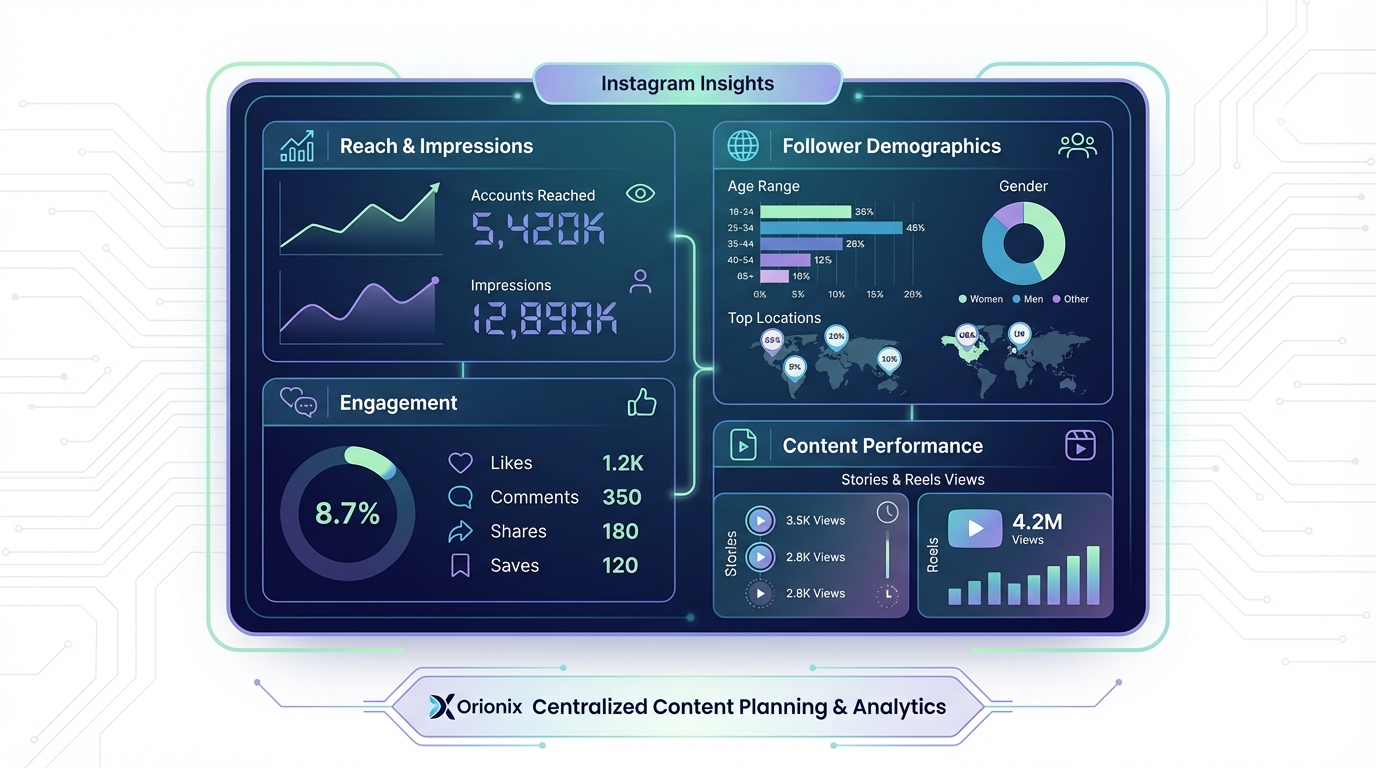
While you cannot see who views your Instagram profile, the platform does offer visibility into specific types of content engagement. These features provide valuable insights for digital marketing professionals and everyday users alike.
Instagram Stories Views
Instagram Stories represent the most transparent feature when it comes to viewer tracking. When you post a story, you can see exactly who has viewed it within the 24-hour window it remains active.
- View a complete list of usernames who watched your story
- See the order in which people viewed your content
- Track how many times your story was viewed
- Monitor when viewers screenshot your stories (you’ll receive a notification)
This visibility makes Stories an excellent tool for content marketers and social media managers who want to understand their audience engagement patterns. For more information about managing your Stories settings, check out our guide on how to stop sharing Instagram Stories to Facebook.
Instagram Reels and Video Views
Instagram Reels show you the total number of views but do not reveal individual viewer identities. This metric helps you gauge content performance without compromising viewer privacy.
Understanding how to maximize your Reels visibility is essential for growth. Learn more about increasing engagement with our comprehensive guide on getting free Instagram Reel views.
Instagram Live Video Viewers
During a live broadcast, you can see who is currently watching in real-time. Viewer names appear as they join, and you can track the total number of viewers throughout your broadcast.
Why Instagram Doesn’t Show Profile Visitors 🔒
Instagram’s decision to keep profile views private stems from several important considerations that balance user privacy with platform engagement.
Privacy Protection
Allowing users to browse profiles anonymously encourages more organic exploration of content. People feel more comfortable discovering new accounts and researching brands without leaving a digital footprint.
User Experience Considerations
Profile view tracking could create uncomfortable social dynamics. Users might feel pressured about who they view or avoid checking out profiles altogether, reducing overall platform engagement.
| Content Type | Can See Viewers? | Detail Level |
|---|---|---|
| Profile Views | ❌ No | Not available |
| Stories | ✅ Yes | Complete list with usernames |
| Reels | ⚠️ Partial | Total count only |
| Posts | ⚠️ Partial | Likes and comments only |
| Live Videos | ✅ Yes | Real-time viewer list |
Third-Party Apps: Risks and Reality Checks ⚠️
Numerous third-party applications claim they can show you who views your Instagram profile. These apps represent one of the most persistent myths in social media and digital spaces.
Why These Apps Don’t Work
Instagram’s API (Application Programming Interface) does not provide profile view data to external applications. Any app claiming to offer this feature is either misleading users or employing questionable methods.
- They cannot access data that Instagram doesn’t share through its API
- Many use fake or randomly generated viewer lists
- Some track who views your profile through the app, not your actual Instagram profile
- They often require access to your account credentials, creating security risks
Security Concerns
Using third-party viewer tracking apps poses significant risks to your Instagram account and personal information:
- Account compromise: Sharing login credentials gives apps full access to your account
- Data harvesting: Apps may collect and sell your personal information
- Account suspension: Using unauthorized apps violates Instagram’s terms of service
- Malware risks: Some apps contain malicious software
If you’re concerned about your account security or considering closing your account, read our guides on how to deactivate Instagram and how to close your Instagram account.
Legitimate Ways to Track Instagram Engagement 📈
While you cannot see profile viewers, Instagram provides robust analytics tools for understanding your audience and content performance, especially valuable for digital marketing strategies.
Instagram Insights for Business Accounts
Business and Creator accounts receive access to Instagram Insights, a comprehensive analytics dashboard that provides valuable engagement data.
| Metric Category | What You Can Track | Value for Marketing |
|---|---|---|
| Reach | Unique accounts who saw your content | Understand content distribution |
| Impressions | Total times your content was viewed | Measure content visibility |
| Engagement | Likes, comments, shares, saves | Gauge audience interest |
| Follower Demographics | Age, gender, location, active times | Optimize posting schedule |
| Website Clicks | Profile link clicks | Track conversion potential |
Optimizing Your Posting Strategy
Understanding the best times to post on Instagram significantly impacts your content’s reach and engagement. Instagram Insights reveals when your followers are most active online.
This data helps you schedule content strategically, ensuring maximum visibility. The best time to post on Instagram varies by audience, but typical peak engagement occurs:
- Weekdays between 11 AM and 2 PM
- Wednesday and Friday showing highest engagement
- Early mornings (6-9 AM) for catching commuters
- Evening hours (7-9 PM) for leisure browsing
Engagement Metrics That Matter
Focus on these actionable metrics instead of profile views:
- Saves: Indicates valuable content users want to reference later
- Shares: Shows content resonates enough for users to recommend
- Comments: Reveals active audience engagement and conversation
- Story replies: Demonstrates personal connection with followers
- Profile visits: Total visits (not individual viewers) from specific content
Building Your Instagram Strategy Without Profile View Data 🎯
Successful social media marketing on Instagram doesn’t require knowing who views your profile. Instead, focus on creating engaging content and building genuine connections.
Content Quality Over Viewer Tracking
The most successful Instagram accounts prioritize content excellence rather than obsessing over who’s viewing their profile. High-quality content naturally attracts engaged followers.
For those new to the field, our guide on entry level social media marketing provides foundational strategies for building an effective presence.
Engagement-Focused Strategies
Implement these tactics to build meaningful connections with your audience:
- Respond promptly to comments and direct messages
- Use interactive Story features like polls, questions, and quizzes
- Create content that encourages saves and shares
- Post consistently at optimal times for your audience
- Use relevant hashtags to increase discoverability
Leveraging Instagram Stories Effectively
Since Stories provide the most viewer transparency, maximize this feature for audience insights. Create engaging Stories that encourage interaction and provide value.
Learn advanced techniques with our Instagram how-to videos guide to enhance your content creation skills.
Managing Your Follower List
Sometimes managing your Instagram presence means curating your connections. Understanding how to unfollow on Instagram helps maintain a relevant feed and authentic engagement.
For more serious situations, knowing how to block someone on Instagram protects your online space and mental well-being.
Privacy and Account Management Best Practices 🛡️
Understanding Instagram’s privacy features helps you control your visibility while respecting others’ privacy across social media platforms.
Detecting Account Status Changes
Sometimes you might notice changes in your follower count or interactions. Our guide on how to know if someone deactivated their Instagram helps you understand these changes.
Similarly, if you suspect someone has restricted your access, check out how to know if someone blocked you on Instagram to identify the signs.
Account Privacy Settings
Control who can see your content and interact with your account through these settings:
- Switch to a private account to approve followers manually
- Hide your Stories from specific accounts
- Restrict accounts without blocking them
- Control who can comment on your posts
- Manage who can tag you in photos
Data Export and Management
For social media managers and marketers, exporting follower data provides valuable insights for campaign planning. Our Instagram follower export tool guide explains how to access and utilize this information effectively.
Professional Instagram Management Solutions 💼
For businesses and digital marketing professionals, managing Instagram effectively requires more than just understanding viewer analytics. It demands comprehensive tools that streamline content creation and distribution.
Centralized Content Management
Professional social media management platforms offer features that go beyond Instagram’s native capabilities:
- Schedule posts across multiple social media platforms simultaneously
- Analyze performance metrics in unified dashboards
- Collaborate with team members on content creation
- Maintain consistent branding across channels
- Plan content calendars weeks or months in advance
Cross-Platform Integration
Many businesses struggle with managing content across Instagram, Facebook, Twitter, and other platforms. If you’re experiencing issues like Instagram not sharing to Facebook, integrated management tools can resolve these technical challenges.
Influencer Management Tools
For those working with influencers or aspiring to become one, specialized tools help manage collaborations and track campaign performance. Explore our social media influencer tools guide for comprehensive platform management solutions.
Industry-Specific Instagram Strategies 🔧
Different industries require tailored approaches to Instagram marketing. Understanding your sector’s unique needs helps create more effective campaigns.
Service-Based Business Marketing
Local service businesses can leverage Instagram effectively without worrying about profile view tracking. For example, social media marketing for plumbers demonstrates how specialized industries can build strong Instagram presences.
Creating Compelling Cover Letters
For professionals seeking positions in social media marketing, showcasing your Instagram expertise matters. Our guide on social media marketing cover letters helps you highlight relevant skills and experience.
The Future of Instagram Analytics and Privacy 🔮
As social media evolves, the balance between analytics and privacy continues to shift. Understanding these trends helps you prepare for future changes.
Emerging Privacy Trends
Social media platforms increasingly prioritize user privacy in response to regulatory pressures and user demands. Instagram’s decision not to show profile viewers aligns with this broader trend.
Advanced Analytics Development
While profile view tracking remains unavailable, Instagram continuously enhances its analytics offerings for business accounts. Expect more sophisticated insights into:
- Content performance prediction
- Audience sentiment analysis
- Competitive benchmarking
- AI-powered content recommendations
- Enhanced demographic segmentation
Alternative Platform Considerations
Understanding how different platforms approach viewer tracking helps inform your multi-platform strategy. Some platforms like Hi5 social media offer different privacy and visibility features worth exploring.
For a comprehensive understanding of platform features across the social media landscape, review our guide on what includes social media.
Common Misconceptions About Instagram Viewing 🤔
Several myths persist about Instagram’s viewing capabilities. Let’s clarify the most common misconceptions:
Myth vs. Reality
| Common Myth | Reality | Why It Matters |
|---|---|---|
| Instagram notifies users when you screenshot posts | Only true for Stories, not regular posts | Affects content sharing behavior |
| Viewing someone’s profile multiple times alerts them | Completely false | Reduces browsing anxiety |
| Business accounts can see all profile visitors | No account type has this access | Levels playing field |
| Instagram plans to add profile view tracking | No official indication of this feature | Sets realistic expectations |
| Story viewer order shows who views most | Order is based on complex engagement algorithm | Prevents misinterpretation |
Understanding Algorithm Impact
Instagram’s algorithm determines content visibility based on engagement patterns, not profile views. Focus on creating content that generates likes, comments, saves, and shares rather than obsessing over who might be viewing your profile.
Practical Action Steps for Instagram Success ✅
Instead of seeking ways to see profile viewers, implement these proven strategies to grow your Instagram presence effectively:
Immediate Actions
- Switch to a Business or Creator account to access Instagram Insights
- Audit your current content to identify top-performing posts
- Analyze your follower demographics to understand your audience
- Identify your optimal posting times based on when followers are active
- Create a content calendar aligned with these insights
Ongoing Optimization
- Monitor engagement metrics weekly to spot trends
- Test different content formats (Reels, carousels, single images)
- Experiment with various caption styles and lengths
- Use Instagram Stories consistently to maintain visibility
- Engage authentically with your community through comments and DMs
Long-Term Strategy Development
Building a successful Instagram presence requires patience and consistency. Focus on these foundational elements:
- Develop a clear brand voice and visual identity
- Create content pillars that align with audience interests
- Build relationships with complementary accounts in your niche
- Stay current with Instagram feature updates and algorithm changes
- Invest in quality content creation tools and education
Conclusion: Focus on What Matters Most 🎯
While the question « can you see who views your Instagram » continues to intrigue users, the answer remains clear: Instagram does not provide profile view tracking, and this limitation actually benefits the platform’s ecosystem.
Rather than chasing impossible metrics, successful Instagram users focus on meaningful engagement, quality content creation, and strategic use of available analytics. The metrics you can access—reach, impressions, engagement rates, and Story views—provide more than enough data to build an effective social media marketing strategy.
Remember that genuine connections and valuable content always outperform vanity metrics. Whether you’re a small business owner, content marketer, or brand strategist, your energy is better spent creating content that resonates with your audience than worrying about who’s viewing your profile anonymously.
By understanding Instagram’s actual capabilities and focusing on actionable metrics, you can develop a robust social media presence that drives real business results. Implement the strategies outlined in this guide, stay consistent with your efforts, and watch your Instagram engagement grow organically.
Ready to take your social media management to the next level? Visit Orionix to discover how our centralized platform can help you plan, create, and publish content across all your social channels from a single dashboard. Streamline your workflow, save time, and maximize your social media impact with tools designed for modern digital marketers. 🚀
Article created using IntentRank