
TL;DR: Instagram how to videos are short, educational clips that teach viewers specific skills or processes step-by-step. Create them using Instagram Reels or Stories by filming vertical content, adding clear captions, using trending audio, and including text overlays. Post consistently, use relevant hashtags, and engage with comments to maximize reach and help your audience learn effectively.
Frequently Asked Questions

How do you create effective Instagram how-to videos for marketing?
Create effective Instagram how-to videos by keeping them under 60 seconds, using clear visuals, and adding captions for sound-off viewing. Start with a hook in the first 3 seconds, break down steps simply, and use good lighting. Include trending music, relevant hashtags, and post during peak engagement times. Use platforms like Orionix to plan and schedule your content across multiple social media platforms efficiently.
What are the best times to post Instagram how-to videos?
The best times to post on Instagram are typically Tuesday through Friday between 9 AM-1 PM, with peak engagement at 11 AM. However, optimal timing varies by audience. Analyze your Instagram Insights to identify when your followers are most active. For B2B content, weekday mornings work best, while B2C audiences engage more during evenings and weekends.
How long should Instagram how-to videos be for maximum engagement?
Instagram how-to videos should be 15-60 seconds for Reels to maximize engagement and algorithm favorability. Feed videos can be up to 60 minutes, but shorter content (30-90 seconds) performs better. Stories are limited to 15 seconds per segment. Keep tutorials concise, focusing on one clear tip or technique per video to maintain viewer attention and encourage completion rates.
Can you schedule Instagram how-to videos using content management tools?
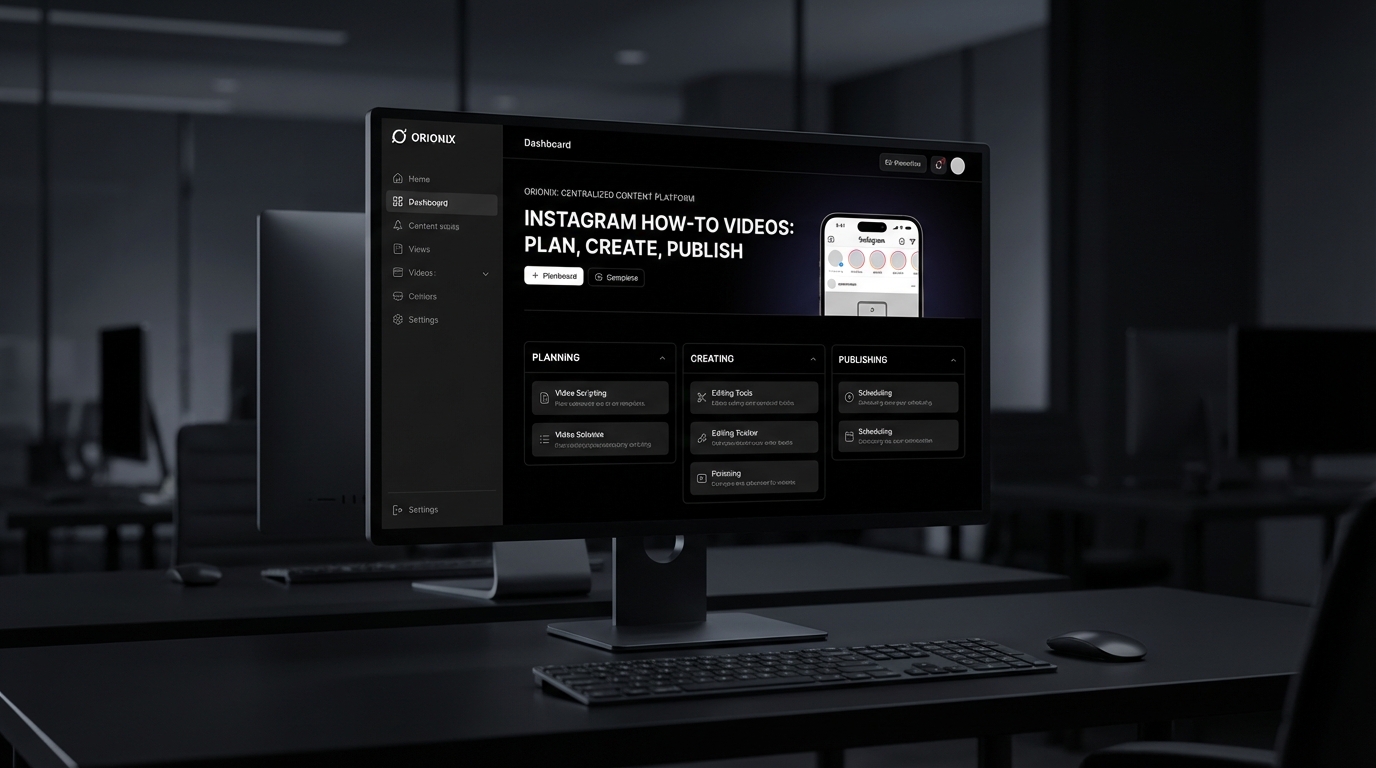
Yes, you can schedule Instagram how-to videos using content management platforms like Orionix, which offers a centralized dashboard for planning and publishing across social media platforms. These tools allow you to batch-create content, schedule posts for optimal times, preview how videos will appear, add captions and hashtags in advance, and manage multiple accounts efficiently from one location.
What equipment do you need to make Instagram how-to videos?
You need a smartphone with a good camera (most modern phones work well), stable lighting (natural light or ring light), and a tripod or stabilizer. Optional but helpful: an external microphone for clear audio, video editing apps like CapCut or InShot, and a clean background. Start simple and upgrade as you grow—quality content matters more than expensive equipment.
How do Instagram how-to videos differ from other social media platforms?
Instagram how-to videos prioritize visual storytelling with vertical 9:16 format, shorter duration (15-90 seconds), and sound-off viewing requiring captions. Unlike YouTube’s long-form tutorials or TikTok’s trend-focused content, Instagram balances educational value with aesthetic appeal. The platform favors Reels over static posts, emphasizes hashtag strategy, and integrates shopping features, making it ideal for lifestyle and product-based tutorials in digital marketing.
What are common mistakes to avoid when creating Instagram how-to videos?
Avoid these mistakes: making videos too long or complicated, poor lighting and audio quality, lacking captions for accessibility, using horizontal instead of vertical format, ignoring the first 3-second hook, over-editing that feels inauthentic, inconsistent posting schedules, and neglecting to engage with comments. Also avoid irrelevant hashtags and posting without analyzing your audience’s best engagement times through Instagram Insights.
How can Instagram how-to videos support your social media marketing strategy?
Instagram how-to videos build authority, increase engagement, and drive conversions in social media marketing. They educate your audience, showcase product benefits, and encourage shares, expanding organic reach. Tutorial content positions your brand as helpful and trustworthy, fostering community loyalty. Using centralized platforms like Orionix streamlines creating and distributing educational content across channels, ensuring consistent messaging and efficient workflow management for digital marketing campaigns.
Creating Engaging Instagram How to Videos: Your Complete Guide

In today’s digital landscape, instagram how to videos have become one of the most powerful tools for engaging audiences and building a loyal following. Whether you’re a content creator, business owner, or social media marketer, understanding how to create compelling tutorial content can transform your Instagram presence and drive meaningful engagement with your audience. 📱
The rise of video content on social media platforms has fundamentally changed how we consume and share information. Instagram, in particular, has evolved from a simple photo-sharing app into a comprehensive content creation platform where educational videos thrive.
This guide will walk you through everything you need to know about creating effective Instagram tutorial videos, from planning and production to optimization and distribution strategies that actually work.
Why Instagram Tutorial Videos Matter for Your Marketing Strategy

Video content generates 1200% more shares than text and images combined, making it an essential component of any social media marketing strategy. Instagram tutorial videos specifically offer unique advantages that other content formats simply can’t match.
The Power of Educational Content on Social Media
Educational content builds trust and positions you as an authority in your field. When you share valuable knowledge through Instagram videos, you’re not just promoting products—you’re providing genuine value that keeps audiences coming back for more. 🎯
Tutorial videos also have exceptional staying power. Unlike trending content that fades quickly, evergreen how-to videos continue generating views, engagement, and followers long after publication.
Instagram’s Video Formats and Their Uses
| Format | Duration | Best Use Case | Engagement Type |
|---|---|---|---|
| Instagram Reels | Up to 90 seconds | Quick tips and step-by-step tutorials | High discovery potential |
| Instagram Stories | 15 seconds per clip | Behind-the-scenes and quick demos | Direct follower engagement |
| IGTV/Instagram Video | Up to 60 minutes | In-depth tutorials and masterclasses | Deep engagement |
| Instagram Live | Up to 4 hours | Real-time Q&A and demonstrations | Interactive learning |
Planning Your Instagram Tutorial Content Strategy
Success with Instagram how to videos starts long before you hit the record button. Strategic planning ensures your content resonates with your target audience and aligns with your broader digital marketing goals.
Identifying Topics Your Audience Actually Wants
The best tutorial topics come directly from your audience’s questions and pain points. Monitor comments, direct messages, and frequently asked questions to discover what your followers genuinely need to learn. 💡
Consider these proven topic categories for Instagram tutorials:
- Platform-specific guides: How to use Instagram features, best times to post on Instagram, or how to deactivate Instagram accounts
- Industry-specific skills: Techniques and processes relevant to your niche
- Problem-solving content: Solutions to common challenges your audience faces
- Tool demonstrations: How to use specific software or applications
- Creative processes: Behind-the-scenes looks at your workflow
Understanding Your Audience Demographics
Different audience segments consume content differently. Social media managers might prefer concise, actionable tips, while beginners may need more detailed, step-by-step instructions.
Analyze your Instagram Insights to understand when your audience is most active. The best time to post on Instagram varies by industry and location, but generally falls during lunch hours (11 AM – 1 PM) and evening periods (7 PM – 9 PM).
Creating High-Quality Instagram Tutorial Videos
Quality matters more than ever in the crowded social media landscape. Your tutorial videos need to look professional while remaining authentic and accessible to your audience.
Essential Equipment and Tools
You don’t need expensive equipment to start creating compelling Instagram videos. Modern smartphones capture excellent video quality that’s perfectly suitable for social media platforms. 📹
| Budget Level | Camera | Audio | Lighting |
|---|---|---|---|
| Beginner ($0-$100) | Smartphone with stabilizer | Smartphone microphone | Natural window light |
| Intermediate ($100-$500) | Entry-level DSLR or mirrorless | Lavalier microphone | Ring light or softbox |
| Professional ($500+) | Professional mirrorless camera | Shotgun microphone | 3-point lighting setup |
Video Production Best Practices
Great tutorial videos follow a proven structure that keeps viewers engaged from start to finish. Begin with a hook that clearly states what viewers will learn, deliver the content efficiently, and end with a clear call-to-action.
Keep these production tips in mind:
- Film in vertical format (9:16) for Instagram Reels and Stories to maximize screen real estate
- Use captions and text overlays since 85% of videos are watched without sound
- Maintain consistent branding with colors, fonts, and intro/outro sequences
- Keep videos concise and focus on one clear topic per video
- Show rather than tell whenever possible—demonstrations beat explanations
Editing Techniques That Boost Engagement
Editing transforms raw footage into polished, engaging content. Use jump cuts to maintain pacing, add B-roll footage to illustrate concepts, and incorporate graphics to emphasize key points.
Popular editing apps for Instagram content include CapCut, InShot, Adobe Premiere Rush, and Instagram’s built-in editing tools. Each offers different features suited to various skill levels and production needs.
Optimizing Instagram Videos for Maximum Reach
Creating great content is only half the battle. Optimization ensures your Instagram how to videos reach the right audience and generate meaningful engagement. 🚀
Crafting Compelling Captions and Descriptions
Your caption should complement your video content, not repeat it. Use the first line to hook viewers, include relevant keywords naturally, and end with a question or call-to-action to encourage comments.
Effective caption strategies include:
- Start with a strong hook that addresses a pain point
- Break text into short, scannable paragraphs
- Include 3-5 relevant hashtags within the caption itself
- Add 20-30 additional hashtags in the first comment
- Tag relevant accounts and locations when appropriate
Hashtag Strategy for Tutorial Content
Strategic hashtag use dramatically increases discoverability. Mix popular hashtags with niche-specific tags to balance reach and relevance. For tutorial content, consider following hashtags yourself to stay current with trends in your space.
Learn more about how to follow hashtags on Instagram to monitor trending topics and competitor content in your niche.
Timing Your Posts for Maximum Visibility
The best times to post on Instagram depend on your specific audience, but data shows certain patterns hold true across industries. Weekdays generally outperform weekends, with Tuesday through Thursday showing the highest engagement rates.
Test different posting times and track performance metrics to identify when your specific audience is most active and engaged. Consistency matters more than perfection—establish a regular posting schedule your audience can rely on.
Leveraging Instagram Features for Tutorial Content
Instagram offers numerous features designed to enhance video content and boost engagement. Understanding how to use each feature strategically amplifies your tutorial content’s impact across the platform.
Instagram Reels for Quick Tutorials
Reels represent Instagram’s biggest push into short-form video content, offering unparalleled organic reach potential. The algorithm heavily favors Reels, making them ideal for reaching new audiences beyond your existing followers.
For step-by-step tutorials, break complex processes into bite-sized Reels that viewers can easily follow and save for later reference. Check out our guide on getting free Instagram Reel views to maximize your content’s visibility.
Instagram Stories for Behind-the-Scenes Content
Stories create intimacy and authenticity that polished feed posts can’t match. Use Stories to share quick tips, answer follower questions, and provide supplementary content that supports your main tutorial videos. ✨
Interactive Story features like polls, questions, and quizzes transform passive viewers into active participants, increasing engagement and providing valuable feedback about what content your audience wants next.
Instagram Live for Real-Time Teaching
Live video creates urgency and exclusivity that recorded content lacks. Host regular live tutorial sessions where you demonstrate techniques in real-time and answer viewer questions as they arise.
Announce Lives in advance through Stories and feed posts to maximize attendance, and save completed Lives to your profile for those who couldn’t attend in real-time.
Measuring Success and Iterating Your Strategy
Data-driven decision making separates successful Instagram strategies from guesswork. Track the right metrics to understand what’s working and continuously refine your approach based on real performance data.
Key Performance Indicators for Tutorial Videos
| Metric | What It Measures | Target Range |
|---|---|---|
| View Rate | Percentage of followers who watch | 20-30%+ |
| Average Watch Time | How long viewers stay engaged | 50-70% completion |
| Saves | Value and reference-ability | 5-10% of views |
| Shares | Viral potential and value | 2-5% of views |
| Comments | Active engagement level | 1-3% of views |
Analyzing Performance Patterns
Look beyond individual post performance to identify broader patterns. Which tutorial topics generate the most saves? What video lengths maintain the highest completion rates? Which posting times deliver the best engagement?
Instagram Insights provides comprehensive data about your content performance, audience demographics, and growth trends. Review these analytics weekly to spot trends and adjust your strategy accordingly.
A/B Testing Different Approaches
Systematic testing reveals what resonates with your specific audience. Test variables like video length, caption style, thumbnail designs, and posting times to optimize every element of your Instagram strategy. 🔬
Document your tests and results to build a knowledge base of what works for your audience. What succeeds for one account may not work for another—your data is your most valuable asset.
Advanced Strategies for Instagram Tutorial Content
Once you’ve mastered the basics, these advanced techniques can take your Instagram tutorial content to the next level and establish you as a true authority in your niche.
Creating Series and Playlists
Tutorial series keep audiences coming back for more while establishing you as a comprehensive resource. Structure related tutorials into numbered series or themed playlists that guide viewers through complete learning journeys.
Promote each new installment in your series through Stories and captions, creating anticipation and encouraging followers to enable post notifications so they never miss an update.
Collaborating with Other Creators
Collaborations expose your content to new audiences while adding fresh perspectives to your tutorials. Partner with complementary creators in your niche to co-create content that benefits both audiences.
Instagram’s Collab feature allows you to co-author posts and Reels, combining both accounts’ reach and engagement. This powerful tool amplifies your content’s visibility while building valuable relationships within your industry.
Repurposing Content Across Platforms
Maximize your content creation efforts by adapting Instagram tutorials for other social media platforms. Each platform has unique requirements and audience expectations, but the core content can be repurposed efficiently.
Transform Instagram Reels into YouTube Shorts, TikTok videos, or Pinterest Idea Pins. Extract key insights for Twitter threads or LinkedIn posts. This multi-platform approach extends your content’s lifespan and reach across the digital marketing ecosystem.
Common Mistakes to Avoid with Instagram Tutorial Videos
Learning from common pitfalls saves time and frustration. Avoid these frequent mistakes that undermine even well-intentioned Instagram tutorial content. ⚠️
Technical and Production Errors
- Poor audio quality: Viewers tolerate mediocre video quality but abandon content with bad audio
- Inconsistent lighting: Harsh shadows or dim footage appears unprofessional
- Shaky footage: Use a tripod or stabilizer for smooth, professional-looking videos
- Cluttered backgrounds: Distracting elements pull focus from your tutorial content
- Missing captions: Accessibility matters—always include text for viewers watching without sound
Strategic and Content Mistakes
Content mistakes often prove more damaging than technical issues. Avoid trying to cover too much in a single video—focused tutorials perform better than sprawling overviews.
Don’t neglect your existing followers while chasing new audiences. Balance growth-focused content with value-packed tutorials for your current community. Engagement from existing followers signals quality to Instagram’s algorithm, boosting your reach to new viewers.
Engagement and Community Management Errors
Creating content without engaging with your audience is a missed opportunity. Respond to comments, answer questions, and acknowledge feedback to build a loyal community around your tutorial content.
Learn how to delete comments on Instagram to manage spam and maintain a positive community environment while encouraging genuine engagement.
Building a Sustainable Content Creation Workflow
Consistency separates successful Instagram accounts from those that fade into obscurity. Building sustainable systems ensures you can maintain quality output without burning out. 💪
Batching Content Production
Batch filming multiple tutorials in single sessions maximizes efficiency and ensures consistent output. Dedicate specific days to filming, editing, and scheduling content rather than creating videos on-demand.
This approach allows you to:
- Maintain consistent posting schedules even during busy periods
- Optimize your setup and workflow for maximum efficiency
- Reduce decision fatigue by planning content in advance
- Create themed content series more cohesively
- Build a content buffer for unexpected circumstances
Using Content Management Tools
Professional content management platforms streamline the entire creation and publishing process. Tools that offer centralized dashboards for planning, creating, and publishing across multiple social media platforms save countless hours of manual work.
Consider solutions that provide scheduling capabilities, analytics tracking, and collaboration features to support your Instagram tutorial content strategy as it scales.
Maintaining Work-Life Balance
Sustainable content creation requires boundaries and self-care. Set realistic posting frequencies you can maintain long-term rather than ambitious schedules that lead to burnout.
Quality always trumps quantity. Three excellent tutorials per week outperform seven mediocre videos every time. Focus on creating value rather than chasing arbitrary posting quotas.
Monetizing Your Instagram Tutorial Content
Once you’ve built an engaged audience with valuable tutorial content, multiple monetization opportunities become available. Strategic monetization allows you to invest more resources into creating even better content. 💰
Direct Monetization Methods
Instagram offers several built-in monetization features for eligible creators. Badges during Live videos, IGTV ads, and Instagram Shopping provide direct revenue streams from your tutorial content.
Affiliate marketing represents another powerful monetization strategy. Recommend tools and products you genuinely use in your tutorials, earning commissions when viewers make purchases through your links.
Indirect Monetization Strategies
Tutorial content builds authority that supports broader business goals. Use Instagram videos to drive traffic to paid courses, coaching services, or digital products that provide deeper value than free content can offer.
Brand partnerships and sponsored content become available as your audience grows. Companies pay premium rates to access engaged audiences through authentic creator partnerships.
Staying Current with Instagram Platform Changes
Instagram constantly evolves, introducing new features and adjusting algorithms. Staying informed about platform changes ensures your tutorial content strategy remains effective. 📱
Following Instagram’s Official Resources
Instagram’s Creator Account and official blog announce new features and best practices. Following these official channels keeps you informed about platform changes before they impact your strategy.
Join creator communities and forums where social media professionals share insights and strategies. Peer learning often reveals practical applications of new features faster than official documentation.
Adapting to Algorithm Changes
Instagram’s algorithm prioritizes content that generates meaningful engagement and keeps users on the platform longer. Focus on creating genuinely valuable tutorials rather than trying to game algorithmic systems.
When algorithm changes impact your reach, analyze what’s working for successful accounts in your niche and adapt your approach while maintaining your unique voice and style.
Integrating Instagram Tutorials into Your Broader Marketing Strategy
Instagram tutorial videos shouldn’t exist in isolation. Integrate them into your comprehensive digital marketing strategy for maximum impact across all channels. 🎯
Cross-Platform Content Distribution
Extend your Instagram tutorials’ reach by sharing them across other social media platforms where your audience gathers. Each platform offers unique opportunities to connect with different audience segments.
Embed Instagram videos in blog posts, share them in email newsletters, and promote them through other marketing channels to drive traffic back to your Instagram profile.
For comprehensive guidance on managing content across multiple platforms, explore our complete guide to social media platform features to understand how each channel can support your tutorial content strategy.
Email Marketing Integration
Build an email list from your Instagram audience to maintain direct communication independent of social media algorithms. Share exclusive tutorials, early access to new content, and behind-the-scenes insights with email subscribers.
This owned channel provides stability and control that social media platforms alone cannot offer, protecting your business from algorithm changes and platform volatility.
Driving Business Results
Every Instagram tutorial should support specific business objectives. Whether building brand awareness, generating leads, or driving sales, ensure your content strategy aligns with broader marketing goals.
Track how tutorial content contributes to business outcomes beyond vanity metrics. Monitor website traffic from Instagram, email signups attributed to tutorial content, and sales influenced by your Instagram presence.
For businesses in specific industries like food service, specialized strategies can amplify results. Check out our guide on social media marketing for restaurants to see how tutorial content adapts to different business types.
Essential Instagram Account Management Knowledge
Beyond creating tutorial content, understanding fundamental Instagram account management ensures you can support your audience with platform-specific guidance. This knowledge also makes you a more valuable resource for your community. 🔧
Helping Your Audience Navigate Instagram
Your followers often have questions about Instagram’s features and functionality. Creating tutorials that address common platform questions positions you as a comprehensive resource.
Common topics include:
- Understanding how to know if someone blocked you on Instagram
- Learning how to deactivate Instagram temporarily or permanently
- Troubleshooting issues like Instagram not sharing to Facebook
- Managing connections with how to disconnect Instagram from Facebook
- Efficiently unfollowing accounts on Instagram
Advanced Account Management Tutorials
As your audience grows more sophisticated, they’ll appreciate tutorials on advanced Instagram features and tools. Content about analytics, business features, and professional tools demonstrates your expertise.
Topics like Instagram follower export tools and audience data management appeal to business users and serious content creators within your community.
The Future of Instagram Tutorial Content
Understanding emerging trends positions you ahead of the curve as Instagram continues evolving. Forward-thinking creators adapt early to new features and formats, gaining competitive advantages. 🚀
Emerging Video Trends
Short-form video continues dominating social media, but longer tutorial content is experiencing a renaissance as audiences seek deeper value. Instagram’s support for longer videos indicates the platform recognizes demand for comprehensive educational content.
Interactive video features allowing viewers to make choices or explore different paths represent the next evolution in tutorial content. Early adopters of these technologies will capture audience attention as features roll out.
AI and Automation in Content Creation
Artificial intelligence tools are transforming content creation workflows, from script writing to video editing. Smart creators leverage these tools to enhance efficiency while maintaining authentic, human connection with audiences.
Automation handles repetitive tasks, freeing creators to focus on strategy, creativity, and community engagement—the irreplaceable human elements that build loyal audiences.
The Rise of Niche Communities
Broad, general content increasingly struggles to cut through the noise. Hyper-focused tutorials serving specific niche communities generate stronger engagement and more loyal followings than generic content.
Identify underserved niches where your expertise can provide unique value. Dominating a small, engaged niche often proves more valuable than competing for attention in oversaturated markets.
Taking Action: Your Instagram Tutorial Content Roadmap
Knowledge without action remains theoretical. Transform these insights into results by implementing a structured approach to creating and optimizing your Instagram tutorial content. ✅
Your First 30 Days
Start with these foundational steps to launch your Instagram tutorial strategy:
- Week 1: Audit your existing content and identify your three most valuable tutorial topics
- Week 2: Plan and script your first five tutorial videos
- Week 3: Film and edit your initial content batch
- Week 4: Publish your first tutorials and engage actively with audience feedback
Building Momentum in Months 2-3
Once you’ve established basic consistency, focus on optimization and expansion. Analyze your first month’s performance data to identify what resonates with your audience.
Double down on successful content types while experimenting with new formats and topics. Build your content library systematically, creating comprehensive resources that establish your authority.
Long-Term Success Strategies
Sustainable Instagram success requires patience and persistence. Most accounts take 6-12 months of consistent effort before experiencing significant growth and engagement.
Stay committed to your content schedule even when initial results disappoint. Quality compounds over time—each tutorial you publish increases your visibility and authority.
Streamline Your Instagram Content Management
Managing Instagram tutorial content alongside other marketing responsibilities can feel overwhelming. The right tools and systems transform chaos into organized, efficient workflows that support consistent output. 🎨
Professional content management solutions centralize planning, creation, and publishing across multiple social media platforms. Rather than juggling separate tools and platforms, unified dashboards provide complete visibility and control over your entire content strategy.
Consider how much time you currently spend switching between apps, manually posting content, and tracking performance across different platforms. Streamlined systems reclaim those hours for strategic thinking and creative work that actually grows your business.
Ready to transform your social media management workflow? Visit Orionix to discover how a centralized content management platform can simplify your Instagram tutorial strategy while amplifying results across all your marketing channels. Our intuitive dashboard puts everything you need in one place, so you can focus on creating exceptional content that connects with your audience. 🚀
Article created using IntentRank