
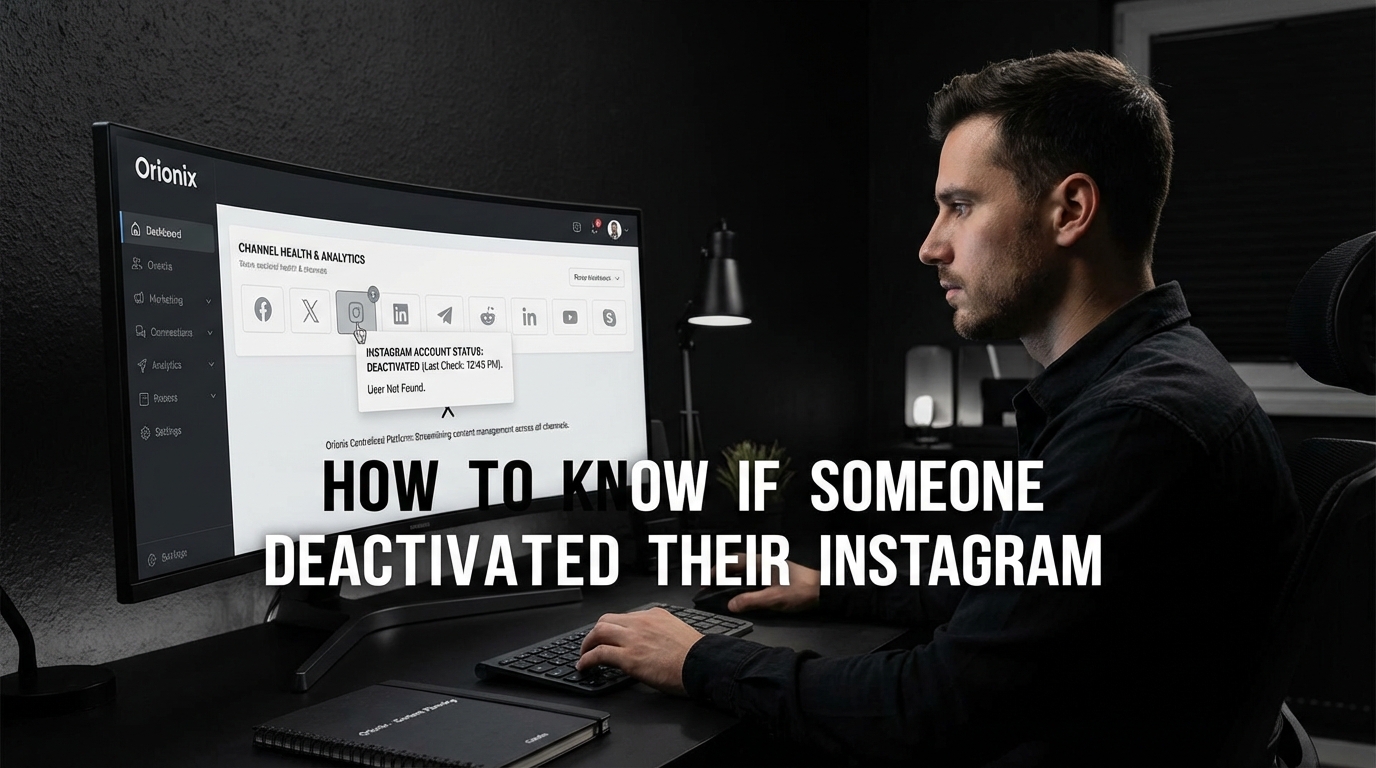
TL;DR: To know if someone deactivated their Instagram, search for their username. If their profile doesn’t appear in search results but you previously followed them, they likely deactivated. You won’t see their posts, comments, or likes. Unlike blocking, deactivation is temporary and reversible, affecting all users equally.
Frequently Asked Questions

How to know if someone deactivated their Instagram account?
When someone deactivates their Instagram account, their profile, photos, comments, and likes become temporarily invisible. You won’t be able to find their profile through search, and previous conversations in direct messages will remain visible but show no profile picture. Unlike blocking, you can still see past message threads, though you cannot send new messages until they reactivate their account.
What’s the difference between a deactivated and deleted Instagram account?
A deactivated Instagram account is temporary and reversible—the user can restore it by logging back in. All content, followers, and data remain saved. A deleted account is permanent; after 30 days, all photos, videos, followers, and profile information are permanently removed and cannot be recovered. Deactivation hides the account, while deletion erases it completely from Instagram’s servers.
Can you still message someone who deactivated their Instagram?
You cannot send new messages to someone who has deactivated their Instagram account. However, your previous conversation history remains visible in your direct messages. The deactivated user’s profile picture will disappear from the chat, and their username may appear without a clickable link. Once they reactivate their account, normal messaging functionality will resume automatically.
How long does Instagram deactivation last?
Instagram deactivation can last indefinitely—there’s no time limit. Users can keep their accounts deactivated for as long as they want and reactivate whenever they choose by simply logging back in. However, Instagram recommends that users who don’t plan to return should delete their account instead. Deactivation is ideal for temporary social media breaks without losing content or followers.
Will I be notified if someone deactivates their Instagram account?
No, Instagram does not send notifications when someone deactivates their account. You’ll only notice when you try to visit their profile or search for their username and find nothing. This is different from being blocked, where you might still see a limited profile. Deactivation is a private action on social media platforms, and Instagram respects user privacy by not broadcasting these changes.
How do you delete an Instagram account permanently versus deactivating it?
To deactivate Instagram temporarily, go to your profile settings, select ‘Account,’ then ‘Deactivate account.’ To permanently delete your account, visit Instagram’s Delete Your Account page through a web browser, select a reason, and confirm deletion. Permanent deletion takes 30 days to complete, during which you can cancel by logging in. Deactivation is instant and reversible anytime.
Can someone see my Instagram posts if I deactivate my account?
No, when you deactivate your Instagram account, all your posts, stories, profile information, comments, and likes become completely invisible to everyone. Your followers cannot see your content, and your username won’t appear in searches. This temporary invisibility makes deactivation useful for social media marketing breaks or personal time away from social media platforms without permanently losing your content.
What happens to Instagram direct messages when an account is deactivated?
When an account is deactivated, existing direct message conversations remain visible to other participants, but the deactivated user’s profile picture disappears and their username becomes unclickable. Recipients cannot send new messages to the deactivated account. Once reactivated, all message history is restored, and normal communication resumes. This differs from account deletion, which removes all message history permanently.
Understanding Instagram Account Deactivation: What You Need to Know

If you’ve noticed that someone’s Instagram profile has suddenly vanished from your feed, you might be wondering: did they block me, or did they deactivate their account? Learning how to know if someone deactivated their Instagram is essential for anyone active on social media platforms, whether you’re managing personal connections or handling social media marketing campaigns for clients.
Instagram deactivation is a temporary measure that allows users to take a break from the platform without permanently deleting their account. Unlike blocking, which is personal and targeted, deactivation affects everyone equally. This distinction is crucial for social media managers and digital marketing professionals who need to track engagement and maintain relationships with their audience.
In this comprehensive guide, we’ll explore the clear signs that indicate someone has deactivated their Instagram account, how deactivation differs from blocking or deletion, and what this means for your social media strategy. Whether you’re a content marketer, small business owner, or simply curious about a missing connection, understanding these signals will help you navigate Instagram more effectively. 📱
Key Differences: Deactivation vs. Blocking vs. Deletion

Before diving into how to identify a deactivated account, it’s important to understand the three distinct actions users can take on Instagram and how they affect visibility.
Instagram Account Deactivation
When someone deactivates their Instagram account temporarily, their profile, photos, comments, and likes are hidden from the platform. However, this action is reversible—they can reactivate their account at any time by simply logging back in.
- Profile becomes completely invisible to all users
- Previous comments and likes disappear temporarily
- Direct messages remain in your inbox but show « Instagram User »
- Account can be restored at any time with all content intact
- No notification is sent to followers about the deactivation
Being Blocked by Someone
Blocking is a personal action directed at specific users. If you’ve been blocked, you’ll still see evidence of the account’s existence, but with limited access. For more detailed information about identifying blocks, check out this guide on how to know if someone blocked you on Instagram.
Permanent Account Deletion
When users permanently delete their Instagram account, the process takes 30 days to complete. During this period, the account is deactivated, and after 30 days, all data is permanently removed. If you’re considering this option yourself, learn more about how to close your Instagram account.
| Action | Visibility | Reversibility | Duration |
|---|---|---|---|
| Deactivation | Profile completely hidden | Instantly reversible | User’s choice |
| Blocking | Limited profile visibility | User can unblock anytime | Until unblocked |
| Deletion | Profile hidden, then removed | Reversible within 30 days | Permanent after 30 days |
How to Know If Someone Deactivated Their Instagram: 7 Clear Signs
Identifying a deactivated Instagram account requires checking multiple indicators. Here are the definitive signs that someone has temporarily deactivated their profile rather than blocking you or deleting their account permanently. 🔍
1. Search Results Show No Profile
The most obvious sign is that when you search for their username in Instagram’s search bar, their profile doesn’t appear at all. This differs from being blocked, where you might still see the account in search results with limited information.
To test this effectively:
- Open Instagram and tap the search icon
- Type their exact username in the search bar
- Check if any results appear
- Try searching from a different account if possible
2. Direct Messages Show « Instagram User »
If you previously had conversations with this person, check your direct messages. When someone deactivates their account, their profile picture disappears, and their name changes to « Instagram User » in your message thread.
The conversation history remains intact, but you cannot send new messages. This is a key differentiator—if you were blocked, the message thread would look different or you might not be able to access it at all.
3. Previous Comments Disappear
Navigate to posts where you know this person previously commented. If their account is deactivated, their comments will have vanished completely. This affects all their activity across the platform, including:
- Comments on your posts
- Comments on mutual friends’ posts
- Likes on photos and videos
- Tagged photos and mentions
4. Tagged Photos Show No Profile Link
Check photos where you previously tagged this person. If their account is deactivated, the tag will either disappear or show as plain text without a clickable link to their profile. This is particularly useful for social media marketing professionals tracking campaign participants.
5. Follower Count Changes
If you notice your follower count has decreased and this person was following you, it could indicate deactivation. However, this sign alone isn’t conclusive, as they could have simply unfollowed you. For more information on managing your Instagram connections, read about how to unfollow on Instagram.
6. Mutual Friends Can’t Find Them Either
Ask mutual connections if they can still see the person’s profile. If nobody can access it, this strongly suggests deactivation rather than a personal block. This verification step is especially important for brand strategists managing influencer relationships.
7. No Activity on Connected Social Media Platforms
Check other social media platforms where this person is active. If they’re also absent from Facebook, Twitter, or other networks, they might be taking a broader digital detox. However, if they’re active elsewhere but only missing from Instagram, deactivation is likely.
Why Understanding Deactivation Matters for Digital Marketing
For professionals working in social media marketing and digital marketing, recognizing deactivated accounts has significant implications for campaign management and audience analytics. 📊
Impact on Engagement Metrics
When influencers or brand ambassadors deactivate their accounts, it directly affects your marketing digital marketing campaigns. Engagement rates may drop, tagged content becomes inaccessible, and collaborative posts lose visibility.
Social media managers need to track these changes to maintain accurate performance metrics and adjust strategies accordingly. Using tools that help you monitor your audience is essential—consider exploring an Instagram follower export tool to maintain records of your connections.
Timing Your Content Strategy
Understanding account status helps you optimize posting schedules. If key audience members frequently deactivate during certain periods, you might need to adjust the best times to post on Instagram to maximize reach when your audience is most active.
The best time to post on Instagram varies by industry and audience demographics, but tracking deactivation patterns provides additional insights into when your followers are genuinely engaged versus taking breaks from the platform.
| Metric | Impact | Recommended Action |
|---|---|---|
| Engagement Rate | Decreases temporarily | Adjust benchmarks to account for inactive followers |
| Reach | Reduced potential audience | Increase content frequency or diversify platforms |
| Follower Count | Appears lower | Track separately from actual unfollows |
| Tagged Content | Loses visibility | Create backup documentation of collaborations |
How to Deactivate Instagram: A Quick Guide
Understanding how to deactivate Instagram yourself can provide insight into the process and help you better recognize it in others. While you might be investigating whether someone else has deactivated their account, knowing the mechanics is valuable for managing your own social media presence. ⚙️
Steps to Temporarily Deactivate Your Account
Instagram doesn’t allow account deactivation directly from the mobile app. You must use a web browser on your phone or computer:
- Log into Instagram.com from a web browser
- Navigate to your profile and click « Edit Profile »
- Scroll to the bottom and select « Temporarily disable my account »
- Choose a reason from the dropdown menu
- Re-enter your password to confirm
- Click « Temporarily Disable Account »
Your profile, photos, comments, and likes will be hidden until you reactivate by logging back in. This process is completely reversible and doesn’t affect your content or connections permanently.
Considerations Before Deactivating
Before you deactivate, consider these factors:
- You can only deactivate your account once per week
- All scheduled posts will be cancelled
- Your Instagram Stories will disappear immediately
- Connected apps may lose access to your data
- If you have Facebook integration, you may need to disconnect your Instagram from Facebook separately
How Can You Delete an Instagram Account Permanently
While deactivation is temporary, some users choose permanent deletion. Understanding how can you delete an Instagram account helps differentiate between temporary and permanent account removal when investigating missing profiles. 🗑️
The Permanent Deletion Process
When considering how do you delete an Instagram account permanently, the process is more serious and involves a 30-day grace period:
- Visit the dedicated account deletion page on Instagram
- Log in if you haven’t already
- Select a reason for deletion from the dropdown
- Re-enter your password
- Click « Delete [Your Username] »
During the 30-day grace period, your account is deactivated but can still be recovered. After 30 days, all data is permanently deleted and cannot be recovered. For a comprehensive walkthrough, visit the guide on how to close your Instagram account.
Key Differences Between Deactivation and Deletion
Understanding these differences helps you determine what action someone has taken:
- Deactivation: Instantly reversible, can be done repeatedly, hides content temporarily
- Deletion: 30-day grace period, permanent after that, removes all data completely
- Username: Deactivated usernames remain reserved; deleted usernames may become available
- Recovery: Deactivation is instant recovery; deletion requires action within 30 days
Managing Your Instagram Presence Across Social Media Platforms
For content marketers and small business owners, understanding account status across social media platforms is crucial for maintaining consistent brand presence and engagement. 🌐
Cross-Platform Considerations
Instagram is part of the broader Meta ecosystem, which means actions on one platform can affect others. If someone deactivates Instagram but remains active on Facebook, this suggests a targeted break from Instagram rather than a complete social media detox.
For businesses managing multiple social media platforms, tracking these patterns helps inform your content distribution strategy. If you notice customers or partners frequently deactivating Instagram during specific periods, you might need to strengthen presence on alternative platforms.
Content Planning Across Platforms
When key audience members deactivate, consider these strategies:
- Diversify your social media marketing efforts across multiple platforms
- Maintain email lists as a backup communication channel
- Document important collaborations before deactivation occurs
- Create content that works across multiple social media platforms
- Monitor reactivation patterns to optimize future posting schedules
Understanding what includes social media beyond just Instagram helps build a more resilient marketing strategy. Learn more about comprehensive platform management in this guide on what includes social media.
Tools and Strategies for Social Media Management
Digital marketing professionals need robust tools to track audience behavior, including deactivations, unfollows, and engagement changes. Effective social media marketing requires staying informed about your audience’s activity patterns. 🛠️
Monitoring Audience Changes
Regular monitoring helps you identify when followers deactivate versus unfollow. Consider these approaches:
- Export follower lists regularly to track changes over time
- Document collaborations with screenshots and backups
- Use analytics tools to identify sudden engagement drops
- Maintain spreadsheets of key influencer and partner accounts
- Set up alerts for significant follower count changes
Optimizing Your Posting Strategy
Understanding when your audience is most active—and when they’re taking breaks—helps you optimize the best times to post on Instagram. Analyze your engagement data to identify:
- Peak activity hours when most followers are online
- Days of the week with highest engagement
- Seasonal patterns in account deactivations
- Content types that maintain engagement despite audience fluctuations
For restaurants and local businesses, social media marketing for restaurants requires special attention to timing and audience availability, making deactivation tracking even more important.
Creating Engaging Content
Maintain engagement even when some followers temporarily deactivate by creating compelling content that encourages reactivation and sharing. Consider these content types:
- Instagram Reels that can go viral beyond your immediate follower base
- Educational content that provides lasting value
- User-generated content that builds community
- Behind-the-scenes footage that creates connection
- Interactive Stories that encourage immediate engagement
Learn more about creating compelling video content in this guide on Instagram how to videos.
Building a Resilient Social Media Strategy
Account deactivations are a normal part of social media dynamics. Building a strategy that accounts for these fluctuations ensures consistent performance regardless of temporary audience changes. 📈
Diversification Strategies
Don’t rely solely on Instagram for your digital marketing efforts. A diversified approach across social media platforms protects against the impact of deactivations:
- Maintain active presence on multiple platforms (Facebook, Twitter, LinkedIn, TikTok)
- Build email lists to maintain direct communication
- Create a blog or website as your content hub
- Develop community forums or groups for dedicated followers
- Use SMS marketing for time-sensitive communications
Engagement Recovery Tactics
When key followers or collaborators reactivate their accounts, have a plan to re-engage them:
- Send a welcome-back direct message to reactivated collaborators
- Tag them in relevant new content they missed
- Share updates on what happened during their absence
- Offer exclusive content or promotions for returning followers
Analytics and Reporting
Track deactivation patterns in your analytics reports to inform future strategy:
| Metric | Tracking Frequency | Action Threshold |
|---|---|---|
| Follower Count | Daily | 5% decrease in 7 days |
| Engagement Rate | Per post | 20% below average |
| Reach | Weekly | 15% decrease week-over-week |
| Story Views | Daily | 10% below 30-day average |
Professional Applications: When Deactivation Detection Matters Most
For certain professionals and scenarios, identifying deactivated accounts quickly is critical to business operations and relationship management. Understanding these applications helps you prioritize monitoring efforts. 💼
For Social Media Managers
Social media managers need to track when clients, competitors, or collaborators deactivate accounts. This information affects:
- Campaign performance reporting and metrics
- Influencer partnership management
- Competitive analysis and benchmarking
- Content collaboration timelines
- Client communication and expectation setting
If you’re applying for positions in this field, understanding these nuances strengthens your candidacy. Check out tips for crafting a compelling social media marketing cover letter.
For Brand Strategists
Brand strategists use deactivation data to understand audience behavior patterns and adjust long-term strategies accordingly. Key considerations include:
- Identifying seasonal deactivation trends
- Understanding demographic patterns in social media breaks
- Adjusting brand voice and messaging during high-deactivation periods
- Planning campaign launches around audience availability
For Content Marketers
Content marketers need to ensure their content reaches active audiences. Deactivation tracking helps with:
- Optimizing content calendars for maximum reach
- Identifying the best time to post on Instagram for your specific audience
- Adjusting content types based on audience availability
- Planning evergreen content that performs well regardless of temporary audience fluctuations
For specialized tools and strategies, explore options for social media influencer tools that help manage relationships across platforms.
Troubleshooting Common Confusion
Sometimes what appears to be a deactivation might actually be something else. Here’s how to troubleshoot common scenarios that create confusion. 🔧
Instagram Technical Issues
Before concluding someone has deactivated their account, rule out technical problems:
- Check if Instagram is experiencing widespread outages
- Clear your app cache and restart Instagram
- Update to the latest version of the Instagram app
- Try accessing the account from a web browser instead of the app
- Log out and log back into your account
Privacy Settings Changes
Sometimes accounts appear missing due to privacy setting adjustments rather than deactivation:
- The user may have switched to a private account
- They might have removed you from their close friends list
- Story settings could have been changed to exclude certain followers
- They may have restricted your account rather than blocking you
Username Changes
If someone changed their username, their profile might seem to have disappeared when you search for the old name. Try:
- Checking your direct messages for the updated username
- Looking through mutual friends’ follower lists
- Searching for their full name instead of username
- Checking if they announced the change on other social media platforms
Maximizing Your Instagram Strategy with Professional Tools
Managing a successful Instagram presence requires more than just understanding deactivations—it demands comprehensive tools and strategies that help you stay connected with your audience regardless of temporary changes. 🚀
Centralized Content Management
Professional social media management platforms offer centralized dashboards that help you track audience changes, schedule content, and maintain consistent engagement across multiple social media platforms. These tools become essential when managing complex campaigns with multiple stakeholders.
Key features to look for include:
- Automated follower tracking and change detection
- Multi-platform posting and scheduling
- Analytics dashboards with deactivation impact analysis
- Collaboration tools for team management
- Content libraries for quick access to approved materials
Audience Relationship Management
Maintaining strong relationships with your Instagram audience requires systematic tracking and engagement. Consider implementing:
- Regular audience audits to identify active versus inactive followers
- Segmentation strategies to prioritize engagement with active users
- Re-engagement campaigns for followers who return after deactivation
- Documentation systems for important collaborator relationships
Performance Optimization
Understanding deactivation patterns helps you optimize every aspect of your Instagram strategy, from posting times to content types. Focus on:
- Analyzing engagement data to identify resilient content formats
- Testing different posting schedules to find the best times to post on Instagram
- Creating content that generates saves and shares beyond your immediate followers
- Building community features that encourage consistent engagement
For additional insights on growing your presence, explore strategies for getting free Instagram Reel views to expand your reach beyond your existing follower base.
Conclusion: Mastering Instagram Account Status Detection
Understanding how to know if someone deactivated their Instagram is more than just satisfying curiosity—it’s a valuable skill for anyone serious about social media marketing and digital marketing. By recognizing the signs of deactivation versus blocking or deletion, you can better manage your relationships, adjust your content strategy, and maintain accurate performance metrics. ✨
The key indicators we’ve covered—from search result absence to « Instagram User » messages to disappeared comments—provide a comprehensive framework for identifying deactivated accounts. This knowledge empowers social media managers, content marketers, small business owners, and brand strategists to make informed decisions about their social media platforms strategy.
Remember that account deactivations are a normal part of social media dynamics. Building a resilient strategy that accounts for these fluctuations ensures your marketing efforts remain effective regardless of temporary audience changes. Focus on creating valuable content, diversifying across multiple platforms, and maintaining strong relationships with your active community.
Whether you’re tracking the best times to post on Instagram, managing influencer partnerships, or simply staying connected with friends and followers, understanding account status helps you navigate the platform more effectively. The tools and strategies outlined in this guide provide a solid foundation for professional Instagram management.
Ready to take your social media management to the next level? Visit Orionix to discover how our centralized platform can streamline your content planning, creation, and publishing across all your social media channels. With powerful tools for tracking audience changes, scheduling posts, and analyzing performance, you’ll never miss a beat—even when followers temporarily deactivate. Start optimizing your social media strategy today with Orionix’s comprehensive dashboard designed for modern digital marketers! 🎯
Article created using IntentRank