
TL;DR: Instagram doesn’t have a built-in feature to see recently viewed posts. However, you can check your viewing history by going to Settings > Your Activity > Recent Searches to find accounts you’ve visited. To track posts effectively, save them to collections or use third-party social media management tools like Orionix for better content organization.
Frequently Asked Questions

How do I see recently viewed posts on Instagram?
Instagram doesn’t have a built-in feature to view your browsing history of posts. However, you can check your activity by going to Settings > Your Activity > Recent Searches to see accounts you’ve searched for. Posts you’ve liked appear under Settings > Your Activity > Interactions > Likes. For saved posts, tap the menu icon on your profile and select ‘Saved’ to access bookmarked content.
Can you recover deleted Instagram posts you recently viewed?
You cannot recover posts deleted by other users that you previously viewed, as Instagram doesn’t maintain a viewing history. If you deleted your own post, go to Settings > Account > Recently Deleted to restore it within 30 days. For posts from others, you’ll need to find the original account or ask them to repost the content if it’s no longer available.
Does Instagram notify users when you view their posts?
Instagram does not notify users when you view their regular feed posts or Reels. However, the platform does show who viewed Instagram Stories, and the poster can see a list of viewers for 24 hours. For direct messages containing disappearing photos or videos, senders receive notifications when you take screenshots or replay the content.
What’s the best time to post on Instagram for maximum engagement?
The best times to post on Instagram are typically Tuesday through Friday between 9 AM and 1 PM in your audience’s timezone. However, optimal posting times vary by industry and target audience. Use Instagram Insights to analyze when your followers are most active. Tools like Orionix can help schedule posts across social media platforms during peak engagement hours for better reach and visibility.
How can I manage multiple social media platforms efficiently for content posting?
Use a centralized social media management platform like Orionix to streamline content creation and publishing across multiple channels. These tools allow you to plan, schedule, and post content from a single dashboard, saving time and ensuring consistency. Features typically include content calendars, analytics tracking, team collaboration, and automated posting to Instagram, Facebook, Twitter, LinkedIn, and other social media platforms simultaneously.
How do I deactivate or delete my Instagram account temporarily?
To deactivate Instagram temporarily, log in via web browser, go to Settings > Account Center > Personal Details > Account Ownership and Control > Deactivation or Deletion. Choose ‘Deactivate Account,’ select a reason, and confirm. Your profile becomes invisible until you log back in. To permanently delete your account, select ‘Delete Account’ instead and follow the prompts. Deletion is irreversible after 30 days.
How can I gain followers on Instagram for free without using paid services?
Gain free Instagram followers by posting high-quality, consistent content at optimal times, using relevant hashtags, engaging with your target audience through comments and likes, collaborating with similar accounts, creating shareable Reels and Stories, and optimizing your bio with clear value propositions. Avoid free Instagram followers websites as they often provide fake accounts that harm engagement rates and violate Instagram’s terms of service.
Why is social media marketing important for businesses on Instagram?
Social media marketing on Instagram helps businesses reach over 2 billion active users, build brand awareness, and drive conversions. Instagram’s visual platform is ideal for showcasing products, connecting with customers through Stories and Reels, and leveraging influencer partnerships. Effective digital marketing strategies include consistent posting schedules, engaging content, targeted hashtags, and analytics tracking to measure ROI and adjust campaigns for better performance.
Understanding Instagram’s Activity History: How to See Recently Viewed Posts

If you’re wondering how to see recently viewed posts on Instagram, you’re not alone. Many Instagram users want to revisit content they’ve scrolled past, whether it’s an inspiring post, a product they considered buying, or a recipe they meant to save. While Instagram doesn’t offer a traditional « viewing history » like some other social media platforms, there are several clever methods to track and find posts you’ve recently engaged with.
Understanding your Instagram activity becomes increasingly important as social media marketing and digital marketing strategies evolve. For content marketers and brand strategists, knowing how users interact with content can inform better posting strategies, including determining the best times to post on Instagram for maximum engagement.
In this comprehensive guide, we’ll explore every available method to view your recently seen Instagram posts, understand Instagram’s activity tracking features, and provide actionable strategies for content creators and businesses looking to optimize their Instagram presence. 📱
Instagram’s Built-In Activity Features

Your Activity Dashboard: The Official Method
Instagram provides an official « Your Activity » feature that tracks various aspects of your account usage. This built-in tool offers insights into your Instagram behavior, though it doesn’t show a complete viewing history of every post you’ve scrolled past.
Here’s what you can access through Your Activity:
- Posts you’ve liked: A complete chronological list of all content you’ve double-tapped
- Comments you’ve made: Every comment you’ve left on posts and reels
- Saved posts: Content you’ve bookmarked for later reference
- Account interactions: Recent searches and accounts you’ve visited
- Time spent: Daily average time spent on the platform
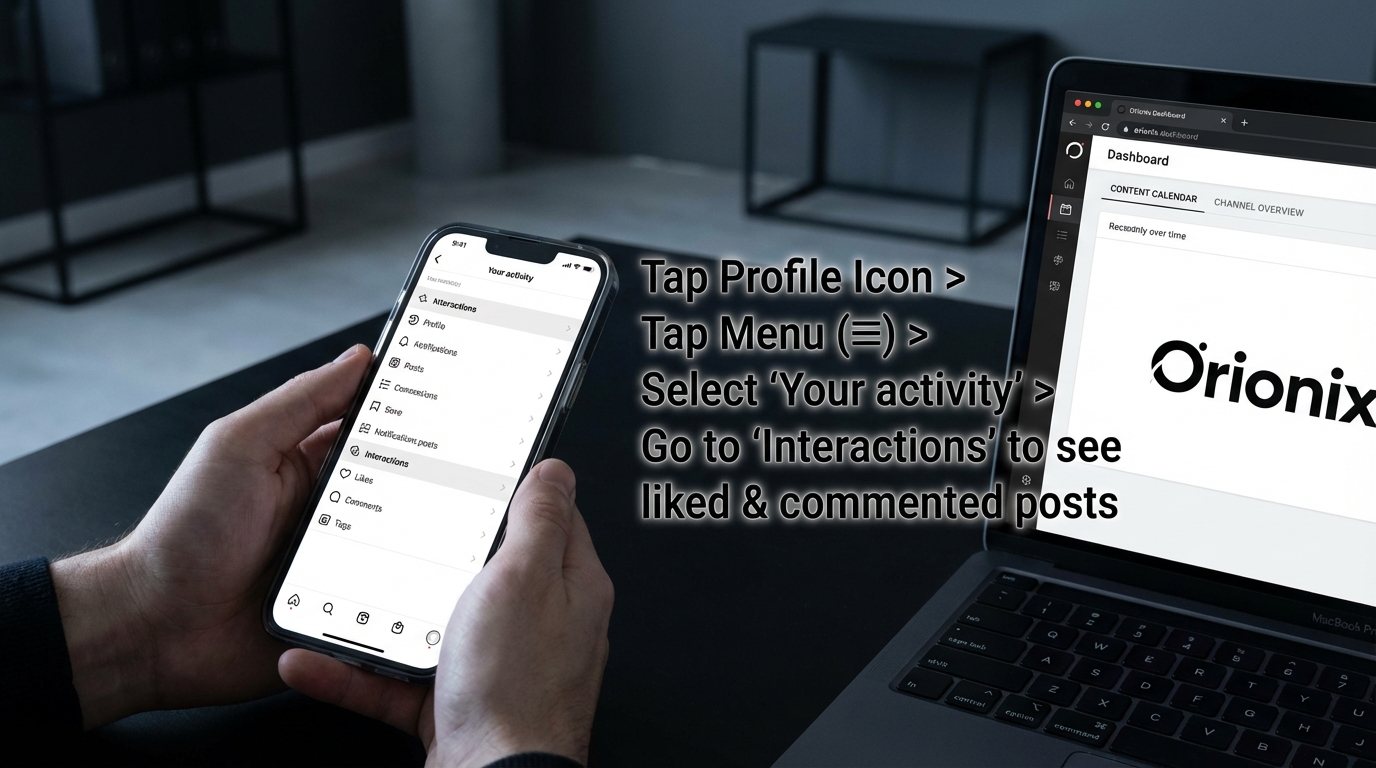
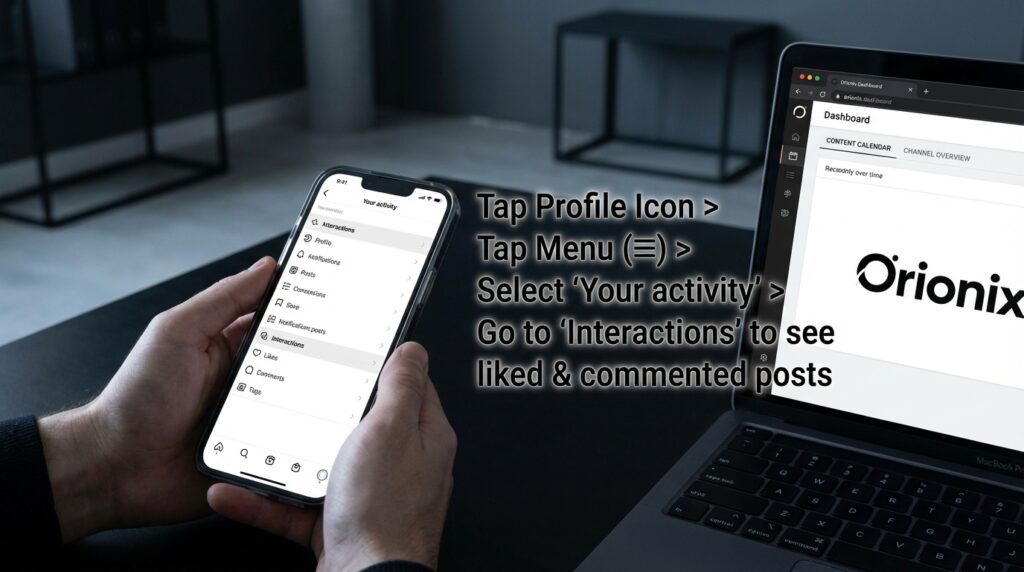
To access Your Activity, tap your profile picture, select the menu (three horizontal lines), and choose « Your Activity. » This feature is essential for anyone managing social media and content strategies, as it provides valuable data about engagement patterns.
How to Access Your Activity History Step-by-Step
- Open the Instagram app and navigate to your profile
- Tap the three horizontal lines (hamburger menu) in the top-right corner
- Select « Your Activity » from the menu options
- Choose « Interactions » to see posts you’ve liked and comments you’ve made
- Tap « Likes » to view a chronological list of posts you’ve engaged with
This method works particularly well if you’ve liked the post you’re trying to find. For social media marketing professionals analyzing competitor content or tracking industry trends, this feature provides a reliable audit trail of your research activities. 🔍
Alternative Methods to Track Recently Viewed Instagram Posts
Using Your Search History
Instagram’s search function maintains a history of accounts, hashtags, and locations you’ve recently searched. While this doesn’t show individual posts, it can help you navigate back to accounts where you viewed interesting content.
Your search history appears automatically when you tap the search icon. The platform displays your most recent searches at the top, making it easy to revisit profiles you’ve explored. This feature is particularly useful for content creators researching competitors or brands studying successful digital marketing strategies.
Leveraging Saved Collections
One of the most effective ways to ensure you can revisit posts is to save them proactively. Instagram’s Save feature allows you to bookmark posts into organized collections, creating a personal content library.
| Feature | Benefit | Best Use Case |
|---|---|---|
| Save to Collections | Organize content by category | Content inspiration, product research |
| Private Bookmarks | Only you can see saved posts | Competitor analysis, personal reference |
| Quick Access | Retrieve saved content instantly | Campaign planning, content curation |
| Unlimited Storage | No limit on saved posts | Long-term content libraries |
To save a post, tap the bookmark icon below the image or video. You can create custom collections like « Marketing Ideas, » « Product Inspiration, » or « Tutorial Content » to keep your saved posts organized and easily accessible.
Understanding Instagram’s Algorithm and Content Visibility
How Instagram Determines What You See
Understanding Instagram’s algorithm helps explain why certain posts appear in your feed and why finding previously viewed content can be challenging. The platform uses sophisticated machine learning to personalize each user’s experience based on engagement patterns, relationships, and interests.
Key factors influencing your feed include:
- Engagement history: Posts from accounts you frequently interact with appear more prominently
- Recency: Newer posts generally receive priority in your feed
- Relationship signals: Content from accounts you message, tag, or search for appears more often
- Session duration: Longer browsing sessions may show older content
- Content type preference: Instagram prioritizes formats you engage with most (photos, videos, Reels)
For businesses implementing social media marketing strategies, understanding these algorithmic factors is crucial for determining the best time to post on Instagram and maximizing content visibility. 📊
Why Instagram Doesn’t Show Complete Viewing History
Unlike some social media platforms, Instagram deliberately doesn’t provide a comprehensive viewing history feature. This design choice serves multiple purposes related to user experience, privacy, and platform engagement.
The platform prioritizes forward-scrolling behavior and content discovery over retrospective viewing. This approach encourages users to engage with content in the moment rather than treating Instagram like a searchable database. For brands and marketers, this means creating compelling content that captures immediate attention becomes even more critical.
Advanced Strategies for Content Tracking and Management
Creating a Personal Content Management System
For social media managers and digital marketing professionals who need to track competitor content or industry trends, developing a systematic approach to content tracking is essential. Here are proven strategies:
- Screenshot important posts: Capture content you want to reference later with your phone’s screenshot function
- Use Instagram’s Save feature proactively: Create detailed collections for different content categories
- Maintain an external tracking system: Use tools like Notion, Trello, or Airtable to log interesting posts with links
- Set up browser bookmarks: When viewing Instagram on desktop, bookmark specific posts
- Enable post notifications: Turn on notifications for accounts whose content you don’t want to miss
These methods are particularly valuable for those looking to gain followers on Instagram for free by studying successful content strategies and implementing proven tactics. 💡
Utilizing Third-Party Tools and Browser Extensions
While Instagram’s native features have limitations, several third-party tools can enhance your ability to track and organize content. However, always ensure any tools you use comply with Instagram’s terms of service to avoid account issues.
Browser extensions for desktop Instagram can provide additional functionality like download options, enhanced navigation, and better search capabilities. These tools are especially useful for content marketers conducting competitive research or analyzing industry trends across multiple accounts.
Instagram Activity Management for Privacy and Security
Controlling Your Digital Footprint
Understanding how to manage your Instagram activity isn’t just about finding old posts—it’s also about controlling your digital footprint and maintaining privacy. Instagram provides several features to manage what information is stored and visible.
You can clear your search history, unlike posts you’ve previously liked, and manage which accounts can see your activity. For users concerned about privacy, learning what happens when you restrict someone on Instagram can help maintain boundaries without completely blocking accounts.
Managing Account Settings and Activity Data
Instagram allows you to download a copy of your data, which includes comprehensive information about your activity on the platform. This data export includes posts you’ve liked, comments you’ve made, searches you’ve performed, and much more.
To request your data:
- Go to Settings and Privacy
- Select « Accounts Center »
- Choose « Your information and permissions »
- Select « Download your information »
- Choose the data range and format
- Request the download
This comprehensive data export can be invaluable for analyzing your own Instagram behavior patterns or understanding how you’ve engaged with content over time. For those considering account management options, understanding how to deactivate Instagram temporarily or learning how can you delete an Instagram account permanently provides important context about data retention. 🔒
Optimizing Your Instagram Experience for Better Content Discovery
Engaging Strategically with Content
The most effective way to ensure you can find posts later is to engage with them intentionally when you first see them. Strategic engagement not only helps you track content but also trains Instagram’s algorithm to show you more relevant posts.
Consider these engagement strategies:
- Like posts you want to reference: Your likes create a searchable archive
- Save content immediately: Don’t wait—bookmark posts as you discover them
- Comment meaningfully: Comments create a stronger connection and make posts easier to find
- Share to Stories: Resharing creates a record in your archive
- Send to yourself: DM interesting posts to yourself for easy retrieval
For businesses and influencers focused on growth, understanding these engagement patterns is crucial. Check out strategies to gain followers on Instagram for free by implementing consistent engagement practices. 🚀
Following Accounts Strategically
Your following strategy directly impacts what content appears in your feed and how easily you can find posts later. Rather than following hundreds of accounts indiscriminately, curate your following list to include accounts that consistently post valuable content.
If you need to clean up your following list, learn how do you unfollow on Instagram efficiently. For privacy-conscious users, understanding how do you hide Instagram followers can help maintain a curated public profile while following accounts freely.
Instagram Features and Tools for Content Creators
Leveraging Instagram Insights for Business Accounts
Business and creator accounts have access to Instagram Insights, which provides detailed analytics about content performance and audience behavior. While this doesn’t show posts you’ve viewed, it offers valuable data about how others interact with your content.
Insights include metrics like:
| Metric Category | Data Provided | Strategic Value |
|---|---|---|
| Reach | Unique accounts that saw your content | Measure content visibility |
| Engagement | Likes, comments, shares, saves | Assess content resonance |
| Audience Demographics | Age, location, active times | Optimize posting schedule |
| Content Performance | Top posts, Stories, Reels | Identify successful formats |
Understanding these metrics helps determine the best times to post on Instagram for your specific audience, maximizing engagement and reach. This data-driven approach is fundamental to effective digital marketing on the platform. 📈
Understanding Instagram Icons and Interface Elements
Navigating Instagram effectively requires familiarity with its various icons and interface elements. Each symbol serves a specific function that can help you track, save, and interact with content more efficiently.
For a comprehensive breakdown of platform symbols, explore our guide on what do the icons mean on Instagram. Understanding these visual elements ensures you’re using all available features to manage your Instagram activity effectively.
Building a Comprehensive Instagram Content Strategy
Integrating Activity Tracking into Your Marketing Workflow
For social media marketing professionals, tracking viewed content should be part of a broader content strategy. Systematic content tracking enables competitive analysis, trend identification, and inspiration gathering that informs your own content creation.
Develop a workflow that includes:
- Daily content audits: Review and save standout content from your feed
- Competitor monitoring: Track competitor posts systematically using collections
- Trend documentation: Screenshot emerging trends and viral content formats
- Performance analysis: Compare saved competitor content with your own metrics
- Content ideation: Use saved posts as inspiration for original content
This systematic approach is essential for anyone pursuing social media marketing positions or building expertise in digital marketing. Understanding content patterns across social media platforms provides competitive advantages in an increasingly crowded digital landscape.
Cross-Platform Content Management
Instagram doesn’t exist in isolation—most successful social media marketing strategies involve managing content across multiple platforms. Understanding how to track and repurpose Instagram content for other channels maximizes your content investment.
Consider how Instagram content can be adapted for:
- Facebook: Repurpose Instagram posts for different audience demographics (learn how to stop sharing Instagram Stories to Facebook if you prefer platform-specific content)
- Twitter: Extract key insights from Instagram posts for Twitter threads
- LinkedIn: Transform Instagram content into professional thought leadership
- Pinterest: Pin Instagram images to drive traffic back to your profile
- TikTok: Adapt Instagram Reels concepts for TikTok’s format
For comprehensive guidance on managing content across channels, explore our resources on social media and content management strategies. 🌐
Advanced Instagram Features for Power Users
Instagram Reels and Content Discovery
Instagram Reels has become a primary content discovery mechanism on the platform. Unlike traditional feed posts, Reels are designed for viral reach and algorithm-driven distribution, making them harder to relocate after initial viewing.
To better track Reels you’ve watched:
- Like Reels immediately if you want to find them later
- Save exceptional Reels to dedicated collections
- Follow creators whose Reels consistently provide value
- Share Reels to your Story with a timestamp for later reference
- Use the audio feature to find similar content (learn more about how to add your own audio to Instagram Reels)
Understanding Reels is particularly important for content creators looking to increase visibility and gain followers on Instagram for free through viral content strategies. 🎬
Instagram Stories Archive
While Stories disappear after 24 hours, Instagram automatically archives them if you have this feature enabled. Your Stories archive provides a chronological record of all Stories you’ve posted, which can help you remember content you were viewing or discussing at specific times.
To access your Stories archive, tap your profile picture, then tap the archive icon (clock with a circular arrow). This feature is invaluable for tracking your own content history and understanding what you were engaging with during different periods.
Privacy Considerations and Ethical Content Tracking
Respecting Creator Rights and Platform Guidelines
While tracking and saving content for reference is acceptable, it’s important to respect creator rights and Instagram’s terms of service. Always credit original creators when repurposing or referencing their content, and avoid downloading or reposting content without permission.
Ethical content tracking practices include:
- Using Instagram’s built-in Save feature rather than third-party download tools
- Crediting creators when sharing their content or ideas
- Respecting copyright and intellectual property rights
- Avoiding tools that violate Instagram’s API terms of service
- Being transparent about content sources in your own posts
For users concerned about their own privacy, understanding features like can you see who views your Instagram profile and can you see if someone views your Instagram profile helps set realistic expectations about platform visibility. 🛡️
Managing Your Digital Wellbeing
Instagram’s activity tracking features also serve a wellness purpose, helping users understand and manage their time on the platform. The « Your Activity » dashboard includes time management tools that show daily usage and allow you to set daily limits.
For users who find Instagram overwhelming or need a break, understanding options like temporarily how to close your Instagram account or learning about deactivation provides healthy boundaries with social media usage.
Professional Development and Instagram Expertise
Building Instagram Skills for Career Growth
Mastering Instagram’s features, including activity tracking and content management, is increasingly valuable for career development in digital marketing. Understanding platform mechanics deeply sets professionals apart in competitive job markets.
For those pursuing careers in social media, exploring social media marketing positions and understanding how to craft compelling social media marketing cover letters can accelerate career advancement. Demonstrating platform expertise through certifications like the Hootsuite Social Marketing Certification adds credibility to your professional profile. 🎓
Tools and Resources for Instagram Management
Professional Instagram management often requires tools beyond the platform’s native features. Social media management platforms like Hootsuite provide centralized dashboards for scheduling, monitoring, and analyzing content across multiple accounts and platforms.
Additional valuable tools include:
- Analytics platforms: Track performance metrics beyond Instagram’s native insights
- Content scheduling tools: Plan and automate posts for optimal timing
- Audience analysis tools: Understand follower demographics and behavior (explore Instagram follower export tools)
- Engagement tools: Manage comments, messages, and interactions efficiently
- Growth services: Ethical platforms offering free Instagram views to boost initial visibility
Future of Instagram Activity Tracking
Emerging Features and Platform Evolution
Instagram continuously evolves its features based on user feedback and competitive pressure from other social media platforms. While the platform hasn’t announced plans for comprehensive viewing history, several trends suggest potential future developments.
Possible future enhancements might include:
- Enhanced search functionality allowing content type filtering
- Extended activity history beyond current limitations
- AI-powered content recommendations based on viewing patterns
- Improved collection organization with nested folders and tags
- Cross-device synchronization for saved content and activity
Staying informed about platform updates ensures you’re leveraging the latest features for content tracking and management. For artists and creative professionals, understanding social media for artists strategies helps adapt to evolving platform capabilities. 🔮
Adapting to Algorithm Changes
Instagram’s algorithm undergoes regular updates that affect content visibility and discovery. Understanding these changes helps you adapt your content tracking and creation strategies to maintain effectiveness.
Key algorithm factors to monitor include:
- Engagement rate weighting changes
- Video content prioritization shifts
- Chronological versus algorithmic feed balance
- Reach limitations for different account types
- New content format introductions
Successful digital marketing professionals stay ahead of these changes by testing new features early, analyzing performance data consistently, and adapting strategies based on results rather than assumptions.
Practical Tips for Everyday Instagram Users
Quick Hacks for Finding Lost Posts
Even with Instagram’s limitations, several practical techniques can help you relocate content you’ve recently viewed but didn’t save or like:
- Check your liked posts first: You may have accidentally double-tapped while scrolling
- Review your search history: You might have searched for the account or hashtag
- Look through accounts you recently followed: The post might be from a newly followed account
- Check tagged locations: If you remember where the content was posted, search that location
- Browse relevant hashtags: Search hashtags related to the content topic
- Ask your network: Post to your Story asking if anyone has the post you’re looking for
- Use Google search: Sometimes Instagram posts are indexed by search engines
These workarounds, while not perfect, often succeed in helping users relocate content they thought was lost forever. 💪
Developing Better Instagram Habits
The best solution to finding recently viewed posts is developing proactive habits that make content tracking automatic:
| Habit | Implementation | Benefit |
|---|---|---|
| Immediate Saving | Tap bookmark icon as soon as you see valuable content | Never lose important posts |
| Strategic Liking | Like posts you want to reference later | Creates searchable archive |
| Collection Organization | Create specific collections for different content types | Easy retrieval by category |
| Screenshot Capture | Take screenshots of time-sensitive content | Permanent record outside Instagram |
| Regular Reviews | Weekly review of saved and liked content | Maintain organized content library |
Implementing these habits transforms your Instagram experience from passive scrolling to active content curation, benefiting both personal use and professional social media marketing activities.
Conclusion: Mastering Instagram Activity Management
While Instagram doesn’t offer a complete viewing history feature, understanding the platform’s built-in activity tools, developing strategic engagement habits, and using systematic content tracking methods enables effective content management. Whether you’re a casual user trying to find a recipe you scrolled past or a social media manager conducting competitive research, these strategies ensure you can relocate and reference valuable content.
The key to success lies in proactive engagement—saving, liking, and organizing content as you discover it rather than hoping to find it later. By implementing the techniques outlined in this guide, you’ll transform your Instagram experience from a fleeting scroll into a curated content library that serves your personal or professional goals. ✨
Remember that Instagram is constantly evolving, with new features and updates regularly introduced. Staying informed about platform changes and adapting your content tracking strategies accordingly ensures you’re always using the most effective methods available.
For businesses and content creators, mastering Instagram activity management is just one component of a comprehensive digital marketing strategy. Understanding the best times to post on Instagram, creating engaging content, and building authentic audience relationships all contribute to platform success.
Ready to take your Instagram strategy to the next level? Visit UseOrionix to discover how our centralized content management platform can streamline your social media workflow across all channels. Plan, create, and publish content more efficiently with tools designed for modern digital marketers and social media professionals. Transform your content management process today and never lose track of important posts again! 🚀
Article created using IntentRank