
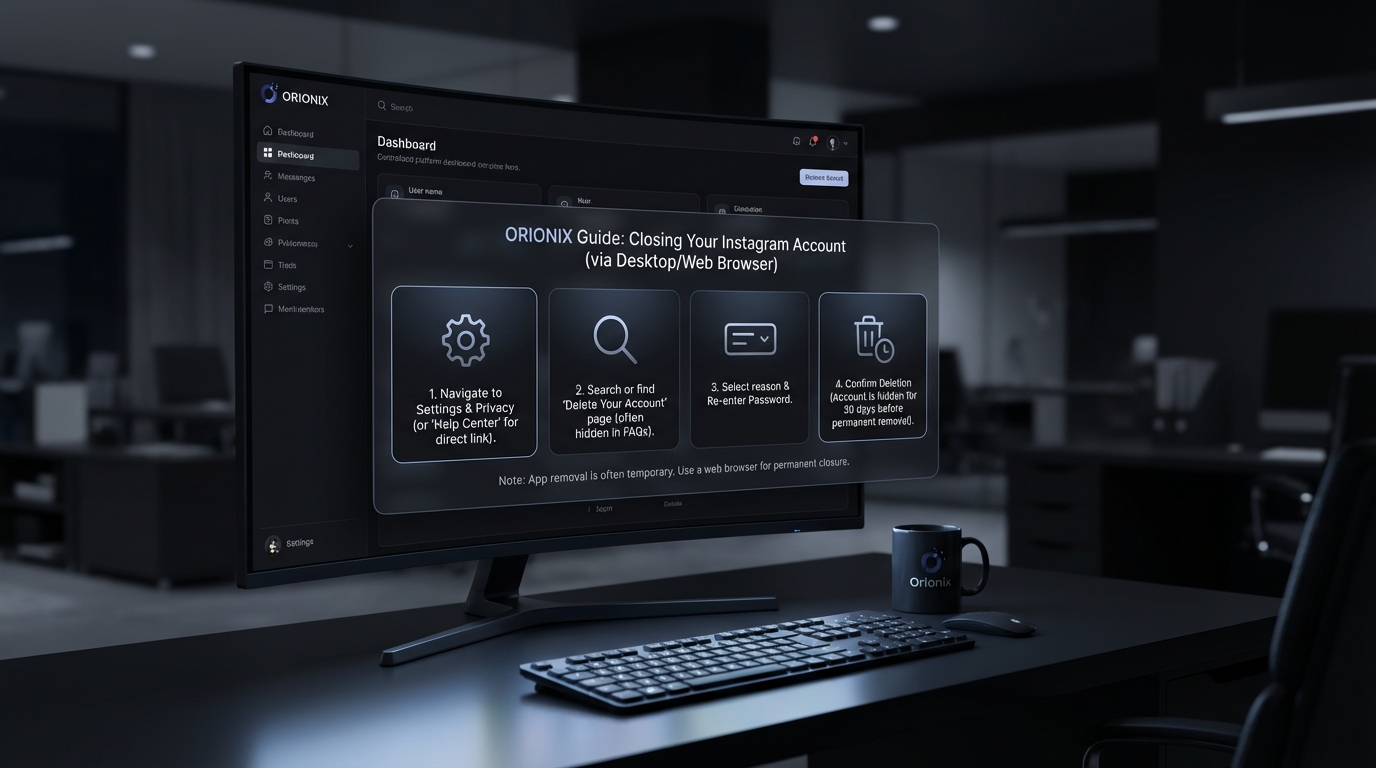
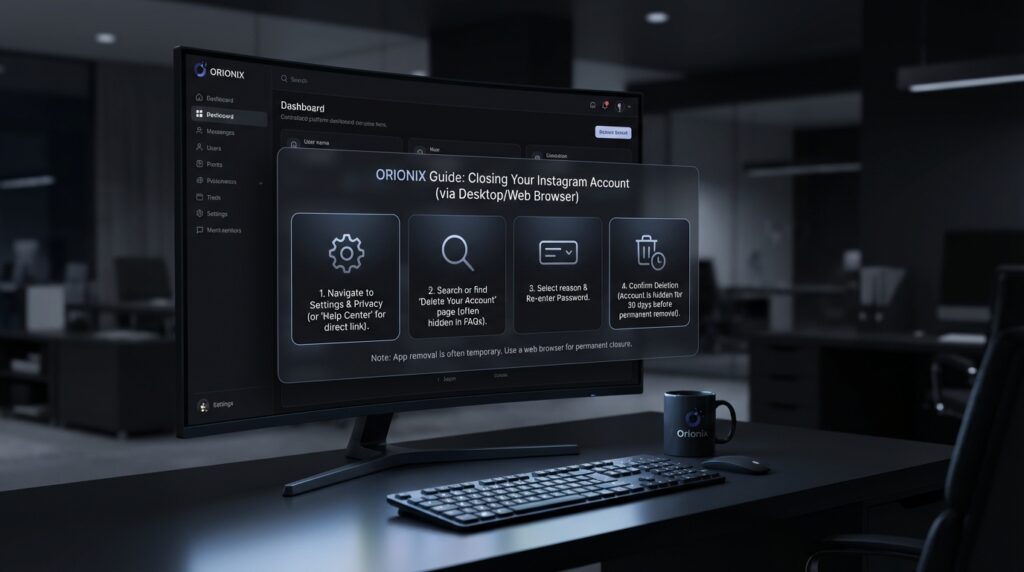
TL;DR: To close your Instagram account, open the app or website, go to Settings, select Account Center or Accounts Center, then choose Personal Details. Select Account Ownership and Control, click Deactivation or Deletion, choose your account, select Delete Account, and follow the prompts to permanently close your Instagram account within 30 days.
Frequently Asked Questions

How do I permanently close my Instagram account?
To permanently close your Instagram account, log in through a web browser and visit instagram.com/accounts/remove/request/permanent/. Select a reason for deletion, re-enter your password, and click ‘Permanently delete my account’. Note that this action is irreversible, and your profile, photos, videos, comments, and followers will be permanently removed after 30 days.
What’s the difference between deactivating and deleting an Instagram account?
Deactivating Instagram temporarily hides your profile, photos, and comments until you reactivate by logging back in. Your content remains stored and can be restored anytime. Deleting permanently removes your account and all data after 30 days, with no recovery option. Deactivation is ideal for breaks from social media platforms, while deletion is final.
Can I close my Instagram account from the mobile app?
No, you cannot permanently delete your Instagram account directly from the mobile app. You must use a mobile or desktop web browser to access the account deletion page. However, you can temporarily deactivate your account through the app by going to Settings > Account > Temporarily deactivate my account.
How long does it take for Instagram to delete my account after I request closure?
Instagram provides a 30-day grace period after you request permanent account deletion. During this time, your account is deactivated but can still be recovered by logging in. After 30 days, the deletion process begins and your account, including all photos, videos, followers, and data, is permanently removed and cannot be restored.
Will closing my Instagram account affect my other social media marketing efforts?
Closing your Instagram account will impact your overall social media marketing strategy if Instagram was part of your digital marketing mix. You’ll lose access to your followers, content, and engagement data. Consider using a centralized platform like Orionix to manage multiple social media platforms efficiently before deciding to close any account permanently.
What happens to my Instagram followers when I close my account?
When you permanently close your Instagram account, all your followers lose access to your profile immediately. Your follower count disappears, and users who previously followed you won’t see your content in their feeds. If you temporarily deactivate instead, your followers remain connected and will see your content again when you reactivate your account.
Can I download my Instagram data before closing my account?
Yes, Instagram allows you to download your data before closing your account. Go to Settings > Security > Download Data and enter your email address. Instagram will send you a link to download your photos, videos, messages, and profile information. This process can take up to 48 hours, so request your data before initiating account deletion.
Should I deactivate Instagram temporarily before deciding to delete it permanently?
Yes, temporarily deactivating Instagram is recommended before permanent deletion. This allows you to experience life without the platform while keeping your content and followers intact. You can test if you miss the engagement or if your social media and digital marketing strategies work without Instagram. If satisfied, you can proceed with permanent deletion later.
Understanding Instagram Account Closure: Your Complete Guide

If you’re considering how to close your Instagram account, you’re not alone. Many users across social media platforms are reevaluating their digital presence and seeking ways to either temporarily step away or permanently delete their accounts. Whether you’re concerned about privacy, taking a digital detox, or simply moving away from social media and marketing activities, understanding the process is essential before making this significant decision.
Instagram offers two distinct options for users who want to step away: temporary deactivation and permanent deletion. Each option serves different purposes and comes with its own set of consequences. This comprehensive guide will walk you through both processes, helping you make an informed decision about your Instagram presence.
Before diving into the technical steps, it’s important to understand what happens to your content, followers, and data when you choose either option. This knowledge is particularly crucial for those involved in social media marketing or digital marketing campaigns where Instagram plays a vital role in their strategy. 📱
The Difference Between Deactivating and Deleting Your Instagram Account

Many users confuse deactivation with deletion, but these are fundamentally different actions with distinct outcomes. Understanding the difference is crucial before you proceed with either option.
Temporary Deactivation: Taking a Break
When you deactivate Instagram, you’re essentially putting your account on pause. Your profile, photos, comments, and likes are hidden from other users, but they’re not permanently removed. This option is ideal if you’re unsure about leaving permanently or need a temporary break from social media platforms.
- Your profile becomes invisible to other users
- All your content remains stored on Instagram’s servers
- You can reactivate anytime by simply logging back in
- Your username remains reserved and unavailable to others
- Direct messages are hidden but not deleted
Permanent Deletion: No Going Back
Deleting your account is irreversible. Once you complete this process, Instagram permanently removes your profile, photos, videos, comments, likes, and followers. This action cannot be undone, and you won’t be able to sign up again with the same username. 🚫
- All content is permanently erased after 30 days
- Your username becomes available for others to use
- You lose all followers and connections
- Direct message history is deleted from your account
- No recovery option exists after the grace period
| Feature | Deactivation | Permanent Deletion |
|---|---|---|
| Reversibility | Fully reversible | Irreversible after 30 days |
| Content Visibility | Hidden, not deleted | Permanently removed |
| Username Availability | Reserved for you | Available to others |
| Reactivation | Instant via login | Not possible |
| Data Storage | Retained by Instagram | Deleted after grace period |
How to Deactivate Your Instagram Account Temporarily
If you’re looking for a temporary break from Instagram, deactivation is your best option. This process is straightforward but must be completed through a web browser, as the Instagram mobile app doesn’t offer this functionality directly. 💻
Step-by-Step Deactivation Process
- Access Instagram via Web Browser: Open your preferred browser and navigate to Instagram.com. Log in with your credentials if you’re not already signed in.
- Navigate to Your Profile: Click on your profile picture in the top right corner to access your account settings.
- Access Settings: Click on the gear icon or « Settings » option from the dropdown menu.
- Find Account Management: Look for « Edit Profile » or navigate to the accounts center section.
- Select Deactivation Option: Scroll down to find « Temporarily disable my account » at the bottom of the page.
- Provide a Reason: Instagram will ask why you’re leaving. Select an option from the dropdown menu.
- Re-enter Password: For security purposes, you’ll need to confirm your password.
- Confirm Deactivation: Click « Temporarily Disable Account » to complete the process.
Important Considerations for Deactivation
Before you deactivate, keep these critical points in mind. Instagram limits how frequently you can deactivate and reactivate your account to once per week. This prevents abuse of the feature and ensures users make deliberate decisions about their account status.
For those managing social media marketing campaigns or working in digital marketing, temporary deactivation can disrupt scheduled posts and engagement metrics. Consider using tools like social media management dashboards to maintain your content strategy during breaks. ⚡
How Can You Delete an Instagram Account Permanently
Permanent deletion is a serious decision that requires careful consideration. Unlike deactivation, this process removes all your data from Instagram’s servers after a 30-day grace period. Here’s exactly how can you delete an Instagram account permanently.
Complete Deletion Process
- Use a Web Browser: Like deactivation, permanent deletion must be done through a browser. The mobile app doesn’t provide this option to prevent accidental deletions.
- Visit the Deletion Page: Navigate directly to Instagram’s account deletion page. This is a specific URL designed for account removal.
- Log In if Necessary: Ensure you’re logged into the account you want to delete.
- Select Deletion Reason: Choose from the dropdown menu explaining why you’re deleting your account.
- Re-enter Password: Instagram requires password confirmation for security verification.
- Final Confirmation: Click « Permanently delete my account » to initiate the process.
What Happens After You Delete
Understanding the timeline and consequences of deletion helps you make an informed decision. Instagram provides a 30-day grace period during which you can still recover your account by simply logging back in. After this period, the deletion becomes permanent and irreversible. 🔒
| Timeframe | Account Status | Recovery Option |
|---|---|---|
| Days 1-30 | Deactivated state | Full recovery possible |
| Day 31+ | Permanently deleted | No recovery possible |
| Day 90+ | All data removed | Username may be available |
Preparing Your Account Before Closure
Before you close your Instagram account, whether temporarily or permanently, taking preparatory steps ensures you don’t lose valuable content or connections. This is especially important for users who have built significant followings or use Instagram for business purposes.
Download Your Data
Instagram allows you to download a complete copy of your data, including photos, videos, stories, profile information, and comments. This feature is invaluable for preserving memories or maintaining records for business purposes. 📥
- Navigate to Settings > Security > Download Data
- Enter your email address for delivery
- Wait 48 hours for Instagram to compile your data
- Download the ZIP file containing all your information
- Store the backup securely before proceeding with deletion
Notify Your Followers
If you’ve built a community on Instagram, especially through social media marketing efforts or strategies to gain followers on Instagram for free, consider informing them about your departure. Create a final post or story directing followers to alternative platforms where they can continue engaging with your content.
Update Cross-Platform Links
Remove or update Instagram links from your other social media platforms, website, email signatures, and business cards. This prevents confusion and broken links after your account is closed. For businesses managing multiple social media platforms, maintaining consistency across channels is crucial. 🔗
Alternatives to Closing Your Instagram Account
Before taking the final step to close your account, consider these alternatives that might address your concerns without requiring complete removal from the platform.
Privacy Settings Optimization
Many users consider deletion due to privacy concerns. However, Instagram offers robust privacy controls that might satisfy your needs without closing your account entirely. You can switch to a private account, restrict specific users, or limit who can comment on your posts.
- Switch to a private account to control follower access
- Use the « Close Friends » feature for selective story sharing
- Restrict accounts without blocking them
- Disable activity status to hide when you’re online
- Turn off read receipts for direct messages
Content Management Strategies
If you’re overwhelmed by content management, especially when juggling multiple platforms, consider using centralized tools. Services like Orionix’s social media management dashboard help streamline content creation and posting across channels, reducing the stress that might be driving you away from Instagram. 🎯
Strategic Posting Times
Poor engagement might be pushing you toward deletion, but the issue could be timing. Understanding the best time to post on Instagram can dramatically improve your results. Research shows that engagement rates vary significantly based on when you publish content. Check out our comprehensive guide on the best times to post on Instagram to optimize your strategy before giving up entirely.
Impact on Your Digital Marketing Strategy
For professionals and businesses, closing an Instagram account has significant implications for overall marketing digital marketing strategies. Instagram remains one of the most powerful platforms for brand building, customer engagement, and sales conversion.
Business Considerations
Before deleting a business account, evaluate the full impact on your marketing ecosystem. Instagram often serves as a crucial touchpoint in the customer journey, particularly for visual brands and B2C businesses. Consider how closure affects your overall social media and marketing approach. 📊
| Area | Potential Impact | Alternative Solution |
|---|---|---|
| Customer Engagement | Loss of direct communication channel | Redirect to other platforms |
| Brand Visibility | Reduced social media presence | Strengthen other channels |
| Sales Funnel | Missing conversion touchpoint | Optimize website and email marketing |
| Content Distribution | Lost content channel | Repurpose for other platforms |
Transitioning Your Audience
If you’re committed to leaving Instagram, develop a transition strategy for your audience. Direct followers to your website, email newsletter, or other social media platforms where you’ll maintain an active presence. For businesses looking to optimize their digital presence, exploring Instagram for business strategies might reveal untapped opportunities worth staying for. 🚀
Privacy and Data Concerns
Privacy concerns are among the top reasons users decide to close their Instagram accounts. Understanding what happens to your data during and after account closure helps you make an informed decision about your digital footprint.
What Instagram Retains
Even after deletion, Instagram may retain certain information for legal, security, or business purposes. This includes data needed to comply with legal obligations, resolve disputes, or prevent fraud. However, your public-facing content and profile information are removed permanently after the grace period.
Third-Party Data Sharing
If you’ve connected third-party apps to your Instagram account, remember that these services may have stored data independently. Before closing your account, review and revoke access to all connected applications to ensure comprehensive data management. 🔐
Users concerned about who views their profile should note that Instagram doesn’t provide this information to account holders. Learn more about profile viewing privacy in our article on whether you can see who views your Instagram profile.
Recovering from Account Closure
Changed your mind? If you’ve deactivated or recently deleted your account, recovery options exist within specific timeframes. Understanding these options provides peace of mind before you commit to closure.
Reactivating a Deactivated Account
Reactivation is simple and immediate. Just log back into Instagram using your username and password. All your content, followers, and settings will be restored exactly as they were when you deactivated. There’s no waiting period or approval process required. ✅
Recovering a Deleted Account
If you’ve initiated permanent deletion but are within the 30-day grace period, you can still recover your account. Simply log in with your credentials, and Instagram will cancel the deletion request, restoring full access to your account.
- Recovery is possible only within 30 days of deletion
- After 30 days, deletion becomes irreversible
- All content and data are restored upon recovery
- Follower connections remain intact if recovered in time
- No penalties or restrictions apply to recovered accounts
Building a Sustainable Social Media Strategy
Rather than completely abandoning Instagram, consider building a more sustainable approach to social media and digital presence. Many users experience burnout from unrealistic posting schedules or engagement expectations.
Quality Over Quantity
Shift your focus from daily posting to creating high-quality, meaningful content. This approach reduces pressure while potentially increasing engagement. Studies consistently show that well-crafted posts perform better than frequent, low-quality content. 💎
Automation and Scheduling
Leverage tools that help manage your Instagram presence without constant manual effort. Platforms like Orionix enable you to plan, create, and schedule content across multiple channels from a single dashboard, dramatically reducing the time and stress associated with social media management.
Setting Boundaries
Establish clear boundaries for your Instagram usage. Designate specific times for checking the app, turn off push notifications, or use app timers to limit daily usage. These strategies help maintain a healthy relationship with social media without requiring complete abandonment. ⏰
The Future of Your Digital Presence
Closing your Instagram account is a significant decision in your overall digital strategy. Whether you’re a casual user, content creator, or business owner, consider how this choice aligns with your long-term goals and online presence.
Alternative Platforms
If you’re leaving Instagram due to platform-specific issues, explore alternatives that might better suit your needs. Different social media platforms offer unique advantages, and diversifying your presence can reduce dependency on any single channel. Research platforms that align with your content style and audience preferences.
Maintaining Digital Wellness
Your decision to close or keep your Instagram account should prioritize your mental health and well-being. Social media should enhance your life, not detract from it. If Instagram causes stress, anxiety, or negatively impacts your productivity, taking action is the right choice regardless of professional considerations. 🌟
For those managing multiple accounts or channels, consider how social media marketing for small business strategies can be adapted to reduce workload while maintaining effective online presence.
Making Your Final Decision
After reviewing all options, considerations, and alternatives, you’re equipped to make an informed decision about your Instagram account. Whether you choose temporary deactivation, permanent deletion, or decide to stay with modified usage patterns, ensure your choice aligns with your personal or business goals.
Key Decision Factors
- Purpose: Why did you originally create the account, and has that purpose changed?
- Impact: How will closure affect your personal connections or business operations?
- Alternatives: Have you explored all options short of complete closure?
- Timing: Is this the right time, or should you wait and reassess?
- Recovery: Are you comfortable with the permanence of deletion if you choose that route?
Remember that your choice isn’t necessarily permanent. If you opt for deactivation, you can always return. Even with deletion, you can create a new account in the future, though you’ll start fresh without your previous content or connections. 🔄
Conclusion: Taking Control of Your Digital Life
Understanding how to close your Instagram account—whether through temporary deactivation or permanent deletion—empowers you to make decisions that serve your best interests. The process itself is straightforward, but the implications require careful consideration, especially for those involved in social media marketing or digital marketing activities.
Before taking final action, download your data, notify your community, and explore alternatives that might address your concerns without requiring complete account closure. Whether you’re seeking privacy, taking a mental health break, or pivoting your digital strategy, Instagram provides options that accommodate various needs and circumstances.
If you decide to maintain your Instagram presence but want to reduce the associated stress and time commitment, consider leveraging professional tools designed to streamline social media management. Visit Orionix to discover how our centralized platform can help you plan, create, and publish content across all your channels from a single dashboard—making social media management efficient, effective, and sustainable. Transform your approach to digital marketing and reclaim your time while maintaining a powerful online presence. 🚀
Whatever you decide, make the choice that best supports your goals, well-being, and vision for your digital future. Your online presence should work for you, not against you.
Article created using IntentRank