
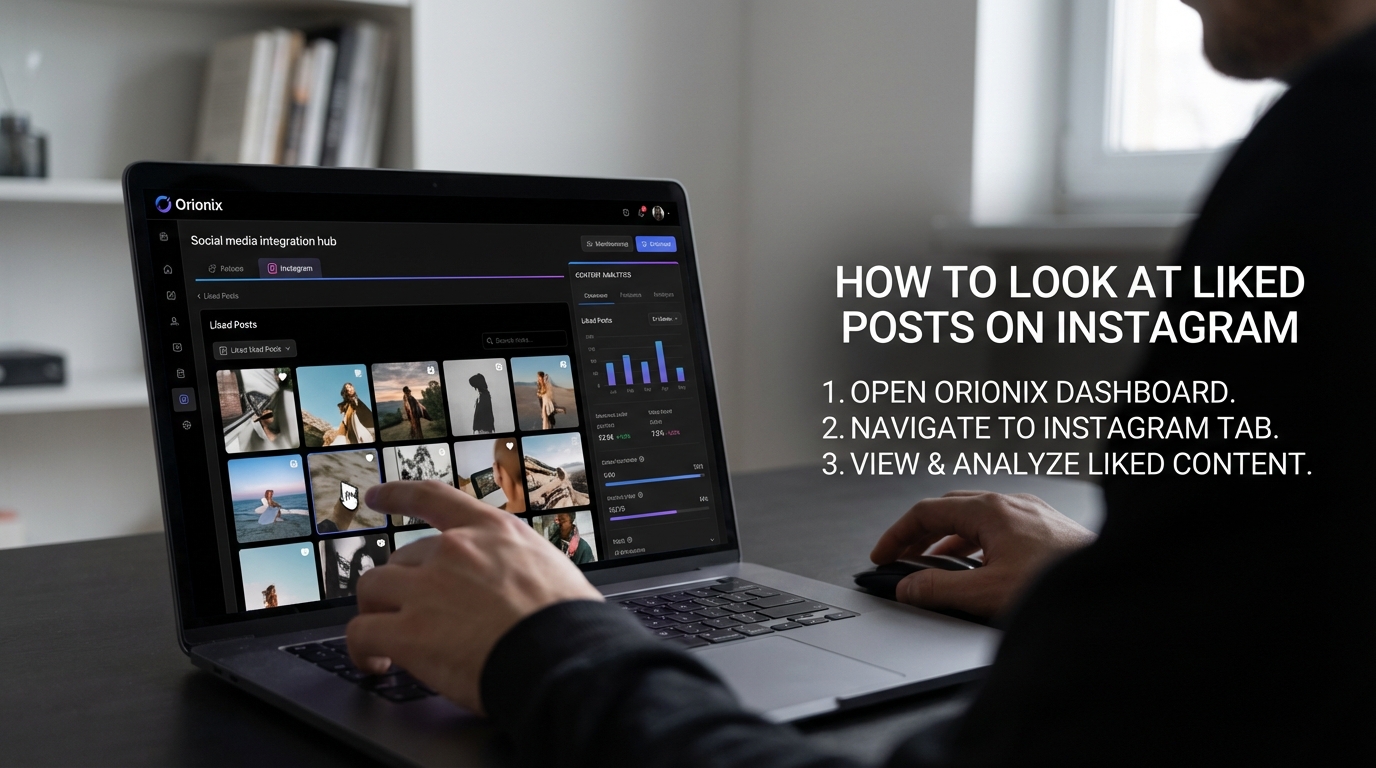
TL;DR: To look at liked posts on Instagram, tap your profile icon, open the menu (three lines), select « Your activity, » then choose « Interactions » and tap « Likes. » This shows all posts you’ve liked chronologically. Note that Instagram removed the dedicated « Posts You’ve Liked » bookmark in recent updates, making this the primary method to access your liked content.
Frequently Asked Questions
How do you look at liked posts on Instagram?
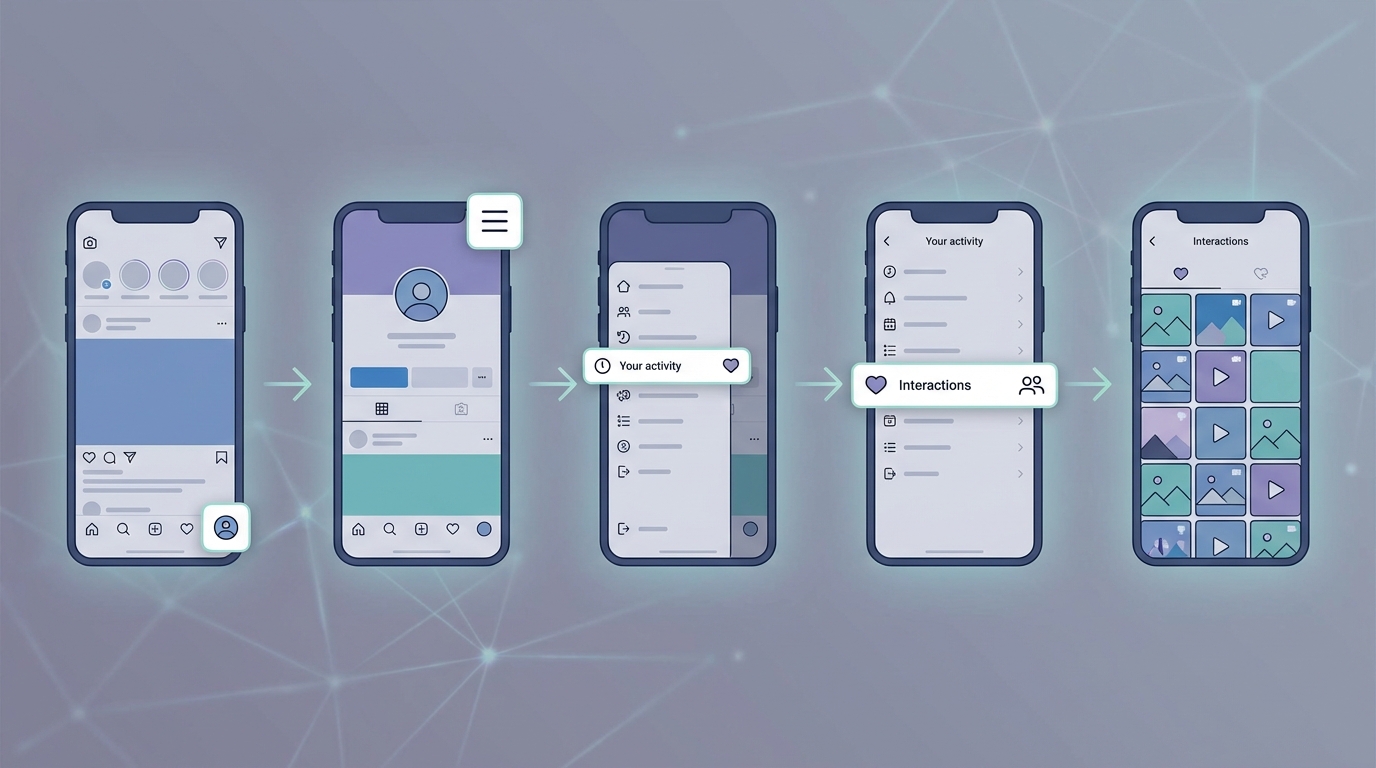
To view your liked posts on Instagram, open the app and go to your profile. Tap the menu icon (three horizontal lines), select ‘Settings and privacy,’ then choose ‘Your activity.’ Under ‘Interactions,’ tap ‘Likes’ to see all posts you’ve liked. This feature helps you revisit content you enjoyed and manage your Instagram activity efficiently.
Can you see all your liked posts on Instagram in one place?
Yes, Instagram allows you to view all your liked posts in one centralized location. Navigate to Settings > Your activity > Likes to access a chronological list of every post you’ve liked. This feature is particularly useful for content creators and marketers who want to track engagement patterns or revisit inspirational content for their social media marketing strategies.
Why can’t I find my liked posts on Instagram anymore?
Instagram frequently updates its interface, which can relocate features. If you can’t find liked posts, ensure your app is updated to the latest version. The feature moved from your profile to Settings > Your activity > Likes. If still unavailable, you may have accidentally deactivated your account or encountered a temporary bug requiring app restart or reinstallation.
How do you unlike posts on Instagram after viewing your liked posts?
After accessing your liked posts through Settings > Your activity > Likes, tap any post to open it. Simply tap the heart icon again to unlike the post. This removes it from your liked collection. Managing your liked posts helps maintain a curated feed and is important for social media platforms users who want to control their digital footprint.
What’s the difference between saved posts and liked posts on Instagram?
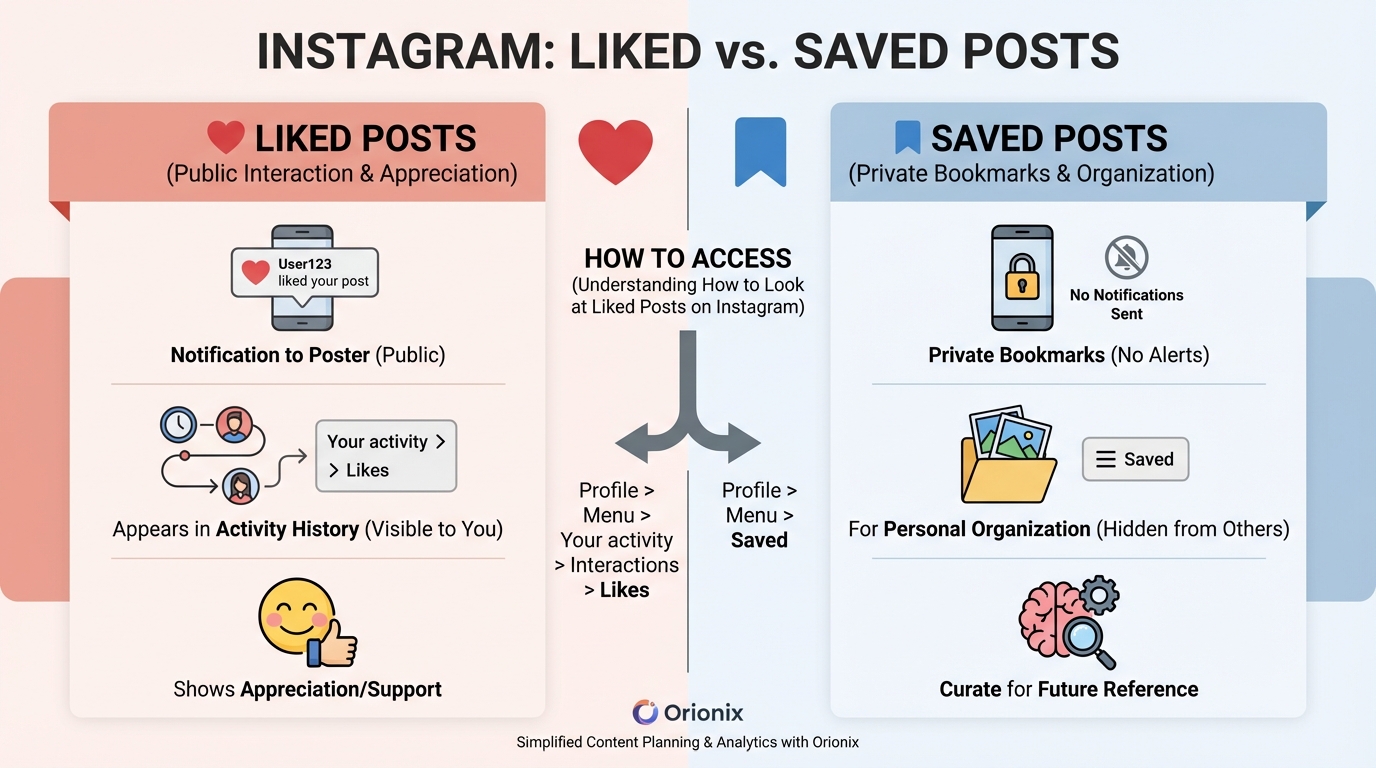
Liked posts appear in your activity history and notify the original poster, while saved posts are private bookmarks only you can see. Liked posts show appreciation publicly, whereas saved posts help you organize content for later reference. Both features are valuable for digital marketing professionals researching content strategies and analyzing best times to post on Instagram.
Can other people see what posts you liked on Instagram?
Your liked posts are private and cannot be viewed by other users through your profile. However, the original poster receives a notification when you like their content, and your like appears in their post’s like count. This privacy feature distinguishes Instagram from other social media platforms and protects user activity from public scrutiny.
How can viewing liked posts help with social media marketing strategy?
Reviewing your liked posts helps identify content trends, successful post formats, and engagement patterns crucial for social media marketing. Analyzing what resonates with you can inform your content creation strategy. Platforms like Orionix streamline this process by centralizing content planning and publishing across multiple social media platforms, making it easier to implement insights from your research.
Do liked posts disappear if you deactivate your Instagram account?
When you deactivate Instagram temporarily, your liked posts remain saved and will reappear when you reactivate your account. However, if you permanently delete your Instagram account, all data including liked posts is erased. Understanding how to deactivate Instagram versus permanent deletion is important for managing your social media presence and preserving your activity history.
Understanding How to Look at Liked Posts on Instagram 📱
If you’re wondering how to look at liked posts on Instagram, you’re not alone. Many users want to revisit content they’ve previously engaged with, whether it’s for inspiration, reference, or simply to rediscover posts they enjoyed. Instagram’s interface has evolved significantly over the years, and understanding where to find your liked posts is essential for maximizing your experience on this popular social media platform.
Your liked posts collection serves as a personal archive of content that resonated with you. For content marketers and social media managers, this feature becomes even more valuable as it helps track trending content, competitor strategies, and engagement patterns across different social media platforms.
In this comprehensive guide, we’ll walk you through everything you need to know about accessing and managing your liked posts on Instagram, along with best practices for leveraging this feature in your digital marketing strategy.
Why Your Liked Posts Matter for Social Media Marketing 🎯
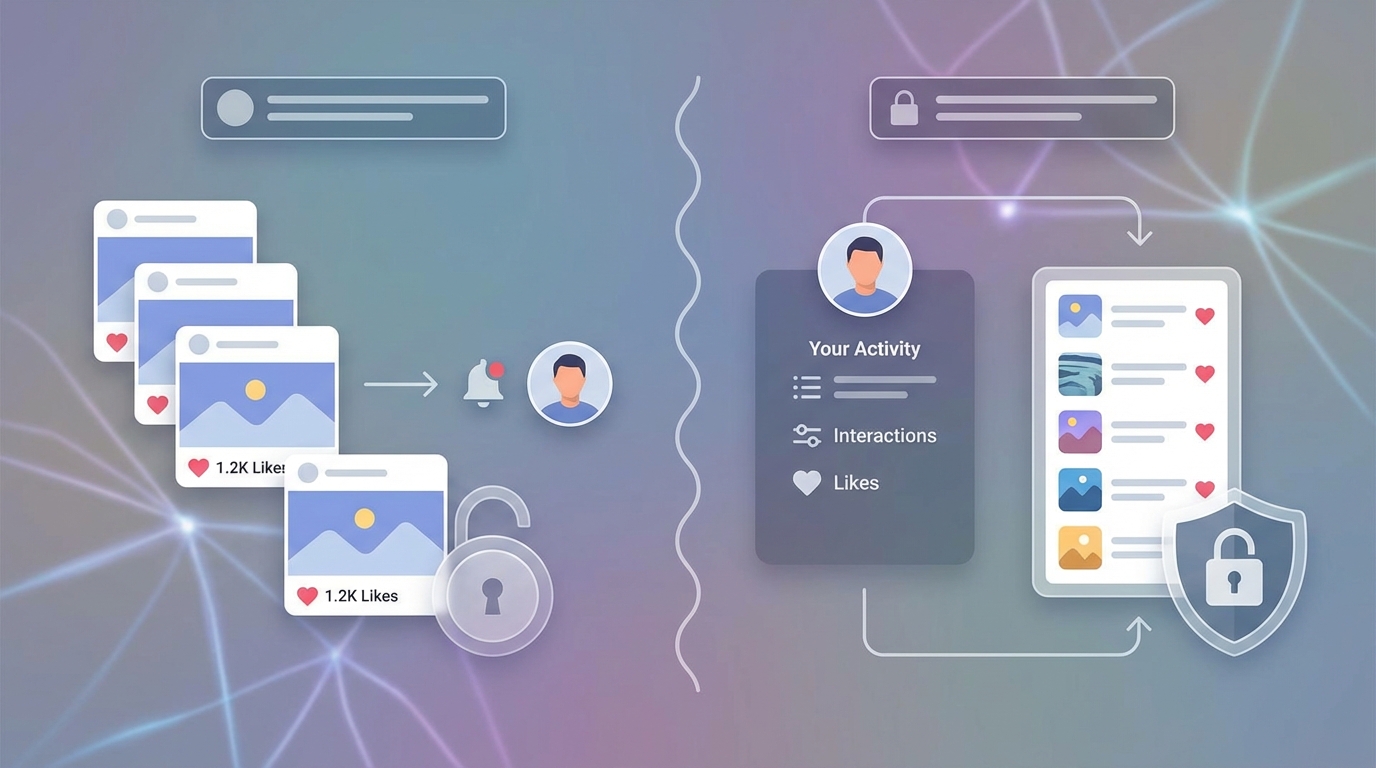
Before diving into the how-to, it’s important to understand why your liked posts collection is valuable. For professionals working in social media marketing and digital marketing, this feature offers unique insights into content performance and audience preferences.
Benefits of Tracking Liked Posts
- Content Inspiration: Revisit successful posts that generated high engagement for future campaign ideas
- Competitive Analysis: Track what competitors are posting and what resonates with audiences
- Trend Identification: Spot emerging patterns in visual styles, captions, and hashtag usage
- Personal Reference Library: Build a curated collection of valuable content for your niche
- Engagement Patterns: Understand what content types you naturally gravitate toward
Understanding your engagement history helps inform better content strategies. Many social media managers use their liked posts to identify the best times to post on Instagram by analyzing when high-performing content was published.
Step-by-Step Guide: How to Access Your Liked Posts on Instagram 📲
Instagram has made accessing your liked posts relatively straightforward, though the feature’s location has changed over time. Here’s the current method to view your liked content across different devices.
On Mobile Devices (iOS and Android)
- Open the Instagram app and ensure you’re logged into your account
- Navigate to your profile by tapping your profile picture in the bottom right corner
- Tap the three horizontal lines (hamburger menu) in the top right corner
- Select « Your Activity » from the menu options
- Tap « Interactions » to expand the section
- Select « Likes » to view all posts you’ve liked
This method works consistently across both iOS and Android devices, providing a unified experience regardless of your mobile platform.
On Desktop/Web Browser
- Visit Instagram.com and log into your account
- Click your profile picture in the top right corner
- Select « Settings » from the dropdown menu
- Navigate to « Your Activity » in the left sidebar
- Click « Interactions » and then select « Likes »
The desktop experience mirrors the mobile interface, making it easy to access your liked posts from any device you’re working on.
Managing Your Liked Posts Collection 🗂️
Once you’ve accessed your liked posts, understanding how to manage this collection effectively becomes crucial, especially for professionals managing multiple social media platforms simultaneously.
Organizing Your Liked Content
| Action | Purpose | How to Execute |
|---|---|---|
| Unlike Posts | Clean up your collection | Tap the heart icon again on any post |
| Save for Later | Create organized collections | Use the bookmark icon instead |
| Share Content | Collaborate with team members | Use the paper airplane icon |
| Download Posts | Create offline references | Take screenshots or use third-party tools |
For content marketers and social media managers, creating a systematic approach to organizing liked posts helps maintain a clean, actionable reference library.
Privacy Considerations
Your liked posts are private by default—only you can see what you’ve liked. This privacy feature allows you to freely engage with content without worrying about public visibility. However, the original poster will receive a notification when you like their content.
Understanding privacy settings is particularly important when managing brand accounts. If you need to learn more about Instagram account management, check out our guide on how to close your Instagram account or how to deactivate Instagram for comprehensive account control options.
Leveraging Liked Posts for Content Strategy 📊
Smart marketers use their liked posts collection as a strategic tool for improving their digital marketing efforts. Here’s how to extract maximum value from this feature.
Content Analysis Framework
When reviewing your liked posts, look for patterns that can inform your content strategy:
- Visual Themes: Identify color schemes, filters, and composition styles that attract engagement
- Caption Styles: Note whether short, punchy captions or longer storytelling formats perform better
- Content Types: Track whether carousels, single images, or video content dominates your likes
- Posting Times: Analyze when high-performing content was published to determine the best time to post on Instagram
- Hashtag Usage: Study effective hashtag strategies from successful posts
Competitive Intelligence
Your liked posts collection can serve as a competitive intelligence tool. By systematically liking and reviewing competitor content, you can:
- Monitor competitor posting frequency and timing strategies
- Identify gaps in their content that your brand can fill
- Track their campaign launches and promotional strategies
- Understand their audience engagement tactics
- Benchmark your performance against industry standards
For businesses looking to enhance their Instagram presence, our guide on social media marketing for plumbers demonstrates how industry-specific strategies can be developed using platform insights.
Alternative Methods to Track Instagram Content 💡
While the liked posts feature is useful, savvy marketers often employ additional methods to organize and track valuable Instagram content across various social media platforms.
Using Instagram’s Save Feature
The Save feature (bookmark icon) offers more organizational flexibility than likes alone. You can create multiple collections organized by theme, campaign, or content type.
| Feature | Likes | Saves |
|---|---|---|
| Organization | Single chronological list | Multiple custom collections |
| Visibility | Private only | Private by default |
| Searchability | Limited | Better with collections |
| Best For | Quick engagement | Long-term reference |
Third-Party Tools for Content Tracking
Professional marketers often use dedicated tools to track and analyze Instagram content more comprehensively. These platforms offer features like:
- Advanced analytics and performance metrics
- Content scheduling and planning capabilities
- Competitor monitoring and benchmarking
- Team collaboration features
- Cross-platform content management
For those interested in exploring Instagram analytics further, our article on Instagram follower export tools provides insights into data extraction and analysis.
Common Issues and Troubleshooting 🔧
Sometimes users encounter problems when trying to access their liked posts. Here are common issues and their solutions.
Can’t Find the Likes Section
If you’re unable to locate your liked posts:
- Update your app: Ensure you’re running the latest version of Instagram
- Clear cache: Sometimes cached data causes navigation issues
- Reinstall the app: A fresh installation can resolve persistent problems
- Check account status: Ensure your account hasn’t been restricted
Liked Posts Not Loading
When your liked posts won’t display:
- Check your internet connection stability
- Log out and log back into your account
- Try accessing from a different device
- Wait a few hours if Instagram is experiencing server issues
If you’re experiencing broader account issues, you might want to review our guides on how to know if someone blocked you on Instagram or how to know if someone deactivated their Instagram for additional troubleshooting context.
Best Practices for Instagram Engagement 🌟
Understanding how to access your liked posts is just one aspect of effective Instagram management. Here are best practices that complement this knowledge.
Strategic Liking for Network Growth
Your likes aren’t just bookmarks—they’re engagement signals that can help grow your network:
- Like strategically: Engage with content from accounts in your niche or target audience
- Be consistent: Regular engagement signals active community participation
- Combine with comments: Likes plus thoughtful comments create stronger connections
- Follow the 80/20 rule: Like 80% of others’ content, promote your own 20% of the time
- Engage authentically: Only like content you genuinely find valuable or interesting
Timing Your Engagement
When you like content matters almost as much as what you like. Research shows that engaging during peak activity hours increases visibility. Understanding the best times to post on Instagram also applies to when you should be actively liking and commenting on others’ content.
For more insights on Instagram content creation, explore our comprehensive guide on Instagram how-to videos to enhance your overall platform strategy.
Integrating Liked Posts into Your Marketing Workflow 🔄
For businesses and marketers, integrating liked posts analysis into your regular workflow maximizes its strategic value for social media marketing campaigns.
Weekly Content Audit Process
- Review your weekly likes: Set aside 30 minutes each week to review what you liked
- Categorize content: Group posts by theme, style, or campaign type
- Extract insights: Document what made each post engaging or valuable
- Apply learnings: Incorporate insights into your upcoming content calendar
- Share with team: Distribute findings to your content creation team
Cross-Platform Content Strategy
Instagram doesn’t exist in isolation. Your liked posts can inform content strategies across multiple social media platforms:
| Platform | Application | Adaptation Required |
|---|---|---|
| Similar visual content | Longer captions, different posting times | |
| Professional angle | Business-focused messaging | |
| Key takeaways | Condensed format, hashtag strategy | |
| TikTok | Video concepts | Shorter format, trending audio |
If you’re managing content across multiple platforms, understanding cross-platform integration is crucial. Our article on Instagram not sharing to Facebook addresses common integration challenges, while how to stop sharing Instagram Stories to Facebook helps you maintain platform-specific strategies.
Advanced Tips for Power Users 🚀
Take your liked posts strategy to the next level with these advanced techniques used by successful digital marketing professionals.
Creating a Content Swipe File
Professional marketers maintain « swipe files »—collections of inspiring content that can inform future campaigns:
- Screenshot liked posts with particularly effective elements
- Organize screenshots in cloud storage by category (visuals, captions, CTAs, etc.)
- Add annotations explaining why each example is effective
- Update your swipe file monthly with fresh examples
- Share your swipe file with team members for collaborative inspiration
Tracking Engagement Patterns
Create a simple spreadsheet to track patterns in your liked posts:
- Date and time of original post
- Content type (carousel, video, single image)
- Caption length and style
- Number of hashtags used
- Engagement metrics (likes, comments visible)
- Your subjective quality rating
This data helps identify what truly resonates with you and potentially with your target audience. For those looking to grow their Instagram presence organically, our guide on free Instagram reel views offers complementary strategies.
Privacy and Account Management Considerations 🔒
As you build your liked posts collection, understanding broader account management and privacy implications becomes important.
Managing Your Digital Footprint
Your Instagram activity, including likes, contributes to your digital footprint. Consider these privacy aspects:
- Likes are private but the poster receives notifications
- Your activity influences Instagram’s algorithm and what content you see
- Excessive liking can sometimes trigger spam filters
- Business accounts may want separate personal accounts for casual browsing
Account Hygiene Best Practices
Periodically cleaning up your liked posts maintains a relevant, useful collection:
- Monthly review: Unlike posts that no longer serve your purposes
- Archive valuable content: Save important posts to collections before unliking
- Remove outdated content: Unlike posts with outdated information or trends
- Maintain focus: Keep your collection aligned with current goals and interests
For comprehensive account management, familiarize yourself with options like how to block someone on Instagram and how to unfollow on Instagram to maintain control over your Instagram experience.
Building a Career in Social Media Marketing 💼
Understanding features like liked posts is fundamental knowledge for anyone pursuing social media marketing professionally. This expertise contributes to broader career development in digital marketing.
Essential Skills for Social Media Managers
Professionals who excel at Instagram management typically possess:
- Deep platform knowledge including lesser-known features
- Analytical skills to extract insights from engagement patterns
- Content creation and curation abilities
- Understanding of algorithm behavior and ranking factors
- Project management skills for content calendars
- Communication skills for team collaboration
For those starting their journey, our guide on entry level social media marketing provides foundational knowledge, while our social media marketing cover letter resource helps you land your first role.
Staying Current with Platform Changes
Instagram frequently updates its features and interface. Successful marketers:
- Follow official Instagram announcements and blogs
- Participate in marketing communities and forums
- Test new features immediately upon release
- Document changes and their impact on strategy
- Adapt workflows to accommodate platform evolution
Tools and Resources for Instagram Management 🛠️
While Instagram’s native features are powerful, supplementing them with additional tools can enhance your efficiency across social media platforms.
Content Management Platforms
Centralized platforms help manage multiple aspects of your Instagram presence:
- Scheduling posts for optimal timing
- Analyzing performance metrics
- Managing multiple accounts from one dashboard
- Collaborating with team members
- Planning content calendars visually
For insights into managing your growing audience, explore our Instagram follower export tool guide to understand your audience demographics better.
Analytics and Reporting Tools
Understanding what content performs best requires robust analytics:
| Metric Category | What to Track | Why It Matters |
|---|---|---|
| Engagement | Likes, comments, shares, saves | Indicates content resonance |
| Reach | Impressions, reach, profile visits | Measures content distribution |
| Growth | Follower count, follow/unfollow rate | Shows audience building success |
| Conversion | Link clicks, website visits, actions taken | Demonstrates business impact |
Understanding comprehensive social media ecosystems helps contextualize Instagram’s role. Our guides on what includes social media and Hi5 social media provide broader platform perspectives.
Maximizing Your Instagram Strategy with Liked Posts Insights ✨
Your liked posts collection represents more than just a personal archive—it’s a strategic asset that can inform every aspect of your Instagram presence and broader social media marketing efforts.
Creating an Action Plan
Transform your liked posts from passive collection to active strategy tool:
- Set weekly review time: Dedicate 30 minutes every Friday to review your week’s likes
- Document patterns: Create a simple tracking system for recurring themes
- Test hypotheses: Apply insights from liked posts to your own content
- Measure results: Compare performance before and after implementing insights
- Iterate continuously: Refine your approach based on what works
Long-Term Strategic Benefits
Consistently analyzing your liked posts over months and years provides invaluable insights:
- Track evolving trends in your industry or niche
- Identify seasonal patterns in content performance
- Document the evolution of visual and content styles
- Build institutional knowledge for your team
- Develop a sophisticated understanding of audience preferences
For professionals managing influencer relationships or personal brand building, our social media influencer tools guide offers complementary strategies for platform management.
Conclusion: Turning Likes into Strategic Advantages 🎯
Understanding how to look at liked posts on Instagram is more than just navigating to a menu option—it’s about leveraging this feature as a strategic tool for content inspiration, competitive analysis, and marketing intelligence. Whether you’re a social media manager, content creator, or business owner, your liked posts collection offers valuable insights that can transform your Instagram strategy.
By systematically reviewing and analyzing your liked content, you gain access to a curated library of successful posts that can inform everything from visual aesthetics to caption styles to optimal posting times. This knowledge helps you create more engaging content, understand your audience better, and ultimately achieve better results across all your social media platforms.
Remember that effective social media management requires continuous learning and adaptation. The strategies and insights you gather from your liked posts today will inform your content tomorrow, creating a virtuous cycle of improvement and growth.
Ready to take your social media management to the next level? Visit Orionix to discover how our centralized platform can help you plan, create, and publish content across all your social channels from a single, intuitive dashboard. Streamline your workflow, save time, and maximize your impact with tools designed for modern digital marketing professionals. Start optimizing your social media strategy today! 🚀
Article created using IntentRank