
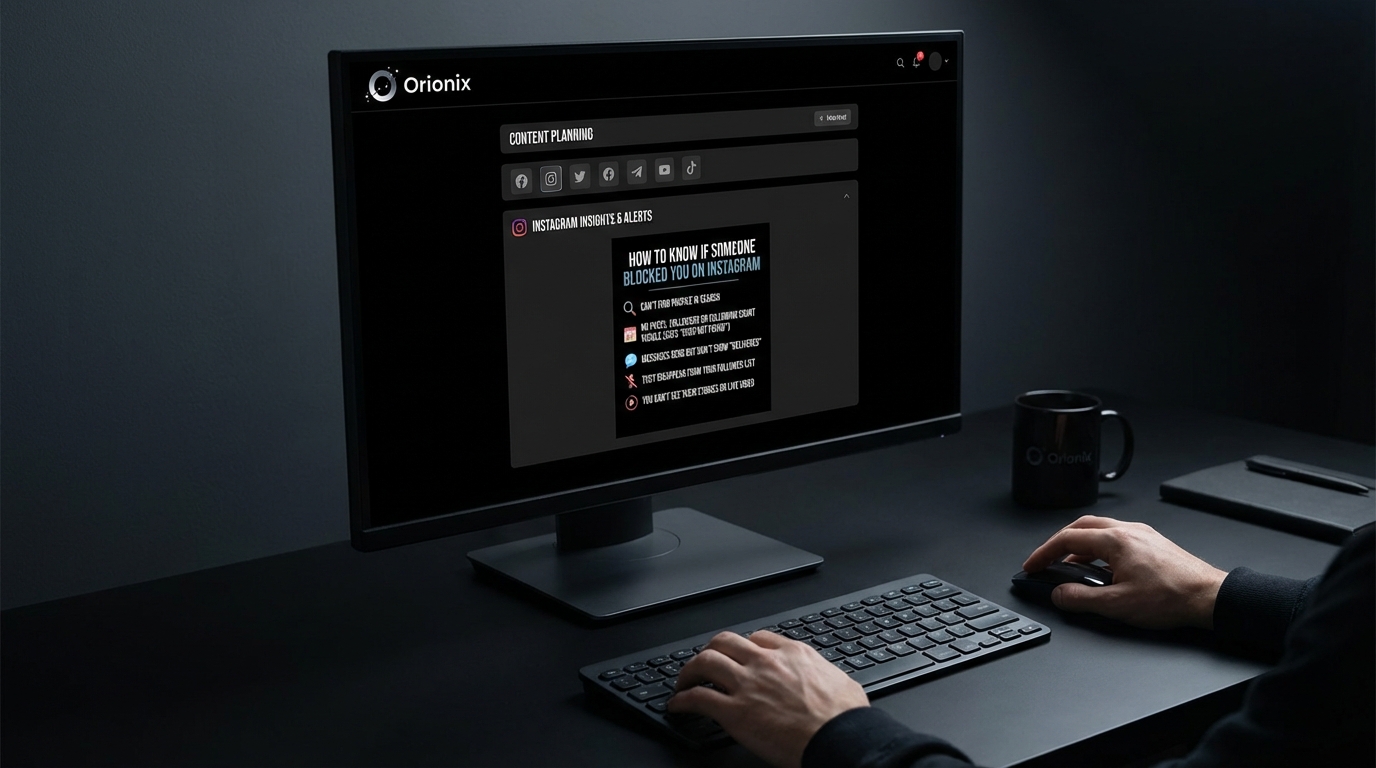
TL;DR: To know if someone blocked you on Instagram, search for their username—if their profile doesn’t appear or shows no posts when found, you’re likely blocked. You also won’t see their comments, likes, or direct messages. Try searching from another account to confirm, as blocked profiles remain visible to others.
Frequently Asked Questions

How to know if someone blocked you on Instagram?
To determine if someone blocked you on Instagram, search for their username in the search bar. If their profile doesn’t appear or shows ‘No Posts Yet’ with zero followers and following counts, you’re likely blocked. Additionally, previous direct messages will remain visible, but you won’t see their profile picture, and you cannot send new messages to them.
What happens when someone blocks you on Instagram?
When blocked on Instagram, you cannot view the person’s profile, posts, or stories. Their comments and likes on your posts disappear, and you cannot tag them in photos or send direct messages. Existing conversations remain in your inbox, but their profile picture becomes blank and you cannot interact further with them.
Can you still see Instagram messages from someone who blocked you?
Yes, you can still see previous Instagram direct messages from someone who blocked you. The conversation history remains accessible in your inbox. However, their profile picture will appear blank or as a default avatar, and you won’t be able to send new messages or view their current profile information.
What’s the difference between being blocked and restricted on Instagram?
Being blocked means you cannot see the person’s profile or interact with them at all. Being restricted is less severe—you can still view their profile and posts, but your comments on their posts are only visible to you unless they approve them, and they won’t see when you’re active or if you’ve read their messages.
How can you tell if someone deactivated or blocked you on Instagram?
If someone deactivated their Instagram account, their profile won’t appear in searches for anyone. If you’re blocked, only you cannot find their profile while others can. Try searching from a different account or asking a mutual friend to check if the profile exists to determine whether it’s deactivation or blocking.
Can you unblock yourself on Instagram if someone blocked you?
No, you cannot unblock yourself on Instagram if someone has blocked you. Only the person who blocked you has the ability to unblock you from their account settings. There are no workarounds or technical methods to bypass an Instagram block, as this is a privacy feature controlled entirely by the blocking user.
Will Instagram notify someone if you check if they blocked you?
No, Instagram does not send notifications when you search for someone’s profile or attempt to determine if they blocked you. All investigative actions like searching their username, viewing old messages, or checking through another account are completely private and leave no trace that alerts the person who may have blocked you.
How does managing Instagram blocks relate to social media marketing strategies?
Understanding Instagram blocks is crucial for social media marketing as it affects audience reach and engagement metrics. Marketers using platforms like Orionix to manage multiple social media accounts should monitor account health and audience interactions. Blocked accounts cannot engage with content, impacting campaign performance, making it essential to maintain positive community relationships and track engagement patterns across platforms.
Understanding Instagram Blocking: What You Need to Know

Have you ever wondered how to know if someone blocked you on Instagram? It’s a question that crosses the minds of millions of users across social media platforms every day. Whether you’re managing a brand account, running digital marketing campaigns, or simply maintaining personal connections, discovering you’ve been blocked can be both confusing and frustrating. 📱
Instagram doesn’t send notifications when someone blocks you—and for good reason. This privacy feature protects users from harassment and uncomfortable confrontations. However, this silence can leave you guessing about why someone suddenly disappeared from your feed or why you can’t find their profile anymore.
Understanding the signs of being blocked is essential for anyone involved in social media marketing or managing multiple accounts. This knowledge helps you maintain professional relationships, track audience engagement, and adjust your content strategy when necessary. Let’s dive into the definitive signs that indicate you’ve been blocked on Instagram.
7 Clear Signs Someone Blocked You on Instagram 🚫

Identifying whether someone has blocked you requires looking at multiple indicators together. No single sign is conclusive on its own, but when you notice several of these signals, you can be fairly certain about what happened.
1. Their Profile Becomes Invisible in Search Results
The most immediate sign is that you can no longer find their profile when searching for their username. When someone blocks you, Instagram essentially makes their account invisible to you—as if it doesn’t exist at all.
Try searching for their exact username in the Instagram search bar. If nothing appears, even though you know the account exists, this is a strong indicator. However, there’s an important caveat: they might have simply deactivated or deleted their account instead.
- Search using their exact username in the Instagram search function
- Check if mutual friends can still see their profile
- Try accessing their profile from a different account or while logged out
- Verify they haven’t changed their username recently
2. Previous Conversations Disappear or Show Limited Information
When you navigate to your direct messages, conversations with blocked users display differently. The profile picture may disappear, and when you tap on the conversation, you’ll see « Instagram User » instead of their actual username.
This change in your DM history is one of the most reliable indicators. The conversation thread remains visible to you, but you can’t send new messages or view their profile from within the chat. This distinction helps differentiate blocking from account deletion.
3. You Can’t See Their Posts, Stories, or Reels
If you previously followed someone and could see their content regularly, suddenly losing access to all their posts, stories, and reels indicates a block. This is particularly noticeable if you were actively engaging with their content for marketing digital marketing purposes or collaboration.
When blocked, you won’t see any of their content in your feed, even if they post at the best times to post on Instagram for maximum visibility. Their stories won’t appear in your story bar, and you can’t view any of their Instagram Reels—even ones that were previously shared with you.
4. Tags and Mentions No Longer Work
Previous posts where they tagged you or mentioned you will show their username as plain text rather than a clickable link. When you tap on these mentions, nothing happens—the link is essentially dead.
This affects your ability to track engagement metrics for social media marketing campaigns. If you were collaborating with influencers or partners, losing these tagged connections can disrupt your content tracking and analytics.
5. Comments From Them Have Disappeared
Any comments they previously left on your posts will vanish completely once they block you. This is different from when someone deletes their account—in that case, comments remain but show as being from « Instagram User. »
For content creators and businesses monitoring engagement, this sudden disappearance of comments can affect your post analytics and perceived engagement rates. It’s worth noting if you’re tracking performance metrics for your content strategy.
6. The Follow/Unfollow Button Behavior Changes
If you manage to access their profile through an old link or tag, you’ll notice the « Follow » button behaves strangely. You might see « User Not Found » or an error message when attempting to follow them again.
This technical limitation prevents any interaction between blocked accounts. It’s Instagram’s way of enforcing the block at every level of the platform’s functionality.
7. Mutual Friends Can Still See Their Content
The definitive test involves asking a mutual friend to check if they can see the person’s profile and content. If your friend can access everything normally while you cannot, you’ve been blocked—not dealing with a deactivated or deleted account.
This verification method removes doubt and helps you understand the situation clearly. It’s particularly useful when managing professional relationships on social media platforms where maintaining connections matters for business purposes.
Blocked vs. Restricted vs. Deactivated: Understanding the Differences 🤔
Instagram offers several privacy features that can affect how accounts appear to others. Understanding these distinctions helps you accurately interpret what you’re seeing and avoid jumping to conclusions.
| Status | Profile Visibility | DM Access | Previous Content | Search Results |
|---|---|---|---|---|
| Blocked | Completely hidden | Shows « Instagram User » | All content invisible | No results found |
| Restricted | Fully visible | Messages go to requests | Visible as normal | Appears normally |
| Deactivated | Temporarily hidden | Shows « Instagram User » | Temporarily invisible | No results found |
| Deleted | Permanently gone | Shows « Instagram User » | Permanently removed | No results found |
What Happens When Someone Restricts You
Instagram’s restriction feature is more subtle than blocking. When restricted, you can still see their profile and content, but your comments on their posts are only visible to you. Your direct messages move to their message requests folder, and they won’t see when you’re active or have read their messages.
This feature allows users to limit interactions without the confrontation of blocking. For digital marketing professionals, understanding restriction helps you gauge relationship status with influencers or partners more accurately.
How Deactivation Differs From Blocking
When someone chooses to deactivate Instagram, their account temporarily disappears from the platform. This affects everyone—not just specific users. If you’re wondering how to deactivate Instagram yourself, you can find detailed guides on managing your account status.
The key difference: deactivation is temporary and reversible, while blocking is targeted. If you can’t find someone’s account and mutual friends also can’t see it, they’ve likely deactivated rather than blocked you specifically.
Step-by-Step Methods to Confirm You’ve Been Blocked ✅
Rather than relying on guesswork, follow these systematic steps to confirm whether someone has actually blocked you on Instagram. This methodical approach eliminates uncertainty and helps you understand the situation clearly.
Method 1: The Search Test
- Open Instagram and tap the search icon at the bottom of your screen
- Type the exact username of the person you suspect blocked you
- Look carefully through all results—accounts, tags, and places
- If their account doesn’t appear at all, proceed to the next test
This initial test provides the first clue, but it’s not conclusive alone. Users might have changed their username or temporarily deactivated their account, which would produce the same result.
Method 2: The Direct Message Check
- Navigate to your Instagram Direct Messages
- Find your previous conversation with the suspected blocker
- Tap on the conversation to open it
- Check if their profile picture is visible and if their username appears correctly
- Try tapping on their name at the top of the conversation
If you see « Instagram User » instead of their actual name and can’t access their profile from the DM thread, this strongly suggests you’ve been blocked. The conversation history remains, but all interactive elements are disabled.
Method 3: The Mutual Friend Verification
This is the most reliable confirmation method available. Ask a mutual friend or use a secondary account to search for the person’s profile. If they can see the account normally while you cannot, you’ve definitively been blocked.
For businesses and marketers managing multiple accounts for social media and brand management, having access to alternative accounts makes this verification process straightforward.
Method 4: The Browser Test
- Log out of your Instagram account completely
- Open a web browser and navigate to Instagram.com
- Type the URL: instagram.com/username (replace with their actual username)
- Observe what message or page appears
If you see their profile while logged out but not while logged in, you’ve been blocked. If you see « Sorry, this page isn’t available » both logged in and logged out, the account has been deleted or deactivated.
Method 5: The Tag and Mention Review
Review your own posts where you previously tagged or mentioned the person. If their username appears as plain text without a link, and tapping it does nothing, this indicates a block. Compare this with other tagged users whose links work normally.
This method is particularly useful for content creators who regularly collaborate with others and need to maintain accurate records of partnerships and mentions for marketing digital marketing campaigns.
Why Someone Might Block You on Instagram 💭
Understanding the reasons behind blocking can help you navigate social media relationships more effectively, whether personal or professional. While the reasons vary widely, recognizing common patterns helps you adjust your approach to social media platforms.
Personal Relationship Issues
The most common reason for blocking stems from personal conflicts, breakups, or the desire to move on from past relationships. People use blocking as a digital boundary to create space and prevent unwanted contact.
In personal contexts, blocking is often about self-care and mental health rather than malice. Respecting these boundaries is essential for healthy online interactions.
Privacy and Safety Concerns
Users may block others to protect their privacy, especially if they feel uncomfortable with how someone is viewing or interacting with their content. This is particularly common when someone notices excessive profile visits or feels their content is being monitored too closely.
- Feeling harassed or stalked online
- Wanting to keep certain life updates private from specific people
- Protecting content from being shared without permission
- Maintaining professional boundaries between work and personal life
Professional or Business Reasons
In the context of social media marketing, blocking can occur due to competitive concerns, disagreements over collaborations, or attempts to protect proprietary content strategies. Brands might block competitors to prevent them from monitoring campaigns or copying content approaches.
Understanding these dynamics is crucial when planning your content calendar and determining the best time to post on Instagram for your specific audience without access to competitor insights.
Accidental Blocks
Sometimes blocks happen accidentally, especially when users are quickly scrolling through their follower lists or managing spam accounts. Instagram’s interface makes it relatively easy to accidentally tap the block button when intending to do something else.
If you suspect an accidental block, particularly with someone you had a positive relationship with, a polite inquiry through alternative channels might clarify the situation.
What to Do After Being Blocked 🛠️
Discovering you’ve been blocked can trigger various emotions, but how you respond matters more than the block itself. Here’s how to handle the situation professionally and personally.
Respect the Boundary
The most important response is to respect the other person’s decision. Attempting to circumvent the block by creating new accounts, having friends message them on your behalf, or finding other ways to contact them crosses into harassment territory.
Respecting digital boundaries demonstrates maturity and emotional intelligence. It’s essential whether you’re managing personal relationships or professional connections in digital marketing.
Reflect on the Situation
Take time to honestly assess whether your behavior contributed to the block. Were you commenting too frequently? Sharing their content without permission? Engaging in arguments or controversial discussions?
This reflection helps you grow and improve your social media and communication skills for future interactions. It’s particularly valuable for professionals who rely on social platforms for business development.
Move Forward Constructively
Focus your energy on maintaining and building other positive relationships. If the blocked account was important for business purposes, consider whether you need to adjust your networking strategy or find alternative connections in your industry.
For those managing brand accounts, document the block in your records and adjust your competitor analysis or collaboration strategies accordingly. This professional approach keeps your social media marketing efforts on track despite setbacks.
When to Reach Out (Carefully)
In rare cases where the block might be a misunderstanding and you have legitimate business reasons to reconnect, a single, polite inquiry through professional channels (like email) might be appropriate. However, this should be the exception, not the rule.
Never use alternative Instagram accounts to contact someone who blocked you. This violates Instagram’s terms of service and can result in your accounts being suspended or banned.
Managing Your Own Instagram Privacy Settings 🔒
Understanding how to use Instagram’s privacy features empowers you to create the online experience you want. Whether you’re considering blocking someone yourself or simply want better control over your account, knowing these tools is essential.
How to Block Someone on Instagram
If you need to block someone, the process is straightforward. Navigate to their profile, tap the three dots in the upper right corner, and select « Block. » Instagram will ask you to confirm, and you can choose whether to block their current account only or also block any new accounts they might create.
This feature is crucial for maintaining a positive experience on social media platforms and protecting your mental health online.
The Restrict Feature: A Softer Alternative
Instagram’s restrict feature offers a middle ground between full blocking and allowing unrestricted access. When you restrict someone, they can still see your profile and content, but their comments on your posts are only visible to them unless you approve them.
This feature is particularly useful for managing difficult professional relationships where complete blocking might create awkwardness or business complications.
Other Privacy Tools to Consider
- Private Account: Require approval before anyone can follow you
- Story Controls: Hide stories from specific people without blocking them
- Comment Filters: Automatically hide comments containing specific words or phrases
- Activity Status: Hide when you’re active on the platform
- Close Friends List: Share stories with a select group only
These tools give you granular control over your Instagram experience without resorting to blocking. They’re especially valuable for businesses managing brand reputation while maintaining engagement with their audience.
Account Management Options
If you’re considering more drastic measures, Instagram offers several account management options. You can learn how to close your Instagram account permanently, or if you prefer a temporary break, explore how to deactivate Instagram temporarily.
For those managing multiple accounts or considering cleanup, understanding how can you delete an Instagram account or how do you delete an Instagram account properly ensures you maintain control over your digital presence.
Impact of Blocking on Social Media Marketing Strategies 📊
For professionals using Instagram for business, understanding blocking dynamics affects your overall marketing digital marketing approach. Here’s how blocking influences various aspects of social media strategy.
Audience Analysis and Competitor Research
When competitors or industry influencers block you, it limits your ability to monitor their content strategies, posting schedules, and engagement tactics. This affects your research into the best times to post on Instagram for your specific niche.
Develop alternative research methods such as monitoring industry hashtags, following industry news sites, and building relationships with mutual connections who can share insights without violating privacy boundaries.
Influencer Collaboration Challenges
Being blocked by potential collaborators or current partners can disrupt ongoing campaigns and complicate relationship management. Maintain professional communication channels outside Instagram to ensure business continuity.
Tools like social media influencer management platforms help you track partnerships and maintain communication even when platform-level issues arise.
Brand Reputation Management
If customers or community members block your brand account, it signals potential issues with your content strategy or customer service. Monitor these patterns to identify problems before they escalate.
Regular audits of your follower engagement and feedback help you maintain positive relationships across social media platforms and prevent situations that might lead to blocks.
Content Strategy Adjustments
Use blocking incidents as learning opportunities to refine your content approach. If multiple people block your account after specific types of posts, this feedback indicates your content might be too aggressive, frequent, or off-target.
Platforms like Orionix help you manage content across multiple channels strategically, ensuring you maintain the right balance of engagement without overwhelming your audience.
| Marketing Activity | Impact of Being Blocked | Alternative Strategy |
|---|---|---|
| Competitor Analysis | Cannot view competitor content directly | Use third-party monitoring tools and industry reports |
| Influencer Outreach | Cannot contact or collaborate via Instagram | Use email or alternative platforms for communication |
| Engagement Tracking | Lose ability to monitor specific user interactions | Focus on aggregate metrics and available audience data |
| Content Inspiration | Miss out on trending content from blocked accounts | Follow industry hashtags and alternative creators |
Tools and Resources for Instagram Account Management 🔧
Managing your Instagram presence effectively requires the right tools, especially when dealing with privacy issues, follower management, and content planning. Here are essential resources to help you maintain control over your Instagram experience.
Follower Management Tools
Understanding who follows you and tracking changes in your follower list helps you identify when people unfollow or block you. An Instagram follower export tool allows you to download and analyze your audience data systematically.
Regular follower audits help you maintain a healthy, engaged audience and identify patterns in follower behavior that might indicate issues with your content strategy.
Content Scheduling and Management Platforms
Professional content management requires planning and consistency. Tools like the Hootsuite social media scheduler help you maintain regular posting schedules without overwhelming your audience.
These platforms also provide analytics that help you understand engagement patterns and optimize your posting strategy for the best time to post on Instagram for your specific audience.
Engagement Optimization Resources
Maximizing your Instagram reach requires understanding platform features and best practices. Resources on getting free Instagram Reel views and creating engaging Instagram videos help you develop content that resonates with your audience.
Learning how to follow hashtags on Instagram and how to repost content effectively expands your reach and builds community connections.
Account Management Guides
Comprehensive guides help you navigate Instagram’s features confidently. Whether you need to know how to delete comments on Instagram, how to unfollow accounts, or how to see recently viewed posts, having reliable resources saves time and prevents mistakes.
Privacy Best Practices for Instagram Users 🛡️
Whether you’re managing personal accounts or business profiles, following privacy best practices protects your information and creates a positive experience on social media platforms.
Regular Privacy Audits
Schedule quarterly reviews of your Instagram privacy settings to ensure they still align with your goals and comfort level. Instagram regularly updates its features, and settings you configured months ago might not reflect current options.
- Review who can see your posts and stories
- Check your blocked and restricted accounts lists
- Update your activity status preferences
- Verify your account’s public or private status
- Review third-party app permissions
Managing Cross-Platform Connections
Many users connect Instagram to Facebook for easier sharing, but this creates privacy implications. Understanding how to disconnect your Instagram from Facebook gives you control over cross-platform data sharing.
If you’re experiencing issues, guides on fixing Instagram not sharing to Facebook or stopping automatic story sharing help you manage these connections effectively.
Professional Account Considerations
Business accounts require different privacy strategies than personal profiles. Balance accessibility for potential customers with protection against competitors and malicious actors.
For businesses in specific industries like restaurants, specialized guides on social media marketing for restaurants provide industry-specific privacy and engagement strategies.
Protecting Your Mental Health
Don’t hesitate to use blocking, restricting, and other privacy features to protect your mental wellbeing. Social media should enhance your life, not detract from it. Creating boundaries through privacy settings is a form of digital self-care.
Remember that you control your Instagram experience. Using available tools to curate your feed and interactions creates a more positive, productive social media presence.
Conclusion: Taking Control of Your Instagram Experience
Understanding how to know if someone blocked you on Instagram empowers you to navigate the platform with confidence and clarity. While discovering you’ve been blocked can be uncomfortable, recognizing the signs helps you move forward constructively rather than dwelling in uncertainty.
The key takeaways for managing your Instagram presence include:
- Look for multiple indicators together rather than relying on a single sign
- Respect others’ privacy choices and digital boundaries
- Use Instagram’s privacy features proactively to create the experience you want
- Maintain professional communication channels outside Instagram for business relationships
- Focus on building positive connections rather than worrying about blocks
Whether you’re managing personal accounts or developing comprehensive social media marketing strategies for your brand, understanding platform dynamics like blocking helps you make informed decisions. These insights are particularly valuable when planning content calendars, determining the best times to post on Instagram, and building authentic audience relationships.
For businesses and content creators, professional tools make managing your social media and digital presence significantly easier. Rather than juggling multiple platforms and manual processes, centralized management solutions streamline your workflow and improve your results.
Ready to take your social media management to the next level? Visit Orionix to discover how our centralized platform helps you plan, create, and publish content across all your channels from a single dashboard. Stop wasting time switching between platforms and start focusing on what matters—creating engaging content and building meaningful connections with your audience. 🚀
Transform your social media strategy today with tools designed for modern content creators and marketers who demand efficiency without sacrificing quality. Your audience is waiting—make every post count!
Article created using IntentRank