
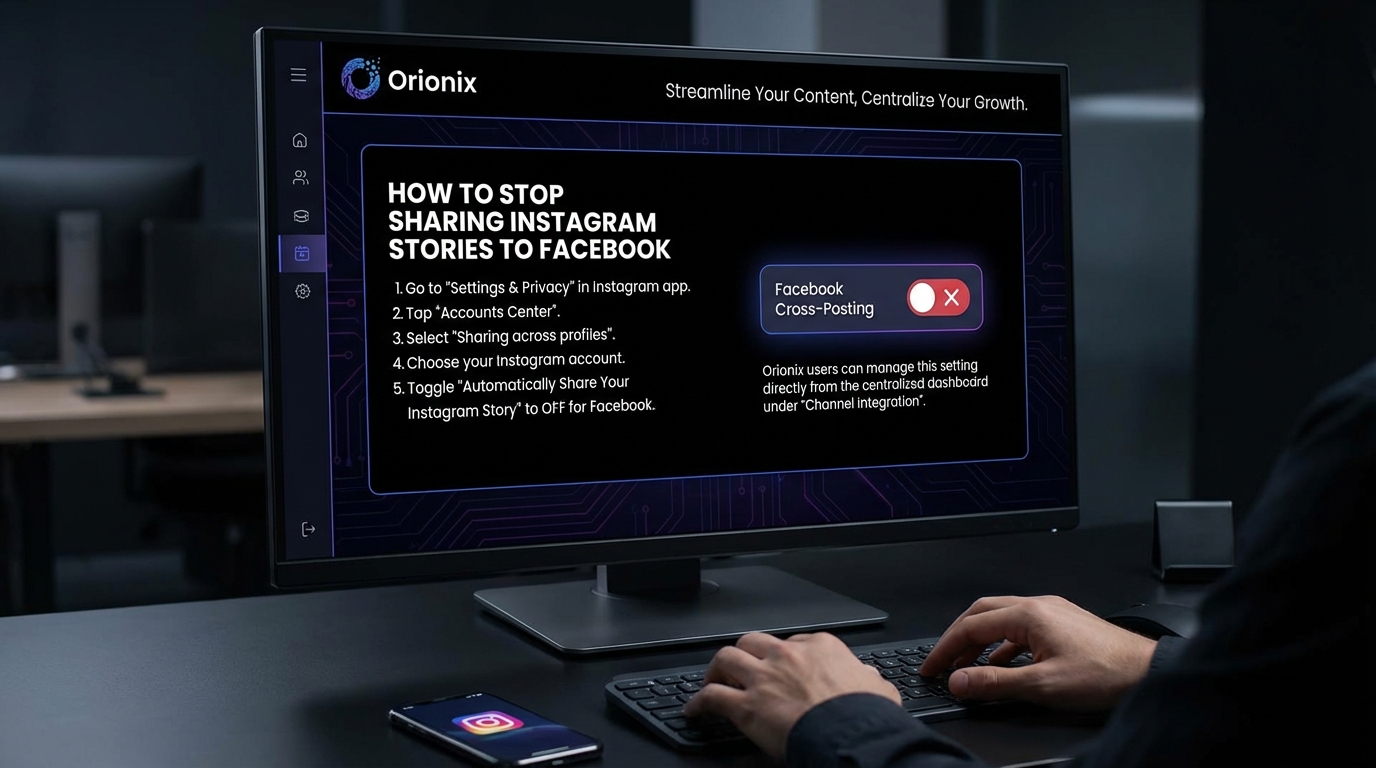
TL;DR: To stop sharing Instagram stories to Facebook, open Instagram and go to your profile settings. Tap « Sharing to other apps » or « Story sharing, » then find Facebook and toggle off the sharing option. You can also disable auto-sharing before posting each story by deselecting the Facebook icon. This prevents future stories from automatically posting to your Facebook account.
Frequently Asked Questions

How do I stop sharing Instagram stories to Facebook automatically?
To stop sharing Instagram stories to Facebook, open Instagram and go to your profile. Tap the three lines menu, select Settings, then Account, and choose Sharing to other apps. Find Facebook and toggle off the option to share your story. This prevents automatic cross-posting while still allowing manual sharing when desired.
Why are my Instagram stories automatically posting to Facebook?
Instagram stories automatically post to Facebook because you previously enabled the auto-share feature linking both accounts. This happens when you connect your Facebook account to Instagram and activate the story sharing option in settings. The feature is designed to help users maintain presence across multiple social media platforms simultaneously.
Can I stop sharing Instagram stories to Facebook without disconnecting my accounts?
Yes, you can stop sharing Instagram stories to Facebook without disconnecting your accounts. Simply disable the story sharing feature in Instagram’s settings under Sharing to other apps. Your accounts remain linked for other features like cross-posting regular posts manually, but stories won’t automatically appear on Facebook anymore.
How do I manage content sharing across social media platforms efficiently?
Managing content sharing across social media platforms is easiest with centralized tools like Orionix, which provides a single dashboard for planning, creating, and publishing content. These platforms let you control where content appears, schedule posts for the best times to post on Instagram and other networks, and maintain consistent social media marketing without manual cross-posting.
What’s the difference between sharing Instagram stories to Facebook and regular posts?
Instagram stories shared to Facebook appear as Facebook Stories that disappear after 24 hours, while regular posts remain permanent on your timeline. Story sharing happens automatically if enabled, whereas regular posts typically require manual selection. Stories maintain their vertical format and interactive features when cross-posted between social media platforms.
Will stopping Instagram story sharing to Facebook affect my social media marketing strategy?
Stopping Instagram story sharing to Facebook allows more targeted social media marketing on each platform. You can create platform-specific content that resonates better with each audience, post at optimal times for each network separately, and avoid content fatigue. This approach often leads to better engagement than automatic cross-posting across all social media and platforms.
How can I control which Instagram stories go to Facebook?
To control which Instagram stories go to Facebook, turn off automatic sharing in settings. Then, when posting a story, tap the Facebook icon before sharing to manually select that specific story for cross-posting. This gives you complete control over your digital marketing content distribution across social media platforms.
Does disconnecting Facebook affect other Instagram features like gaining followers?
Disconnecting Facebook from Instagram or disabling story sharing doesn’t directly affect your ability to gain followers on Instagram for free or impact core Instagram features. Your account remains fully functional, and you can still grow your audience through quality content, posting at the best time to post on Instagram, and engaging with your community.
Understanding Instagram and Facebook Story Integration

If you’ve been wondering how to stop sharing Instagram stories to Facebook, you’re not alone. Many social media users find that their Instagram stories automatically appear on Facebook, which isn’t always desirable for personal branding or privacy reasons. This automatic sharing feature, while convenient for some, can create unwanted overlaps in your social media platforms strategy.
Instagram and Facebook’s integration has become increasingly seamless since Facebook acquired Instagram in 2012. While this connectivity offers benefits for social media marketing professionals and content creators, it also means that your content can spread across multiple platforms without your explicit consent for each post.
Understanding how to control this feature is essential for anyone serious about digital marketing and managing their online presence effectively. Whether you’re a brand strategist, content marketer, or small business owner, having granular control over where your content appears is crucial for maintaining a cohesive brand identity across different audiences.
Why You Might Want to Stop Auto-Sharing Stories 📱

Before diving into the technical steps, let’s explore why separating your Instagram and Facebook stories makes sense for your social media and content strategy.
Different Audiences Require Different Content
Your Instagram followers may have different expectations and demographics compared to your Facebook friends or followers. Instagram typically attracts a younger, more visually-oriented audience, while Facebook encompasses a broader age range with different engagement patterns.
Content that performs well on Instagram during the best time to post on Instagram might not resonate the same way on Facebook. Understanding these nuances helps you tailor content for maximum impact on each platform.
Privacy and Professional Boundaries
Many users maintain separate personas across platforms. Your Instagram might showcase your creative work or personal brand, while Facebook connects you with family, old friends, and professional contacts. Automatically sharing stories can blur these boundaries in unwanted ways.
- 🔒 Maintain distinct privacy settings for different social circles
- 💼 Keep professional and personal content separated
- 🎯 Target specific audiences with platform-appropriate content
- ⚡ Reduce content fatigue among followers who use both platforms
Strategic Content Distribution
For those working in social media marketing, strategic content distribution is paramount. You may want to post exclusive content on one platform to drive followers to engage with both accounts, or you might be testing different messaging strategies across platforms.
How to Stop Sharing Instagram Stories to Facebook: Step-by-Step Guide 🛠️
Now let’s get into the practical steps to disable automatic story sharing. This process is straightforward but requires accessing the right settings within your Instagram app.
Method 1: Disable Auto-Sharing from Instagram Settings
This method prevents all future stories from automatically sharing to Facebook. It’s the most comprehensive solution if you want complete control over cross-platform posting.
| Step | Action | What to Look For |
|---|---|---|
| 1 | Open Instagram app | Navigate to your profile page |
| 2 | Tap the menu icon (three lines) | Located in the top-right corner |
| 3 | Select « Settings and Privacy » | Scroll down if necessary |
| 4 | Choose « Sharing to other apps » | Under the « How others can interact with you » section |
| 5 | Tap « Facebook » | You’ll see connection status |
| 6 | Toggle off « Share your story to Facebook » | The switch should turn gray |
Method 2: Disable Sharing Before Posting Each Story
If you want flexibility to choose on a story-by-story basis, you can control sharing at the point of posting. This approach works well when you occasionally want to share content across both platforms.
- Create your Instagram story as usual by tapping the « + » icon or swiping right from your feed
- Add your photo, video, or other content with desired effects and stickers
- Before tapping « Share, » look for the « Share to Facebook » option at the bottom of the screen
- If the Facebook icon appears highlighted or checked, tap it to deselect
- Proceed to share your story to Instagram only
This method is particularly useful for marketing digital marketing campaigns where you want granular control over each piece of content’s distribution strategy.
Method 3: Unlink Your Facebook Account Completely
For users who want a complete separation between their Instagram and Facebook accounts, unlinking provides the most definitive solution.
Warning: This will affect all Facebook-related features in Instagram, including the ability to find Facebook friends, cross-post to Facebook feed, and use Facebook login for Instagram.
- Navigate to Instagram Settings > Account Center
- Select « Accounts » to view linked profiles
- Choose your Facebook account from the list
- Tap « Remove from Account Center »
- Confirm your decision when prompted
Troubleshooting Common Issues 🔧
Stories Still Sharing Despite Disabled Settings
If you’ve disabled auto-sharing but your stories continue appearing on Facebook, try these solutions:
- 🔄 Update your Instagram app to the latest version
- 📱 Log out and log back into both Instagram and Facebook
- ⚙️ Check your Facebook app settings to ensure Instagram isn’t set to auto-share there
- 🗑️ Clear app cache and restart your device
Can’t Find the Sharing Settings Option
Some users report difficulty locating the sharing settings. This typically occurs due to outdated app versions or regional restrictions. Ensure you’re running the latest version of Instagram and that your account isn’t restricted in any way.
If you’re managing multiple accounts or considering how to close your Instagram account or how to deactivate Instagram temporarily, understanding these settings becomes even more important for maintaining control over your digital footprint.
Optimizing Your Multi-Platform Content Strategy 📊
Once you’ve disabled automatic sharing, you can develop a more strategic approach to social media platforms management. This allows you to optimize content for each platform’s unique characteristics and audience expectations.
Platform-Specific Content Planning
Different platforms require different content approaches. Instagram stories thrive on authentic, behind-the-scenes content, while Facebook stories often perform better with more polished, informational content.
| Platform | Optimal Content Type | Best Posting Times | Engagement Focus |
|---|---|---|---|
| Instagram Stories | Behind-the-scenes, user-generated content, polls | Weekdays 11am-1pm, 7pm-9pm | Visual appeal, interactivity |
| Facebook Stories | News updates, event promotions, longer videos | Weekdays 1pm-3pm, weekends 12pm-1pm | Information sharing, community building |
Understanding the Best Times to Post on Instagram
Timing matters significantly for engagement. The best times to post on Instagram vary by industry and audience, but generally fall during commute hours and lunch breaks when users browse social media most actively.
Research shows that posting during these peak windows can increase your visibility and help you gain followers on Instagram for free through improved algorithmic distribution. For more comprehensive strategies on audience growth, check out our guide on how to gain followers on Instagram for free in 2026.
Content Repurposing vs. Platform-Specific Creation
While separating your Instagram and Facebook stories requires more effort, it opens opportunities for strategic content repurposing. Instead of automatic duplication, you can:
- Adapt Instagram stories for Facebook with platform-appropriate captions and formatting
- Create exclusive content for each platform to encourage followers to engage with both accounts
- Test different messaging approaches and analyze which performs better where
- Build distinct brand voices that resonate with each platform’s unique culture
Managing Multiple Social Media Accounts Efficiently 🎯
For digital marketing professionals and small business owners managing multiple accounts, disabling auto-sharing might seem like it creates more work. However, with the right tools and strategies, you can maintain efficiency while gaining better control.
Leveraging Social Media Management Tools
Professional social media management platforms allow you to schedule and customize content for different platforms from a single dashboard. This approach gives you the control of manual posting with the efficiency of automation.
Tools like those offered by UseOrionix provide centralized content planning and publishing capabilities, making it easier to maintain distinct strategies across social media platforms without sacrificing efficiency.
Building a Content Calendar
A well-structured content calendar helps you plan platform-specific content in advance. This ensures you’re posting optimal content at the best time to post on Instagram and Facebook without the stress of last-minute creation.
- 📅 Plan content themes weekly or monthly
- 🎨 Create platform-specific variations of core content
- ⏰ Schedule posts for optimal engagement times
- 📈 Track performance metrics to refine your strategy
If you’re exploring professional opportunities in this field, understanding these tools is crucial. Learn more about social media marketing positions and the skills required to excel in them.
Privacy Considerations and Account Management 🔐
Controlling story sharing is part of broader privacy and account management practices. Understanding all available privacy settings helps you maintain the digital presence you want across platforms.
Additional Privacy Controls to Consider
Beyond story sharing, Instagram offers numerous privacy features that work in tandem with your cross-platform strategy:
- Story viewing restrictions (close friends lists)
- Account privacy settings (public vs. private)
- Comment and message controls
- Activity status visibility
For comprehensive privacy management, you might also want to learn about how to hide Instagram followers or explore what happens when you restrict someone on Instagram.
When to Consider Account Deactivation
Sometimes, taking a break from social media or restructuring your online presence requires more drastic measures. Knowing how can you delete an Instagram account or temporarily deactivate it provides options when you need a reset.
If you’re considering these options, our detailed guide on how to close your Instagram account walks through the complete process and important considerations before taking this step.
Advanced Strategies for Content Creators and Marketers 💡
For those using Instagram and Facebook professionally, stopping automatic story sharing opens doors to more sophisticated content strategies that can significantly impact your marketing results.
A/B Testing Across Platforms
With separate control over each platform, you can conduct meaningful A/B tests to understand what resonates with different audiences. Test variations in:
| Element | Instagram Variation | Facebook Variation |
|---|---|---|
| Visual Style | Vibrant, high-contrast images | Softer, more natural tones |
| Caption Length | Brief, emoji-rich captions | Longer, descriptive text |
| Call-to-Action | « Swipe up » or « DM us » | « Click link » or « Comment below » |
| Posting Frequency | Multiple daily stories | 1-2 stories per day |
Exclusive Content Strategy
Creating platform-exclusive content encourages your audience to follow you on multiple channels, increasing your overall reach and engagement. This strategy is particularly effective for building loyal communities across platforms.
Consider offering exclusive behind-the-scenes content on Instagram while sharing finished products or announcements on Facebook. This approach gives followers a reason to engage with both accounts and helps you gain followers on Instagram for free through word-of-mouth and cross-promotion.
Analytics and Performance Tracking
When you control content distribution manually, you gain clearer insights into what works on each platform. Instagram and Facebook analytics become more meaningful when you’re not duplicating content, allowing you to:
- Identify platform-specific engagement patterns
- Understand audience demographics more clearly
- Optimize content creation for each platform’s strengths
- Calculate accurate ROI for platform-specific campaigns
For detailed audience insights, tools like the Instagram follower export tool can help you analyze your audience composition and tailor content accordingly.
Common Questions and Misconceptions ❓
Will Disabling Auto-Share Affect My Reach?
Many users worry that stopping automatic sharing will reduce their overall reach. In reality, platform-specific content often performs better because it’s optimized for each audience, potentially increasing your total engagement across both platforms.
Can I Re-Enable Sharing Later?
Absolutely! The settings we’ve covered are completely reversible. You can re-enable automatic sharing at any time by following the same steps and toggling the option back on. This flexibility allows you to experiment with different strategies.
Does This Affect Regular Posts?
No, these settings specifically control Instagram stories. Your regular Instagram feed posts have separate sharing settings. You can continue to cross-post regular content while keeping stories separate, or vice versa.
What About Instagram Reels?
Instagram Reels have their own sharing settings, separate from stories. If you’re creating video content, check out our guide on how to add your own audio to Instagram Reels to maximize your video content strategy.
Building a Sustainable Social Media Workflow 🚀
Successfully managing separate content strategies across platforms requires sustainable workflows that don’t lead to burnout or inconsistent posting.
Time-Saving Tips for Multi-Platform Management
Even with manual control over story sharing, you can maintain efficiency through smart planning:
- ⏱️ Batch-create content for both platforms during dedicated creation sessions
- 📝 Develop templates for platform-specific adaptations
- 🔄 Repurpose successful content with platform-appropriate modifications
- 📊 Review analytics weekly to inform content decisions
- 🤖 Use scheduling tools to maintain consistent posting without constant manual effort
Developing Platform-Specific Skills
As you manage platforms separately, invest in understanding each platform’s unique features and best practices. This knowledge compounds over time, making content creation faster and more effective.
For those looking to formalize their expertise, consider pursuing certifications like the Hootsuite social marketing certification, which covers multi-platform management strategies in depth.
Maintaining Consistency While Being Distinct
Your brand voice and visual identity should remain consistent across platforms, even when content differs. This balance ensures recognition while allowing platform-specific optimization.
Create brand guidelines that define your core identity elements (colors, fonts, tone) while allowing flexibility in content format and messaging approach for each platform’s unique environment.
The Future of Cross-Platform Social Media Management 🔮
Understanding how to control story sharing today prepares you for the evolving landscape of social media and digital marketing. Platform integration continues to evolve, and staying informed helps you maintain control over your digital presence.
Emerging Trends to Watch
The social media landscape constantly shifts, with new features and integration options appearing regularly. Current trends suggest:
- Increased emphasis on authentic, platform-native content over cross-posted material
- More sophisticated audience segmentation tools within platforms
- Greater user control over data sharing and content distribution
- Enhanced analytics for understanding cross-platform audience behavior
Preparing for Platform Changes
Social media platforms frequently update their features and settings locations. Staying adaptable and regularly reviewing your privacy and sharing settings ensures you maintain the control you’ve established.
Bookmark important settings pages, follow platform update announcements, and periodically audit your account connections to ensure your preferences remain current as platforms evolve.
Conclusion: Taking Control of Your Social Media Presence ✨
Learning how to stop sharing Instagram stories to Facebook is more than just a technical skill—it’s about taking intentional control of your digital presence and content strategy. By managing each platform independently, you create opportunities for more targeted, effective communication with your diverse audiences.
Whether you’re a content creator looking to build distinct communities, a marketer optimizing campaigns for different demographics, or simply someone who values privacy and intentional sharing, these techniques empower you to use social media on your terms.
The strategies we’ve covered—from basic setting adjustments to advanced multi-platform workflows—provide a foundation for sustainable, effective social media marketing that respects both your time and your audience’s unique preferences on each platform.
Remember that social media management doesn’t have to be overwhelming. With the right tools, strategies, and understanding of platform-specific best practices, you can maintain a strong presence across multiple channels while staying true to your brand and protecting your valuable time.
Ready to streamline your social media management even further? Visit UseOrionix to discover how our centralized platform can help you plan, create, and publish content across all your channels from a single dashboard. Take control of your content strategy today and transform how you manage your social media presence! 🎯
Article created using IntentRank