
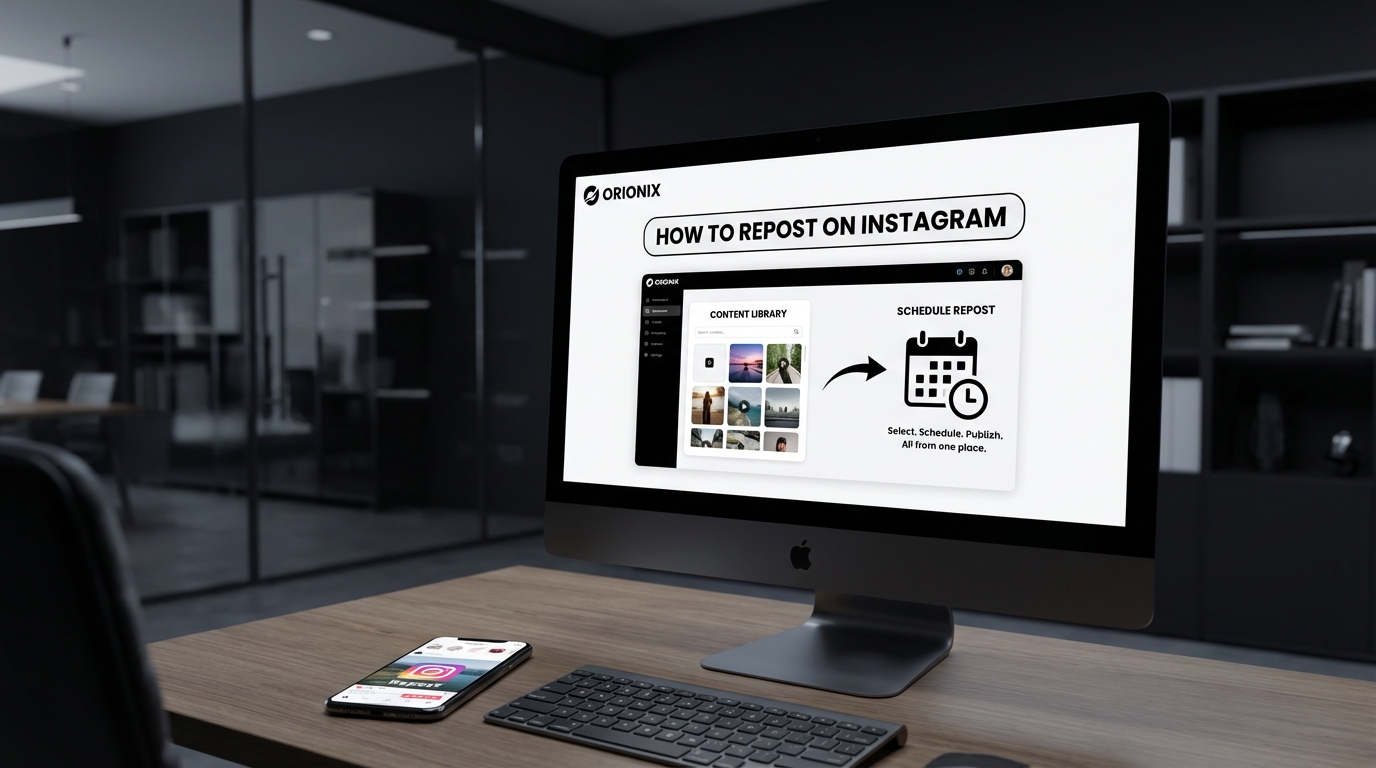

TL;DR: To repost on Instagram, you can use the built-in Reels or Stories reshare feature, or utilize third-party apps like Repost for Instagram. Screenshot the original post, download it with permission, or use Instagram’s native sharing options. Content management platforms like Orionix streamline reposting across multiple social channels from one centralized dashboard, making the process more efficient for regular content sharing.
Frequently Asked Questions

How do you repost on Instagram without an app?
To repost on Instagram without an app, screenshot the original post, crop it, and upload it as a new post while crediting the original creator in your caption. Alternatively, use Instagram’s built-in ‘Add Post to Your Story’ feature by tapping the paper airplane icon below a post and selecting ‘Add post to story.’ This method maintains the original post’s link and automatically credits the creator.
Can you repost Instagram Stories to your feed?
Yes, you can repost Instagram Stories to your feed by taking a screenshot or screen recording of the Story, then uploading it as a regular post or Reel. If someone mentions you in their Story, tap ‘Add This to Your Story’ to reshare it. However, direct Story-to-feed reposting isn’t natively supported, so manual capture and upload is required while ensuring proper credit to the original creator.
What are the best times to post on Instagram for maximum engagement?
The best times to post on Instagram are typically Tuesday through Friday between 9 AM and 1 PM in your audience’s timezone. However, optimal posting times vary by industry and target audience. Use Instagram Insights to analyze when your followers are most active. Generally, avoid posting late nights and early mornings. Consistent posting during peak engagement windows helps gain followers on Instagram organically and improves content visibility.
How do you repost on Instagram and tag the original creator?
To repost on Instagram and properly credit the original creator, mention their username in your caption using ‘@username’ and add a clear credit statement like ‘Repost from @username.’ When using Instagram’s Story reshare feature, the original username appears automatically. For feed posts, you can also tag the creator in the image itself by tapping ‘Tag People’ before publishing to ensure proper attribution and maintain social media etiquette.
Is there a built-in Instagram repost feature?
Instagram doesn’t have a direct built-in repost feature for feed posts. However, you can reshare posts to your Story using the paper airplane icon, and you can share Reels using the three-dot menu. For comprehensive reposting capabilities, third-party apps or social media marketing platforms like Orionix offer centralized solutions for planning and publishing content across multiple social media platforms efficiently through a single dashboard.
How can you delete an Instagram account versus deactivating it?
To delete an Instagram account permanently, visit instagram.com/accounts/remove/request and follow the prompts—this action is irreversible. To deactivate Instagram temporarily, go to Settings > Account > Deactivate Account, which hides your profile and content until you log back in. Deactivation is reversible and ideal for breaks from social media, while deletion permanently removes all your content, followers, and data from the platform.
What’s the difference between sharing and reposting on Instagram?
Sharing on Instagram refers to sending content directly to other users via Direct Messages or adding posts to your Story temporarily. Reposting means publishing someone else’s content to your own feed or profile permanently, requiring manual methods or third-party tools. Sharing is native and temporary, while reposting creates a permanent copy on your profile. Both require proper attribution, but reposting demands more explicit credit to the original creator.
How do social media marketing platforms help with Instagram reposting?
Social media marketing platforms like Orionix streamline Instagram reposting by offering centralized dashboards for planning, creating, and publishing content across multiple social media platforms. These tools enable scheduled reposting, content curation, bulk uploads, and team collaboration. They help maintain consistent posting schedules, track engagement analytics, and manage digital marketing campaigns efficiently, making it easier to gain followers on Instagram while maintaining brand consistency across all channels.
Introduction: Mastering Instagram Reposting in 2024

Understanding how do you repost on Instagram is essential for anyone serious about social media marketing and building a strong presence on one of the world’s most influential social media platforms. Whether you’re a content creator, business owner, or digital marketing professional, reposting content can significantly amplify your reach and engagement.
Instagram doesn’t offer a native « repost » button like some other platforms, which means you’ll need to use alternative methods to share content from other accounts. This comprehensive guide will walk you through every method available, from built-in features to third-party tools, ensuring you can effectively curate and share content that resonates with your audience.
Reposting isn’t just about sharing—it’s a strategic component of marketing digital marketing that helps you build community, showcase user-generated content, and maintain an active presence even when creating original content isn’t possible. Let’s explore all the ways you can master this essential Instagram skill. 📱
Why Reposting Matters for Your Instagram Strategy

Before diving into the how-to, it’s crucial to understand why reposting should be part of your social media marketing toolkit. Reposting serves multiple strategic purposes that can elevate your Instagram presence and strengthen your brand.
Building Community and Engagement 🤝
Reposting user-generated content shows your followers that you value their contributions. When you share customer photos, testimonials, or creative uses of your products, you’re not just filling your feed—you’re building a community of brand advocates.
This strategy is particularly effective for businesses looking to gain followers on Instagram for free. When people see you featuring other accounts, they’re more likely to tag you in their content, hoping for a repost opportunity.
Maintaining Consistent Posting Schedules
Knowing the best times to post on Instagram is important, but equally crucial is posting consistently. Reposting allows you to maintain an active presence during periods when creating original content might be challenging.
Strategic reposting helps you stay visible in your followers’ feeds without compromising quality or authenticity. This is especially valuable for small businesses and solo entrepreneurs managing multiple aspects of their digital presence.
Curating Industry-Relevant Content
Positioning yourself as a thought leader means sharing valuable content from across your industry. Reposting relevant articles, tips, and insights demonstrates your expertise and keeps your audience informed about important trends and developments.
Method 1: How Do You Repost on Instagram Using Stories
The easiest and most native way to repost content on Instagram is through Stories. This built-in feature allows you to share posts from accounts you follow directly to your Story, making it the most straightforward reposting method available.
Step-by-Step Guide to Reposting via Stories 📲
- Find the post you want to share: Navigate to the post in your feed or on the original poster’s profile
- Tap the paper airplane icon: Located below the post, this is the same icon used for direct messaging
- Select « Add post to your story »: This option appears at the top of the sharing menu
- Customize your Story: Add text, stickers, drawings, or other creative elements to make it your own
- Share to your Story: Tap « Your Story » to publish, or select specific people to share with
This method works seamlessly and gives proper credit to the original poster automatically. The shared post appears as a sticker in your Story, and viewers can tap it to see the original post.
Important Limitations to Consider
While Stories reposting is convenient, it has some restrictions. You can only repost content from public accounts that you follow. Additionally, if the original poster has disabled sharing in their settings, you won’t see the « Add post to your story » option.
Stories also disappear after 24 hours unless you save them as Highlights. This makes them ideal for timely content but less suitable for permanent curation. For more control over your Instagram sharing settings, check out our guide on how to stop sharing Instagram Stories to Facebook.
Method 2: Reposting to Your Feed Using Screenshots
For a more permanent repost solution, many users opt for the screenshot method. While this requires more manual work, it gives you complete control over how the content appears on your feed.
The Screenshot and Edit Process
Take a screenshot of the post you want to share, then use photo editing tools to crop and enhance the image. Always include clear attribution in your caption, mentioning the original creator’s username and thanking them for the content.
This method works well when you want to create a cohesive aesthetic on your feed or when the original post format doesn’t suit your needs. However, it’s crucial to always ask permission and give proper credit to avoid copyright issues.
| Advantages | Disadvantages |
|---|---|
| Full control over appearance | Time-consuming process |
| Permanent feed placement | Requires permission from creator |
| Works with any content | No automatic attribution |
| Can customize for brand aesthetic | May lose image quality |
Best Practices for Screenshot Reposting ✨
Always tag the original creator in both the caption and the image itself. Use clear language like « Repost from @username » or « Credit: @username » to ensure proper attribution.
Consider reaching out to the original poster before reposting, especially for commercial accounts. This courtesy can help build relationships and avoid potential conflicts.
Method 3: Using Third-Party Reposting Apps
Third-party apps offer the most comprehensive reposting solutions, combining ease of use with proper attribution features. These tools are particularly valuable for businesses and content creators who repost frequently as part of their social media and content strategy.
Popular Reposting Apps for Instagram
Several apps dominate the reposting space, each offering unique features and capabilities. Repost for Instagram, Regrann, and InstaRepost are among the most popular options, available for both iOS and Android devices.
These apps typically work by copying the post URL from Instagram, then processing it through the app to create a repostable version with automatic attribution. Most maintain the original caption and add a clear « reposted from » watermark.
How to Use Reposting Apps Effectively
- Download and install your chosen app: Search for reposting apps in your device’s app store
- Copy the post URL: Tap the three dots on the Instagram post and select « Copy Link »
- Open the reposting app: The app should automatically detect the copied link
- Customize attribution settings: Choose how you want to credit the original creator
- Share to Instagram: The app will redirect you to Instagram to complete the post
For those managing multiple social media platforms, tools like the Hootsuite social media scheduler can help you coordinate reposting across different channels efficiently.
Reposting Strategies for Maximum Engagement
Knowing how to repost is only half the battle—understanding when and what to repost determines your success. Strategic reposting aligned with your overall digital marketing goals can significantly boost your engagement rates.
Timing Your Reposts for Optimal Reach ⏰
Understanding the best time to post on Instagram applies equally to reposts. Generally, weekdays between 10 AM and 3 PM see high engagement, with Wednesday at 11 AM often cited as optimal.
However, your specific audience may have different peak times. Use Instagram Insights to analyze when your followers are most active, then schedule your reposts accordingly. This strategy is particularly important when you’re trying to gain followers on Instagram for free through strategic content sharing.
What Content Should You Repost?
Focus on reposting content that aligns with your brand values and resonates with your audience. User-generated content, customer testimonials, and industry insights typically perform well and add value to your feed.
- User-generated content: Photos and videos featuring your products or services
- Industry news and trends: Relevant updates from thought leaders in your niche
- Inspirational quotes: Motivational content that reflects your brand values
- Educational content: Tips, tutorials, and how-to guides from trusted sources
- Community highlights: Showcasing followers, customers, or partners
For businesses in specific niches, like restaurants, check out our comprehensive guide on social media marketing for restaurants to understand industry-specific reposting strategies.
Legal and Ethical Considerations for Reposting
While reposting is common practice on Instagram, it’s essential to understand the legal and ethical implications. Respecting copyright and giving proper attribution protects you from potential issues while building positive relationships within your community.
Understanding Copyright on Instagram 📜
When someone posts content on Instagram, they retain the copyright to that content. Reposting without permission technically violates copyright law, even if you provide attribution. Always seek permission before reposting, especially for commercial purposes.
Many content creators are happy to have their work shared, but asking first shows respect and professionalism. A simple direct message requesting permission is usually sufficient and often leads to positive interactions.
Proper Attribution Practices
Proper attribution goes beyond simply tagging the original creator. Include their username in the caption, tag them in the image, and consider adding context about why you’re sharing their content.
| Method | How to Implement | Effectiveness |
|---|---|---|
| Caption mention | Include « @username » in first line of caption | High – visible to all viewers |
| Image tag | Tag original creator directly on the image | Very High – clickable link to profile |
| Watermark preservation | Keep original watermarks intact | Medium – maintains creator branding |
| Permission documentation | Save DM approval for records | Essential – legal protection |
Advanced Reposting Techniques for Businesses
For businesses and professional marketers, reposting is more than just sharing content—it’s a strategic tool for building brand awareness, fostering community, and driving engagement. Advanced techniques can help you maximize the impact of your reposting efforts.
Creating Repost Campaigns 🎯
Develop dedicated repost campaigns that encourage user-generated content. Create branded hashtags, run contests, or launch challenges that motivate followers to create content you can repost.
This approach not only provides you with a steady stream of repostable content but also increases engagement and helps you gain followers on Instagram for free. When followers see you regularly featuring community content, they’re more likely to participate and tag others.
Integrating Reposts into Your Content Calendar
Strategic reposting should be part of your overall content strategy, not an afterthought. Plan your reposts alongside original content, ensuring a balanced mix that keeps your feed diverse and engaging.
Consider allocating specific days or time slots for reposted content. For example, « Feature Friday » could showcase customer stories, while « Monday Motivation » might include inspirational quotes from industry leaders.
If you’re looking to streamline your entire social media workflow, understanding social media marketing positions can help you build a team that handles reposting and content curation efficiently.
Measuring Repost Performance
Track the performance of your reposted content using Instagram Insights. Compare engagement rates, reach, and follower growth between original and reposted content to understand what resonates with your audience.
- Engagement rate: Likes, comments, and shares relative to follower count
- Reach and impressions: How many unique users saw the reposted content
- Follower growth: New followers gained during repost campaigns
- Website clicks: Traffic driven from reposted content with links
- Save rate: How often users bookmark your reposted content
Reposting Instagram Reels and Videos
Video content, particularly Reels, has become increasingly important for Instagram success. Reposting video content requires slightly different approaches than static images, but the principles remain similar.
Sharing Reels to Your Story
Instagram makes it easy to share Reels to your Story using the same paper airplane icon. The Reel appears as a preview in your Story, and viewers can tap to watch the full video.
This method is excellent for amplifying engaging video content and showing support for creators in your niche. For more insights on creating your own video content, explore our guide on Instagram how to videos.
Reposting Video Content to Your Feed
Reposting videos to your main feed typically requires third-party apps or downloading the video (with permission) and re-uploading it. Always ensure you have explicit permission for video reposts, as they often involve more creative effort than static images.
When reposting videos, maintain the original audio when possible, or learn how to add your own audio to Instagram Reels to customize the content while maintaining proper attribution.
Managing Your Instagram Presence Beyond Reposting
While reposting is valuable, it’s just one component of a comprehensive Instagram strategy. Understanding all aspects of Instagram management helps you create a cohesive, professional presence on the platform.
Content Moderation and Account Management 🛡️
As your account grows through strategic reposting and engagement, you’ll need to manage interactions effectively. Learn how do you delete comments on Instagram to maintain a positive community environment.
Understanding what happens when you restrict someone on Instagram also helps you manage problematic interactions without completely blocking users.
Privacy and Account Settings
Managing your Instagram presence also means understanding privacy settings. If you need to take a break or reconsider your social media strategy, knowing how to deactivate Instagram or even how can you delete an Instagram account gives you control over your digital footprint.
For those managing multiple connected accounts, our guide on how to disconnect your Instagram from Facebook can help you manage cross-platform integrations.
Growing Your Audience Organically
While some turn to free Instagram followers website services, organic growth through strategic reposting and engagement delivers better long-term results. Focus on building genuine connections rather than inflating numbers artificially.
Authentic engagement, consistent posting, and strategic reposting of quality content will naturally attract followers who are genuinely interested in your brand or content.
Tools and Resources for Efficient Reposting
Efficiency is key when managing multiple aspects of your social media and digital presence. The right tools can streamline your reposting workflow and help you maintain consistency across platforms.
Social Media Management Platforms 🚀
Professional social media management tools offer features beyond simple reposting. Platforms like Hootsuite provide comprehensive scheduling, analytics, and content curation capabilities that integrate reposting into your broader strategy.
Consider pursuing a Hootsuite social marketing certification to master these tools and enhance your marketing digital marketing credentials.
Analytics and Audience Insights
Understanding your audience is crucial for effective reposting. Tools like the Instagram follower export tool help you analyze your audience demographics and preferences, informing your reposting decisions.
Use these insights to identify which types of reposted content resonate most with your specific audience, allowing you to refine your strategy over time.
Industry-Specific Reposting Strategies
Different industries and niches require tailored approaches to reposting. Understanding your specific context helps you create more relevant, engaging content that resonates with your target audience.
Reposting for Creative Professionals
Artists, designers, and other creative professionals can benefit significantly from strategic reposting. Our guide on social media for artists provides specialized insights for creative industries.
For creative professionals, reposting can showcase inspiration, highlight collaborations, and build community with fellow artists while maintaining a unique artistic voice.
Reposting in Niche Communities
Specialized communities, such as parenting groups, benefit from targeted reposting strategies. Explore mothers social media insights to understand how niche communities use reposting to build support networks and share valuable resources.
Niche-specific reposting helps establish your authority within a particular community while providing genuine value to your followers.
Common Reposting Mistakes to Avoid
Even experienced social media managers make mistakes when reposting. Avoiding these common pitfalls ensures your reposting strategy enhances rather than damages your Instagram presence.
Reposting Without Permission ⚠️
The most serious mistake is reposting content without asking the creator first. Even with proper attribution, unauthorized reposting can damage relationships and potentially lead to copyright claims.
Always request permission through direct message before reposting, especially for commercial accounts or when the content will be used for promotional purposes.
Over-Reliance on Reposted Content
While reposting is valuable, your feed shouldn’t consist entirely of other people’s content. Maintain a healthy balance between original and reposted content to preserve your unique voice and brand identity.
- Aim for 70/30 ratio: 70% original content, 30% reposted content
- Maintain brand consistency: Only repost content that aligns with your values
- Add your perspective: Include meaningful commentary with reposts
- Vary content types: Mix images, videos, and Stories
- Monitor engagement: Track which content types perform best
Inadequate Attribution
Simply tagging the creator isn’t always enough. Provide context about why you’re sharing their content and what makes it valuable to your audience. This approach shows respect for the creator while adding value for your followers.
The Future of Reposting on Instagram
Instagram continuously evolves its features and policies, affecting how reposting works on the platform. Staying informed about upcoming changes helps you adapt your strategy and maintain compliance with platform guidelines.
Emerging Features and Tools 🔮
Instagram regularly tests new sharing features that could impact reposting. Features like collaborative posts and enhanced sharing options suggest the platform recognizes the importance of content curation and community building.
Stay updated on Instagram’s official announcements and beta features to take advantage of new reposting capabilities as they become available.
Evolving Best Practices
As Instagram’s algorithm and user behavior change, so do reposting best practices. Focus on authentic engagement, transparent attribution, and value-added commentary to ensure your reposting strategy remains effective regardless of platform changes.
The trend toward authenticity and transparency in social media marketing means that thoughtful, permission-based reposting will continue to be valued by both platforms and users.
Conclusion: Mastering Instagram Reposting for Success
Understanding how do you repost on Instagram is essential for anyone serious about building a strong presence on the platform. Whether you use native Story sharing, third-party apps, or manual methods, the key is maintaining authenticity, respecting creators, and providing value to your audience.
Strategic reposting amplifies your reach, builds community, and helps maintain consistent engagement—all crucial elements of successful social media marketing. By combining reposting with original content, understanding the best times to post on Instagram, and respecting copyright and attribution, you create a sustainable Instagram strategy that drives real results.
Remember that reposting is just one tool in your digital marketing arsenal. Success comes from integrating it thoughtfully into your overall content strategy, always prioritizing quality and authenticity over quantity.
Ready to take your Instagram strategy to the next level? Visit our website to discover how Orionix can help you streamline your content management across all social media platforms. Our centralized dashboard makes planning, creating, and publishing content—including strategic reposts—easier than ever. Start optimizing your social media workflow today and watch your engagement soar! 🚀
Article created using IntentRank