
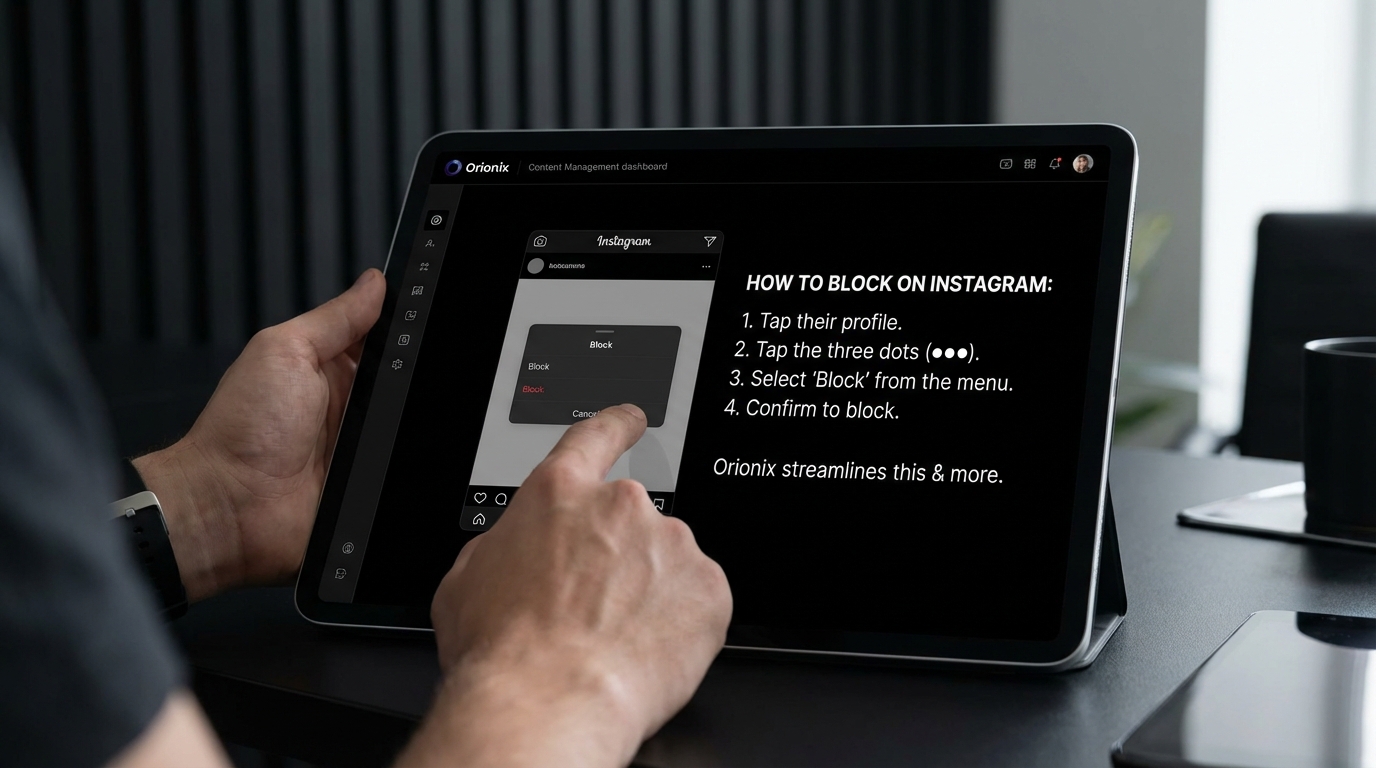
TL;DR: To block someone on Instagram, go to their profile, tap the three dots in the top right corner, and select « Block. » Alternatively, tap and hold their message in Direct Messages and choose « Block. » You can also block users through Settings > Privacy > Blocked Accounts. Blocked users won’t be notified of this action.
Frequently Asked Questions

How can you block someone on Instagram?
To block someone on Instagram, go to their profile, tap the three dots in the top right corner, and select ‘Block.’ Alternatively, tap and hold their message in Direct Messages and choose ‘Block.’ The person won’t be notified, and they won’t be able to find your profile, posts, or stories. You can unblock them anytime from Settings > Privacy > Blocked accounts.
What happens when you block someone on Instagram?
When you block someone on Instagram, they can no longer see your profile, posts, stories, or Reels. They won’t receive a notification about being blocked. Your previous likes and comments on their content will disappear. If you were following each other, the follow connection is removed. Direct message conversations remain in your inbox but the blocked person cannot send new messages.
Can someone tell if you blocked them on Instagram?
Instagram doesn’t send notifications when you block someone, but they may notice indirect signs. If they search for your profile, it won’t appear. If they had a previous conversation, your profile picture will disappear from their messages. When they try to visit your profile through an old link, they’ll see ‘User Not Found’ or ‘No Posts Yet,’ indicating a possible block.
How do you unblock someone on Instagram after blocking them?
To unblock someone on Instagram, go to your profile, tap the menu icon, select Settings > Privacy > Blocked accounts. Find the person you want to unblock and tap ‘Unblock’ next to their name. Confirm your choice. Note that unblocking doesn’t automatically restore the follower connection—you’ll need to follow them again, and they’ll need to follow you back.
What’s the difference between blocking and restricting someone on Instagram?
Blocking completely removes access to your profile, while restricting is a softer approach. When you restrict someone, their comments on your posts are only visible to them unless you approve them. They can’t see when you’re active or when you’ve read their messages. Restricting is ideal for managing interactions without completely cutting off contact, useful for social media marketing purposes.
Can you block someone on Instagram without them knowing?
Yes, you can block someone on Instagram discreetly without them receiving a notification. However, they may eventually notice when they can’t find your profile or see your content. For a less obvious approach, consider restricting them instead, which limits their interactions while maintaining the appearance of a normal connection—particularly useful when managing professional relationships on social media platforms.
How can you manage multiple Instagram accounts and block users efficiently?
Managing multiple Instagram accounts requires switching between profiles to block users individually. Platforms like Orionix offer centralized dashboards for managing content across various social media platforms, streamlining tasks like content scheduling and account management. While blocking must be done within Instagram, using unified platforms helps digital marketing professionals efficiently monitor and manage interactions across multiple accounts from one location.
Should you block or deactivate your Instagram account to avoid someone?
Blocking is better for avoiding specific individuals while keeping your account active for other followers and social media marketing efforts. Deactivating or deleting your Instagram account affects all your connections and pauses your content strategy. If you need a break from specific users, block them individually. Deactivation is appropriate only when you want to temporarily hide your entire presence from all users on the platform.
Understanding How to Block Someone on Instagram: Your Complete Guide

In today’s digital landscape, managing your social media presence has become as important as maintaining your real-world relationships. If you’re wondering how can you block someone on Instagram, you’re not alone—millions of users seek to control their online environment every day. Whether you’re dealing with unwanted interactions, protecting your privacy, or simply maintaining healthy boundaries on social media platforms, blocking is a powerful tool at your disposal.
Instagram, the photo- and video-sharing platform owned by Meta, provides users with comprehensive blocking features designed to give you complete control over who can view and interact with your content. Understanding these features is essential for anyone engaged in social media marketing, digital marketing, or simply maintaining a personal presence online.
This comprehensive guide will walk you through everything you need to know about blocking users on Instagram, from the technical steps to the emotional considerations that come with managing your digital space.
Why Blocking Someone on Instagram Matters for Your Digital Well-being 🛡️

Social media can be a double-edged sword. On one hand, it connects us with friends, family, and professional networks; on the other, it sometimes brings unwanted interactions that can impact our mental health and online experience.
According to insights from Oreate AI’s comprehensive blocking guide, taking control of your online space is empowering. Perhaps it’s an ex who keeps appearing in your notifications, a former friend whose posts no longer resonate with you, or someone engaging in harassment.
Common Reasons to Block Someone on Instagram
- Harassment or bullying: Protecting yourself from abusive comments or messages
- Privacy concerns: Preventing certain individuals from viewing your content
- Professional boundaries: Separating personal and business accounts in your social media and marketing efforts
- Ex-relationships: Creating healthy distance after a breakup
- Spam accounts: Eliminating bot accounts that clutter your follower list
- Mental health: Removing triggers or negative influences from your feed
For those focused on social media marketing or trying to gain followers on Instagram for free, maintaining a clean, authentic follower base is crucial for engagement metrics and brand credibility.
Step-by-Step Guide: How Can You Block Someone on Instagram 📱
Blocking someone on Instagram is straightforward, requiring just four simple steps through the Instagram mobile application. ADWEEK’s detailed guide provides the industry-standard approach to blocking users effectively.
| Step | Action | Details |
|---|---|---|
| 1 | Navigate to Profile | Visit the profile of the user you want to block |
| 2 | Access Menu | Tap the three dots in the top-right corner |
| 3 | Select Block Option | Choose between blocking just this account or blocking future accounts they create |
| 4 | Confirm Action | Tap the « Block » button to finalize |
Detailed Blocking Instructions
Step 1: Locate the User Profile
Start by navigating to the profile of the person you wish to block. This might feel daunting if you’re not ready for that confrontation, but remember—you’re taking control of your digital space. You can find their profile through search, your followers list, or by clicking on their username in comments or messages.
Step 2: Access the Profile Menu
Once on their profile, tap the three dots located at the top right corner of the screen. This universal menu icon opens up various profile management options available on social media platforms.
Step 3: Choose Your Blocking Preference
Instagram offers two distinct blocking options, as noted in the ADWEEK guide:
- Block [username]: Blocks only this specific account
- Block [username] and new accounts they may create: Provides comprehensive protection by blocking current and future accounts
The second option is particularly useful for persistent harassers or spam accounts attempting to circumvent blocks by creating new profiles.
Step 4: Confirm Your Decision
Tap the « Block » button at the bottom of the screen to finalize your decision. The action takes effect immediately.
What Happens When You Block Someone on Instagram? 🚫
Understanding the consequences of blocking is essential for managing expectations and making informed decisions about your social media presence. According to research from Oreate AI, several immediate changes occur when you block someone.
Immediate Effects of Blocking
| What Changes | Effect on Blocked User | Effect on Your Account |
|---|---|---|
| Profile Visibility | Cannot view your profile or content | Their profile remains visible to you |
| Follower Status | Automatically removed from your followers | You’re removed from their followers |
| Interactions | Cannot like, comment, or message | Complete protection from their engagement |
| Notifications | No notification of being blocked | Instant peace of mind |
| Search Results | Your account may not appear in searches | Their account still searchable by you |
Content and Interaction Restrictions
Once blocked, the person cannot see any of your content or interact with you through likes or comments anymore. They’ll also disappear from your followers list if they were following you before—functioning as an instant reset button for those awkward connections.
This is particularly important for digital marketing professionals and those managing Instagram for business accounts, where maintaining a positive, engaged audience is crucial for success. Learn more about optimizing your business presence in our guide on Instagram for Business Success.
Will They Know They’ve Been Blocked? 🤔
A common concern is whether the blocked person receives notification. According to the comprehensive analysis from Oreate AI, blocked users do not receive any notification from Instagram that they have been blocked.
However, they may notice indirect signs:
- Your profile appears unavailable when they search for it
- Previous conversations may still exist but they cannot send new messages
- Your likes and comments disappear from their posts
- They cannot tag you in posts or stories
How to Unblock Someone on Instagram: Reversing Your Decision ↩️
Sometimes circumstances change, and you may decide that blocking was too harsh or that you want to reconnect. Instagram makes unblocking just as straightforward as blocking.
Unblocking Process
- Navigate to the blocked person’s profile (if you can still find it)
- Tap the three dots in the top-right corner
- Select « Unblock » from the menu options
- Confirm your decision
According to Oreate AI’s blocking guide, it’s crucial to understand that unblocking doesn’t automatically restore the follow relationship. The person must manually follow you again if that’s something you’d both like, and you’ll need to follow them back if desired.
Important Considerations When Unblocking
- No automatic reconnection: Follower relationships must be re-established manually
- Message history: Previous direct messages may still be visible
- Fresh start: Both parties start with a clean slate regarding interactions
- Timing matters: Consider waiting before unblocking if emotions are still high
Blocking vs. Other Instagram Privacy Options 🔐
Blocking isn’t the only tool available for managing your Instagram presence. Understanding all your options helps you make the best decision for each situation.
| Option | What It Does | Best Used For | Reversibility |
|---|---|---|---|
| Block | Complete restriction of access and interaction | Harassment, unwanted contact, serious privacy concerns | Easily reversible |
| Restrict | Limits interaction without full block; they won’t know | Managing sensitive relationships, subtle boundaries | Easily reversible |
| Mute | Hides their posts/stories from your feed | Taking a break without unfollowing | Easily reversible |
| Unfollow | Stops following but allows them to follow you | Cleaning up feed, mild distance | Can refollow anytime |
| Private Account | Requires approval for all followers | General privacy, controlling audience | Toggle public/private |
When to Use Restrict Instead of Block
The « Restrict » feature offers a middle ground between blocking and allowing full access. When you restrict someone:
- Their comments on your posts are only visible to them
- They cannot see when you’re active or if you’ve read their messages
- Their messages go to message requests rather than your main inbox
- They receive no notification that they’ve been restricted
This option is particularly useful for social media marketing professionals who need to manage difficult clients or followers without completely severing the connection.
Alternative: How to Deactivate Instagram Temporarily
If you’re feeling overwhelmed by multiple accounts or need a broader break from the platform, you might consider temporarily deactivating your account instead. Learn more in our comprehensive guide on how to deactivate Instagram or explore permanent options in our article about how to close your Instagram account.
The Psychology of Blocking: Managing Emotional Aspects 💭
Blocking someone on Instagram carries emotional weight beyond the technical action. As noted in Oreate AI’s comprehensive analysis, blocking isn’t always easy—it can stir feelings of guilt or sadness—but prioritizing your peace over discomfort should always come first.
Common Emotional Responses to Blocking
- Guilt: Feeling bad about cutting someone off digitally
- Relief: Immediate sense of safety and control
- Anxiety: Worrying about their reaction or what they’ll think
- Empowerment: Taking charge of your digital boundaries
- Sadness: Mourning the loss of a connection, even a problematic one
Maintaining Mental Well-being in the Digital Age
In our digital age where boundaries are often blurred by constant connectivity, knowing how to manage these relationships effectively is crucial for maintaining mental well-being. Your Instagram feed should be a source of inspiration, connection, and positivity—not stress or anxiety.
For those managing multiple social media platforms for business or personal branding, maintaining healthy boundaries becomes even more critical. Explore our guide on social media and content management to learn more about managing your digital presence effectively.
Blocking for Business: Professional Instagram Management 💼
For businesses, influencers, and digital marketing professionals, blocking takes on additional considerations beyond personal relationships. Your Instagram presence represents your brand, and managing who can interact with it is crucial for maintaining reputation and engagement quality.
Professional Reasons to Block Users
| Scenario | Business Impact | Recommended Action |
|---|---|---|
| Spam Accounts | Artificially inflates follower count, reduces engagement rate | Block and report |
| Trolls/Negative Comments | Damages brand reputation, discourages genuine engagement | Block or restrict depending on severity |
| Competitors Monitoring | Potential intellectual property concerns | Consider private account or strategic blocking |
| Inappropriate Content | Association damages brand image | Immediate block |
Impact on Engagement Metrics
Blocking spam accounts and inactive followers can actually improve your Instagram performance metrics. Authentic engagement rates matter more than inflated follower counts, especially when you’re trying to gain followers on Instagram for free through organic growth strategies.
Understanding the best time to post on Instagram and maintaining a clean, engaged follower base work together to maximize your social media marketing effectiveness. Check out our comprehensive guide on how to gain followers on Instagram for free for strategies that prioritize quality over quantity.
Managing Multiple Accounts and Team Access
For businesses managing multiple Instagram accounts or teams handling social media responsibilities, consider using centralized platforms that streamline content management and security. Learn more about efficient multi-platform management in our article on social media management with Hootsuite.
Advanced Privacy Settings Beyond Blocking 🔧
Instagram offers numerous privacy settings that complement blocking functionality, giving you granular control over your presence on social media platforms.
Essential Privacy Settings to Configure
- Private Account: Require approval for all new followers
- Story Controls: Choose who can view and reply to your stories
- Comment Filters: Automatically hide offensive comments
- Tag Approval: Review tags before they appear on your profile
- Activity Status: Hide when you’re active on the platform
- Message Controls: Filter message requests and control who can message you
Combining Privacy Features for Maximum Protection
The most effective Instagram privacy strategy combines multiple features:
- Set your account to private if you want complete control over your audience
- Use comment filters to automatically hide problematic content
- Enable tag approval to prevent unwanted associations
- Block specific users who violate your boundaries
- Restrict accounts you want to monitor without fully blocking
For comprehensive strategies on optimizing your social media presence while maintaining privacy, explore our guide on how to optimize your social media page.
Common Mistakes When Blocking on Instagram ⚠️
Understanding what not to do is just as important as knowing the correct blocking process. Avoid these common pitfalls:
Mistakes to Avoid
- Blocking in anger: Making impulsive decisions during emotional moments
- Not using restrict first: Jumping straight to blocking when a softer approach might work
- Forgetting about alt accounts: Not selecting the option to block future accounts
- Public confrontation: Announcing blocks or discussing them publicly
- Repeated blocking/unblocking: Creating confusion and drama through inconsistent boundaries
- Ignoring reporting: Not reporting serious harassment or threats to Instagram
When to Report Instead of (or In Addition to) Blocking
Some situations require more than just blocking. Report accounts to Instagram when you encounter:
- Threats of violence or self-harm
- Harassment or bullying
- Impersonation accounts
- Spam or scam accounts
- Inappropriate content involving minors
- Intellectual property violations
Reporting helps protect not just you, but the broader Instagram community and other social media platforms.
Blocking Across Multiple Social Media Platforms 🌐
If you’re dealing with harassment or unwanted contact across multiple platforms, you may need to implement blocking strategies beyond just Instagram. Most social media platforms offer similar blocking functionality.
Cross-Platform Blocking Strategy
| Platform | Blocking Access | Key Differences from Instagram |
|---|---|---|
| Profile → Three dots → Block | Also blocks on Messenger; affects Facebook groups | |
| Twitter/X | Profile → Three dots → Block | Blocked users can still see your tweets if not logged in |
| TikTok | Profile → Three dots → Block | Prevents viewing of videos and duets |
| Profile → More → Block | Maintains professional network integrity |
For businesses managing presence across multiple platforms, streamlining your social media and marketing efforts becomes essential. Learn more about comprehensive platform management in our article on mastering social media and marketing.
Coordinated Privacy Management
When implementing blocks across multiple platforms:
- Document which accounts you’ve blocked and where
- Use consistent privacy settings across all platforms
- Consider using social media management tools for centralized control
- Review and update your blocked lists periodically
- Maintain separate personal and professional accounts when possible
Legal and Ethical Considerations of Blocking ⚖️
While blocking is generally your right as a user, certain contexts introduce legal and ethical considerations, particularly for businesses and public figures.
For Businesses and Public Officials
Public entities and government officials face unique constraints. In some jurisdictions, blocking constituents or customers on official accounts may raise legal concerns about:
- First Amendment rights (in the United States)
- Public access to government communications
- Discrimination claims if blocking appears targeted
- Customer service obligations
Ethical Blocking Practices
Maintain ethical standards when blocking by:
- Having clear community guidelines for business accounts
- Applying blocking policies consistently
- Documenting reasons for blocks when managing brand accounts
- Offering alternative communication channels when appropriate
- Distinguishing between criticism and harassment
For small business owners navigating social media marketing for small business, understanding these nuances is crucial. Explore our guide on mastering social media marketing for small business success for more insights.
Optimizing Your Instagram Experience After Blocking 🎯
Once you’ve blocked problematic accounts, focus on building a positive, engaging Instagram presence that serves your goals—whether personal connection, brand building, or business growth.
Building a Healthy Instagram Community
After clearing out negative influences:
- Curate your feed intentionally: Follow accounts that inspire and add value
- Engage authentically: Build genuine connections through meaningful interactions
- Post consistently: Understanding the best times to post on Instagram maximizes reach
- Monitor your follower quality: Prioritize engaged followers over vanity metrics
- Use Instagram’s tools: Leverage features like Close Friends for selective sharing
Content Strategy for Growth
With a clean, engaged audience, focus on growth strategies:
- Create valuable content that resonates with your target audience
- Use relevant hashtags to reach new followers organically
- Collaborate with accounts in your niche
- Analyze performance metrics to refine your strategy
- Maintain consistent branding across posts and stories
For those wondering about privacy on the platform, check out our articles on can you see who views your Instagram profile and whether someone can see if you view their profile.
Tools and Resources for Instagram Management 🛠️
Managing your Instagram presence effectively—including blocking, privacy settings, and content strategy—becomes easier with the right tools and resources.
Recommended Instagram Management Tools
- Native Instagram features: Built-in analytics, scheduling, and privacy controls
- Third-party management platforms: Comprehensive dashboards for multiple accounts
- Content planning tools: Visual calendars and scheduling capabilities
- Analytics platforms: Deep insights into engagement and growth metrics
- Comment moderation tools: Automated filtering and management of interactions
Centralized Content Management Solutions
For professionals managing multiple social media platforms, centralized solutions streamline operations. A unified dashboard allows you to:
- Monitor all accounts from one location
- Schedule content across platforms efficiently
- Manage interactions and comments centrally
- Track performance metrics comprehensively
- Maintain consistent brand voice across channels
Discover how Orionix can transform your content management workflow with our centralized platform designed for digital marketing professionals and businesses.
Future of Privacy Controls on Instagram 🔮
As social media platforms evolve, privacy features continue to expand and improve. Understanding emerging trends helps you stay ahead of potential issues.
Emerging Privacy Features
Instagram and other social media platforms are developing:
- AI-powered content moderation: Automatic detection and filtering of harmful content
- Enhanced blocking options: More granular control over who sees what
- Improved reporting systems: Faster response to harassment and abuse
- Proactive safety alerts: Warnings about potentially problematic accounts
- Better transparency: Clearer information about who can see your content
Staying Informed About Platform Changes
To maintain optimal privacy and security:
- Regularly review Instagram’s updated terms and privacy policies
- Enable notifications for new feature announcements
- Follow official Instagram channels for updates
- Periodically audit your privacy settings
- Stay informed about social media marketing best practices
For the latest insights on social media trends and tools, explore our blog for regular updates and comprehensive guides.
Conclusion: Taking Control of Your Instagram Experience ✨
Understanding how can you block someone on Instagram empowers you to create a digital environment that serves your needs, whether personal or professional. From the simple four-step blocking process to the nuanced decisions about when to block versus restrict, you now have the knowledge to manage your Instagram presence confidently.
Remember these key takeaways:
- Blocking is immediate and comprehensive, removing all interaction capabilities
- Blocked users receive no notification but may notice indirect signs
- Multiple privacy options exist beyond blocking for different situations
- Professional accounts require additional consideration regarding blocking policies
- Your mental well-being and digital boundaries should always come first
Whether you’re managing personal relationships, building a brand, or engaged in social media marketing for your business, maintaining control over who can access and interact with your content is fundamental to success on social media platforms.
Streamline Your Social Media Management Today 🚀
Managing privacy settings, content scheduling, and engagement across multiple platforms can be overwhelming. That’s where Orionix comes in. Our centralized platform enables you to plan, create, and publish content across various channels through a single, intuitive dashboard—saving time while maintaining the control and security you need.
Ready to transform your social media workflow? Visit our website to discover how Orionix can help you manage your Instagram presence and other social media platforms more effectively, giving you more time to focus on creating great content and building meaningful connections.
Take control of your digital presence today. Your peace of mind and professional success are worth it. 💪
Article created using IntentRank