
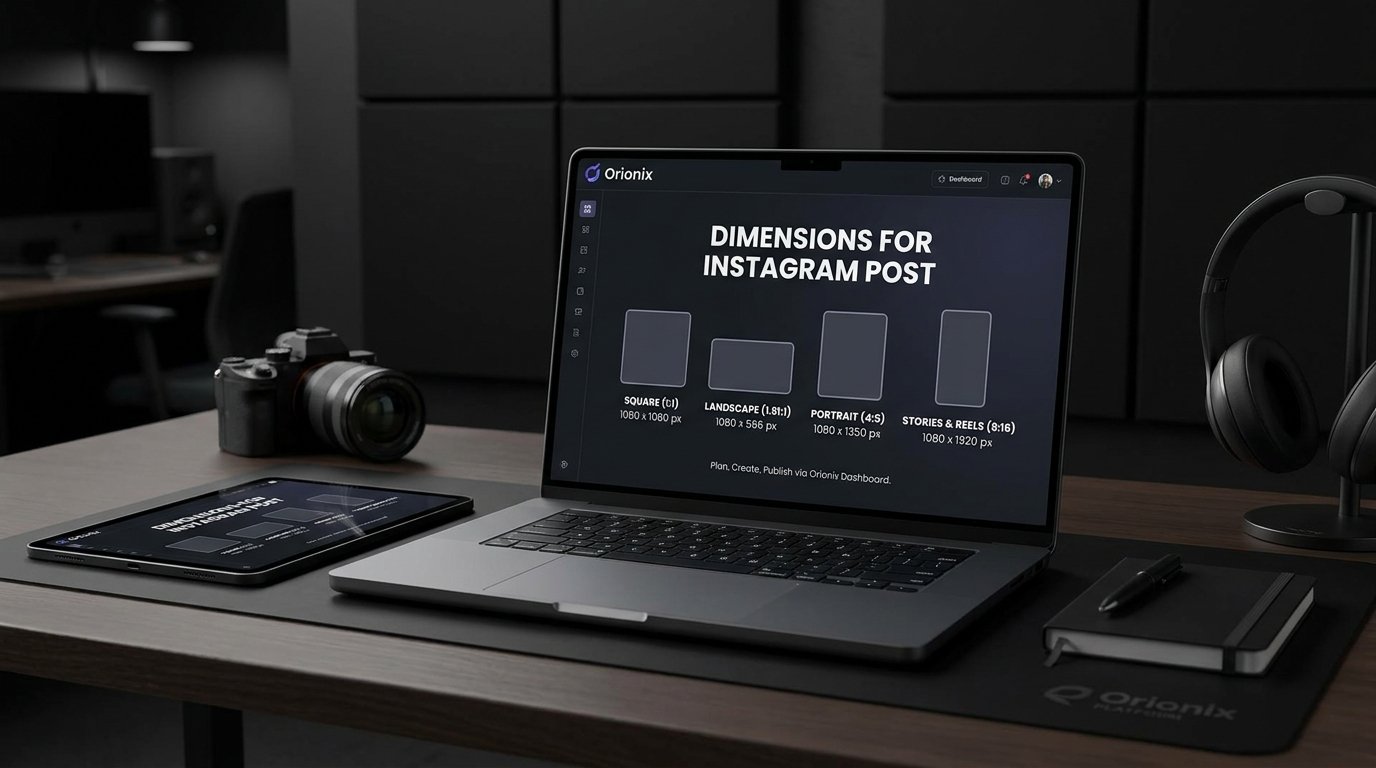
TL;DR: The best dimensions for an Instagram post are 1080×1080 pixels for square images, 1080×1350 for portrait, and 1080×566 for landscape. Use a 1:1, 4:5, or 1.91:1 aspect ratio for optimal quality. Tools like Orionix help you resize, plan, and publish perfectly formatted content across multiple platforms from one dashboard.
Dimensions for Instagram Post: The Complete 2024 Sizing Guide
Understanding the correct dimensions for Instagram post content is one of the most overlooked yet impactful factors in building a professional presence on the platform. Whether you manage a single business account or dozens of client profiles, getting your image and video sizes right ensures your content looks crisp, avoids awkward cropping, and performs better in the feed. 📐 In this guide, we break down every Instagram format—square, portrait, landscape, Stories, Reels, and more—so your social media and visual strategy stays polished across every post.
Correct sizing matters because Instagram compresses and crops images that don’t match its supported aspect ratios. For anyone serious about social media marketing, using the right dimensions is a quick win that improves engagement and brand consistency.
Frequently Asked Questions
What are the correct dimensions for an Instagram post?
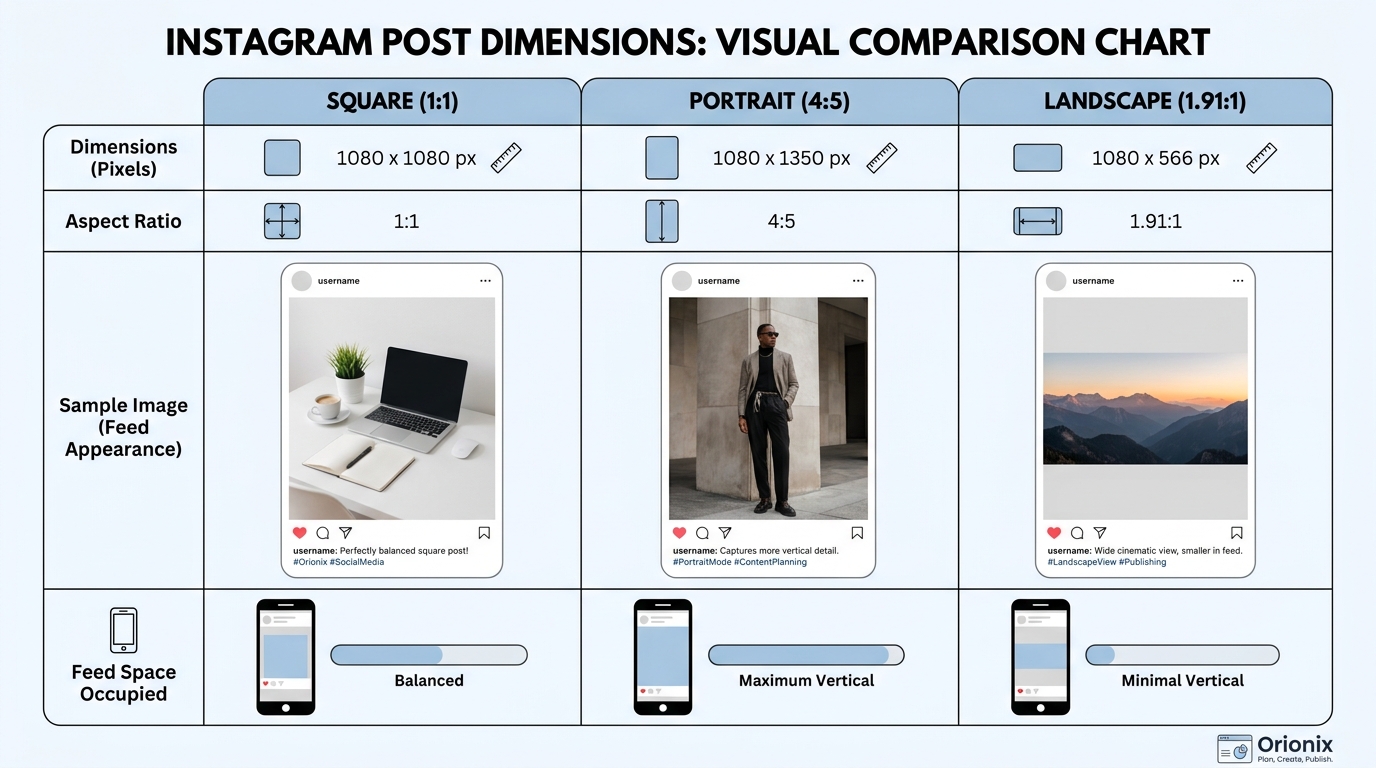
The ideal dimensions for an Instagram post depend on the format. Square posts are 1080 x 1080 pixels (1:1 ratio), portrait posts are 1080 x 1350 pixels (4:5 ratio), and landscape posts are 1080 x 566 pixels (1.91:1 ratio). For best results, upload high-resolution images at 1080 pixels wide to avoid compression and blurry visuals.
What is the best Instagram post size for engagement?
The portrait format at 1080 x 1350 pixels (4:5 aspect ratio) typically drives the highest engagement because it takes up more vertical space in the feed, capturing more attention as users scroll. This size maximizes visibility on mobile devices, where most Instagram browsing happens, making it the preferred choice for marketers and creators.
What size should Instagram Stories and Reels be?
Instagram Stories and Reels should be 1080 x 1920 pixels with a 9:16 vertical aspect ratio. This full-screen format fills the entire mobile display for an immersive experience. Keep important text and elements within the center safe zone to avoid them being hidden behind interface buttons or profile icons at the top and bottom.
What aspect ratios does Instagram support for posts?
Instagram supports three main aspect ratios for feed posts: 1:1 (square), 4:5 (portrait), and 1.91:1 (landscape). Portrait 4:5 is generally recommended for maximum feed presence. Stories and Reels use a 9:16 vertical ratio. Using the correct aspect ratio prevents unwanted cropping and ensures your content displays exactly as intended.
Why does my Instagram post look blurry after uploading?
Instagram posts often appear blurry due to file compression during upload. To prevent this, use images at least 1080 pixels wide, save them as high-quality JPEG or PNG files, and upload over a stable Wi-Fi connection. Uploading images that match Instagram’s recommended dimensions also reduces compression and preserves visual clarity.
What file size and format work best for Instagram posts?
Instagram supports JPEG and PNG for photos, with a maximum file size of 30MB per image. For videos, use MP4 or MOV formats. To maintain quality, keep images under 8MB and export at 1080 pixels wide. Following these specifications helps minimize compression and keeps your visuals sharp and professional.
How can I create and schedule perfectly sized Instagram posts?
You can create and schedule properly sized Instagram posts using a social media management platform like Orionix. It lets you plan, design, and publish content across multiple platforms from a single dashboard, ensuring correct dimensions for each format. This streamlines your workflow and maintains consistent, high-quality visuals across all your channels.
Do Instagram carousel posts use the same dimensions as single posts?
Yes, Instagram carousel posts use the same dimensions as single posts: 1080 x 1080 (square), 1080 x 1350 (portrait), or 1080 x 566 (landscape). However, all images in one carousel should share the same aspect ratio for a consistent, professional look. Mixing ratios can cause awkward cropping as users swipe through the slides.
Why Dimensions for Instagram Post Content Matter
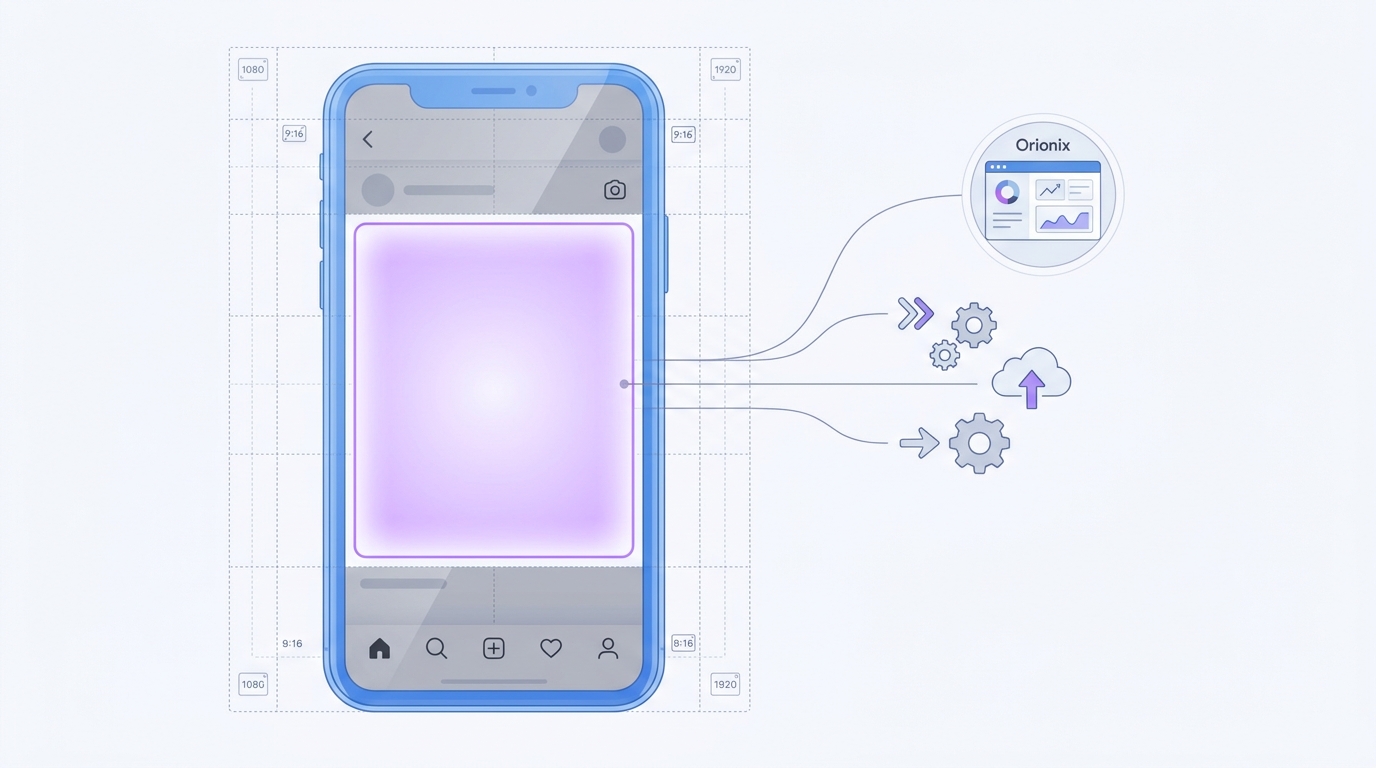
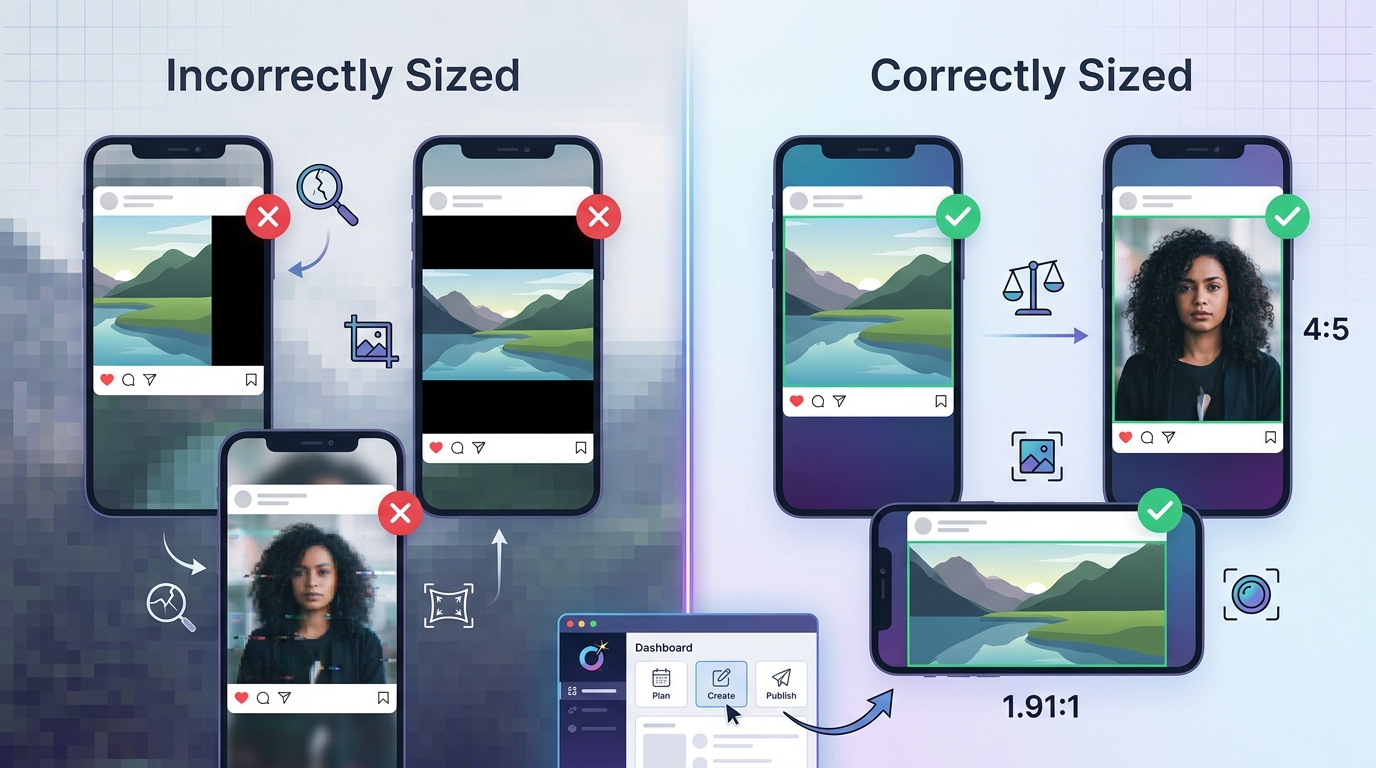
Instagram displays content differently depending on where it appears—feed, profile grid, Explore page, or Stories. Uploading an image at the wrong size can lead to blurry results, unwanted cropping, or letterboxing that makes your content look unprofessional.
Here’s why sizing is essential:
- 🖼️ Visual quality: Correct dimensions prevent Instagram’s compression from degrading your images.
- ✂️ Avoid cropping: The right aspect ratio keeps important elements inside the frame.
- 📊 Better engagement: Clean, well-sized visuals encourage more likes, comments, and shares.
- 🎯 Brand consistency: Uniform sizing keeps your profile grid looking cohesive.
For teams juggling multiple channels, consistency becomes even harder. Using social media management platforms that support size previews can dramatically reduce the guesswork.
Complete Instagram Post Size Chart
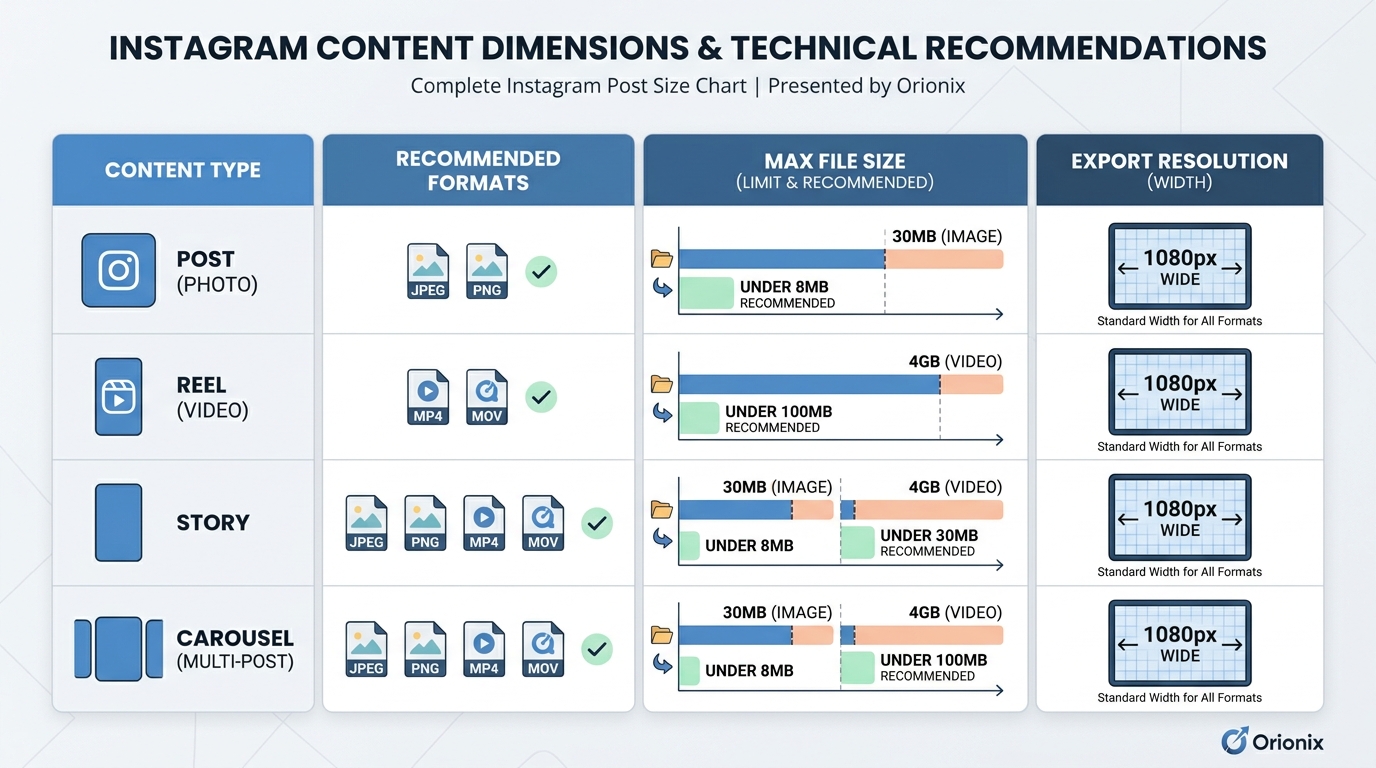
Below is a reference table covering the key dimensions for Instagram post formats. Instagram supports a range of aspect ratios, but these are the recommended sizes for optimal display.
| Content Type | Aspect Ratio | Recommended Pixels |
|---|---|---|
| Square Post | 1:1 | 1080 × 1080 px |
| Portrait Post | 4:5 | 1080 × 1350 px |
| Landscape Post | 1.91:1 | 1080 × 566 px |
| Stories / Reels | 9:16 | 1080 × 1920 px |
| Carousel Post | 1:1 or 4:5 | 1080 × 1080 or 1080 × 1350 px |
| Profile Picture | 1:1 | 320 × 320 px (min) |
Square Posts (1:1)
The classic Instagram format, square posts remain popular for their clean, balanced look. At 1080 × 1080 pixels, they display well across the feed and profile grid without cropping.
Portrait Posts (4:5)
Portrait images take up more vertical space in the feed, making them highly visible on mobile. At 1080 × 1350 pixels, this is often the best-performing format for engagement.
Landscape Posts (1.91:1)
Wider images work well for scenery, product shots, or infographics. Keep in mind that landscape posts occupy less vertical screen space, which can reduce their impact in the feed.
Instagram Stories and Reels Dimensions
Stories and Reels use a full-screen vertical format. The recommended size is 1080 × 1920 pixels with a 9:16 aspect ratio.
Best practices for vertical content:
- 📱 Keep important text and graphics within the central « safe zone » to avoid overlap with UI elements.
- ⏱️ Reserve the top and bottom ~250 pixels for profile info and interaction buttons.
- 🎬 Use high-resolution video files to prevent compression artifacts.
These formats are core to modern social media marketing, since vertical video consistently drives strong reach on Instagram and other short-form platforms.
Common Instagram Questions Beyond Sizing
Managing an Instagram presence involves more than just dimensions. Here are answers to frequently searched questions that content creators and marketers run into.
How to Repost on Instagram
Instagram doesn’t have a native « repost » button for feed posts, but you have several options. Learning how to repost on Instagram keeps your feed active with curated content:
- Use the « Add to Story » share arrow to reshare a post to your Stories.
- Use a third-party repost app to credit the original creator on your feed.
- Screenshot and re-upload (only with permission and proper attribution).
Managing Your Broader Social Presence
Instagram rarely stands alone. Many creators also need to know how to erase posts on Facebook—simply open the post, tap the three-dot menu, and select « Delete. » Similarly, understanding how to see who shared your post on Facebook helps you measure reach: click the share count beneath a post to view the list of shares (subject to privacy settings).
When you’re planning content across several sites for Instagram and other networks, a unified workflow saves hours. Coordinating posts across platforms is where dedicated tools shine.
Decoding Common Internet and Text Slang
As a content creator, you’ll often see abbreviations and slang in comments and captions. Knowing what they mean helps you engage authentically with your audience. 💬
| Term / Question | Meaning |
|---|---|
| What does « and » mean in text | Often shorthand used in slang or acronyms; in casual context « & » or « n » links two ideas or actions together. |
| What does the suffix « -on » mean | A suffix (as in « electron » or « photon ») often indicating a particle, unit, or specific state. |
| Reap what you sow definition | A proverb meaning your actions—good or bad—eventually produce corresponding consequences. |
Understanding phrases like the reap what you sow definition can even inspire caption ideas that resonate emotionally with followers. Small linguistic details—like knowing what does the suffix « on » mean or what does « and » mean in text—help you write copy that connects.
Best Practices for Publishing Perfectly Sized Content
Getting dimensions for Instagram post content right is easier when you build a repeatable workflow. Follow these steps:
- 🎨 Design at the highest recommended resolution (e.g., 1080 px wide) to preserve quality.
- 📏 Choose your aspect ratio first—portrait 4:5 typically maximizes feed visibility.
- 🔍 Preview before posting to catch any cropping issues.
- 🗂️ Maintain a template library for consistent branding across posts.
- 📅 Schedule in advance using social media management platforms to stay consistent.
For agencies and teams handling multiple accounts, automation and centralized scheduling remove repetitive tasks and reduce sizing errors across every platform.
Quick Reference Summary
To recap the most important dimensions for Instagram post formats:
- Square: 1080 × 1080 px (1:1)
- Portrait: 1080 × 1350 px (4:5) — best for engagement
- Landscape: 1080 × 566 px (1.91:1)
- Stories/Reels: 1080 × 1920 px (9:16)
Combine correct sizing with a strong social media marketing strategy, and your visuals will consistently look their best across every touchpoint.
Streamline Your Multi-Platform Content Workflow
Getting dimensions right is just one piece of a successful social media and content strategy. If you’re managing multiple platforms, coordinating cross-platform campaigns, or handling several client accounts, the real challenge is doing it all efficiently from one place.
Orionix helps you plan, create, and publish content across every major platform through a single dashboard—so you can preview sizing, schedule posts, and maintain brand consistency without switching between a dozen tools. Whether you’re a solo creator or a growing agency, it turns a scattered process into a streamlined workflow. 🚀
Ready to simplify your content publishing and keep every post perfectly sized? Visit our website to see how Orionix can power your social media strategy today.
Article created using IntentRank