
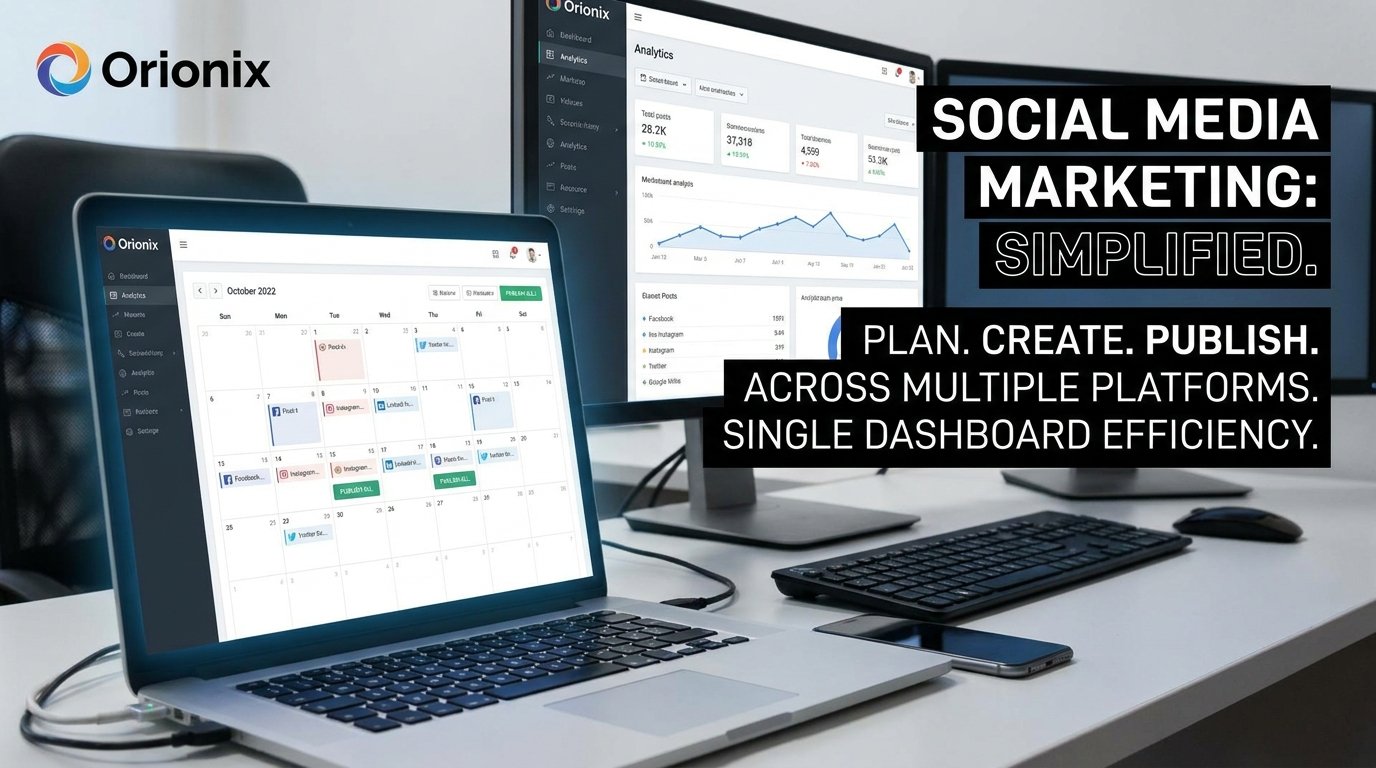

TL;DR: Social media marketing is the practice of promoting brands, products, and content across platforms like Instagram, Facebook, and LinkedIn to engage audiences and drive results. Tools like Orionix streamline the process by letting you plan, create, and publish content across multiple platforms from a single dashboard, saving time and improving consistency.
Social Media Marketing: The Complete Guide to Growing Your Brand Across Platforms
Social media marketing has become the backbone of modern brand growth, connecting businesses with billions of active users across platforms like Instagram, Facebook, TikTok, LinkedIn, and X. Whether you’re a small business owner managing your own presence or a digital agency handling multiple client accounts, mastering the art of publishing, engaging, and analyzing content is essential. 📈 In this guide, we’ll cover everything from platform-specific strategies to practical tips like how to repost on Instagram and how to see who shared your post on Facebook.
The relationship between social media and business success is stronger than ever. Companies that consistently show up, deliver value, and understand their audience reap what you sow definition-style rewards: sustained engagement drives loyalty, and loyalty drives revenue.
Frequently Asked Questions

What is social media marketing?
Social media marketing is the practice of promoting products, services, or brands using platforms like Instagram, Facebook, LinkedIn, and TikTok. It involves creating content, engaging with audiences, running paid ads, and analyzing performance to build brand awareness and drive sales. Effective social media marketing combines strategy, consistent posting, and data-driven adjustments to reach and convert target audiences.
How do I get started with social media marketing?
Start by defining clear goals, identifying your target audience, and choosing the right platforms for your brand. Create a content calendar, produce engaging posts, and maintain a consistent posting schedule. Use analytics to track performance and refine your strategy. Tools like Orionix let you plan, create, and publish content across multiple platforms from a single dashboard, saving time and improving consistency.
What are the best social media management platforms?
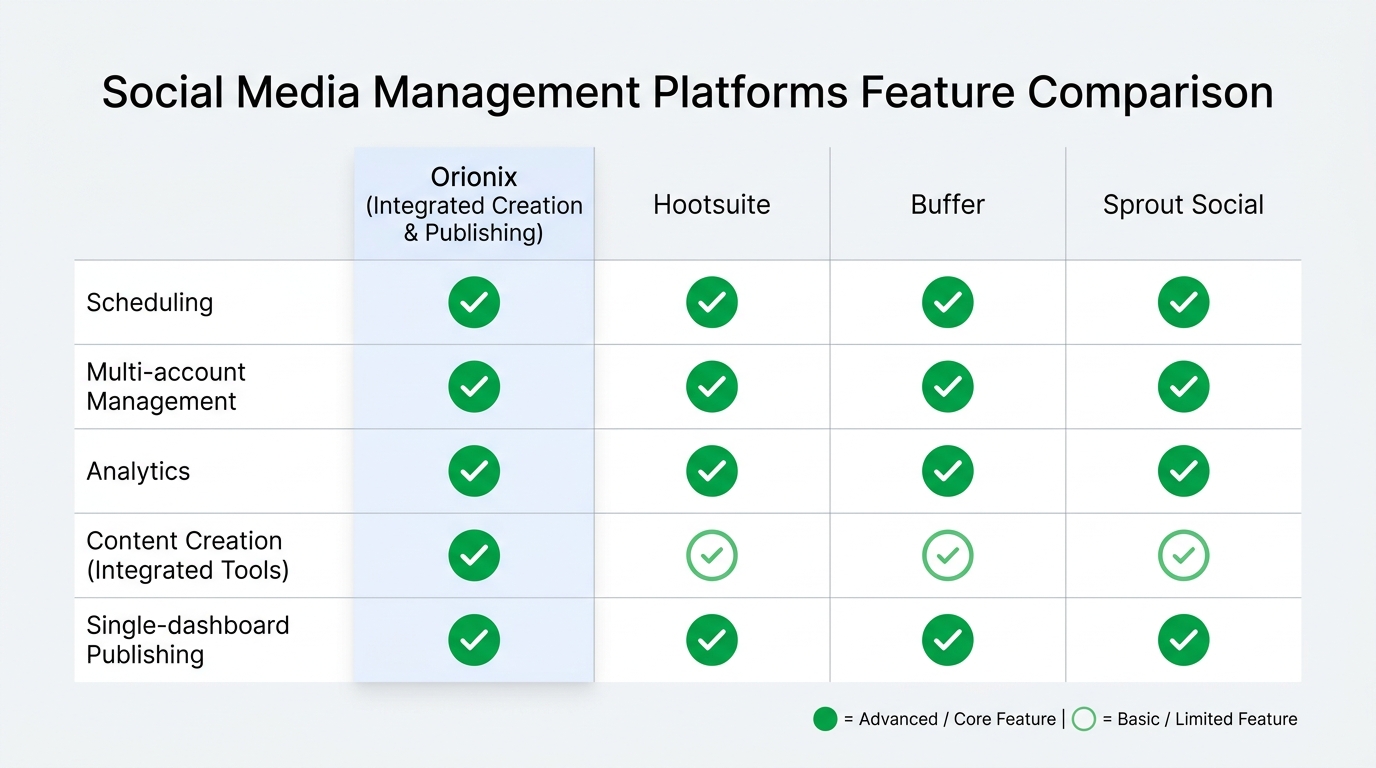
The best social media management platforms let you schedule posts, manage multiple accounts, and track analytics in one place. Popular options include Orionix, Hootsuite, Buffer, and Sprout Social. Orionix stands out by offering planning, content creation, and publishing across multiple platforms through a single dashboard, making it easier for teams and businesses to stay organized and efficient.
What are the correct dimensions for an Instagram post?
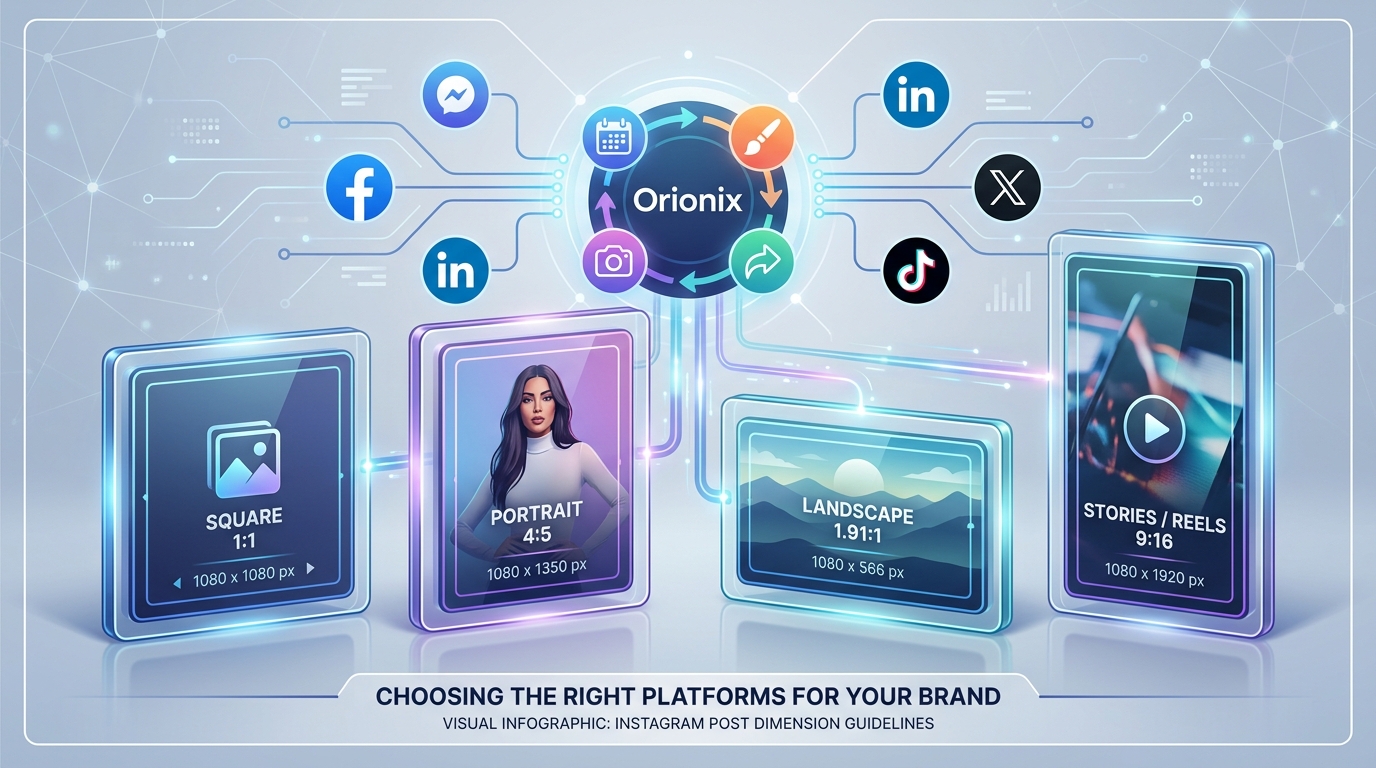
The ideal dimensions for an Instagram post are 1080 x 1080 pixels for square images, 1080 x 1350 pixels for portrait posts, and 1080 x 566 pixels for landscape. For Stories and Reels, use 1080 x 1920 pixels. Following these dimensions ensures your images display clearly without cropping or quality loss, keeping your feed professional and visually consistent.
How do you repost on Instagram?
To repost on Instagram, you can share a post to your Story by tapping the paper airplane icon and selecting « Add post to your story. » For feed reposts, use the Reels remix feature or a third-party reposting app. Always credit the original creator by tagging them. Scheduling tools like Orionix can also help you plan and manage shared content efficiently.
How can I see who shared my post on Facebook?
To see who shared your Facebook post, click the « Shares » count displayed below the post. This opens a list showing users who publicly reshared it. Note that shares set to private won’t appear. On business pages, you can view detailed share metrics through Facebook’s Insights or Meta Business Suite for deeper engagement analysis.
How do you erase posts on Facebook?
To delete a post on Facebook, click the three-dot menu in the top-right corner of the post, then select « Move to trash » or « Delete. » Confirm your choice to remove it. Deleted posts stay in the trash for 30 days before permanent removal. You can bulk-manage posts through your Activity Log for faster cleanup.
Why is a content calendar important for social media marketing?
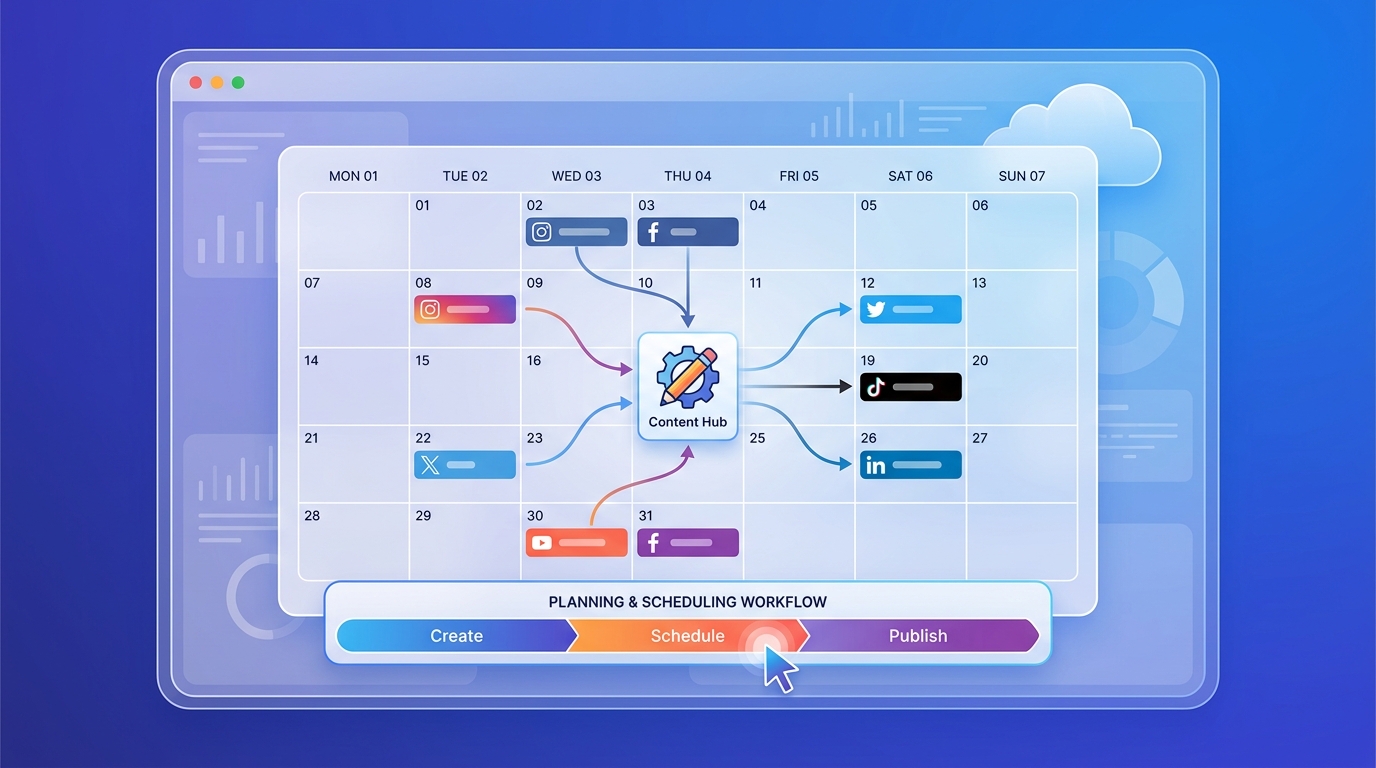
A content calendar helps you plan and organize posts in advance, ensuring consistent publishing across platforms. It saves time, reduces last-minute stress, and keeps your messaging aligned with campaigns and goals. Consistency boosts audience engagement and algorithm visibility. Platforms like Orionix combine content planning, creation, and scheduling in one dashboard, streamlining your entire social media workflow.
Why Social Media Marketing Matters for Every Brand
At its core, social media marketing is about meeting your audience where they already spend their time. Each platform has its own culture, content format, and audience expectations. Understanding these nuances is what separates thriving brands from those that struggle to gain traction.
Here’s why a strategic approach pays off:
- 🎯 Targeted reach: Advanced ad tools let you reach specific demographics with precision.
- 💬 Direct engagement: Two-way conversations build trust and community.
- 📊 Measurable results: Analytics reveal what content resonates and what falls flat.
- 💰 Cost efficiency: Organic and paid strategies both scale to fit any budget.
The principle of « you reap what you sow » applies directly here — the value you invest in genuine, consistent content returns as engagement and growth. For a deeper look at building sustainable traffic, explore this guide on how to increase website traffic organically.
Choosing the Right Platforms for Your Brand
Not every platform suits every business. Selecting the best sites for Instagram-style visual content versus text-heavy platforms depends on your audience and goals. Below is a quick comparison to guide your strategy.
| Platform | Best For | Content Type |
|---|---|---|
| Visual brands, lifestyle, ecommerce | Photos, Reels, Stories | |
| Community building, older demographics | Posts, groups, events | |
| B2B, professional services | Articles, thought leadership | |
| TikTok | Gen Z, viral content | Short-form video |
| X (Twitter) | News, real-time engagement | Short posts, threads |
Understanding Instagram Post Dimensions
Getting the dimensions for Instagram post right ensures your visuals look crisp and professional. Cropped or blurry images signal a lack of polish and hurt engagement.
- Square post: 1080 x 1080 pixels (1:1 ratio)
- Portrait post: 1080 x 1350 pixels (4:5 ratio)
- Landscape post: 1080 x 566 pixels (1.91:1 ratio)
- Stories & Reels: 1080 x 1920 pixels (9:16 ratio)
Portrait dimensions (4:5) take up the most screen space in the feed, making them ideal for maximizing visibility.
Decoding Social Media Language and Features
Social media has its own vocabulary and shorthand that can confuse newcomers. Understanding these terms helps you communicate authentically with your audience.
Common Abbreviations and Slang
Ever wondered what does « and » mean in text or what does the suffix « on » mean in trending phrases? Internet language evolves fast, and staying fluent keeps your brand relatable:
- « & » or « n »: Often shorthand for « and » in casual text and captions.
- Suffix « -on »: Frequently used to indicate continuation or trending states (e.g., « game on, » « vibes on »).
- DM: Direct Message
- FYP: For You Page (TikTok)
Speaking the same language as your audience builds credibility and makes your content feel native to each platform.
How to Repost on Instagram
Resharing user-generated content is a powerful engagement tactic. Here’s how to repost on Instagram effectively:
- For Stories: Tap the paper-airplane share icon on a post, then select « Add post to your story. »
- For feed posts: Use Instagram’s native repost feature (where available) or a trusted third-party app.
- Always credit the original creator by tagging their handle.
- Ask permission before resharing to respect content ownership.
Managing and Cleaning Up Your Social Presence
A polished profile requires ongoing maintenance. Knowing how to manage, remove, and track content keeps your brand image sharp.
How to Erase Posts on Facebook
Outdated or off-brand content can dilute your message. Here’s how to erase posts on Facebook:
- Navigate to the post you want to remove.
- Click the three-dot menu in the top-right corner of the post.
- Select « Move to Trash » or « Delete. »
- Confirm the deletion — posts stay in Trash for 30 days before permanent removal.
How to See Who Shared Your Post on Facebook
Tracking shares reveals which content spreads organically. To learn how to see who shared your post on Facebook:
- Locate the post on your profile or Page.
- Click the « shares » count displayed below the post.
- A window will show public shares (private shares remain hidden for privacy).
This insight helps you identify your most shareable content and replicate that success.
The Power of Social Media Management Platforms
Juggling multiple accounts manually is exhausting and error-prone. Social media management platforms solve this by centralizing planning, creation, publishing, and analytics into a single workflow.
Key benefits of using these tools include:
- 🗓️ Content scheduling: Plan and queue posts weeks in advance.
- 📱 Cross-platform publishing: Post to Instagram, Facebook, LinkedIn, and more from one dashboard.
- 📈 Unified analytics: Track performance across all channels in one place.
- 🤝 Team collaboration: Coordinate approvals and assignments seamlessly.
Orionix is built precisely for this — a single dashboard for planning, creating, and publishing content across every platform your brand uses. This eliminates the tab-switching chaos that slows down social media managers and agencies alike.
To pair your platform strategy with smart tooling, check out these 10 best AI content marketing tools for 2026 and learn how to use AI for content creation in your daily workflow.
Building a Sustainable Social Media Marketing Strategy
Consistency and measurement are the twin pillars of long-term success. A documented strategy keeps your team aligned and your content purposeful.
Steps to Build Your Strategy
- Define goals: Awareness, engagement, leads, or sales.
- Know your audience: Research demographics and behaviors on each platform.
- Create a content calendar: Plan themes, formats, and posting frequency.
- Engage authentically: Respond to comments and messages promptly.
- Analyze and adjust: Use data to refine your approach continuously.
Ready to formalize your plan? Grab a free content marketing strategy template and learn how to scale content marketing as you grow. Measuring outcomes matters too — this guide on how to measure content marketing ROI will keep your efforts accountable.
Measuring What Matters
Vanity metrics like follower counts tell only part of the story. Focus on engagement rate, reach, click-throughs, and conversions. These reveal whether your content genuinely moves the needle — because in social media, you truly reap what you sow.
Conclusion: Take Control of Your Social Media Marketing
Social media marketing rewards brands that show up consistently, understand each platform’s unique language, and measure their results carefully. From nailing your dimensions for Instagram posts to mastering how to repost on Instagram and clean up your Facebook presence, every detail contributes to a stronger brand.
The secret to scaling without burnout is the right toolset. With Orionix, you can plan, create, and publish across all your channels from one intuitive dashboard — saving hours every week while keeping your content on-brand and on-schedule. 🚀
Stop switching between tabs and start managing your entire social presence in one place. Visit our website to see how Orionix simplifies multi-platform content management for creators, marketing teams, and agencies.
Article created using IntentRank