
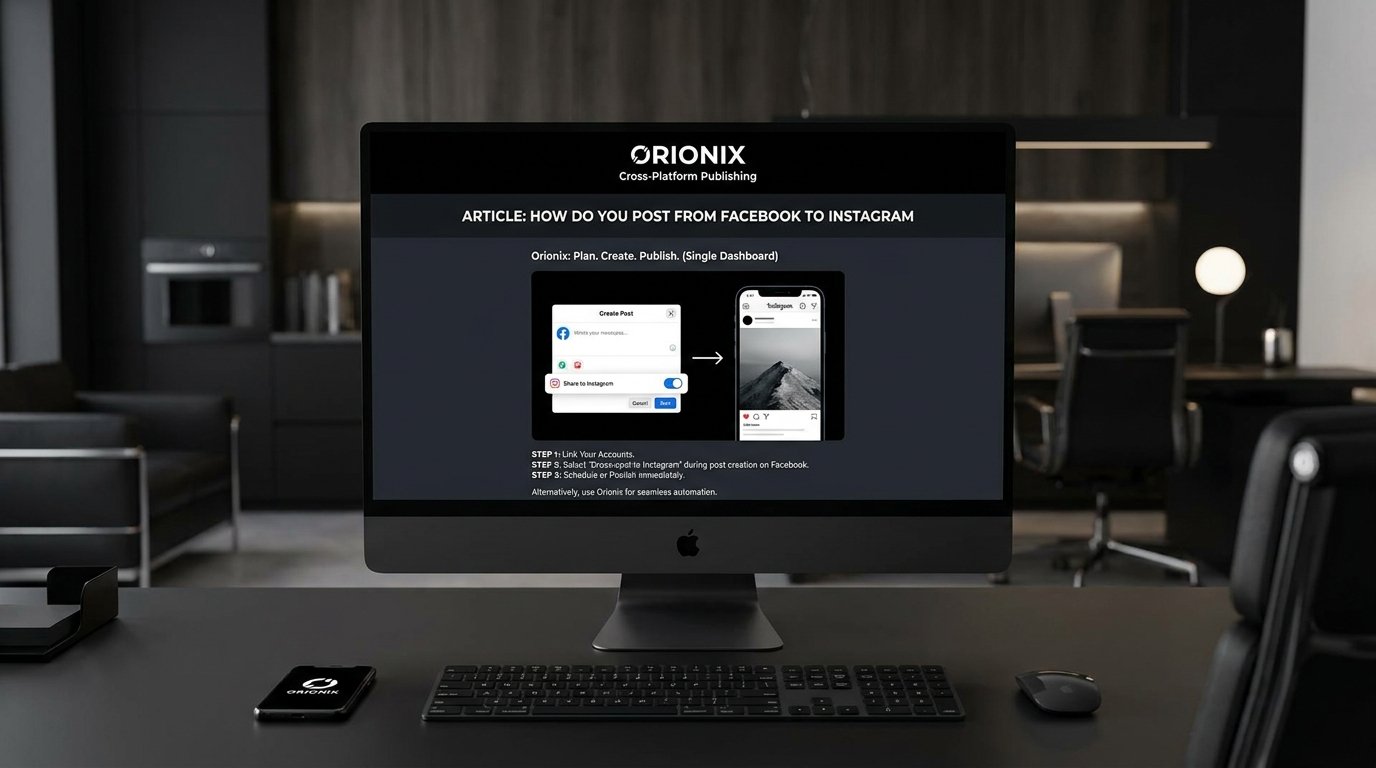
TL;DR: To post from Facebook to Instagram, link your accounts in Facebook’s Meta Business Suite, then enable cross-posting when publishing. Alternatively, use a tool like Orionix to plan, create, and publish content across both platforms from one dashboard—streamlining how you post from Facebook to Instagram without switching between apps.
Frequently Asked Questions
How do you post from Facebook to Instagram?
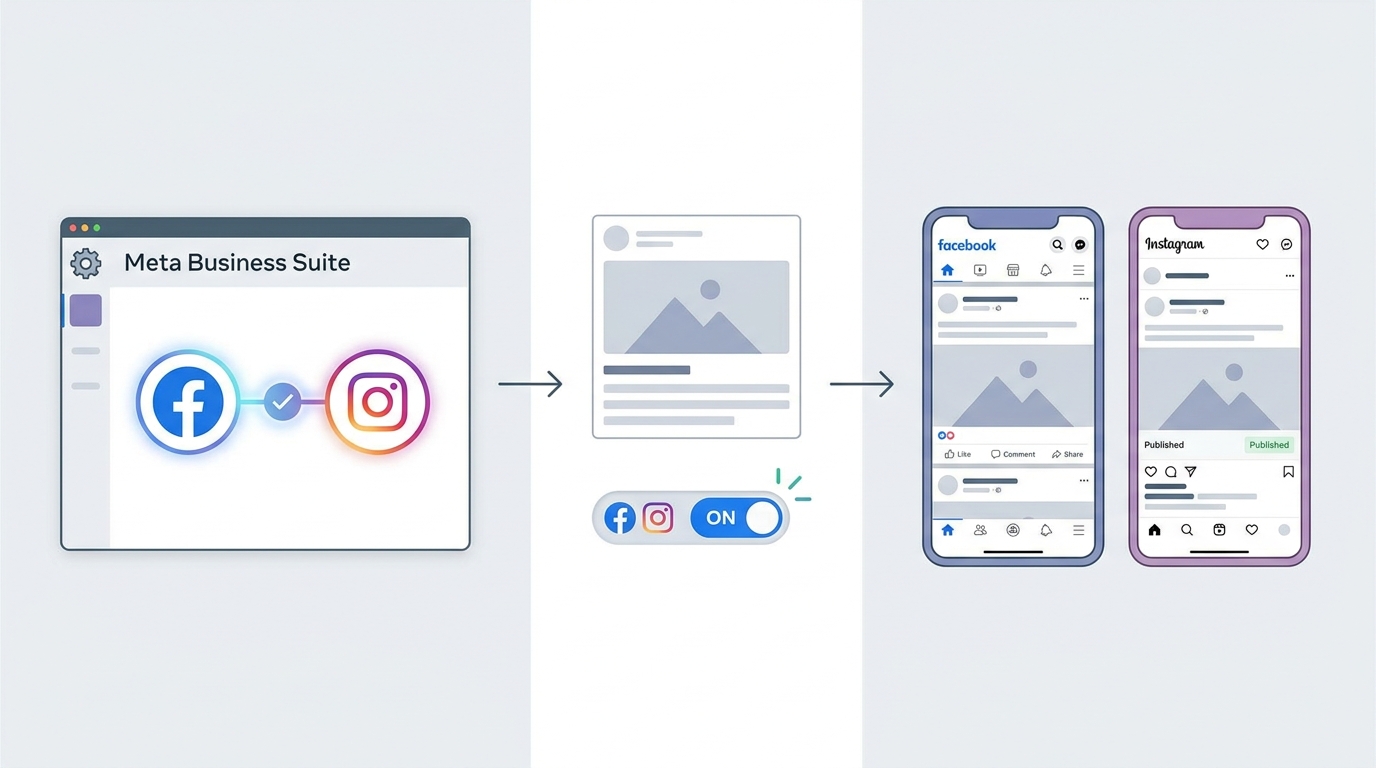
To post from Facebook to Instagram, go to your Facebook Page settings and select « Linked Accounts » or « Instagram. » Connect your Instagram account, then when creating a Facebook post, toggle the « Share to Instagram » option. Alternatively, use social media management platforms like Orionix to schedule and publish content to both platforms simultaneously from a single dashboard.
Can you automatically share Facebook posts to Instagram?
Yes, you can automatically share Facebook posts to Instagram by linking both accounts in your Facebook Page settings under « Linked Accounts. » Once connected, enable cross-posting so future posts publish to both platforms. For more control over timing and formatting, tools like Orionix let you plan and auto-publish content across multiple social networks at once.
What are the correct dimensions for an Instagram post?
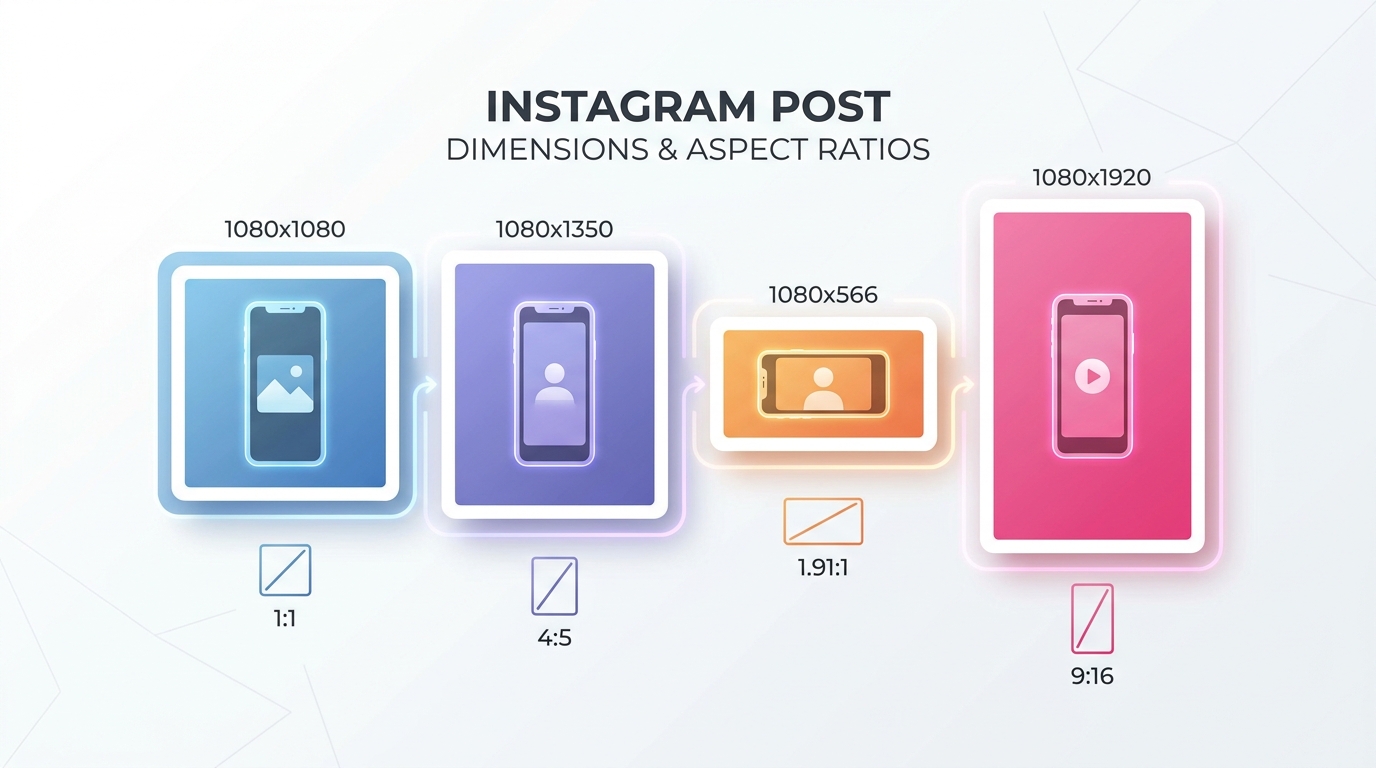
The recommended dimensions for an Instagram post are 1080 x 1080 pixels for square posts, 1080 x 1350 pixels for portrait posts, and 1080 x 566 pixels for landscape posts. Stories and Reels use 1080 x 1920 pixels. Using the correct dimensions ensures your images and videos display clearly without unwanted cropping.
Why won’t my Facebook post share to Instagram?
Your Facebook post may not share to Instagram if the accounts aren’t properly linked, your Instagram is set to personal instead of business or creator, or the content violates Instagram’s format rules. Check that both accounts are connected, switch to a professional account, and ensure your media meets Instagram’s dimension and file requirements.
How do you repost on Instagram from Facebook?
To repost on Instagram from Facebook, save the content, then upload it directly to Instagram or use a reposting app. If accounts are linked, Facebook posts can share automatically. For consistent cross-platform reposting, social media management platforms like Orionix let you duplicate and schedule content across Facebook and Instagram from one place.
What is the difference between posting on Facebook and Instagram?
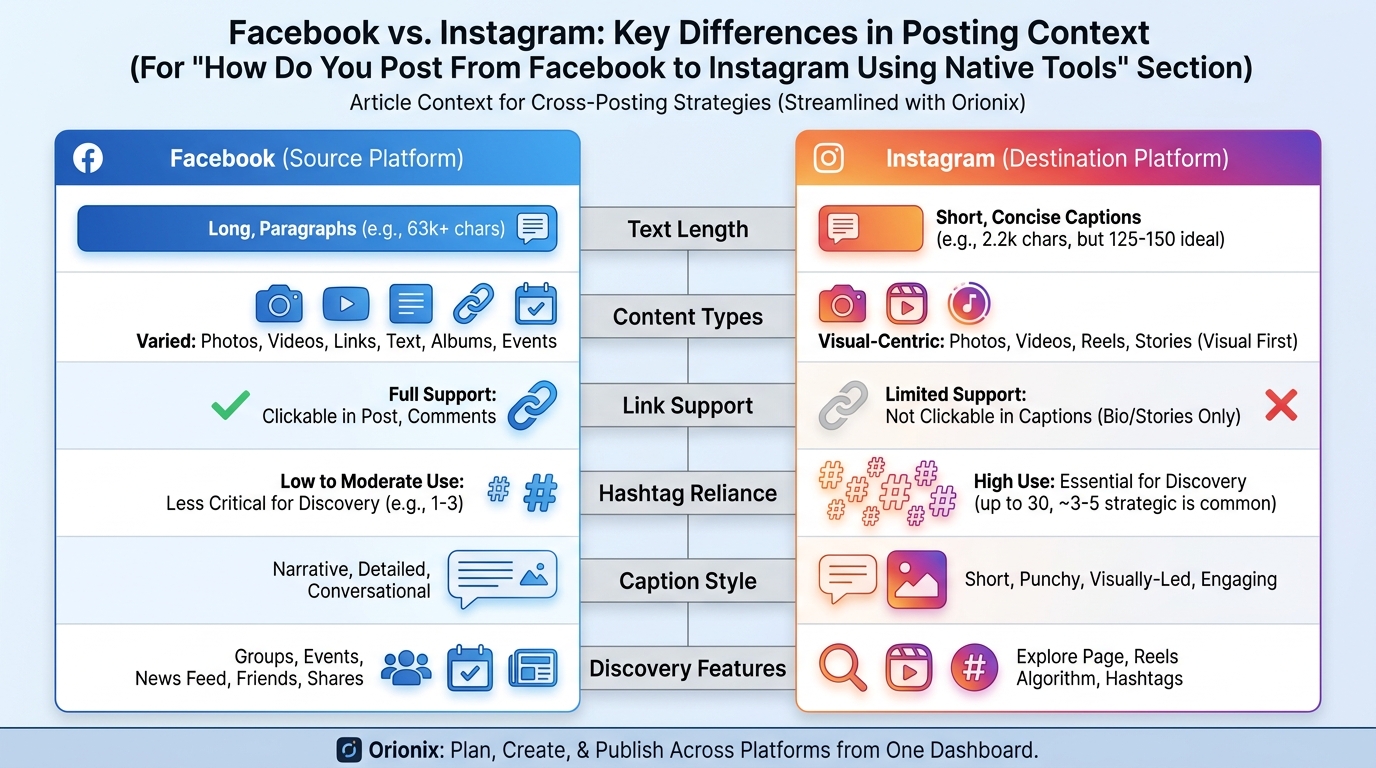
Facebook supports longer text, links, and diverse content types, while Instagram is visual-first, prioritizing high-quality images, videos, and Reels with shorter captions. Instagram also relies heavily on hashtags and Stories for discovery. When cross-posting, tailor captions and image dimensions to each platform’s audience for better engagement and reach.
Do social media management platforms make cross-posting easier?
Yes, social media management platforms simplify cross-posting by letting you plan, create, and publish content to Facebook, Instagram, and other networks from a single dashboard. Tools like Orionix save time, maintain consistent branding, schedule posts in advance, and let you customize each post for its platform, streamlining your social media marketing workflow.
How do you erase posts on Facebook after sharing to Instagram?
To erase posts on Facebook, click the three dots in the top corner of the post and select « Delete. » Note that deleting a Facebook post does not automatically remove the shared version on Instagram. You’ll need to delete the Instagram post separately by opening it, tapping the menu icon, and choosing « Delete. »
How Do You Post From Facebook to Instagram: The Complete Guide 📲
If you manage a brand presence across multiple channels, learning how do you post from facebook to instagram can save you hours every week. Facebook and Instagram both belong to Meta, which means the two platforms share powerful cross-posting features that let you publish once and appear everywhere. For anyone serious about social media and audience growth, mastering this workflow is essential.
In this guide, we’ll walk through every method — from native sharing tools to third-party social media management platforms — so you can streamline your content strategy and reach more people with less effort. 🚀
Why Cross-Post Between Facebook and Instagram?
Cross-posting is one of the smartest tactics in social media marketing. Because both platforms are owned by Meta, they’re designed to work together seamlessly. Publishing your content in both places multiplies your visibility without doubling your workload.
- Reach two distinct audiences with a single upload
- Maintain a consistent brand voice across channels
- Save time that would otherwise go into manual re-uploads
- Improve engagement metrics across both networks
Think of it as the digital version of « reap what you sow » definition — the more consistent effort you invest across your accounts, the more growth you’ll harvest over time. 🌱
How Do You Post From Facebook to Instagram Using Native Tools
The simplest way to connect the two platforms is directly through Meta’s own settings. Once linked, you can decide whether posts flow automatically or manually between them.
Step 1: Link Your Accounts
- Open your Facebook Page and go to Settings.
- Select Linked Accounts or Instagram from the menu.
- Click Connect Account and log in with your Instagram credentials.
- Confirm the connection to enable cross-posting.
Step 2: Publish From Facebook to Instagram
After linking, you can share directly. When creating a post on your Facebook Page, look for the option to also share it to your connected Instagram account before hitting publish.
- Create a new post on your Facebook Page.
- Add your text, image, or video.
- Toggle on the « Also share to Instagram » option.
- Click Publish, and the content appears on both platforms.
Step 3: Publish From Instagram to Facebook
The reverse also works. When posting on Instagram, tap the toggle for Facebook on the final sharing screen to automatically publish to your linked Page.
This two-way flexibility makes it easy to decide which platform serves as your primary content hub.
Understanding Image Dimensions for Cross-Posting 🖼️
One common pitfall is that the ideal dimensions for instagram post differ from Facebook’s layout. Because Instagram favors square and vertical formats, a photo optimized for Facebook may get cropped awkwardly.
| Format | ||
|---|---|---|
| Square Post | 1080 x 1080 px | 1200 x 1200 px |
| Portrait Post | 1080 x 1350 px | 1200 x 1500 px |
| Stories / Reels | 1080 x 1920 px | 1080 x 1920 px |
| Landscape | 1080 x 566 px | 1200 x 630 px |
To avoid distortion, design your visuals with the smallest common format in mind — usually the square or portrait ratio that both platforms support well.
Using Social Media Management Platforms to Automate Posting

While native tools work fine for occasional posts, professionals often prefer dedicated tools and sites for instagram scheduling. Social media management platforms let you plan, preview, and publish content across multiple accounts from one dashboard.
Benefits of Using a Scheduling Tool
- Batch scheduling: Plan weeks of content in advance
- Visual previews: See how posts look before they go live
- Analytics: Track performance across both platforms
- Team collaboration: Assign roles and approvals
A unified dashboard is invaluable for agencies and marketing teams juggling several client accounts. Instead of logging in and out of individual apps, everything lives in one place.
Comparing Native vs. Third-Party Tools
| Feature | Native Meta Tools | Management Platforms |
|---|---|---|
| Cost | Free | Free to paid tiers |
| Advanced scheduling | Limited | Full control |
| Analytics depth | Basic | Comprehensive |
| Multi-account support | Manual | Centralized |
How to Repost on Instagram Content From Facebook
Beyond fresh cross-posting, you may want to share existing content. Learning how to repost on instagram lets you recycle high-performing Facebook posts. Since Instagram has no built-in repost button for feed posts, you’ll typically:
- Save the original image or video from Facebook.
- Open Instagram and create a new post with that media.
- Credit the original source in your caption if needed.
- Alternatively, share a feed post to your Instagram Story via the paper-airplane icon.
For Stories and Reels, the reshare process is more native — you can tap to share content directly to your own Story with a single click.
Managing and Cleaning Up Your Content 🧹
Cross-posting can occasionally create duplicates or outdated content. Knowing how to erase posts on facebook keeps your presence tidy and professional.
- Navigate to the post you want to remove.
- Click the three-dot menu in the top-right corner.
- Select Delete post or Move to trash.
- Confirm your choice — trashed items are permanently removed after 30 days.
Regular cleanup ensures your feed stays relevant and your engagement metrics reflect only your best-performing content.
Decoding Social Media Language and Symbols
Cross-platform posting also means understanding the shorthand that circulates online. New creators often wonder what does and mean in text or what does the suffix on mean when scanning captions and comments.
- « And » (&): The ampersand symbol simply connects two ideas or names in a caption.
- Suffix « -on »: Common in slang and hashtags, suffixes shape how words trend and get discovered.
Understanding this language helps you craft captions that resonate and stay discoverable across both Facebook and Instagram audiences.
Best Practices for Cross-Posting Success ✅
To make your cross-posting strategy truly effective, keep these tips in mind:
- Tailor captions: Facebook allows longer text, while Instagram thrives on concise, hashtag-friendly copy.
- Optimize hashtags: They matter more on Instagram than Facebook.
- Check formatting: Confirm your images match ideal dimensions for both platforms.
- Time your posts: Audience activity peaks differ between the two networks.
- Monitor analytics: Adjust based on which platform performs better.
A thoughtful approach to social media marketing means treating each platform’s audience with care, even when the underlying content is shared.
Streamline Your Cross-Platform Publishing Today
Now that you know exactly how do you post from facebook to instagram, you can save time, boost consistency, and grow your reach across both platforms. Whether you use Meta’s native tools or a dedicated scheduling solution, the key is a repeatable workflow that fits your brand.
Ready to take your cross-platform strategy to the next level? Orionix lets you plan, create, and publish content across all your channels from a single dashboard — perfect for social media managers, content creators, and marketing teams. Visit our website to discover how effortless multi-platform posting can be. 🎯
Article created using IntentRank