
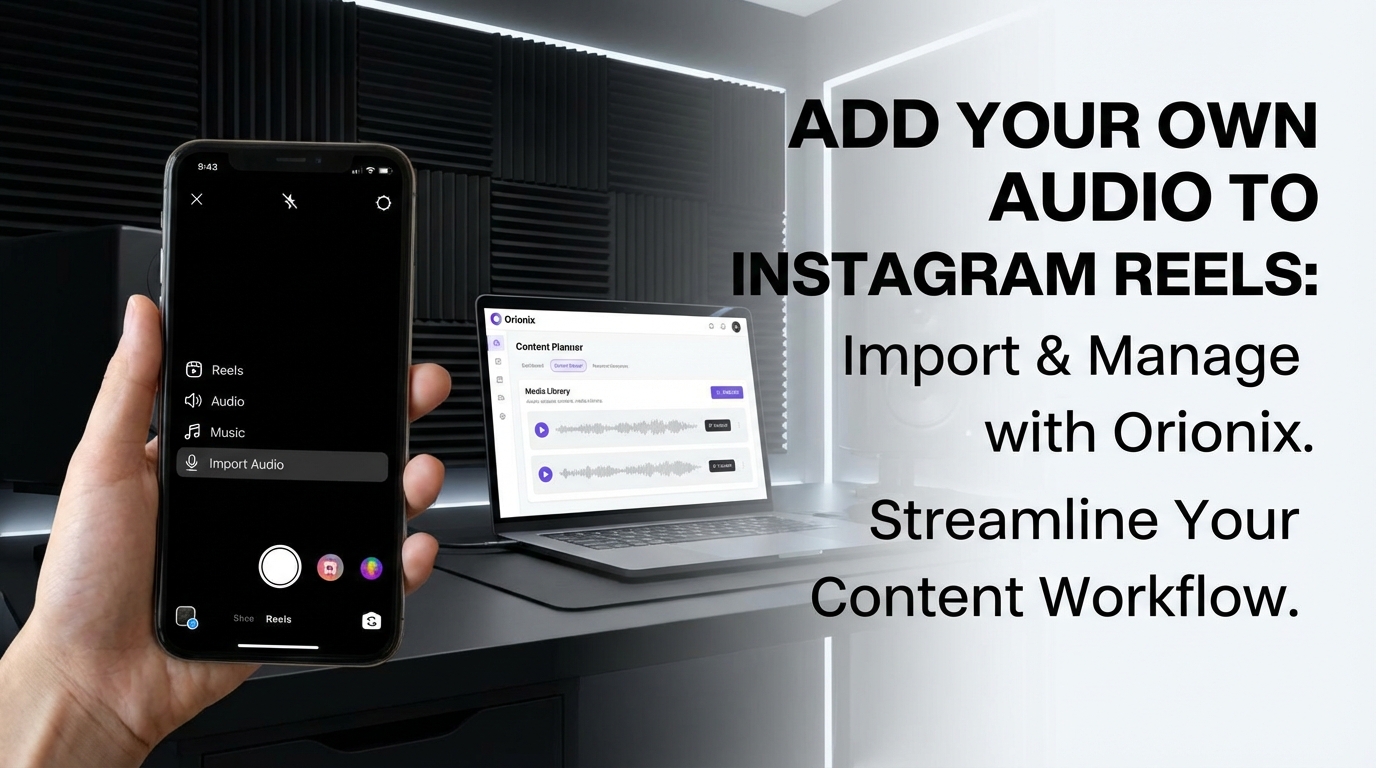
TL;DR: To add your own audio to Instagram Reels, tap the plus icon, select Reels, then tap the music note icon. Choose « Import Audio » or record video with original sound. You can also upload pre-recorded videos with custom audio directly. Alternatively, use content management platforms like Orionix to streamline uploading Reels with personalized audio across multiple channels efficiently.
Frequently Asked Questions

How do you add your own audio to Instagram Reels?
To add your own audio to Instagram Reels, tap the camera icon, select ‘Reels’, then record or upload your video. Tap the music note icon, select ‘Import’ or ‘Camera Roll’, and choose your audio file. You can also use third-party apps to merge audio with video before uploading. Platforms like Orionix help streamline content creation by managing audio and video assets from a centralized dashboard.
Can you use copyrighted music when adding custom audio to Instagram Reels?
Using copyrighted music without permission can result in your Reel being muted or removed. Instagram’s algorithm detects copyrighted content. To avoid issues, use royalty-free music, original audio, or properly licensed tracks. For commercial marketing purposes, always ensure you have rights to the audio. Content management platforms can help organize licensed audio libraries for safe, compliant social media marketing campaigns.
What are the best times to post Instagram Reels for maximum engagement?
The best times to post on Instagram Reels are typically Tuesday through Friday between 9 AM-12 PM and 6 PM-9 PM in your audience’s timezone. However, optimal posting times vary by industry and target demographic. Analyze your Instagram Insights to identify when your followers are most active. Social media management tools can schedule Reels during peak engagement windows automatically, maximizing reach across social media platforms.
How can adding custom audio to Reels help gain followers on Instagram for free?
Custom audio makes your Reels unique and memorable, increasing shareability and discoverability. Original sounds can trend, allowing others to use your audio and drive traffic to your profile. Authentic, branded audio enhances social media marketing efforts by creating recognizable content. Consistent, high-quality Reels with custom audio attract organic followers without paid promotions, especially when posted during optimal engagement times.
What audio formats does Instagram support for custom Reels audio?
Instagram Reels supports common audio formats including MP3, AAC, WAV, and M4A files. The maximum Reel length is 90 seconds, so your audio should match this duration. Ensure audio quality is high (at least 128 kbps) for best results. When managing content across multiple social media platforms, using a centralized dashboard helps maintain consistent audio quality and format compatibility.
Do you need to deactivate Instagram to change your content strategy?
You don’t need to deactivate Instagram or delete an Instagram account to change your content strategy. Instead, archive old posts, update your bio, and begin posting new content aligned with your revised strategy. If you want a fresh start, you can deactivate Instagram temporarily without deletion. Social media management platforms allow you to plan and test new strategies before publishing across social media platforms.
How does using custom audio in Reels improve social media marketing results?
Custom audio in Reels enhances brand identity, increases memorability, and differentiates your content from competitors. It allows precise messaging alignment with visual content, improving digital marketing effectiveness. Original audio can become associated with your brand, creating recognition across social media and increasing engagement rates. Centralized content management platforms help maintain consistent audio branding while publishing across multiple channels efficiently.
Can you add multiple audio tracks when creating Instagram Reels?
Instagram doesn’t natively support multiple audio tracks in a single Reel. To add multiple audio layers, you must pre-edit your video using third-party editing software before uploading. Combine voiceovers, background music, and sound effects externally, then import the final video with merged audio. Content management tools can streamline this process by integrating editing capabilities and organizing multi-track audio assets for social media marketing campaigns.
Introduction: Revolutionizing Instagram Reels with Custom Audio

If you’ve been wondering how to add your own audio to Instagram Reels, you’re in luck! Instagram has rolled out a game-changing feature that gives creators unprecedented control over their content. Since Instagram Reels launched in late 2020, it has transformed into one of the platform’s most popular features, and this new audio import capability takes creative freedom to the next level. 🎵
According to an announcement by Adam Mosseri, Head of Instagram, creators can now import audio files directly from their devices into the Instagram app. This update eliminates the previous limitation of using only existing tracks or trending audio, giving you total control over your social media and content strategy.
This comprehensive guide will walk you through everything you need to know about importing custom audio to Instagram Reels, including step-by-step instructions, platform availability, and strategic tips for maximizing your reach on social media platforms.
Understanding the Custom Audio Feature for Instagram Reels

What This Feature Means for Content Creators
The ability to import your own audio represents a significant shift in how creators approach digital marketing and content creation on Instagram. Previously, users were restricted to Instagram’s audio library, which limited creative expression and made it challenging to create truly unique content.
As reported by Plann, this feature allows you to upload audio and sounds that no one else has used before, giving your content a truly bespoke feel. This is particularly valuable for businesses implementing social media marketing strategies, as it enables brand-specific audio signatures and custom soundtracks. 🎯
Platform Availability and Limitations
Before diving into the how-to process, it’s important to understand current platform limitations. According to the latest information, this feature is currently only available on Apple devices. The availability for Android users remains uncertain at this time.
This platform-specific rollout is common with Instagram’s new features, so Android users should keep an eye out for future updates from Instagram’s official channels.
How to Add Your Own Audio to Instagram Reels: Step-by-Step Guide
Ready to import custom audio into your next Instagram Reel? Here’s the complete process broken down into simple, actionable steps:
| Step | Action | Details |
|---|---|---|
| 1 | Open Instagram App | Launch the Instagram application on your Apple device |
| 2 | Access Creation Tools | Tap the + creation button at the bottom of your screen |
| 3 | Select Reel Format | Choose « Reel » from the available content format options |
| 4 | Navigate to Audio | On the left-hand side of the screen, select the Audio option |
| 5 | Import Your Audio | Tap ‘Import’ and select your desired audio file from your device |
| 6 | Start Creating | Begin recording or uploading your video content with your custom audio |
Preparing Your Audio Files
Before importing audio to Instagram Reels, ensure your audio files are properly prepared:
- File Format: Most common audio formats (MP3, WAV, M4A) are typically supported
- Audio Quality: Use high-quality audio files for the best listening experience
- File Length: Consider Instagram Reels’ maximum duration when selecting audio
- Copyright Compliance: Ensure you have the rights to use any audio you import
This preparation step is crucial for maintaining professional content quality and avoiding potential copyright issues that could impact your marketing digital marketing efforts. ✅
Strategic Advantages of Custom Audio for Social Media Marketing
Building Brand Identity Through Audio
Custom audio capabilities open new doors for brand building and audience engagement. By importing your own audio, you can create consistent audio branding across your Reels content, making your posts instantly recognizable to your audience.
This is particularly valuable for businesses looking to gain followers on Instagram for free through distinctive, memorable content that stands out in crowded feeds.
Timing Your Posts for Maximum Impact
While custom audio gives you creative control, posting timing remains crucial for reach. Understanding the best times to post on Instagram can significantly amplify your content’s performance. Research consistently shows that engagement peaks during specific hours when your target audience is most active.
Consider these factors when planning your Reels strategy:
- Audience demographics and time zones
- Industry-specific engagement patterns
- Day of week performance variations
- Seasonal trends and events
Integrating Custom Audio into Your Content Calendar
For businesses managing multiple social media platforms, integrating custom audio Reels into your broader content strategy requires careful planning. Using a centralized platform for content management can streamline this process significantly.
Consider creating a library of custom audio tracks that align with your brand voice, seasonal campaigns, and promotional periods. This preparation enables faster content creation while maintaining consistency across your Instagram for business presence. 📊
Copyright Considerations and Best Practices
Understanding Audio Rights and Licensing
While the ability to import your own audio provides creative freedom, it also places responsibility on creators to ensure proper licensing and rights usage. Copyright infringement can result in content removal, account penalties, or legal consequences.
Here are essential guidelines for copyright-compliant custom audio:
- Original Creations: Audio you create yourself is always safe to use
- Royalty-Free Music: Use licensed tracks from reputable royalty-free music libraries
- Licensed Content: Ensure you have proper commercial licenses for any third-party audio
- Public Domain: Content in the public domain can be used freely
- Creative Commons: Follow specific attribution requirements for CC-licensed audio
Creating Original Audio Content
The safest approach to custom audio is creating your own original content. This could include:
- Brand jingles and theme music
- Voiceovers and narration
- Sound effects and ambient audio
- Original musical compositions
- Podcast clips and audio snippets
Original audio not only eliminates copyright concerns but also strengthens your unique brand identity in the competitive landscape of social media marketing. 🎼
Advanced Strategies for Maximizing Reach with Custom Audio
Combining Custom Audio with Trending Formats
While custom audio provides uniqueness, combining it with trending video formats and visual styles can maximize your reach. Monitor trending Reels formats and adapt them with your custom audio for the best of both worlds.
This hybrid approach allows you to ride the wave of trending content while maintaining your distinctive audio brand. It’s particularly effective when you’re trying to understand the best time to post on Instagram for your specific audience segments.
Cross-Platform Content Repurposing
Custom audio Reels can be repurposed across multiple platforms, maximizing your content investment. Consider adapting your Instagram Reels with custom audio for:
| Platform | Adaptation Strategy | Key Considerations |
|---|---|---|
| TikTok | Direct upload with custom audio | Adjust aspect ratio and duration as needed |
| YouTube Shorts | Vertical video with custom soundtrack | Optimize for YouTube’s algorithm preferences |
| Facebook Reels | Native upload with consistent branding | Leverage Facebook’s reach potential |
| Professional content adaptation | Adjust tone for business audience |
Measuring Performance and Iterating
Track the performance of Reels with custom audio compared to those using Instagram’s audio library. Key metrics to monitor include:
- Reach and impressions
- Engagement rate (likes, comments, shares)
- Profile visits generated
- Follower growth attributed to specific Reels
- Save rate and completion rate
These insights help refine your approach and identify which types of custom audio resonate most with your audience. For businesses focused on growth, combining this data with strategies to increase Instagram views can accelerate results. 📈
Troubleshooting Common Issues with Custom Audio Import
Technical Problems and Solutions
Users may encounter various technical issues when importing custom audio. Here are common problems and their solutions:
- Audio File Not Appearing: Ensure your file format is supported and the file isn’t corrupted
- Import Button Missing: Update your Instagram app to the latest version
- Audio Quality Issues: Use higher bitrate audio files for better quality
- Sync Problems: Adjust audio timing within Instagram’s editing tools
- File Size Limitations: Compress large audio files before importing
Account-Related Considerations
Some account types may have different access to features. If you’re experiencing issues, consider whether your account status might be a factor. Understanding how to manage account settings and permissions can help resolve access issues.
For users considering platform changes, knowing how to close your Instagram account or how to deactivate Instagram temporarily might be relevant if you need to troubleshoot persistent problems. 🔧
Future Implications for Instagram Content Creation
Evolving Creator Tools and Features
The introduction of custom audio import signals Instagram’s continued investment in creator-focused features. This trend suggests we can expect additional audio-related capabilities in the future, such as:
- Enhanced audio editing tools within the app
- Audio effects and filters
- Collaborative audio features
- Audio analytics and insights
- Expanded format support
Impact on Digital Marketing Strategies
This feature fundamentally changes how brands approach audio strategy in their digital marketing efforts. Companies can now develop comprehensive audio branding that extends to short-form video content, creating cohesive multi-sensory brand experiences.
For businesses managing complex social media marketing for small business operations, this represents both an opportunity and a challenge. The opportunity lies in differentiation; the challenge is in producing quality custom audio consistently. 🚀
Integrating Custom Audio into Your Overall Social Strategy
Building a Cohesive Multi-Channel Approach
Custom audio for Instagram Reels shouldn’t exist in isolation. Instead, it should be part of a comprehensive approach to social media and content management across all your channels.
Consider how your custom audio strategy aligns with:
- Your overall brand voice and messaging
- Visual content themes and aesthetics
- Posting schedules and content calendars
- Audience engagement tactics
- Performance measurement frameworks
Streamlining Content Production Workflows
Managing custom audio alongside other content creation tasks requires efficient workflows. Many successful creators and businesses use centralized platforms to plan, create, and publish content across various channels through a single dashboard.
This approach becomes especially valuable when you’re trying to maintain consistency while producing high volumes of content. Tools that support social media management can significantly reduce the time investment required for quality content production. ⏱️
Audience Growth Strategies with Custom Audio
Leveraging custom audio effectively can contribute to organic audience growth. When combined with other proven strategies, such as understanding your audience demographics and posting at optimal times, custom audio becomes a powerful differentiator.
For those looking to expand their reach without paid promotion, exploring methods to gain followers on Instagram for free while using distinctive custom audio can create a compounding effect on growth.
Conclusion: Embracing Creative Freedom with Custom Audio
The ability to import your own audio to Instagram Reels represents a significant evolution in the platform’s capabilities. This feature empowers creators and businesses to develop truly unique content that stands out in increasingly crowded social feeds. 🎉
By following the step-by-step process outlined in this guide, you can immediately begin incorporating custom audio into your Instagram Reels strategy. Remember to consider copyright implications, prepare your audio files properly, and integrate this capability into your broader social media marketing approach.
The key to success lies not just in using custom audio, but in using it strategically. Combine distinctive audio with compelling visuals, post at the best times to post on Instagram for your audience, and consistently deliver value to your followers.
As Instagram continues to prioritize creator tools and features, staying ahead of these developments gives you a competitive advantage in the ever-evolving landscape of social media platforms. Whether you’re a solo creator, small business owner, or part of a larger marketing team, custom audio capabilities open new doors for creative expression and brand building.
Ready to streamline your entire social media content strategy? Visit our website to discover how Orionix can help you plan, create, and publish content across all your channels through a single, centralized dashboard. Take control of your social media presence and unlock your creative potential today! 💪
Article created using IntentRank