
TL;DR: When your Instagram feed not refreshing issue occurs, try force-closing and reopening the app, clearing the app cache, checking your internet connection, or updating Instagram to the latest version. If problems persist, reinstalling the app or switching between WiFi and mobile data usually resolves the refresh problem effectively.
Frequently Asked Questions
Why is my Instagram feed not refreshing and showing old posts?
Instagram feed not refreshing typically occurs due to poor internet connection, outdated app versions, cache buildup, or server issues. To fix this, check your Wi-Fi or mobile data, update the Instagram app through your app store, clear the app cache in settings, or restart your device. If problems persist, try reinstalling the Instagram app completely.
How can poor internet connection cause Instagram feed not refreshing issues?
A weak or unstable internet connection prevents Instagram from loading new content, causing your feed to appear frozen or show only cached posts. Switch between Wi-Fi and mobile data to test connectivity. Instagram requires consistent bandwidth to refresh content from social media platforms. Speed test your connection and move closer to your router if using Wi-Fi.
What’s the best solution when Instagram feed not refreshing affects my social media marketing strategy?
For social media marketing professionals experiencing feed refresh issues, use a centralized content management platform like Orionix to maintain consistent posting schedules across social media platforms. This ensures your content publishes reliably even when Instagram’s native feed experiences technical problems, protecting your engagement rates and campaign timing during the best times to post on Instagram.
Should I deactivate Instagram or delete my account if the feed keeps not refreshing?
Don’t deactivate Instagram or delete your account for feed refresh issues—these are temporary technical problems. Deactivation removes your profile visibility and disrupts social media marketing efforts. Instead, troubleshoot by clearing cache, updating the app, or reinstalling. Only consider how to deactivate Instagram if you need a complete break from the platform for personal reasons.
How does clearing Instagram cache fix feed not refreshing problems?
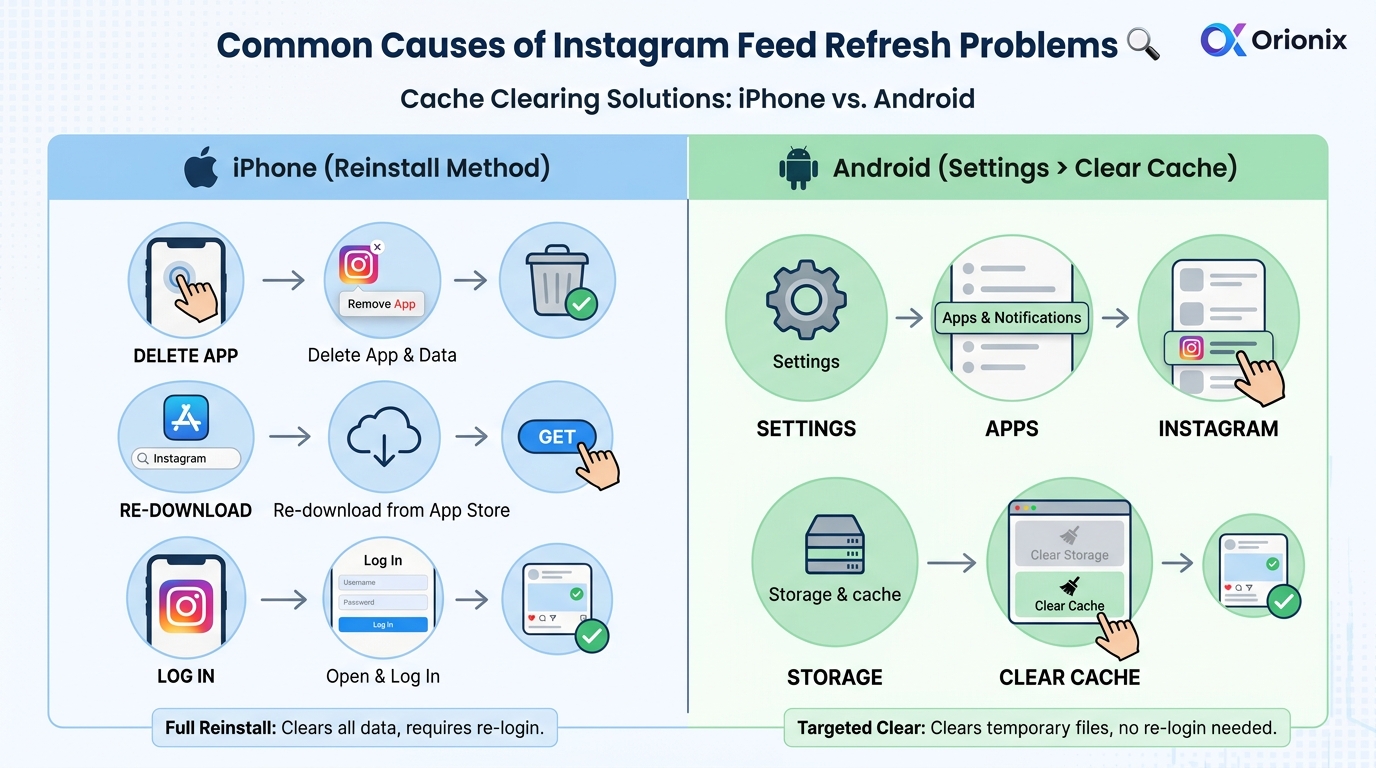
Clearing Instagram’s cache removes temporary data that may be corrupted or outdated, forcing the app to load fresh content. On iPhone, reinstall the app to clear cache. On Android, go to Settings > Apps > Instagram > Storage > Clear Cache. This resolves most feed refresh issues without losing your login credentials or saved content.
Can Instagram feed not refreshing impact my ability to post at the best times for engagement?
Yes, when your Instagram feed isn’t refreshing, you may miss optimal posting windows and competitor activity insights crucial for digital marketing. Using a content management platform allows you to schedule posts at the best times to post on Instagram regardless of feed issues, ensuring consistent content delivery across social media platforms without manual monitoring.
What’s the difference between Instagram feed not refreshing and account deletion issues?
Instagram feed not refreshing is a temporary technical glitch affecting content display, while account deletion permanently removes your profile. Feed issues resolve through troubleshooting steps like app updates or cache clearing. If you’re researching how to delete an Instagram account or how can you delete an Instagram account, that’s a separate permanent action unrelated to temporary feed problems.
How can content management tools help when Instagram feed not refreshing disrupts my marketing schedule?
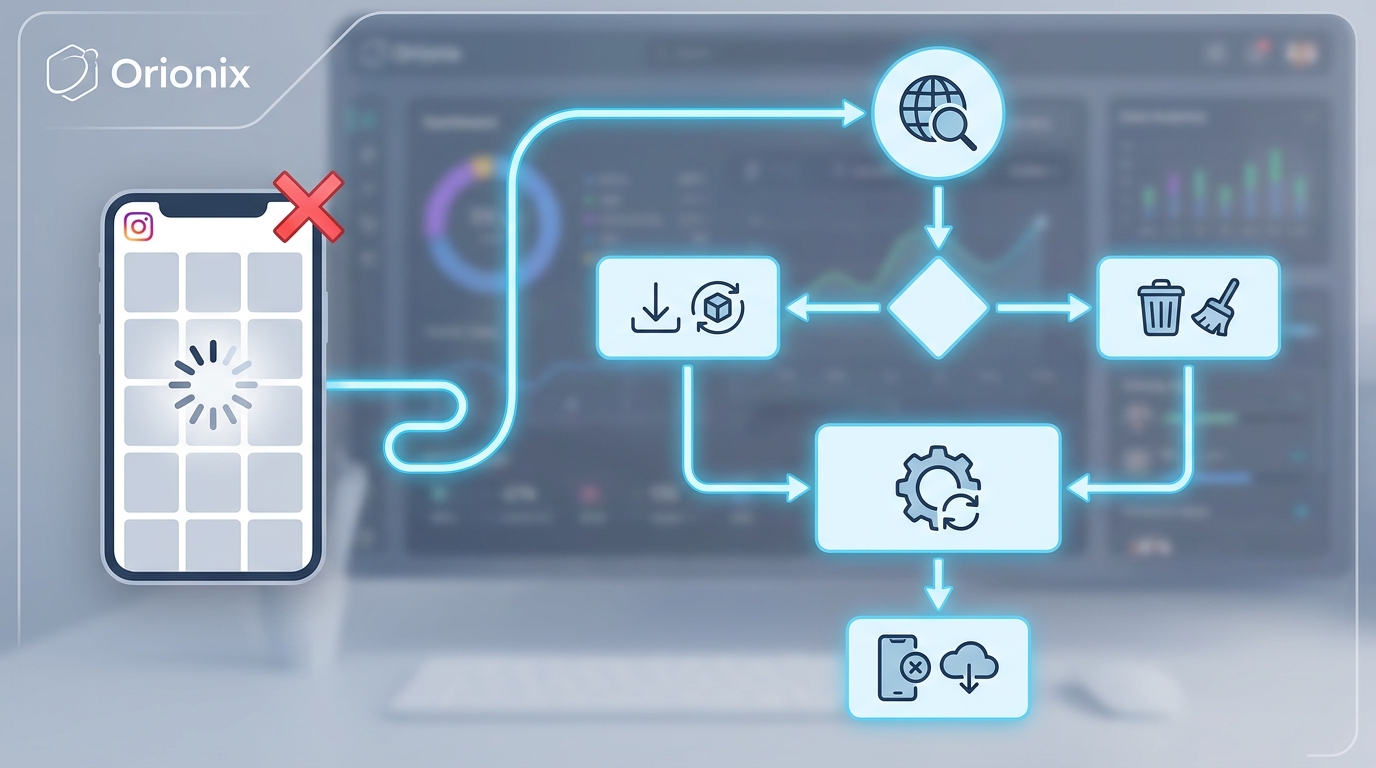
Content management platforms like Orionix provide centralized dashboards for planning and publishing across social media platforms, bypassing Instagram’s native feed issues. You can schedule posts, track analytics, and maintain your social media marketing strategy even when Instagram’s feed experiences technical problems, ensuring consistent presence during peak engagement times without manual intervention.
Understanding Why Your Instagram Feed Not Refreshing 📱
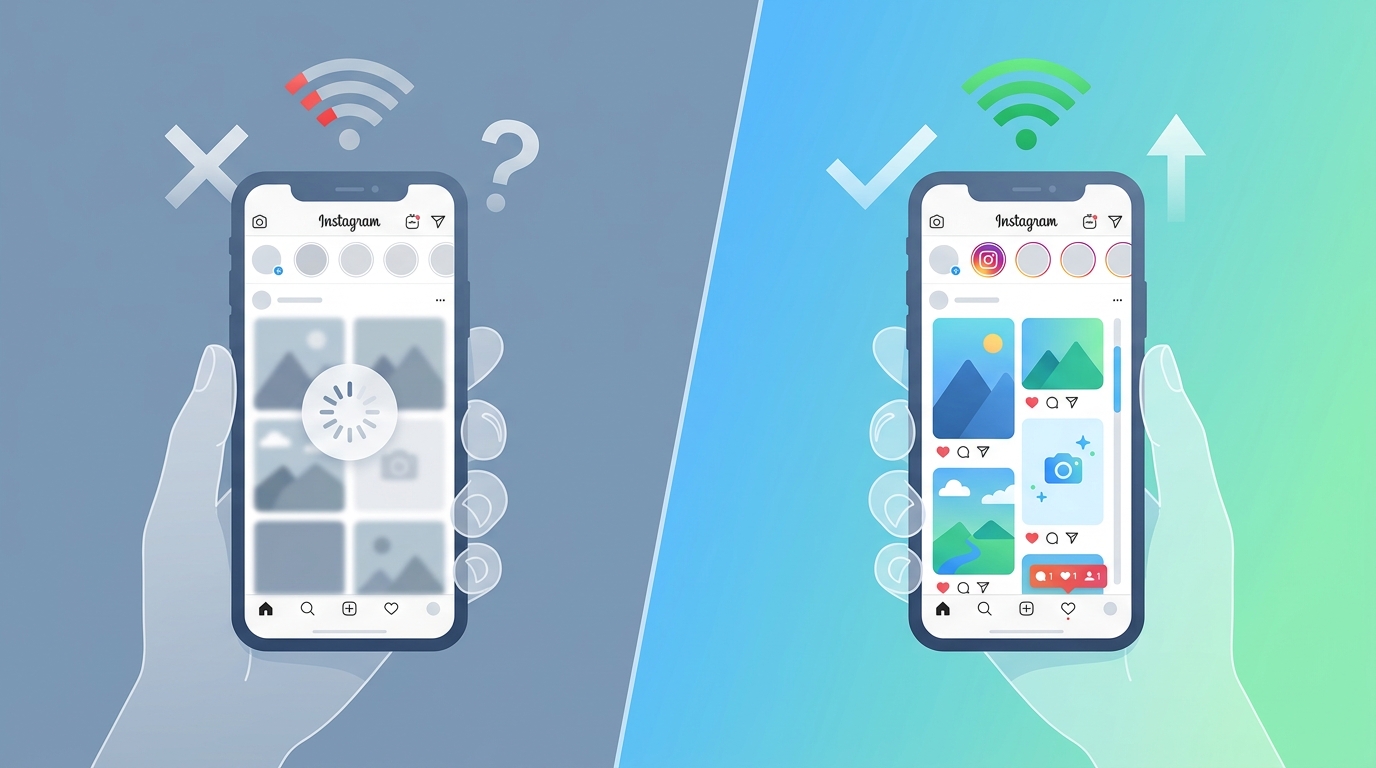
If you’ve found yourself staring at a frozen screen wondering why your Instagram feed not refreshing, you’re not alone. This frustrating issue affects millions of users daily and can significantly impact your social media marketing efforts, especially if you’re managing content for clients or running a business account.
Whether you’re a content marketer checking engagement metrics or a small business owner trying to monitor competitor activity, a non-refreshing feed disrupts your entire workflow. Understanding the root causes and solutions is essential for maintaining your presence on one of the world’s most important social media platforms.
This comprehensive guide will walk you through every possible reason why your Instagram feed might be stuck, along with proven solutions that actually work. From simple connectivity issues to more complex app-related problems, we’ll cover everything you need to get your feed flowing smoothly again.
Common Causes of Instagram Feed Refresh Problems 🔍
Network Connectivity Issues
The most frequent culprit behind a frozen Instagram feed is your internet connection. Even if other apps seem to work fine, Instagram requires a stable connection to load new content continuously.
- Weak Wi-Fi signals: Distance from your router or interference from other devices can cause intermittent connectivity
- Mobile data limitations: Throttled speeds or data caps can prevent proper feed loading
- Network switching: Moving between Wi-Fi and cellular data can temporarily disrupt the feed
- VPN interference: Some VPN services can slow down or block Instagram’s servers
App Cache and Data Overload
Over time, Instagram accumulates significant amounts of cached data. While this helps the app load faster initially, excessive cache can actually cause performance issues and prevent your feed from refreshing properly.
For digital marketing professionals managing multiple accounts, this problem becomes even more pronounced. The app stores data for each account you manage, multiplying the potential for cache-related issues.
Outdated App Version
Instagram releases frequent updates to fix bugs and improve performance. Running an outdated version means you’re missing critical patches that could resolve refresh issues.
According to social media marketing best practices, keeping all your platform apps updated ensures optimal performance and access to the latest features that can enhance your content strategy.
Step-by-Step Solutions to Fix Instagram Feed Not Refreshing ⚙️
Solution 1: Check Your Internet Connection
Start with the basics before moving to more complex solutions. Your internet connection is the foundation of Instagram’s functionality.
- Open your device’s browser and try loading a website to verify connectivity
- Toggle Airplane Mode on for 10 seconds, then turn it off
- Switch between Wi-Fi and mobile data to identify which connection works better
- Restart your router if using Wi-Fi at home
- Move closer to your Wi-Fi source or find a location with better cellular signal
Solution 2: Clear Instagram Cache and Data
Clearing your cache is one of the most effective solutions for refresh problems. Here’s how to do it on different devices:
| Device | Steps to Clear Cache | Data Loss Risk |
|---|---|---|
| iPhone | Delete and reinstall the app (iOS doesn’t allow manual cache clearing) | None (login required) |
| Android | Settings > Apps > Instagram > Storage > Clear Cache | None |
| Android (Deep Clean) | Settings > Apps > Instagram > Storage > Clear Data | Login credentials cleared |
For those wondering if you delete Instagram app what happens, rest assured that your account, posts, and followers remain intact. You’ll simply need to log back in after reinstalling.
Solution 3: Update Instagram to the Latest Version
Keeping Instagram updated is crucial for optimal performance and accessing new features that improve user experience.
- iOS users: Open App Store > Profile icon > Scroll to Instagram > Tap Update
- Android users: Open Google Play Store > Menu > My Apps & Games > Find Instagram > Update
- Enable auto-updates: Prevent future issues by turning on automatic updates in your device settings
Solution 4: Force Close and Restart the App
Sometimes Instagram just needs a fresh start. Force closing the app clears temporary glitches without affecting your data.
- On iPhone: Swipe up from bottom (or double-click home button) and swipe Instagram away
- On Android: Open Recent Apps and swipe Instagram away or tap the X
- Wait 30 seconds before reopening to ensure complete closure
- Launch Instagram fresh and check if the feed refreshes properly
Advanced Troubleshooting for Persistent Issues 🛠️
Check Instagram Server Status
Before spending hours troubleshooting, verify that the problem isn’t on Instagram’s end. Server outages affect millions of users simultaneously and require no action from you.
Visit websites like DownDetector or check Twitter for #InstagramDown to see if others are experiencing similar issues. If Instagram’s servers are down, your only option is to wait for the platform to resolve the problem.
Review Your Account Status
In some cases, account-level restrictions can affect feed functionality. If you’ve violated Instagram’s community guidelines or been flagged for suspicious activity, certain features may be limited.
- Check for notifications about policy violations
- Review your recent activity for anything that might trigger automated restrictions
- If you’ve been using third-party automation tools, how to deactivate Instagram integrations temporarily to rule them out
- Consider whether you need to restrict someone on Instagram who might be causing issues with your account
Adjust Date and Time Settings
Incorrect date and time settings can cause synchronization issues with Instagram’s servers, preventing proper feed updates.
- Go to your device’s Settings
- Find Date & Time settings
- Enable « Set Automatically » to sync with network-provided time
- Restart Instagram and check if the feed refreshes
Reinstall Instagram Completely
When all else fails, a complete reinstallation often resolves stubborn issues. This process gives you a clean slate while preserving your account data.
Before reinstalling, ensure you know your login credentials. While your account remains safe in the cloud, you’ll need to sign back in. For those considering a more permanent change, understanding how do you delete an instagram account versus simply reinstalling is important—reinstallation doesn’t affect your account at all.
Impact on Social Media Marketing and Content Strategy 📊
Why Feed Refresh Matters for Digital Marketers
For professionals in social media marketing, a non-functioning feed isn’t just an inconvenience—it’s a business problem. Missing real-time engagement opportunities or failing to monitor competitor activity can significantly impact your strategy.
Digital marketing professionals rely on Instagram for multiple critical functions:
- Monitoring engagement rates during peak posting times
- Tracking competitor content and trends in real-time
- Responding to comments and messages promptly
- Analyzing which content types perform best at different times
- Staying updated on industry news and influencer collaborations
Optimizing Your Posting Schedule Despite Technical Issues
Understanding the best times to post on Instagram becomes even more critical when technical issues arise. If your feed isn’t refreshing, you might miss optimal posting windows or fail to capitalize on trending topics.
| Industry | Best Days | Best Times (EST) | Engagement Peak |
|---|---|---|---|
| E-commerce | Wed-Fri | 11 AM – 1 PM | Lunch breaks |
| B2B Services | Tue-Thu | 9 AM – 12 PM | Work hours |
| Food & Beverage | Thu-Sun | 5 PM – 8 PM | Evening leisure |
| Fashion & Beauty | Wed-Fri | 10 AM – 3 PM | Midday browsing |
Using a social media management platform can help you schedule posts in advance, ensuring your content goes live even if you’re experiencing feed refresh issues on your personal device.
Maintaining Consistency Across Social Media Platforms
When Instagram feed issues persist, diversifying your presence across multiple social media platforms becomes essential. Don’t put all your eggs in one basket—maintain active profiles on complementary platforms.
Content marketers should consider cross-posting strategies that allow them to maintain engagement even when one platform experiences technical difficulties. A robust social media marketing assistant tool can automate this process and ensure consistent brand presence.
Preventing Future Instagram Feed Issues 🛡️
Regular Maintenance Practices
Prevention is always better than cure. Implementing regular maintenance routines can significantly reduce the likelihood of experiencing feed refresh problems.
- Weekly cache clearing: Clear your Instagram cache every week to prevent buildup
- Monthly app updates: Check for updates at least once monthly, even with auto-updates enabled
- Storage management: Keep at least 1GB of free space on your device for optimal app performance
- Connection monitoring: Test your internet speed regularly and upgrade if consistently slow
Using Professional Tools for Reliability
For businesses and marketing professionals who can’t afford downtime, investing in professional tools provides a safety net. These platforms offer alternative access methods and backup functionality.
Tools like Hootsuite for social media management allow you to monitor and post to Instagram through web interfaces, bypassing mobile app issues entirely.
Account Management Best Practices
Proper account management extends beyond just fixing technical issues—it’s about creating a sustainable workflow that minimizes disruptions.
- Avoid logging in and out of multiple accounts frequently, which can trigger security flags
- Use Instagram’s built-in multi-account feature rather than third-party switchers
- Regularly review connected apps and revoke access to unused services
- Keep backup login credentials in a secure password manager
- Know how can you delete an instagram account if you need to start fresh with a clean slate
When to Consider Alternative Solutions 💡
Temporary Account Deactivation
If you’ve exhausted all troubleshooting options and suspect your account has deeper issues, temporary deactivation might help. Understanding how to deactivate Instagram properly ensures you can reactivate without losing data.
Deactivation differs from deletion—it’s reversible and can sometimes reset account-level glitches that prevent proper feed functionality. This option is particularly useful if you suspect your account has been shadowbanned or is experiencing algorithmic issues.
Using Instagram on Different Devices
Device-specific issues are more common than you might think. Testing Instagram on a different device helps isolate whether the problem is with your account, the app, or your specific device.
- Log into Instagram on a tablet, laptop, or different phone
- Check if the feed refreshes properly on the alternate device
- If it works elsewhere, the issue is device-specific and likely related to your phone’s settings or hardware
- If it doesn’t work anywhere, the problem is account-related and may require contacting Instagram support
Contacting Instagram Support
When all DIY solutions fail, reaching out to Instagram’s support team becomes necessary. While response times vary, documenting your issue thoroughly increases the chances of a helpful response.
- Navigate to Settings > Help > Report a Problem
- Provide detailed information about when the issue started and what you’ve tried
- Include screenshots if possible to illustrate the problem
- Be patient—support teams handle millions of requests
Maximizing Instagram Performance for Business Growth 📈
Growing Your Audience Despite Technical Challenges
Technical issues shouldn’t derail your growth strategy. Learning proven strategies to get more followers on Instagram helps maintain momentum even during platform hiccups.
Focus on creating quality content that resonates with your audience, and use scheduling tools to maintain consistency. When your feed isn’t refreshing, you can still engage with followers through Stories, direct messages, and scheduled posts.
Leveraging Analytics for Better Timing
Understanding your audience’s behavior patterns helps you optimize posting schedules around potential technical issues. Instagram Insights provides valuable data about when your followers are most active.
The best time to post on Instagram varies by audience demographics, but generally falls during these windows:
- Weekday mornings (9-11 AM) for professional audiences
- Lunch hours (12-2 PM) for general consumer content
- Evening hours (7-9 PM) for entertainment and lifestyle content
- Weekend afternoons (1-4 PM) for leisure and shopping content
Building a Resilient Content Strategy
A robust content strategy accounts for platform instability and technical issues. Diversification is key to maintaining your marketing digital marketing presence across all channels.
Consider these strategies for resilience:
- Maintain an active presence on multiple social platforms
- Build an email list to communicate directly with your audience
- Use content scheduling tools to automate posting
- Create evergreen content that remains relevant regardless of timing
- Develop a content bank to draw from during technical difficulties
For specialized industries, tailored approaches work best. Check out strategies for social media marketing for restaurants or social media marketing for music artists to see industry-specific best practices.
Tools and Resources for Instagram Management 🔧
Essential Apps and Extensions
Beyond Instagram itself, several tools can enhance your experience and provide backup functionality when the native app experiences issues.
| Tool Type | Purpose | Best For |
|---|---|---|
| Scheduling Platforms | Automate posting and maintain consistency | Businesses and agencies |
| Analytics Tools | Track performance and optimize strategy | Data-driven marketers |
| Content Creation Apps | Design professional graphics and videos | Visual content creators |
| Monitoring Tools | Track mentions and competitor activity | Brand managers |
Professional Development Resources
Staying current with Instagram’s evolving features and best practices requires ongoing education. Explore resources about social media marketing positions to understand the skills most valued in the industry.
For business owners in specific markets, localized strategies can provide additional advantages. Learn about Miami social media marketing approaches that leverage regional trends and demographics.
Monitoring and Search Capabilities
When your feed isn’t refreshing, knowing how to look for someone on Instagram through search functions becomes even more valuable. Direct search bypasses the feed entirely and allows you to find specific accounts or content.
Additionally, understanding features like why stories might not be available helps you troubleshoot related issues that often accompany feed refresh problems.
Optimizing Your Workflow with Centralized Management ⚡
Managing Instagram effectively requires more than just fixing technical issues—it demands a systematic approach to content creation, scheduling, and analytics. When your Instagram feed isn’t refreshing properly, having alternative access points through professional management platforms becomes invaluable.
Content marketers and small business owners increasingly rely on centralized platforms that streamline their entire social media marketing workflow. These tools provide backup functionality when native apps experience problems and offer superior scheduling capabilities that ensure your content reaches audiences at optimal times.
Benefits of Centralized Content Management
- Multi-platform posting: Publish to Instagram and other social media platforms simultaneously
- Advanced scheduling: Plan content weeks in advance and optimize posting times automatically
- Team collaboration: Enable multiple team members to manage accounts without sharing passwords
- Performance analytics: Track engagement metrics across all platforms in one dashboard
- Content libraries: Store and organize visual assets for quick access and reuse
For artists and creative professionals, specialized features can enhance your presence. Explore social media strategies for artists that leverage visual storytelling and audience engagement techniques.
Ensuring Business Continuity
Technical issues with Instagram shouldn’t halt your entire marketing operation. A robust content management system provides the redundancy needed to maintain your online presence regardless of platform-specific problems.
By centralizing your social media operations, you gain resilience against individual platform outages, app glitches, and device-specific issues. This approach is particularly crucial for businesses that depend on consistent social media presence for customer acquisition and retention.
To learn more about improving your overall digital presence beyond Instagram, explore resources on how to increase website traffic organically and leverage Google Search Console for SEO to build a comprehensive digital strategy.
Take Control of Your Social Media Strategy Today 🚀
Dealing with an Instagram feed that won’t refresh is frustrating, but it doesn’t have to derail your entire social media marketing strategy. By understanding the common causes and implementing the solutions outlined in this guide, you can quickly resolve most issues and get back to engaging with your audience.
Remember that prevention is key—regular app maintenance, staying updated with the latest versions, and maintaining a stable internet connection will minimize future disruptions. For businesses and marketing professionals, investing in professional tools provides the reliability and backup functionality necessary for consistent online presence.
Whether you’re troubleshooting technical issues or looking to optimize your entire content workflow, having the right systems in place makes all the difference. Don’t let platform glitches limit your growth potential or prevent you from reaching your audience at the optimal times.
Ready to streamline your social media management and never miss a posting opportunity again? Discover how Orionix can transform your content strategy with centralized planning, scheduling, and publishing across all your social channels. Visit our website to explore our platform and take your social media marketing to the next level with tools designed for modern content creators and businesses.
Article created using IntentRank