
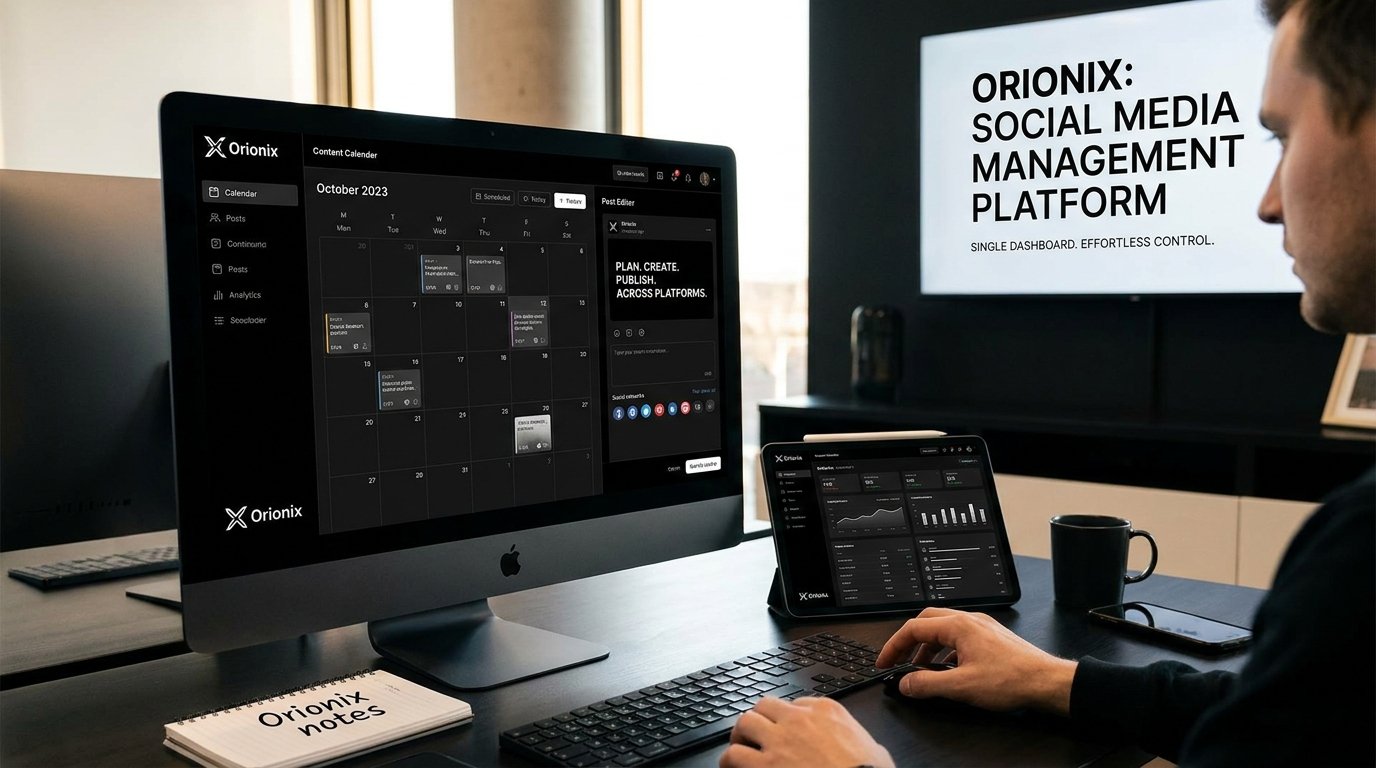
TL;DR: Social media management platforms let you plan, create, and publish content across multiple networks from one dashboard. Orionix streamlines this entire workflow, helping businesses save time, maintain consistent branding, and manage all accounts in a single place—making it easier to schedule posts, collaborate with teams, and grow your online presence efficiently.
Frequently Asked Questions

What are social media management platforms?
Social media management platforms are software tools that help businesses plan, create, schedule, and publish content across multiple social networks from a single dashboard. They streamline social media marketing by centralizing tasks like content scheduling, analytics tracking, and engagement monitoring. Platforms like Orionix let you manage Instagram, Facebook, and other accounts efficiently, saving time and improving consistency across all channels.
How do I choose the best social media management platform?
Choose a social media management platform based on the networks you use, your team size, budget, and needed features like scheduling, analytics, and multi-account support. Look for an intuitive dashboard, reliable publishing tools, and strong customer support. Orionix, for example, offers planning, content creation, and cross-platform publishing in one place, making it ideal for managing multiple accounts efficiently.
Can social media management platforms schedule posts to multiple sites for Instagram and Facebook?
Yes, most social media management platforms let you schedule and publish posts to multiple sites like Instagram, Facebook, and more simultaneously. Using a single dashboard, you can plan content in advance, set publishing times, and maintain consistency across networks. Orionix supports cross-platform publishing, allowing you to manage Instagram and Facebook content together without switching between apps.
What are the recommended dimensions for an Instagram post?
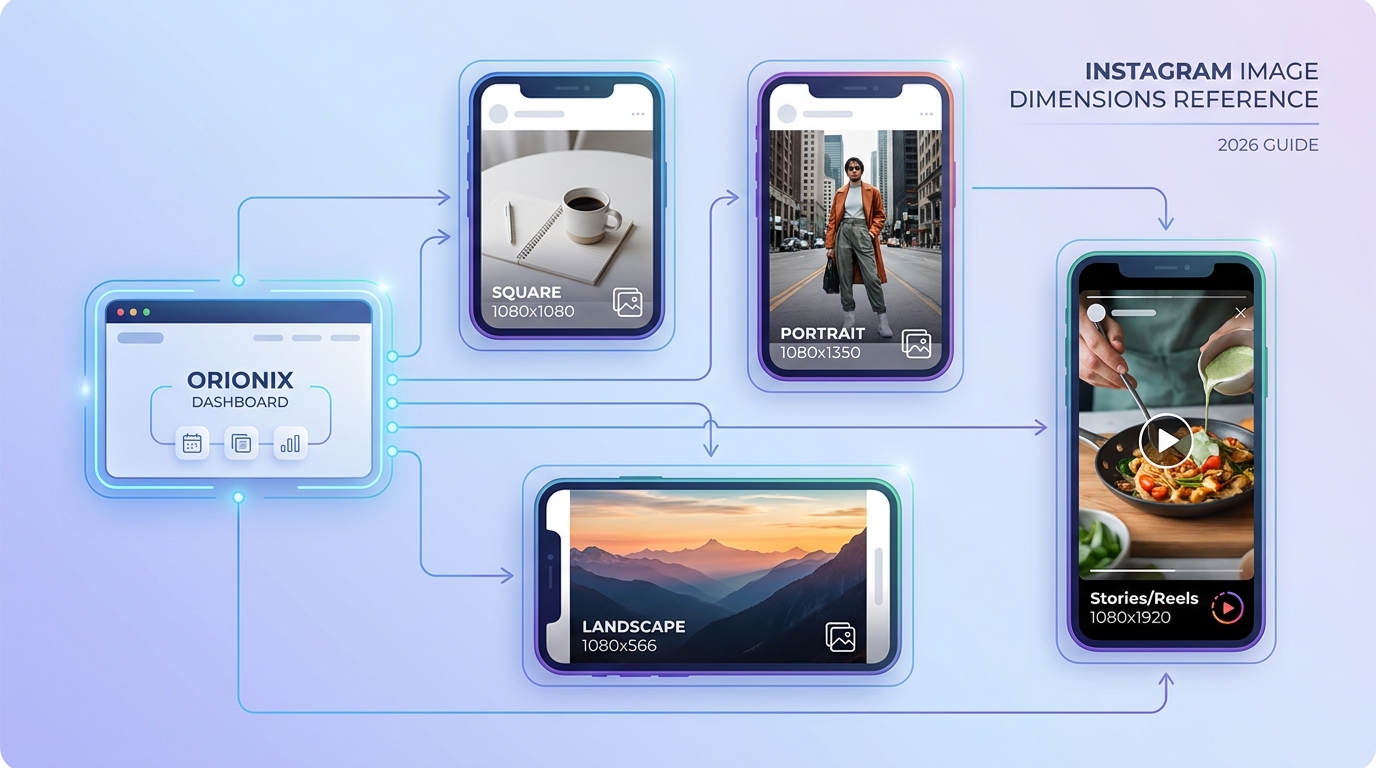
Recommended dimensions for an Instagram post are 1080 x 1080 pixels for square images, 1080 x 1350 pixels for portrait, and 1080 x 566 pixels for landscape. Stories and Reels use 1080 x 1920 pixels. Social media management platforms like Orionix often include built-in preview tools to ensure your content fits perfectly before publishing across networks.
How much do social media management platforms cost?
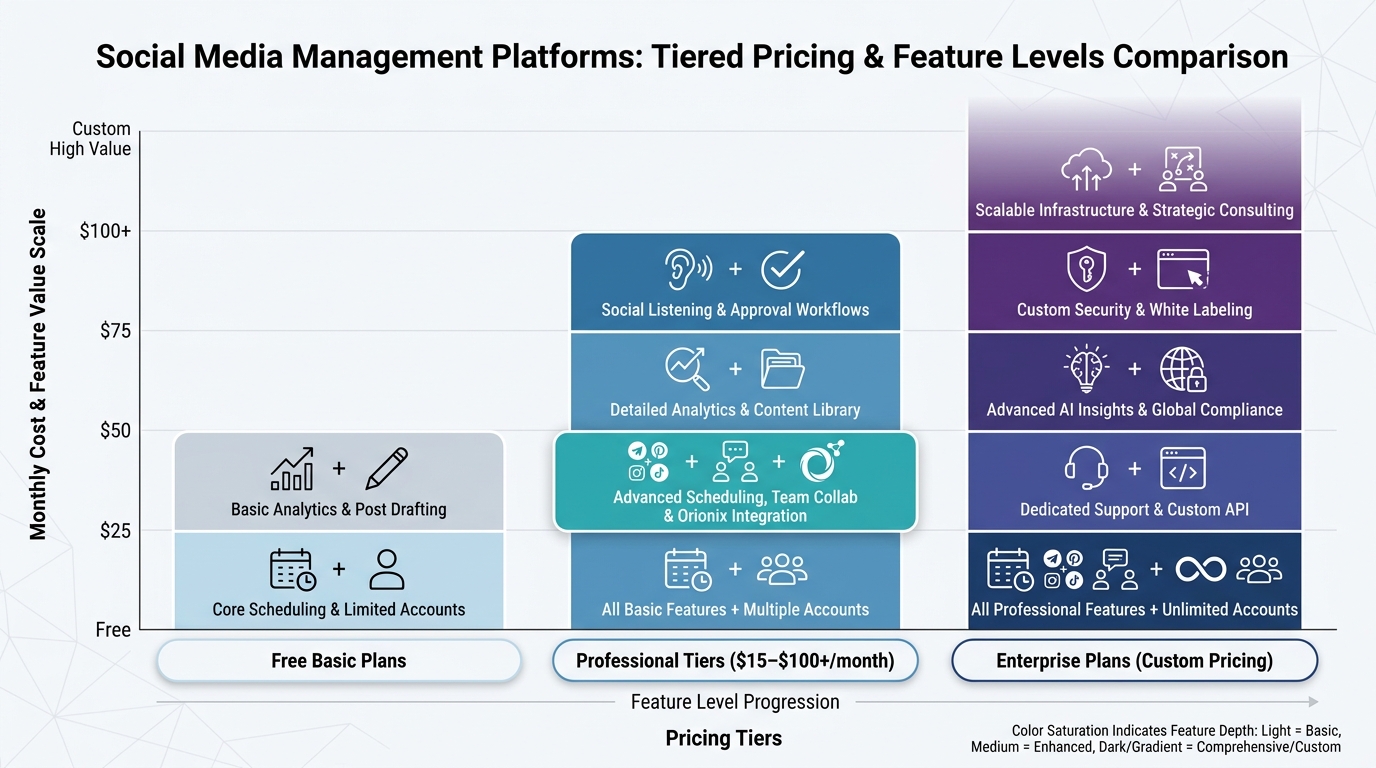
Social media management platforms typically range from free basic plans to $15–$100+ per month for professional tiers, depending on features, users, and connected accounts. Enterprise plans can cost more for advanced analytics and team collaboration. Many platforms, including Orionix, offer tiered pricing and free trials so you can test scheduling, publishing, and content creation tools before committing.
Do social media management platforms help with social media marketing analytics?
Yes, most social media management platforms include analytics that track engagement, reach, follower growth, and post performance. These insights help refine your social media marketing strategy by showing which content works best. From a single dashboard, you can measure results across platforms, identify top-performing posts, and adjust your publishing schedule to maximize audience engagement.
Can you repost on Instagram using a social media management platform?
Yes, many social media management platforms make it easy to repost on Instagram by scheduling and republishing existing content or user-generated posts. Instead of manually screenshotting or using separate apps, you can plan reposts directly from your dashboard. Orionix simplifies content curation and republishing, helping maintain a consistent posting schedule across Instagram and other connected platforms.
Why should businesses use a social media management platform instead of posting manually?
Businesses should use a social media management platform to save time, maintain consistency, and improve results. Instead of logging into each network separately, you can plan, create, and publish content across all platforms from one dashboard. Tools like Orionix streamline scheduling, collaboration, and analytics, allowing teams to focus on strategy and content quality rather than repetitive manual posting tasks.
Social Media Management Platforms: The Complete 2026 Guide 🚀
Social media management platforms have become essential tools for anyone serious about growing an online presence across multiple networks. These platforms centralize planning, creating, scheduling, and publishing content into a single dashboard, saving hours of manual work each week. Whether you’re a solo creator or part of a large agency, the right tool transforms how you approach social media and content strategy.
In this guide, we’ll explore what these platforms do, why they matter, and how to choose the one that fits your workflow. We’ll also answer some of the most common questions people ask about managing content across networks.
What Are Social Media Management Platforms?
A social media management platform is software that helps you handle multiple accounts and networks from one place. Instead of logging into each app separately, you plan, publish, and monitor everything through a unified interface.
These tools are the backbone of modern social media marketing. They eliminate repetitive tasks and give teams a clear overview of their entire content calendar.
Core Functions to Expect
- Content planning: Map out a calendar weeks or months in advance.
- Publishing and scheduling: Post automatically at optimal times.
- Multi-platform support: Connect sites for Instagram, Facebook, LinkedIn, X, and more.
- Analytics: Track performance and engagement metrics.
- Team collaboration: Assign roles and approve content before it goes live.
Why Your Team Needs a Social Media Management Platform
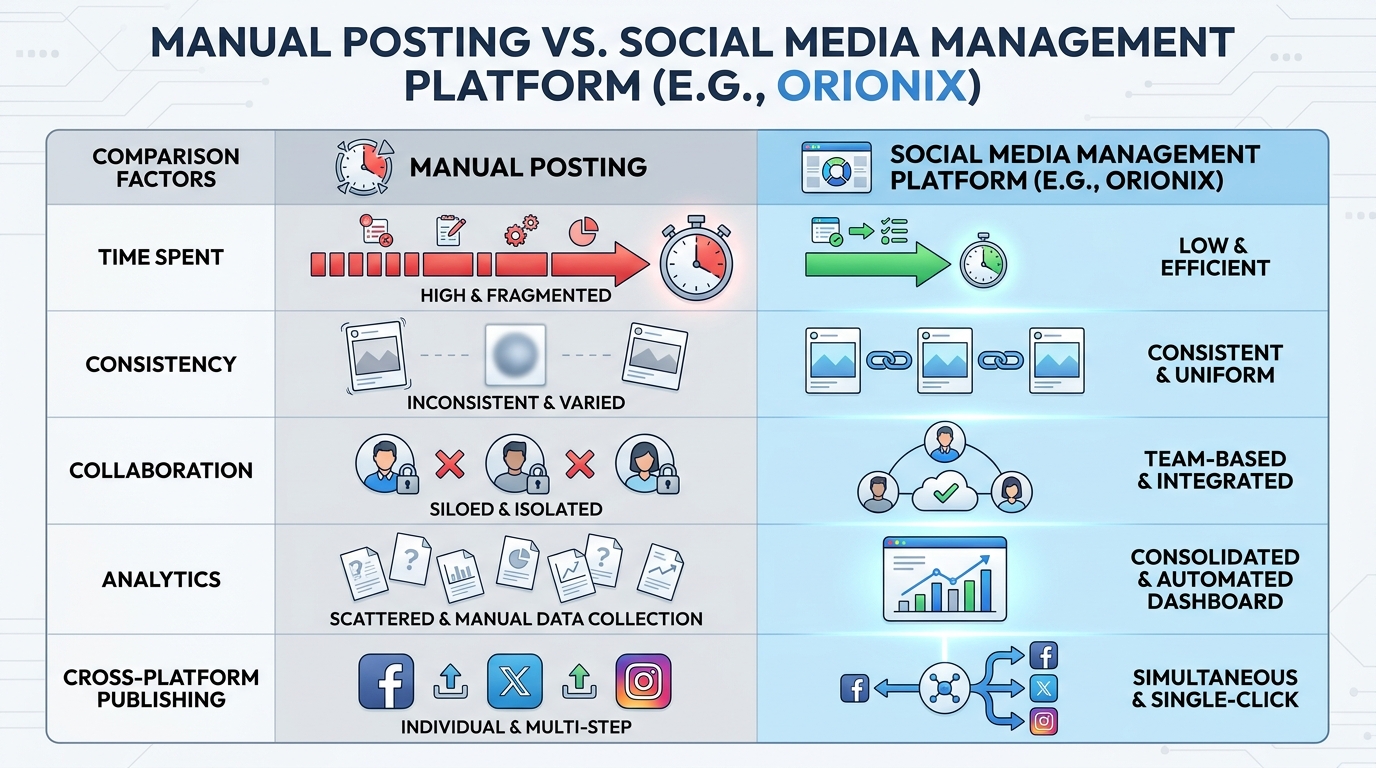
Managing several accounts manually leads to missed posts, inconsistent branding, and burnout. A dedicated platform solves these problems by streamlining your entire workflow.
Consistency is one of the biggest wins. When your content follows a schedule, your audience knows when to expect updates — and algorithms reward that reliability.
| Task | Manual Approach | With a Platform |
|---|---|---|
| Scheduling posts | Log into each app individually | Queue everything in one dashboard |
| Team approvals | Email back and forth | Built-in workflow tools |
| Analytics | Manual data collection | Automated reports |
| Consistency | Easy to forget posts | Automated scheduling |
If growing your audience is a priority, pairing a management platform with a strong content strategy is key. Learn more in this guide on how to increase website traffic organically.
Key Features to Compare Before You Choose
Not every platform offers the same capabilities. Here’s what to prioritize based on your needs and team size.
Publishing and Format Support
Different networks require different formats. For example, the recommended dimensions for Instagram posts differ from LinkedIn or Facebook. A good platform previews how your content will look on each network before you publish.
- Square (1080 x 1080 px) — classic feed posts
- Portrait (1080 x 1350 px) — maximizes vertical screen space
- Landscape (1080 x 566 px) — wider visuals
Analytics and Reporting
Data drives smart decisions. Look for platforms that report reach, engagement, follower growth, and best posting times.
Collaboration Tools
Agencies and larger teams need approval flows, user permissions, and shared calendars. These features prevent errors and keep everyone aligned.
Common Social Media Questions Answered
Managing content raises plenty of practical questions. Here are quick answers to the ones people search most.
How to Repost on Instagram
To reshare content, you can use the built-in « Share to Story » or « Repost » feature for Reels and feed posts. For older posts, third-party tools or your management platform can help you republish with proper credit. Always tag the original creator.
How to Erase Posts on Facebook
To delete a Facebook post, click the three dots in the top-right corner of the post and select « Delete. » You can also move posts to Archive if you want to hide them without permanently removing them.
How to See Who Shared Your Post on Facebook
Click on the « shares » count beneath your post to open a list of people who shared it — provided their privacy settings allow it. Public shares are always visible, while private shares may not appear.
What Does « and » Mean in Text?
People often wonder what does « & » or « and » mean in text and abbreviations. In casual messaging, « & » simply stands for « and, » connecting two ideas or items just like in standard writing.
What Does the Suffix « -on » Mean?
While the suffix « on » isn’t directly related to social media, curious users search for grammar meanings too. The suffix « -on » often denotes a particle or unit in scientific terms, though its meaning varies by word.
Reap What You Sow Definition
The phrase « reap what you sow » means you experience the consequences — good or bad — of your actions. In social media terms, consistent, quality posting eventually rewards you with a loyal audience.
How to Build a Winning Social Strategy
A management platform is only as effective as the strategy behind it. Follow these steps to get the most out of your tools.
- Define your goals: Awareness, engagement, or conversions.
- Choose your networks: Focus on where your audience actually spends time.
- Build a content calendar: Plan themes, formats, and posting frequency.
- Batch-create content: Produce in bulk, schedule ahead.
- Analyze and adjust: Use data to refine your approach.
For teams ready to grow faster, this 2026 playbook on how to scale content marketing offers actionable frameworks. You can also explore the best AI content marketing tools for 2026 to accelerate content creation.
Leverage AI to Save Time
AI tools now assist with caption writing, hashtag suggestions, and even chat automation. Consider integrating an AI chatbot platform to grow your organic traffic alongside your social strategy for round-the-clock engagement.
Choosing the Right Platform for Your Needs
Your ideal tool depends on who you are and what you manage. Here’s a quick match-up.
| User Type | Top Priorities |
|---|---|
| Solo creators | Affordable, easy scheduling, format previews |
| Small businesses | Multi-platform posting, basic analytics |
| Marketing teams | Collaboration, approval flows, reporting |
| Agencies | Multiple client accounts, white-label reports |
Whatever your role, blogging remains a powerful complement to social media. Explore content marketing blogging strategies to scale in 2026 and discover how the right online marketing company tool can boost your overall growth.
Streamline Everything with Orionix ✨
Juggling multiple networks, formats, and deadlines doesn’t have to be overwhelming. Orionix brings planning, creating, and publishing together in a single, intuitive dashboard — so you can focus on strategy instead of busywork.
From scheduling posts across all your channels to coordinating team campaigns, Orionix handles the heavy lifting. Whether you’re a solo creator or a growing agency, it scales with your ambitions.
Ready to simplify your social media management? Visit our website to see how Orionix can transform your content workflow today.
Article created using IntentRank