
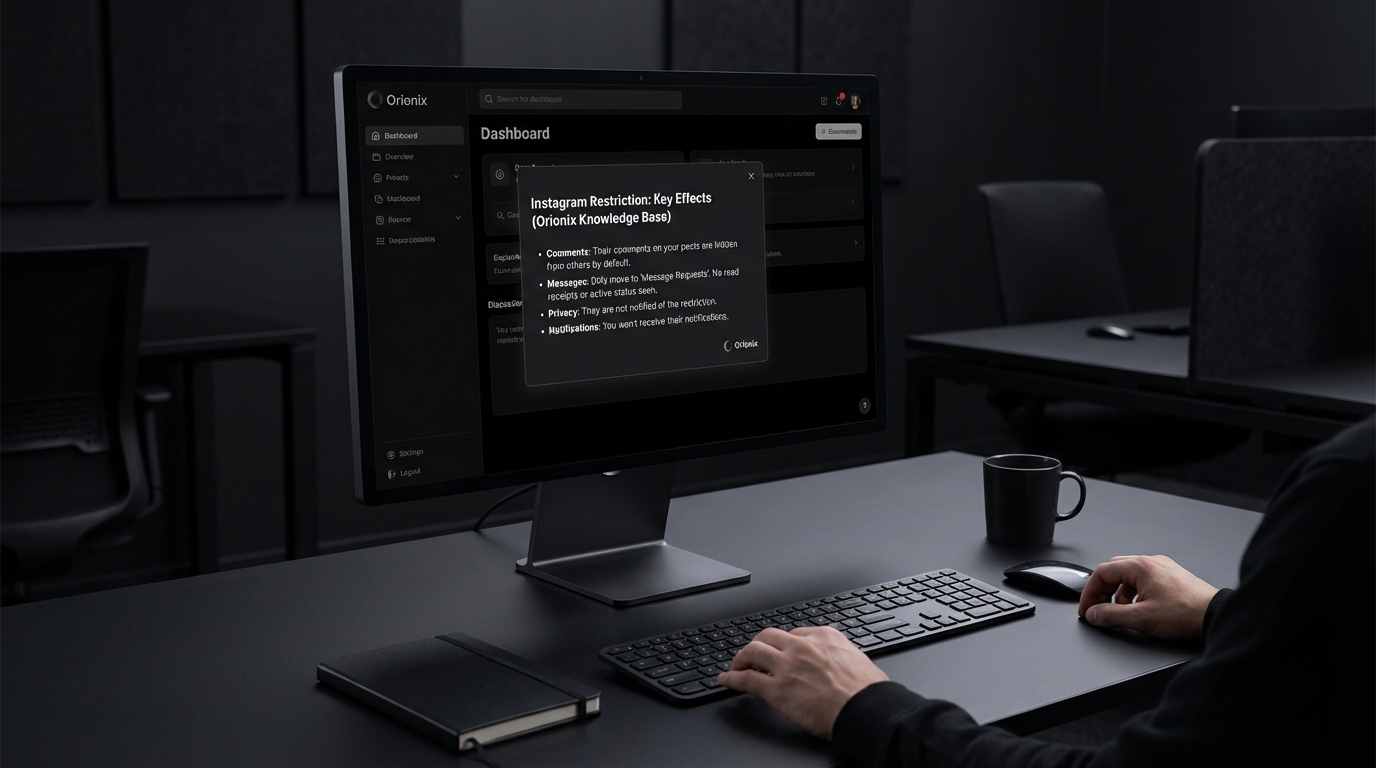
TL;DR: When you restrict someone on Instagram, they can still see your posts and comment, but their comments are only visible to them unless you approve them. They won’t see when you’re active or if you’ve read their direct messages. The restricted person isn’t notified about being restricted, making it a discreet moderation tool.
Frequently Asked Questions

What happens when you restrict someone on Instagram?
When you restrict someone on Instagram, their comments on your posts become visible only to them unless you approve them. They won’t see when you’re active or when you’ve read their direct messages. The restricted person won’t receive any notification about being restricted, making it a discreet way to limit interactions without blocking them completely.
Can a restricted person see my Instagram stories?
Yes, a restricted person can still see your Instagram stories if your account is public or if they follow you. However, they won’t appear at the top of your story viewers list. If you want to prevent them from seeing your stories entirely, you’ll need to hide your stories from them separately or block them.
How is restricting different from blocking someone on Instagram?
Restricting is more subtle than blocking on Instagram. When you restrict someone, they can still see your content and send messages, but their interactions are limited. Blocking completely prevents them from finding your profile, seeing your content, or contacting you. The restricted person won’t know they’re restricted, while blocked users can discover they’ve been blocked.
Will someone know if I restrict them on Instagram?
No, Instagram doesn’t notify users when they’ve been restricted. The restricted person can still interact with your content normally from their perspective, but their comments require your approval to be visible to others. They may eventually notice if their messages aren’t being read quickly or their comments aren’t appearing publicly.
Can restricted users still message me on Instagram?
Yes, restricted users can still send you direct messages on Instagram. However, their messages go to your message requests folder instead of your main inbox. You won’t receive notifications for their messages, and they won’t see when you’re online or if you’ve read their messages, giving you more control over communication.
How do I restrict someone on Instagram without them knowing?
To restrict someone on Instagram, go to their profile, tap the three dots in the top right corner, and select ‘Restrict.’ Alternatively, swipe left on a comment they made and tap the exclamation mark icon, then select ‘Restrict.’ This action is completely private, and the person won’t receive any notification about being restricted.
Can I unrestrict someone on Instagram after restricting them?
Yes, you can unrestrict someone on Instagram at any time. Go to your settings, select ‘Privacy,’ then ‘Restricted accounts.’ Find the person you want to unrestrict and tap ‘Unrestrict.’ Once unrestricted, they’ll regain normal interaction privileges with your account, and their comments and messages will function normally again.
What’s the best way to manage unwanted interactions on social media platforms?
The best approach depends on the situation. For mild cases, use Instagram’s restrict feature to limit interactions discreetly. For harassment or serious issues, blocking is more appropriate. Managing multiple social media platforms efficiently requires tools like Orionix, which provides a centralized dashboard for content management and monitoring interactions across various channels, helping maintain a positive online presence.
Understanding Instagram’s Restrict Feature: A Complete Guide

If you’ve ever wondered what happens when you restrict someone on Instagram, you’re not alone. This powerful privacy feature has become essential for managing unwanted interactions without the drama of blocking someone outright. Instagram’s Restrict feature offers a middle ground between blocking and allowing full access to your profile, giving you control over your social media experience while maintaining a degree of subtlety.
In today’s digital marketing landscape, understanding privacy features across social media platforms is crucial for both personal users and professionals managing brand accounts. Whether you’re a social media manager protecting your company’s reputation or an individual dealing with uncomfortable interactions, knowing how to use Instagram’s Restrict feature effectively can save you from unnecessary stress.
This comprehensive guide will walk you through everything that happens when you restrict someone on Instagram, the differences between restricting and blocking, and how to use this feature strategically for better social media management. 📱
What Is Instagram’s Restrict Feature?

Instagram’s Restrict feature is a privacy tool designed to limit someone’s interactions with your account without them knowing they’ve been restricted. Unlike blocking, which completely cuts off access and notifies the person indirectly, restricting allows you to control the visibility of someone’s comments and messages while keeping your account accessible to them.
This feature was introduced as part of Instagram’s anti-bullying initiative, providing users with a way to protect themselves from harassment while avoiding potential confrontation. It’s particularly useful for content marketers and social media marketing professionals who need to maintain professional relationships while managing inappropriate behavior.
Key Characteristics of the Restrict Feature
- Invisible to the restricted user: They won’t receive any notification that they’ve been restricted
- Comment filtering: Their comments on your posts become visible only to them unless you approve them
- Message control: Direct messages move to a separate request folder
- Activity status hidden: They can’t see when you’re active on Instagram or when you’ve read their messages
- Reversible action: You can unrestrict someone at any time without them knowing
What Happens When You Restrict Someone on Instagram: The Complete Breakdown
When you restrict someone on Instagram, several changes occur that affect how they interact with your content and profile. Understanding these changes helps you make informed decisions about managing your social media presence effectively.
1. Comment Visibility Changes 💬
The most significant change involves how comments appear. When a restricted user comments on your posts, their comments become invisible to everyone except themselves and you. This creates a unique situation where they believe their comment is public, but it’s actually hidden from your other followers.
You have three options for handling these comments:
- Approve the comment: Makes it visible to everyone on your post
- Delete the comment: Removes it entirely from the post
- Leave it restricted: Keeps it visible only to the commenter
| Action Taken | Visible to Restricted User | Visible to Other Users | Visible to You |
|---|---|---|---|
| No action (default) | Yes | No | Yes |
| Approve comment | Yes | Yes | Yes |
| Delete comment | No | No | No |
2. Direct Message Modifications 📩
Direct messages from restricted accounts undergo significant changes. Instead of appearing in your primary inbox, messages from restricted users automatically move to the Message Requests folder. This separation ensures you’re not constantly notified about unwanted communication.
Additionally, the restricted user cannot see your active status or read receipts. They won’t know if you’re currently online or if you’ve seen their messages, giving you complete control over when and how you respond.
3. Activity Status and Online Presence 🔴
One of the most valuable aspects of restricting someone is the automatic hiding of your activity status. The restricted user will no longer be able to see:
- When you’re currently active on Instagram
- When you were last active
- Whether you’ve read their direct messages
- Your typing indicators in conversations
This feature is particularly beneficial for digital marketing professionals and social media influencers who need to maintain boundaries with certain followers while continuing their regular posting schedule.
4. Story and Post Interactions 📸
Restricted users can still view your posts and stories if your account is public. However, their ability to interact becomes limited. While they can like your posts and view your stories, you won’t receive notifications for their story reactions, and their comments will remain hidden unless you approve them.
This balanced approach allows you to maintain your social media marketing strategy and continue posting at the best times to post on Instagram without worrying about immediate negative interactions from restricted accounts.
Restricting vs. Blocking: Understanding the Differences
Many users confuse restricting with blocking, but these features serve different purposes in managing your Instagram presence. Understanding the distinction is crucial for effective social media and content management.
| Feature | Restrict | Block |
|---|---|---|
| User notification | None – they don’t know | Indirect – they can discover it |
| Profile visibility | Can still view your profile | Cannot view your profile |
| Comment visibility | Hidden unless approved | Cannot comment |
| Direct messages | Moved to requests folder | Cannot send messages |
| Following status | Remains unchanged | Automatically unfollows both ways |
| Reversibility | Easy to undo silently | User may notice when unblocked |
When to Restrict vs. Block
Choose restricting when: You want to limit someone’s interactions without causing confrontation, you’re dealing with mild harassment or spam, or you need to maintain a professional relationship while setting boundaries. This is ideal for social media marketing professionals managing brand accounts.
Choose blocking when: You’re experiencing severe harassment, you want to completely cut off someone’s access to your content, or you need to protect your safety and privacy immediately. For guidance on blocking, check out how to block someone on Instagram.
How to Restrict Someone on Instagram: Step-by-Step Guide
Restricting someone on Instagram is a straightforward process that can be completed in multiple ways. Here’s how to do it effectively across different scenarios. ⚙️
Method 1: Restrict from Their Profile
- Navigate to the profile of the user you want to restrict
- Tap the three dots (•••) in the top right corner
- Select « Restrict » from the menu options
- Confirm your choice when prompted
Method 2: Restrict from Comments
- Find a comment from the user you want to restrict
- Swipe left on the comment (iOS) or tap and hold (Android)
- Select the « ! » icon or « Restrict » option
- Confirm the restriction
Method 3: Restrict from Direct Messages
- Open the conversation with the user
- Tap their name at the top of the chat
- Select « Restrict » from the options
- Confirm your decision
Managing Your Restricted List
Instagram provides a centralized location to manage all restricted accounts. Access this through Settings > Privacy > Restricted Accounts. From here, you can view everyone you’ve restricted and unrestrict them if needed.
This management feature is particularly useful for social media managers handling multiple brand accounts who need to track restricted users across different campaigns and interactions.
The Impact of Restricting on Social Media Marketing Strategies
For professionals in digital marketing and social media marketing, understanding the Restrict feature’s implications is essential for maintaining brand reputation and engagement metrics. Research on social media platforms and their impact on wellbeing has shown the importance of managing negative interactions effectively.
According to research published in PLoS One, social media usage patterns significantly affect user wellbeing and performance. While this study focused on restricting overall social media usage rather than specific users, it demonstrates the importance of controlling your social media environment for optimal mental health and productivity. 🧠
Benefits for Content Marketers
- Maintains engagement metrics: Restricted users can still like and view content, preserving your engagement numbers
- Protects brand reputation: Negative comments remain hidden from public view unless you choose to address them
- Preserves professional relationships: You can restrict clients or colleagues without creating awkward situations
- Reduces moderation time: Automatically filters problematic comments without constant monitoring
Considerations for Influencers and Brands
Social media influencers and brands must balance authenticity with protection. The Restrict feature allows you to gain followers on Instagram while maintaining control over your comment sections and direct message interactions.
When implementing this feature as part of your social media marketing strategy, consider how it affects your overall engagement strategy. While restricted users can still interact with your content, their hidden comments won’t contribute to the visible engagement that attracts new followers.
Privacy Concerns and Instagram’s Teen Protection Efforts
Instagram has faced scrutiny regarding its impact on users, particularly minors. The platform’s privacy features, including the Restrict function, play a crucial role in user protection. However, concerns remain about whether these tools are sufficient.
Research into Instagram’s effects on mental health has prompted discussions about how features like Restrict can help minimize harmful interactions. The American Psychological Association has explored ways to minimize Instagram’s harmful effects, highlighting the importance of user control over their social media experience.
The Role of Restrict in Digital Wellbeing
The Restrict feature contributes to digital wellbeing by:
- Empowering users to control their social media environment
- Reducing exposure to cyberbullying and harassment
- Allowing users to maintain connections while setting boundaries
- Providing a non-confrontational approach to managing difficult interactions
For parents and guardians managing teen accounts, understanding the Restrict feature is essential. It provides an alternative to completely deleting accounts or deactivating Instagram, allowing young users to learn healthy boundary-setting in digital spaces.
Advanced Tips for Using the Restrict Feature Effectively
Maximizing the benefits of Instagram’s Restrict feature requires strategic implementation. Here are advanced tips for social media professionals and regular users alike. 🎯
1. Combine with Other Privacy Features
Use the Restrict feature alongside other Instagram privacy settings for comprehensive protection. Consider:
- Making your account private to control who follows you initially
- Using keyword filters to automatically hide comments containing specific words
- Enabling comment controls to limit who can comment on your posts
- Utilizing the « Hide Story From » feature for additional story privacy
2. Monitor Restricted User Activity Periodically
Regularly review your restricted accounts list to assess whether users should remain restricted. Some situations improve over time, while others may require escalation to blocking. This is particularly important for small business social media marketing where customer relationships matter.
3. Document Problematic Behavior
Before restricting someone, consider documenting their problematic comments or messages. This creates a record if the situation escalates and you need to report the account to Instagram or take further action.
| Situation Type | Recommended Action | Follow-up Strategy |
|---|---|---|
| Mild spam comments | Restrict immediately | Review after 30 days |
| Personal disagreement | Restrict temporarily | Unrestrict when resolved |
| Persistent harassment | Restrict and document | Escalate to blocking if continues |
| Professional boundary | Restrict indefinitely | Maintain restriction long-term |
4. Communicate Boundaries (When Appropriate)
While the Restrict feature works silently, there may be situations where directly communicating your boundaries is more effective. For professional accounts, consider creating clear community guidelines that outline acceptable behavior, reducing the need for restrictions.
Common Misconceptions About Restricting on Instagram
Several myths surround Instagram’s Restrict feature that can lead to confusion. Let’s clarify the most common misconceptions. ❌
Myth 1: Restricted Users Are Notified
Reality: Instagram does not send any notification when you restrict someone. The feature is designed to work silently, allowing you to manage interactions without confrontation.
Myth 2: Restricting Affects Your Follower Count
Reality: Restricting someone does not change your follower count. If they follow you, they’ll continue following you after being restricted. This differs from blocking, which removes the follower connection. This is important when trying to increase your Instagram views and maintain your follower base.
Myth 3: Restricted Users Can’t See Your Posts
Reality: If your account is public, restricted users can still see all your posts and stories. The restriction only affects their ability to interact visibly and directly message you normally.
Myth 4: You Can’t Unrestrict Someone
Reality: Restricting is completely reversible. You can unrestrict someone at any time through their profile or your restricted accounts list, and they won’t be notified of either action.
Integrating Restrict into Your Social Media Management Workflow
For social media managers and digital marketing professionals, the Restrict feature should be part of a comprehensive social media management strategy. Platforms like Hootsuite for social media management can help you track interactions and identify accounts that may need restriction.
Building a Restriction Protocol
Create a clear protocol for when to restrict accounts on brand profiles:
- Identify trigger behaviors: Define what constitutes restrictable behavior (spam, mild harassment, off-topic comments)
- Establish decision-makers: Determine who has authority to restrict accounts
- Document restrictions: Keep records of restricted accounts and reasons
- Review regularly: Schedule monthly reviews of restricted accounts
- Escalation path: Define when to escalate from restrict to block or report
Balancing Engagement and Protection
The key to successful social media and content management is finding the balance between open engagement and necessary protection. The Restrict feature allows you to maintain this balance without sacrificing your social media marketing goals.
Consider how restriction fits into your broader content strategy. While managing negative interactions, continue focusing on posting quality content at the best time to post on Instagram to maximize reach and engagement with your genuine audience.
Alternatives to Restricting: Other Instagram Management Options
While restricting is powerful, Instagram offers several other tools for managing your account and interactions. Understanding all available options helps you choose the right approach for each situation. 🛠️
Comment Filtering and Moderation
Instagram’s automatic and manual comment filters can work alongside the Restrict feature:
- Automatic filters: Instagram can automatically hide comments that appear offensive
- Manual keyword filters: Add specific words or phrases to automatically hide comments containing them
- Comment controls: Limit commenting to people you follow or followers only
- Pin comments: Highlight positive comments to set the tone for your post
Account Privacy Settings
Before resorting to restriction or blocking, consider adjusting your overall privacy settings:
- Switch to a private account to control who can follow you
- Disable comments on specific posts that might attract negativity
- Hide your story from specific users without restricting them
- Control who can tag you in photos and posts
When to Consider Account Deactivation
In extreme cases where multiple users are causing problems, you might consider temporary deactivation. Learn more about how to deactivate Instagram if you need a break from the platform. However, this should be a last resort, as it affects your entire social media presence.
The Future of Privacy Features on Social Media Platforms
As social media platforms continue evolving, privacy features like Instagram’s Restrict function will likely become more sophisticated. Understanding current tools prepares you for future developments in digital marketing and social media management. 🔮
Emerging Trends in Social Media Privacy
Several trends are shaping the future of privacy controls across social media platforms:
- AI-powered moderation: Automated systems that identify and restrict problematic accounts before manual intervention
- Granular control options: More specific settings for different types of interactions
- Cross-platform privacy: Unified privacy settings across multiple social media accounts
- Temporary restrictions: Time-limited restrictions that automatically expire
These developments will impact how content marketers and social media professionals manage their online presence. Staying informed about privacy features helps you adapt your social media marketing strategies effectively.
Measuring the Impact of Using Restrict on Your Account
Understanding how restricting users affects your overall Instagram performance is crucial for data-driven decision-making in digital marketing. While Instagram doesn’t provide specific analytics about restricted users, you can track indirect impacts. 📊
Key Metrics to Monitor
| Metric | What to Watch | Expected Impact |
|---|---|---|
| Comment quality | Positive vs. negative sentiment | Should improve as negative comments are filtered |
| Engagement rate | Likes, shares, saves per post | May slightly decrease but quality improves |
| DM response time | How quickly you respond to messages | Should improve with fewer spam messages |
| Time spent moderating | Hours per week managing comments | Should decrease significantly |
Balancing Metrics with Mental Health
While metrics matter in social media marketing, the mental health benefits of using the Restrict feature shouldn’t be overlooked. Research has shown that managing negative interactions on social media platforms can significantly improve user wellbeing and performance.
For professionals managing multiple accounts through social media and content management platforms, the Restrict feature reduces stress and allows focus on creating quality content rather than managing drama.
Best Practices for Professional Accounts
Professional accounts, whether for personal branding or business purposes, require special consideration when using the Restrict feature. Here’s how to maintain professionalism while protecting your digital space. 💼
For Social Media Managers
When managing brand accounts, create a tiered response system:
- First offense: Monitor and document the behavior
- Second offense: Restrict the account and continue monitoring
- Persistent issues: Escalate to blocking and consider reporting
- Severe violations: Block immediately and report to Instagram
For Content Creators and Influencers
Influencers face unique challenges with negative interactions. Use the Restrict feature to:
- Manage trolls without giving them the attention they seek
- Protect your comment sections from spam that could deter sponsors
- Maintain a positive community atmosphere for genuine followers
- Handle criticism constructively while filtering out harassment
Remember that building a positive community helps you grow your Instagram presence organically while maintaining your mental health and professional reputation.
Legal and Ethical Considerations
While the Restrict feature is a personal choice, certain situations require careful consideration of legal and ethical implications, especially for business accounts and public figures. ⚖️
When Restriction Might Not Be Enough
Certain behaviors require more serious action than restriction:
- Threats of violence: Report immediately to Instagram and local authorities
- Doxxing or sharing private information: Report and consider legal action
- Impersonation: Report through Instagram’s impersonation reporting system
- Coordinated harassment: Document and report multiple accounts involved
Ethical Use of Privacy Features
For businesses and public figures, consider the ethical implications of restricting users:
- Don’t restrict users simply for disagreeing with you or providing constructive criticism
- Be consistent in applying your restriction criteria across all users
- Consider transparency about your community guidelines and moderation policies
- Document your decision-making process for potential audits or reviews
Conclusion: Taking Control of Your Instagram Experience
Understanding what happens when you restrict someone on Instagram empowers you to create a healthier, more positive social media environment. This feature represents Instagram’s recognition that users need nuanced tools for managing their digital interactions beyond the binary choice of allowing full access or blocking completely.
Whether you’re a social media manager protecting brand reputation, a content creator maintaining a positive community, or an individual user setting personal boundaries, the Restrict feature offers a powerful solution. By making comments invisible to others, moving messages to requests, and hiding your activity status, you can effectively manage unwanted interactions without the confrontation that blocking might cause.
The key to maximizing this feature’s benefits lies in understanding its capabilities and limitations. While it won’t completely eliminate problematic users from your Instagram experience, it significantly reduces their impact on your daily interactions and mental wellbeing. Combined with other privacy settings and moderation tools, restriction becomes part of a comprehensive strategy for maintaining a healthy presence across social media platforms.
As digital marketing and social media marketing continue evolving, tools like the Restrict feature will become increasingly important for managing online communities and protecting digital wellbeing. Stay informed about updates to Instagram’s privacy features and adjust your strategies accordingly to maintain optimal control over your social media experience.
Ready to take your social media management to the next level? Visit Orionix to discover how our centralized platform can help you plan, create, and publish content across all your social media channels from a single dashboard. Streamline your content management process while maintaining the privacy and control you need for successful digital marketing. Start optimizing your social media workflow today! 🚀
Article created using IntentRank