
TL;DR: TL;DR: Sites for Instagram are third-party tools that help you plan, create, schedule, and publish content more efficiently. Platforms like Orionix let you manage Instagram alongside other social networks from a single dashboard, streamlining your workflow. The best sites for Instagram save time, improve consistency, and simplify multi-platform content management for creators and businesses.
Sites for Instagram: The Complete Guide to Tools, Platforms, and Best Practices
Finding the right sites for Instagram can transform how you plan, create, and publish content across your digital channels. Whether you manage a single business account or juggle dozens of client profiles, the right tools help you save time, maintain consistency, and grow your audience. This guide explores the best platforms, dimensions, and strategies that connect social media and everyday content workflows. 📱
From scheduling posts to understanding common terms like what does and mean in text, this comprehensive resource covers everything creators and marketers need to master Instagram in 2026.
Frequently Asked Questions
What are the best sites for Instagram content management?
The best sites for Instagram include social media management platforms like Orionix, which let you plan, create, and publish content from a single dashboard. These tools offer scheduling, analytics, and multi-platform posting features. Choosing a platform that supports Instagram alongside other networks helps streamline your workflow and maintain a consistent posting schedule across all channels.
What are the correct dimensions for an Instagram post?
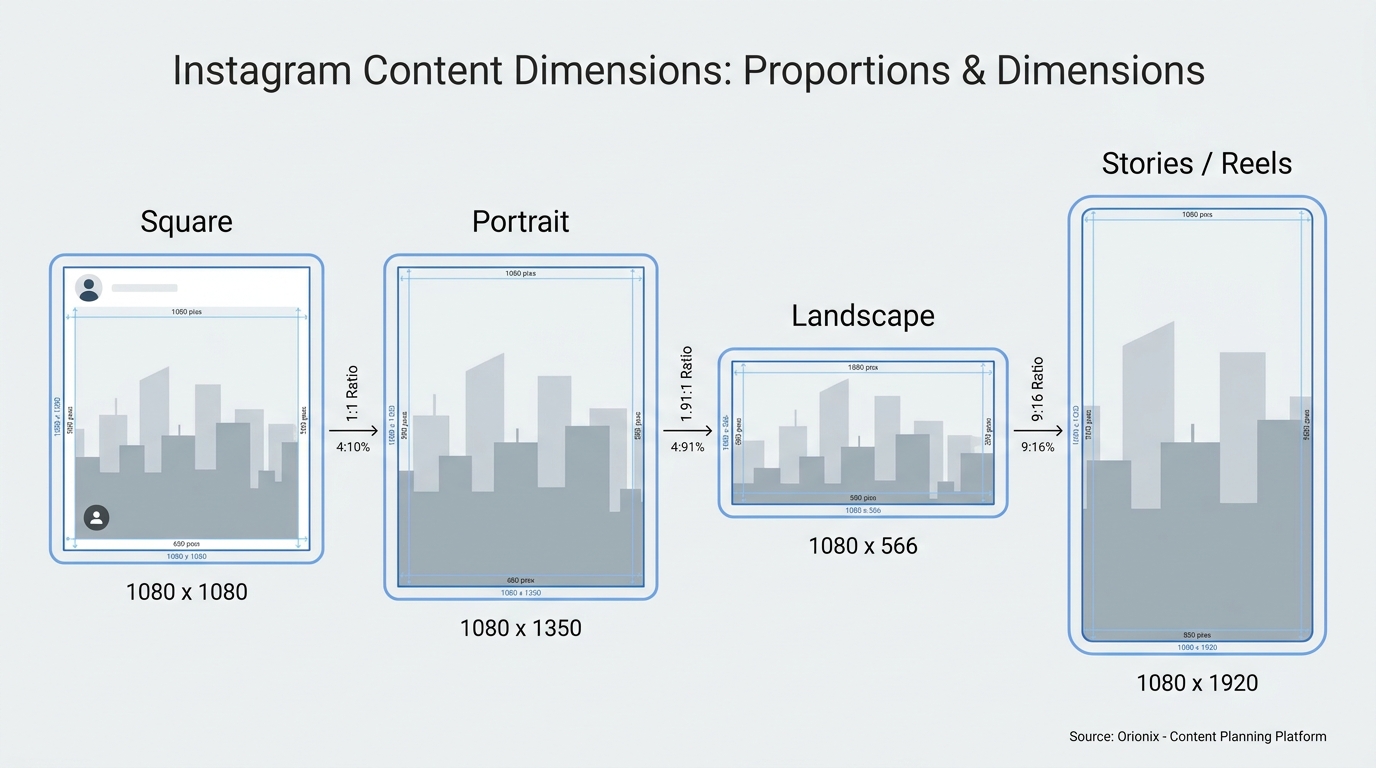
The ideal dimensions for an Instagram post are 1080 x 1080 pixels for square images, 1080 x 1350 pixels for portrait, and 1080 x 566 pixels for landscape. Stories and Reels use 1080 x 1920 pixels. Using the correct dimensions ensures your content displays clearly without cropping, helping maintain visual quality across devices and boosting engagement.
How do you repost on Instagram?
To repost on Instagram, tap the paper airplane icon under a post, then select « Add post to your story » to share it in Stories. For feed reposts, use a third-party app or a social media management platform like Orionix. Always credit the original creator by tagging their account to respect copyright and maintain community trust.
What is the difference between social media and social media marketing?
Social media refers to platforms like Instagram, Facebook, and TikTok where people share content and connect. Social media marketing is the strategic use of these platforms to promote a brand, engage audiences, and drive sales. Marketing involves planning, content creation, scheduling, and analytics—often managed through platforms like Orionix for efficient multi-channel campaigns.
Why should I use social media management platforms for Instagram?
Social media management platforms save time by letting you schedule posts, manage multiple accounts, and track performance from one dashboard. Tools like Orionix help you plan Instagram content in advance, maintain consistency, and analyze engagement metrics. This centralized approach reduces manual posting, improves organization, and supports data-driven decisions for growing your audience.
How can I see who shared my post on Facebook?
To see who shared your Facebook post, click the number next to the « Share » icon beneath your post. A window opens listing public shares and the accounts that shared it. Note that shares from private profiles or private groups may not appear. This feature helps you track reach and identify engaged followers who are amplifying your content.
How do you erase posts on Facebook?
To erase posts on Facebook, go to the post, click the three-dot menu in the top-right corner, and select « Move to trash » or « Delete. » Deleted posts stay in your trash for 30 days before permanent removal. You can also bulk-manage posts through Facebook’s Activity Log for faster cleanup of older content.
Can I schedule Instagram posts on multiple sites at once?
Yes, social media management platforms like Orionix let you schedule Instagram posts alongside other networks such as Facebook, TikTok, and LinkedIn simultaneously. From one dashboard, you can create, customize, and publish content across multiple sites at once. This cross-posting capability saves time and ensures consistent branding across all your social media channels.
Why You Need Dedicated Sites for Instagram
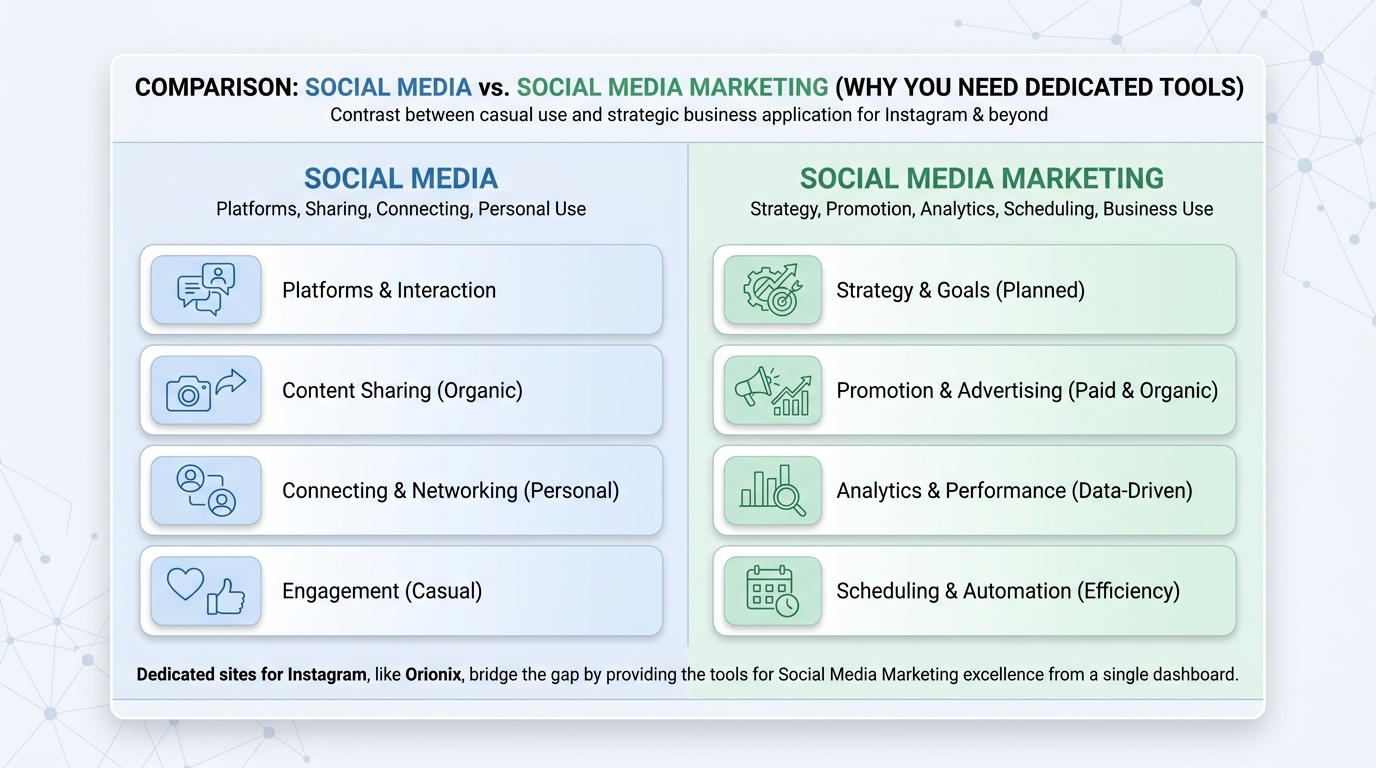
Instagram is no longer just a photo-sharing app. It’s a central hub for social media marketing, brand building, and commerce. Managing it effectively requires more than the native mobile app.
Dedicated tools and websites give you superpowers the app alone can’t match:
- 🗓️ Schedule posts in advance across multiple accounts
- 📊 Analyze performance with detailed metrics
- 🎨 Design graphics at correct dimensions
- 🤝 Collaborate with team members and clients
- ♻️ Repurpose content across other platforms
For teams coordinating cross-platform campaigns, a single dashboard eliminates the chaos of switching between apps and tabs. This is where social media management platforms become essential.
Types of Sites for Instagram You Should Know
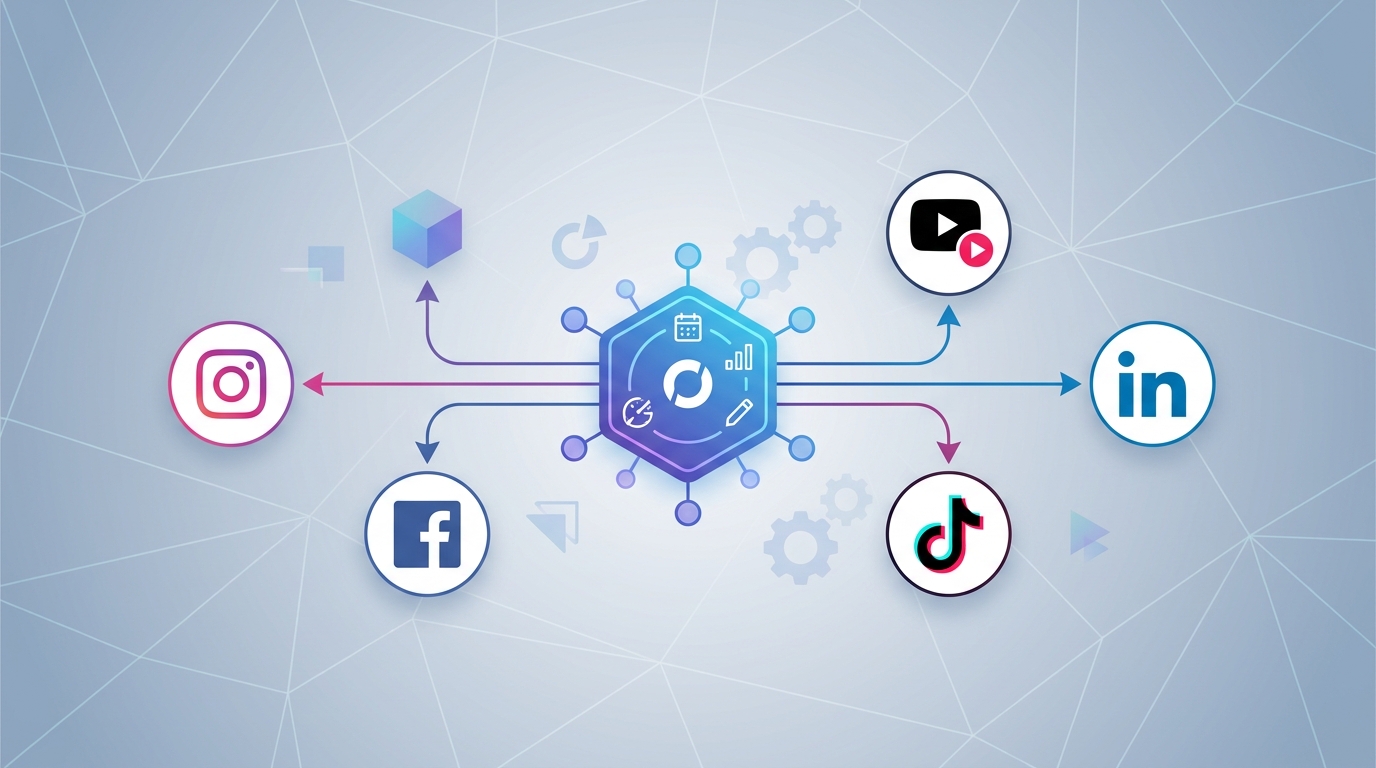
Not all Instagram tools serve the same purpose. Understanding the categories helps you build the right toolkit for your needs.
Scheduling and Publishing Platforms
These sites let you plan and auto-publish content. They’re the backbone of any serious content strategy. A good scheduler shows a visual calendar so you can see your entire feed at a glance.
Design and Editing Tools
Design platforms help you create scroll-stopping visuals. Many offer templates pre-sized for Instagram, saving you from guessing the correct dimensions for Instagram post content.
Analytics and Reporting Sites
These tools reveal what’s working. They track follower growth, engagement rates, and the best times to post. Data-driven decisions consistently outperform guesswork.
All-in-One Dashboards
The most efficient option combines all of the above. Platforms like Orionix allow you to plan, create, and publish across multiple channels from one place.
Correct Dimensions for Instagram Post Content
Using the right image sizes ensures your content looks professional and never gets awkwardly cropped. Below is a quick reference table for the most common formats.
| Content Type | Aspect Ratio | Recommended Pixels |
|---|---|---|
| Square Post | 1:1 | 1080 × 1080 |
| Portrait Post | 4:5 | 1080 × 1350 |
| Landscape Post | 1.91:1 | 1080 × 566 |
| Stories & Reels | 9:16 | 1080 × 1920 |
| Profile Picture | 1:1 | 320 × 320 |
Portrait posts (4:5) take up more screen space in the feed, which often leads to higher engagement. Always design at these dimensions for Instagram post layouts to keep your feed looking polished.
Common Instagram and Social Media Terms Explained
Social media has its own language. Understanding these terms helps you communicate clearly and interpret captions correctly.
What Does « and » Mean in Text?
If you’ve wondered what does and mean in text messaging or captions, « and » (often stylized as « & » or « n ») simply connects two ideas or people. In casual social media posts, it signals continuation or togetherness.
What Does the Suffix « -on » Mean?
Curious about what does the suffix on mean? The suffix « -on » often denotes a particle, unit, or state of being. In tech and social contexts, it can appear in usernames, brand names, and hashtags to convey action or presence.
The « Reap What You Sow » Definition
The reap what you sow definition is a proverb meaning your results reflect your efforts. In social media marketing, it’s a powerful reminder: consistent, quality posting harvests loyal followers, while neglect yields silence. 🌱
How to Repost on Instagram the Right Way
Resharing great content builds community and fills your calendar. Here’s how to repost on Instagram effectively and ethically.
- Ask permission from the original creator when required.
- Use Instagram’s native « Share to Stories » for quick reshares.
- For feed reposts, use a dedicated repost tool or app.
- Always credit the original account with a tag and caption mention.
- Add your own commentary to make the repost valuable.
Reposting user-generated content is one of the most authentic forms of social media marketing. It builds trust and rewards your community for engaging with your brand.
Managing Facebook Alongside Instagram
Since Instagram and Facebook share a parent company, many creators manage both together. Understanding cross-platform features saves time.
How to Erase Posts on Facebook
Learning how to erase posts on Facebook keeps your profile clean and on-brand. Simply open the post, click the three-dot menu, and select « Move to trash. » Deleted posts sit in the trash for 30 days before permanent removal.
How to See Who Shared Your Post on Facebook
Wondering how to see who shared your post on Facebook? Click the « shares » count beneath your post. This reveals public accounts that reshared your content, helping you identify brand advocates and measure reach.
These small management skills complement your Instagram strategy and keep your entire social media and content ecosystem organized.
Choosing the Best Social Media Management Platforms
With so many options, selecting the right tool depends on your goals, team size, and budget. Consider these factors when comparing social media management platforms.
| Feature | Why It Matters |
|---|---|
| Multi-platform publishing | Post to Instagram, Facebook, TikTok, and more at once |
| Visual content calendar | Plan and preview your feed weeks ahead |
| Analytics dashboard | Track growth and optimize strategy |
| Team collaboration | Assign roles and approve content |
| Content creation tools | Design without leaving the platform |
The best platforms unify creation, scheduling, and analytics. This reduces friction and lets you focus on strategy rather than logistics.
Growing Traffic Beyond Instagram
Instagram works best as part of a larger digital presence. Driving followers to your website multiplies your marketing impact.
To expand your reach, explore these proven strategies:
- Learn how to increase website traffic organically to build lasting visibility.
- If you run an online store, discover how to drive traffic to your Shopify store using social channels.
- Optimize your conversion pages with tips on landing page SEO to boost rankings and convert visitors fast.
Integrating Instagram with your broader web strategy ensures every post contributes to measurable business growth. Remember the reap what you sow definition: consistent effort across channels compounds over time. 🚀
Best Practices for Instagram Success
Combining the right tools with smart habits produces the best results. Follow these evergreen guidelines.
- Post consistently: A regular schedule keeps your audience engaged.
- Use correct dimensions: Always match the dimensions for Instagram post formats.
- Engage authentically: Reply to comments and DMs promptly.
- Repurpose smartly: Learn how to repost on Instagram to share valuable content.
- Track results: Use analytics to refine your approach.
These practices apply whether you’re a solo creator or a digital agency managing dozens of accounts. The fundamentals of social media marketing remain constant.
Bring It All Together with Orionix
Managing Instagram alongside every other channel doesn’t have to be overwhelming. The right sites for Instagram simplify planning, creation, and publishing into one seamless workflow.
Orionix gives social media managers, content creators, marketing teams, and small business owners a single dashboard to plan, create, and publish content across multiple platforms. Stop juggling apps and start growing your presence with confidence. 💼
Ready to streamline your social media strategy? Visit our website to see how Orionix can transform the way you manage Instagram and every channel that matters to your brand.
Article created using IntentRank