
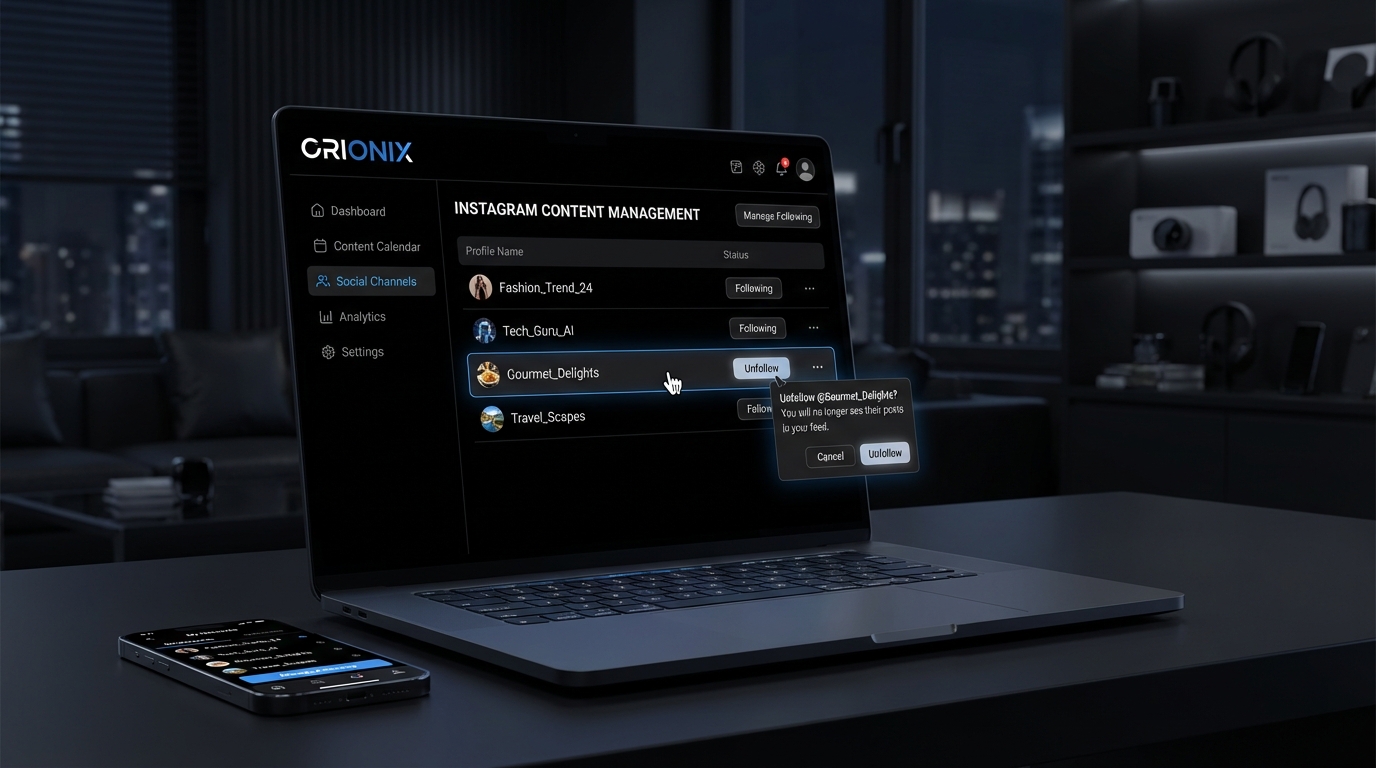
TL;DR: To unfollow on Instagram, go to the profile you want to unfollow, tap the « Following » button, and select « Unfollow » from the menu. Alternatively, access your following list through your profile settings, find the account, and tap « Following » to unfollow. This process helps you manage your Instagram feed and connections effectively.
Frequently Asked Questions

How do you unfollow on Instagram?
To unfollow someone on Instagram, go to their profile and tap the ‘Following’ button. A menu will appear with the option to ‘Unfollow.’ Confirm your choice, and you’ll stop seeing their content in your feed. Alternatively, you can manage your following list by going to your profile, tapping ‘Following,’ and unfollowing accounts directly from there.
Can you unfollow multiple people at once on Instagram?
Instagram doesn’t offer a native feature to unfollow multiple accounts simultaneously. You must unfollow each account individually by visiting their profile or your following list. However, third-party apps claim to offer bulk unfollowing, but use them cautiously as they may violate Instagram’s terms of service and risk account suspension or security issues.
Will someone know if I unfollow them on Instagram?
Instagram doesn’t send notifications when you unfollow someone. However, users may notice if they regularly check their follower count or specifically look at their followers list. For public accounts, anyone can see who follows them. If you unfollow and then view their stories or posts frequently, they might notice your absence from their follower list.
How do you mass unfollow on Instagram without getting blocked?
To avoid Instagram’s spam detection when unfollowing multiple accounts, limit your actions to 200 unfollows per day and space them out over several hours. Take breaks between unfollows, avoid using automation tools, and vary your activity by engaging with content naturally. Instagram’s algorithm flags suspicious behavior, so gradual, human-like unfollowing patterns help prevent temporary blocks or restrictions.
What’s the difference between unfollowing and blocking on Instagram?
Unfollowing removes someone’s content from your feed but allows them to still follow you and view your public posts. Blocking prevents all interaction—they can’t see your profile, posts, or stories, and any existing follows are removed. Unfollowing is discreet for managing your feed, while blocking is for stopping unwanted contact or harassment completely.
How do you unfollow inactive accounts on Instagram?
To identify and unfollow inactive accounts, review your following list manually and check for accounts with outdated posts or no recent activity. Third-party apps can analyze account activity, showing last post dates and engagement levels. Regularly auditing your following list helps maintain a quality feed. For social media marketing purposes, tools like Orionix can help manage multiple accounts efficiently.
Can you see who unfollowed you on Instagram?
Instagram doesn’t provide a built-in feature to see who unfollowed you. You can manually compare your current followers list with previous records, but this is time-consuming. Third-party apps offer unfollower tracking by monitoring your follower list over time, but they require account access. Regular follower audits help social media platforms users understand their audience growth and engagement patterns.
How does unfollowing affect Instagram engagement and algorithm?
Unfollowing accounts declutters your feed and helps Instagram’s algorithm show you more relevant content from accounts you actively engage with. Strategic unfollowing improves your feed quality and engagement rates. For digital marketing professionals managing multiple social media platforms, maintaining a curated following list ensures better content discovery and more meaningful interactions aligned with your marketing goals.
Understanding How to Unfollow on Instagram: Your Complete Guide

Managing your Instagram following list is an essential part of maintaining a healthy social media presence. Whether you’re a content creator optimizing your feed or a business professional curating your digital marketing connections, knowing how do you unfollow on Instagram is crucial for keeping your social media platforms organized and relevant to your interests.
Instagram has become one of the most influential social media platforms, with users following hundreds or even thousands of accounts. Over time, your interests change, and your feed can become cluttered with content that no longer resonates with you. This comprehensive guide will walk you through every method of unfollowing accounts, from individual users to mass unfollowing strategies.
Understanding the unfollowing process is particularly important for those involved in social media marketing and digital marketing, as maintaining a curated following list directly impacts your engagement rates and content discovery. Let’s explore all the ways you can manage your Instagram connections effectively. 📱
Why Unfollowing Matters for Your Instagram Strategy

Before diving into the technical steps, it’s important to understand why strategic unfollowing is essential for your Instagram presence. Your following list directly influences your feed algorithm, content recommendations, and overall user experience on the platform.
Impact on Your Content Feed Quality
Instagram’s algorithm prioritizes content from accounts you engage with most frequently. When your following list is cluttered with inactive or irrelevant accounts, your feed becomes less valuable. By unfollowing strategically, you ensure that you see content that matters most to your interests or business goals.
- Improved engagement rates: A curated feed leads to more meaningful interactions
- Better content discovery: Instagram’s algorithm shows you more relevant suggestions
- Time efficiency: Spend less time scrolling through irrelevant posts
- Professional branding: Maintain a following-to-follower ratio that supports your credibility
Benefits for Social Media Marketing Professionals
For those working in marketing digital marketing and social media marketing, maintaining a clean following list is part of professional account management. It helps you stay focused on competitor analysis, industry trends, and relevant content inspiration without unnecessary distractions.
Understanding best times to post on Instagram and the best time to post on Instagram becomes more effective when your feed reflects your target audience and industry standards. A well-curated following list supports better market research and competitive intelligence. 🎯
How Do You Unfollow on Instagram: Step-by-Step Methods
Instagram offers several ways to unfollow accounts, each suited to different situations. Let’s explore each method in detail so you can choose the approach that works best for your needs.
Method 1: Unfollowing Individual Accounts from Their Profile
This is the most straightforward method and works perfectly when you want to unfollow specific accounts one at a time. Here’s exactly how to do it:
- Open the Instagram app on your mobile device or access Instagram through your web browser
- Navigate to the profile of the account you want to unfollow
- Locate the « Following » button directly below their bio section
- Tap or click the « Following » button once
- Confirm your action by selecting « Unfollow » from the pop-up menu
The account will be immediately removed from your following list, and you’ll no longer see their posts in your feed. This method is ideal for unfollowing a few specific accounts without affecting your entire following list.
Method 2: Unfollowing from Your Feed
You can also unfollow accounts directly from your Instagram feed without visiting their profile. This quick method saves time when you’re scrolling and encounter content from accounts you no longer wish to follow:
- Locate a post from the account you want to unfollow in your feed
- Tap the three dots (•••) in the upper right corner of the post
- Select « Unfollow » from the menu options
- Confirm your decision if prompted
This streamlined approach is particularly useful when you’re actively using Instagram and want to make quick decisions about your following list. ⚡
Method 3: Managing Follows from Your Following List
When you need to review and clean up multiple accounts, accessing your complete following list provides the most comprehensive view. Similar to how to unfollow on Instagram efficiently, this method allows for systematic account management:
- Go to your Instagram profile by tapping your profile picture
- Tap on the « Following » number displayed below your bio
- Scroll through your following list to review accounts
- Tap the « Following » button next to any account you wish to unfollow
- Confirm the unfollow action
This method is excellent for periodic audits of your following list, allowing you to identify inactive accounts, spam profiles, or accounts that no longer align with your interests.
| Method | Best For | Speed | Use Case |
|---|---|---|---|
| From Profile | Individual accounts | Moderate | Specific unfollows with intention |
| From Feed | Quick decisions | Fast | Real-time content curation |
| From Following List | Bulk review | Moderate | Periodic account audits |
| Third-Party Tools | Mass unfollowing | Very Fast | Major cleanups (use cautiously) |
Advanced Unfollowing Strategies for Account Management
Beyond the basic methods, there are strategic approaches to unfollowing that can help you maintain an optimal Instagram presence. These strategies are particularly valuable for businesses, influencers, and professionals managing their personal brand.
The 80/20 Rule for Following Management
Apply the Pareto Principle to your Instagram following: identify the 20% of accounts that provide 80% of your value. These might be industry leaders, close connections, or accounts that consistently inspire your content strategy.
Review your following list quarterly and unfollow accounts that don’t fall into these categories. This keeps your feed fresh and relevant without requiring constant maintenance. For those managing multiple social media platforms, this principle applies across all channels. 📊
Unfollowing Inactive Accounts
Inactive accounts clutter your following list without providing any value. Identify accounts that haven’t posted in several months and consider unfollowing them. These accounts don’t contribute to your feed and may never return to the platform.
Signs an account is inactive include:
- No posts in the last 6-12 months
- Account hasn’t responded to comments or messages
- Profile picture or bio hasn’t been updated
- No story activity for extended periods
Managing Follow-Back Relationships
Many users follow accounts expecting a follow-back, then unfollow shortly after. If you notice accounts that followed you briefly and then unfollowed, you’re not obligated to continue following them. Regular audits help identify these relationships.
This is different from understanding how to know if someone blocked you on Instagram, as unfollowing is a mutual action while blocking restricts access entirely. 🔄
Using Third-Party Tools for Bulk Unfollowing
While Instagram’s native features work well for individual unfollows, third-party tools can help when you need to manage large following lists. However, these tools must be used carefully to avoid violating Instagram’s terms of service.
Understanding Instagram’s Rate Limits
Instagram implements strict rate limits to prevent spam and bot-like behavior. Unfollowing too many accounts too quickly can trigger these limits, potentially resulting in temporary action blocks or even account suspension.
Safe unfollowing practices include:
- Limit unfollows to 200 accounts per day maximum
- Space out unfollowing actions throughout the day
- Avoid using automated bots that unfollow without human intervention
- Take breaks between unfollowing sessions
Recommended Approaches for Mass Unfollowing
If you need to unfollow a large number of accounts, consider using tools that help you identify which accounts to unfollow rather than automating the unfollowing process itself. Tools like social media influencer tools can help manage multiple platforms from a centralized dashboard.
Manual unfollowing with strategic tools provides the best balance between efficiency and account safety. These approaches respect Instagram’s community guidelines while still allowing effective account management. ⚙️
What Happens When You Unfollow Someone on Instagram
Understanding the implications of unfollowing helps you make informed decisions about your account management strategy. Let’s explore what changes when you unfollow an account.
Immediate Effects of Unfollowing
When you unfollow someone on Instagram, several things happen instantly. Their posts immediately stop appearing in your feed, and you’ll no longer see their stories in your story bar. However, you can still visit their profile and view their content if their account is public.
The person you unfollowed receives no notification about your action. Instagram doesn’t alert users when someone unfollows them, maintaining privacy for both parties. This is distinctly different from blocking, where access is completely restricted.
Can They Tell You Unfollowed Them?
While Instagram doesn’t send notifications, users can discover they’ve been unfollowed by checking their follower list or noticing your absence from their followers. Third-party apps also track follower changes, though Instagram discourages their use.
For most casual connections, people won’t notice or care about unfollows. However, close friends or business contacts might notice if they regularly check their follower count or use tracking tools. 👥
Re-following After Unfollowing
You can re-follow any account you’ve previously unfollowed at any time. Simply visit their profile and tap the « Follow » button. If their account is public, you’ll immediately start seeing their content again. For private accounts, you’ll need to send a follow request and wait for approval.
Frequent following and unfollowing of the same accounts can appear suspicious and may be flagged by Instagram’s spam detection systems, so make thoughtful decisions about your following list.
Alternatives to Unfollowing: Managing Your Instagram Experience
Unfollowing isn’t always the best solution. Instagram offers several alternatives that let you control what you see without completely severing the connection.
Muting Accounts Instead of Unfollowing
Muting is an excellent middle-ground option. When you mute an account, you remain connected but their posts and stories don’t appear in your feed. This is perfect for maintaining relationships while controlling your content consumption.
To mute an account:
- Visit the profile you want to mute
- Tap the « Following » button
- Select « Mute » from the menu
- Choose to mute posts, stories, or both
Muting is particularly useful for accounts you want to check occasionally but don’t need to see regularly in your feed. The person never knows they’ve been muted, preserving the relationship. 🔇
Using Instagram’s Favorites Feature
Instagram’s Favorites feature lets you prioritize content from specific accounts. Rather than unfollowing accounts that post less frequently, add your most important follows to Favorites. Their posts will appear higher in your feed.
This approach works well alongside strategic unfollowing, ensuring your most valued connections remain visible while less important accounts are removed.
Restricting vs. Unfollowing
If you’re dealing with problematic followers rather than accounts you follow, consider restricting instead of unfollowing. Restricting limits someone’s ability to interact with you without them knowing, which is different from the blocking process detailed in guides about how to know if someone blocked you on Instagram.
Unfollowing Best Practices for Different User Types
Different Instagram users have different needs when it comes to managing their following lists. Here’s how various user types should approach unfollowing strategies.
For Personal Users
Personal Instagram users should focus on curating a feed that brings joy and value. Unfollow accounts that consistently post negative content, make you feel bad about yourself, or no longer align with your interests.
Consider unfollowing:
- Accounts that post content that negatively impacts your mental health
- Former connections that no longer reflect your current life stage
- Brands and businesses you’re no longer interested in
- Inactive accounts taking up space in your following list
For Business and Brand Accounts
Business accounts require a more strategic approach to unfollowing. Your following list reflects your brand positioning and industry connections. Focus on following competitors, industry leaders, potential partners, and engaged community members.
Businesses should regularly audit their following list as part of their social media marketing strategy. This ensures their feed provides valuable competitive intelligence and industry insights. Understanding what includes social media helps businesses make informed decisions about which platforms and accounts deserve their attention. 💼
For Influencers and Content Creators
Influencers need to maintain a following-to-follower ratio that supports their credibility. Unfollow accounts that don’t contribute to your content strategy, industry knowledge, or community building efforts.
Content creators should follow accounts that inspire their work, provide collaboration opportunities, or represent their target audience. Regular unfollowing keeps your feed focused on content inspiration and industry trends.
Many influencers use tools like Instagram follower export tools to analyze their audience data and make informed decisions about their following strategy. 🎨
Common Mistakes to Avoid When Unfollowing
While unfollowing is straightforward, several common mistakes can negatively impact your Instagram experience or even result in account restrictions. Avoid these pitfalls for optimal account management.
Unfollowing Too Quickly
The most common mistake is unfollowing too many accounts too quickly. Instagram’s spam detection algorithms flag rapid unfollowing as bot-like behavior, potentially triggering temporary action blocks.
Always spread unfollowing actions throughout the day and never exceed recommended daily limits. This is especially important if you’re also engaging in other activities like posting, commenting, or following new accounts. ⚠️
Follow-Unfollow Schemes
Some users employ follow-unfollow schemes to gain followers: they follow many accounts hoping for follow-backs, then quickly unfollow everyone. This tactic is widely recognized as spam and can damage your reputation.
Instagram actively combats this behavior with algorithm penalties and action blocks. Authentic engagement and quality content are far more effective for growing your following than manipulative tactics.
Neglecting Your Following List
Many users never review their following list after initially building it. Over time, this leads to a cluttered feed filled with irrelevant content. Schedule quarterly audits to keep your following list current and valuable.
Just as you might need to know how to close your Instagram account or how to deactivate Instagram for a break, regular following list maintenance is part of healthy social media habits.
Integrating Unfollowing into Your Social Media Strategy
Strategic unfollowing should be part of your broader social media marketing approach. When managed properly, it enhances your overall Instagram effectiveness and supports your business or personal goals.
Aligning Your Following List with Content Goals
Your following list should support your content creation goals. If you’re a food blogger, following restaurant accounts, chefs, and food photographers makes sense. If those interests change, your following list should evolve accordingly.
For businesses implementing social media marketing for restaurants or other industries, following relevant accounts provides inspiration and competitive intelligence. Regular unfollowing ensures your feed remains focused on your current objectives. 🎯
Timing Your Unfollowing Activities
Just as there are best times to post on Instagram for maximum engagement, there are optimal times for account maintenance activities. Consider unfollowing during low-activity periods when you’re not simultaneously posting content or engaging with your audience.
This prevents confusion in Instagram’s algorithm and ensures your engagement activities are clearly distinguished from maintenance tasks. Many social media professionals schedule these activities during monthly or quarterly account reviews.
Coordinating Across Multiple Platforms
If you maintain presence across multiple social media platforms, coordinate your following strategies. The same accounts you unfollow on Instagram might warrant unfollowing on Twitter, Facebook, or LinkedIn for consistency.
Tools that manage multiple platforms simultaneously, like those offered by professional social media management services, can streamline this process. Understanding how different platforms work together, such as Instagram not sharing to Facebook issues, helps maintain consistent cross-platform presence. 🔗
Maintaining a Healthy Instagram Following Ratio
Your following-to-follower ratio matters for credibility, especially for business accounts and influencers. Understanding how unfollowing impacts this ratio helps you maintain a healthy balance.
Why the Ratio Matters
A following-to-follower ratio heavily skewed toward following (you follow many more accounts than follow you) can signal that you’re using follow-for-follow tactics rather than building genuine engagement. Conversely, following very few accounts might make you appear aloof or disengaged from your community.
For most users, a balanced ratio or one where followers exceed following suggests authentic influence and valuable content. Strategic unfollowing helps maintain this balance as your account grows.
Calculating Your Ideal Ratio
Different account types have different ideal ratios:
| Account Type | Ideal Ratio | Strategy |
|---|---|---|
| Personal Accounts | 1:1 to 1:2 | Follow friends and interests freely |
| Small Business | 1:2 to 1:5 | Focus on community and customers |
| Influencers | 1:10 or higher | Demonstrate authority and reach |
| Brands | 1:20 or higher | Show established presence |
Use unfollowing strategically to move toward your ideal ratio while maintaining authentic connections and valuable content in your feed. 📈
Troubleshooting Common Unfollowing Issues
Sometimes unfollowing doesn’t work as expected. Here are common issues and their solutions to ensure smooth account management.
Action Blocked: « Try Again Later »
If you see this message, Instagram has temporarily restricted your unfollowing ability. This happens when you exceed rate limits or exhibit bot-like behavior. The solution is simple: stop all unfollowing activity and wait 24-48 hours before resuming.
To prevent future blocks:
- Limit unfollows to 150-200 per day maximum
- Space actions throughout the day rather than all at once
- Vary your activities (don’t only unfollow; also engage with content)
- Avoid third-party automation tools
Following List Not Updating
Sometimes your following count doesn’t immediately decrease after unfollowing accounts. This is usually a temporary display issue. Try refreshing the app, logging out and back in, or waiting a few minutes for the change to reflect.
If the issue persists beyond a few hours, there may be a technical problem with Instagram’s servers. Check Instagram’s official channels for any reported outages. 🔧
Accidentally Unfollowing Accounts
If you accidentally unfollow someone, simply visit their profile and tap « Follow » again. For public accounts, you’ll immediately reconnect. For private accounts, you’ll need to send a new follow request.
To prevent accidental unfollows, take your time when reviewing your following list and double-check before confirming any unfollow actions.
Privacy Considerations When Unfollowing
Understanding the privacy implications of unfollowing helps you make informed decisions about your Instagram connections and digital footprint.
Who Can See Your Following List
By default, your following list is public, meaning anyone can see which accounts you follow. This visibility works both ways: others can see when you’re no longer following them by checking your following list.
While you can’t make your following list completely private, you can make your entire account private. This restricts who can see your profile information, including your following list, to approved followers only.
Protecting Your Privacy While Unfollowing
If privacy is a concern, consider these strategies when unfollowing:
- Make your account private before unfollowing sensitive connections
- Unfollow gradually rather than in large batches to avoid drawing attention
- Use the mute feature instead of unfollowing for connections you want to maintain diplomatically
- Be aware that third-party tracking apps may still notify users of unfollows
Remember that managing your Instagram presence is part of broader digital marketing and personal branding efforts. Just as professionals learn about social media marketing cover letters for career advancement, understanding privacy settings supports professional reputation management. 🔒
The Psychology of Unfollowing: Making Peace with Your Decisions
Unfollowing can feel uncomfortable, especially when it involves people you know personally or accounts you once valued. Understanding the psychology behind these feelings helps you make confident decisions.
Overcoming Unfollowing Guilt
Many users feel guilty about unfollowing, particularly when it involves friends, family, or small businesses. Remember that curating your feed is a form of digital self-care, not a personal rejection.
Your Instagram feed should serve your needs and interests. You’re not obligated to follow anyone, and unfollowing doesn’t reflect on the value of that person or their content—it simply means their content doesn’t align with your current needs. 💭
Setting Healthy Social Media Boundaries
Unfollowing is one way to establish healthy boundaries on social media platforms. Just as you might limit time spent on Instagram or take breaks by learning how to deactivate Instagram temporarily, unfollowing helps create a more positive, intentional social media experience.
These boundaries are especially important for mental health. If certain accounts trigger negative emotions, comparison, or anxiety, unfollowing is a healthy response that prioritizes your wellbeing.
Advanced Features: Beyond Basic Unfollowing
Instagram offers several advanced features that complement your unfollowing strategy and help you maintain better control over your social media experience.
Managing Close Friends Lists
Instead of unfollowing, you can create a Close Friends list for your most important connections. This ensures you never miss their stories while allowing you to unfollow less important accounts without losing touch with key people.
To create a Close Friends list:
- Go to your profile and tap the menu icon
- Select « Close Friends »
- Add people from your followers list
- Share stories exclusively with this group when desired
Using Instagram Lists for Organization
While Instagram doesn’t offer formal list features like Twitter, you can organize your following by creating multiple accounts for different purposes. For example, maintain one account for personal connections and another for professional networking.
This separation reduces the need for frequent unfollowing while keeping your feeds focused and relevant. Many social media marketing professionals maintain separate accounts for different aspects of their work. 📋
Leveraging Instagram Insights
Business accounts have access to Instagram Insights, which can inform your unfollowing decisions. While Insights primarily show data about your followers and content performance, this information helps you understand which accounts align with your target audience.
Follow accounts that match your audience demographics and unfollow those that don’t support your business goals. This data-driven approach to account management supports broader marketing digital marketing objectives.
Creating a Sustainable Unfollowing Routine
Rather than sporadic mass unfollowing sessions, establish a sustainable routine for maintaining your following list. This approach prevents overwhelm and keeps your feed consistently valuable.
Monthly Following List Audits
Schedule a monthly 15-minute session to review your following list. During this time:
- Scroll through your following list and unfollow 20-30 inactive or irrelevant accounts
- Review your feed and note any accounts whose content no longer resonates
- Check for spam accounts or bots that may have slipped through
- Identify new accounts in your niche to follow
This regular maintenance prevents your following list from becoming unmanageable and ensures your feed remains valuable. ⏰
Quarterly Deep Cleaning
Every three months, conduct a more thorough review. This quarterly deep clean involves evaluating your overall Instagram strategy, including your following list, content performance, and engagement patterns.
Use this time to align your following list with any changes in your personal interests or business direction. This is also when you might unfollow larger numbers of accounts if your strategy has significantly shifted.
Balancing Unfollowing with Following
For every batch of accounts you unfollow, identify new accounts to follow that better serve your current needs. This maintains a healthy following count while continuously refreshing your feed with relevant content.
This balanced approach prevents your following list from shrinking too much while ensuring it remains current and valuable. Consider using features like how to follow hashtags on Instagram to discover new relevant accounts to replace those you’ve unfollowed. 🔄
Unfollowing as Part of Digital Wellbeing
Strategic unfollowing contributes to overall digital wellbeing and healthy social media habits. Understanding this connection helps you approach unfollowing as self-care rather than social rejection.
Reducing Social Media Overwhelm
Following too many accounts creates information overload, making Instagram feel exhausting rather than enjoyable. By unfollowing strategically, you reduce the volume of content competing for your attention.
This simplification makes Instagram more manageable and enjoyable. You’ll spend less time scrolling mindlessly and more time engaging meaningfully with content that matters to you. 🧘
Protecting Your Mental Health
Certain accounts may trigger negative emotions, comparison, or anxiety. Unfollowing these accounts is an act of self-care that protects your mental health. Your Instagram feed should be a positive space that adds value to your life.
Don’t hesitate to unfollow accounts that consistently make you feel inadequate, anxious, or negative—even if they belong to friends or family. Your mental wellbeing takes priority over social obligations.
Creating Intentional Social Media Use
Unfollowing supports more intentional social media use. When your feed contains only accounts that align with your values and interests, you’re more likely to use Instagram purposefully rather than falling into endless scrolling patterns.
This intentionality extends to other Instagram features as well. Just as you might learn how to delete comments on Instagram to maintain a positive space, unfollowing helps curate your entire Instagram experience. ✨
Conclusion: Mastering Instagram Unfollowing for Better Social Media Management
Understanding how do you unfollow on Instagram is essential for maintaining a healthy, valuable social media presence. Whether you’re managing a personal account, building a business brand, or working in digital marketing, strategic unfollowing keeps your feed relevant and engaging.
Remember these key principles:
- Unfollow regularly as part of ongoing account maintenance
- Respect Instagram’s rate limits to avoid action blocks
- Consider alternatives like muting for diplomatic situations
- Align your following list with your current goals and interests
- Prioritize your mental health and digital wellbeing
Effective social media management requires the right tools and strategies. From understanding the best time to post on Instagram to managing your following list, every aspect of your Instagram presence contributes to your overall success on the platform. 🚀
Managing multiple social media platforms can be overwhelming, especially when you’re trying to maintain consistent engagement across different channels. That’s where professional tools make a real difference in your social media marketing efforts.
Ready to streamline your social media management across all platforms? Visit Orionix to discover how our centralized platform helps you plan, create, and publish content across various channels through a single dashboard. Take control of your social media presence with tools designed for efficiency and results. Whether you’re managing Instagram, Facebook, Twitter, or other social media platforms, Orionix simplifies your workflow so you can focus on creating great content and building meaningful connections. Start optimizing your social media strategy today! 💼
Article created using IntentRank